大数据核心组件与集群运维指南

📌 学习笔记:本文为早期学习与实践阶段整理的大数据体系技术笔记,内容梳理自培训课程、官方文档与网络公开资料,整合为单篇全景参考手册以便查阅。

本文将大数据常用核心组件与运维知识整合为单篇手册:从底层的 Hadoop(HDFS / YARN / MapReduce)基座讲起,依次覆盖批处理与流计算引擎(Spark、Flink)、数据仓库与 NoSQL(Hive、HBase)、消息缓冲(Kafka)、交互式网关(Livy)以及日志体系(ELK),并在末尾汇总集群监控、YARN 资源调度策略与日常运维排错经验。

一、Hadoop 体系与集群搭建

本文把 Hadoop 从概念到落地的内容合在一处:先用一节理清 HDFS、YARN、MapReduce 各自的角色,再给出两套完全不同的装法——用 Ambari + HDP 做向导式安装,或者用官方 tar 包手动安装(本地模式、单节点伪分布式、完全分布式 HA),最后是 JDK 11 升级踩到的坑和日常运维排错。

两套装法的操作系统层面准备工作是相同的,所以先集中写在「环境准备」一节,后面两章都从这里开始。HDFS 的 shell 命令细节见后面的 HDFS Shell 操作 一节;集群疑难问题和参数调优另见 大数据集群运维 的常见问题排查与内存与 CPU 调优。

概念速览

动手之前先把名词理顺,后面配置文件里的每一项基本都能对应到下面某个角色。

大数据与它的四个特征

大数据(Big Data)指的是无法在一定时间范围内用常规软件工具进行捕捉、管理和处理的数据集合,需要新的处理模式才能从中获得决策力、洞察发现力和流程优化能力。它有四个常被提到的特征:

  1. Volume(大量)
  2. Velocity(高速)
  3. Variety(多样):既有结构化数据,也有非结构化数据
  4. Value(低价值密度):单条数据的价值不高,如何快速把有价值的数据「提纯」出来,是大数据场景下的核心难题

Hadoop 是什么

Hadoop 是 Apache 基金会开发的一套分布式系统基础架构,主要解决海量数据的存储和分析计算两个问题。广义上说的 Hadoop 往往指的不是这几个进程,而是围绕它形成的整个 Hadoop 生态圈。

它被广泛使用的几个原因:

  1. 高可靠性:底层维护多个数据副本,某个计算元素或存储出现故障也不会丢数据
  2. 高扩展性:在集群间分配任务和数据,可以方便地扩展到数以千计的节点
  3. 高效性:在 MapReduce 的思想下并行工作,以加快任务处理速度
  4. 高容错性:能够自动将失败的任务重新分配

发行版本与版本演进

三大主流发行版本是 Apache、Cloudera、Hortonworks。Apache Hadoop 是原始版本,CDH 与 HDP 两个商业发行版在 Cloudera 与 Hortonworks 合并后也已经合并。

hadoop1x2x3x区别

  • 1.x:MapReduce 同时负责资源调度和计算
  • 2.x:拆出 YARN 专门做资源调度,MapReduce 只负责计算
  • 3.x:主要组成没有变化

HDFS

Hadoop Distributed File System(HDFS)是一个分布式文件系统,非 HA 部署下有三类角色:

  • NameNode (nn):存储文件的元数据,如文件名、目录结构、文件属性(生成时间、副本数、文件权限),以及每个文件的块列表和块所在的 DataNode
  • DataNode (dn):在本地文件系统存储文件块数据以及块数据的校验和
  • Secondary NameNode (2nn):定期做 checkpoint——把 NameNode 的 fsimage 和 editlog 拉过来合并成新的 fsimage 再推回去,目的是控制 editlog 的长度、缩短 NN 重启时回放日志的时间。它不是热备:NN 挂了它顶不上,手里的 fsimage 也总是落后于 NN

如果按 HA 结构部署,就不再需要 Secondary NameNode,取而代之的是:

  • StandbyNameNode:NameNode 的备用节点,主节点出问题后主备倒换
  • JournalNode:主备 NameNode 之间共享数据的桥梁。NameNode 把元数据变动实时写入 JournalNode,StandbyNameNode 再实时读出来应用到自身,从而保持两边元数据同步

YARN

Yet Another Resource Negotiator(YARN)是 Hadoop 的资源管理器,有两类角色:

  • ResourceManager(RM):全局资源管理器,集群里只有一个(HA 下一主一备),负责整个系统的资源管理和分配,包括处理客户端请求、启动并监控 ApplicationMaster、监控 NodeManager、资源的分配与调度等。它主要由调度器(Scheduler)和应用程序管理器(ApplicationsManager)两个组件构成
  • NodeManager(NM):负责单个节点上 CPU 与内存资源的使用,接收并处理来自 ApplicationMaster 的 Container 启动、停止等请求,管理本节点上 Container 的整个生命周期,并定时向 ResourceManager 汇报本节点资源使用情况和各 Container 的运行状态。它只管理 Container 本身,不关心 Container 里跑的是什么任务

MapReduce 与三者关系

MapReduce 把计算过程分成两个阶段:Map 阶段并行处理输入数据,Reduce 阶段对 Map 的结果做汇总。

mapreduceyarnhdfs

生态体系一览

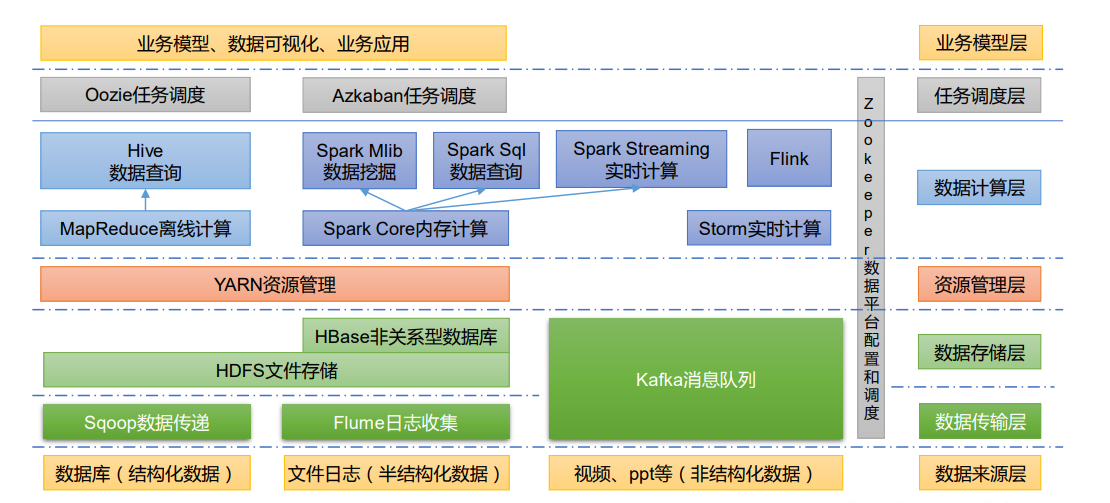
大数据生态体系

  1. Sqoop:用于在 Hadoop、Hive 与传统数据库(MySQL、Oracle 等)之间传递数据,既能把关系库的数据导入 HDFS,也能把 HDFS 的数据导回关系库
  2. Flume:高可用、高可靠的分布式海量日志采集、聚合和传输系统,支持在日志系统中定制各类数据发送方
  3. Kafka:高吞吐量的分布式发布订阅消息系统
  4. Spark:流行的开源大数据内存计算框架,可以基于 Hadoop 上存储的数据做计算
  5. Flink:同为内存计算框架,用于实时计算的场景更多
  6. Oozie:管理 Hadoop 作业(job)的工作流调度系统
  7. HBase:分布式的、面向列的开源数据库,适合非结构化数据存储
  8. Hive:基于 Hadoop 的数据仓库工具,把结构化数据文件映射成一张表并提供类 SQL 查询,SQL 会被翻译成 MapReduce 任务执行,学习成本低,适合数据仓库的统计分析
  9. ZooKeeper:面向大型分布式系统的可靠协调系统,提供配置维护、名字服务、分布式同步、组服务等能力

环境准备

以下操作所有节点都要做,两种装法都以它为起点。部分服务器交付时可能已经做过,检查一遍即可。

全文用到两组实验机,命令里的主机名按自己的环境替换:

章节 主机名 IP
方式一(Ambari + HDP) hdp01 / hdp02 / hdp03 192.168.100.101 / .102 / .103
方式二(手动部署) hadoop01 / hadoop02 / hadoop03 192.168.2.241 / .242 / .243

关闭 selinux、防火墙与 swap

1
2
3
4
5
6
7
8
swapoff -a
sed -ri 's/.*swap.*/#&/' /etc/fstab
grep SELINUX= /etc/selinux/config | grep -v "#"
sed -i 's/SELINUX=enforcing/SELINUX=disabled/g' /etc/selinux/config
grep SELINUX= /etc/selinux/config | grep -v "#"
setenforce 0
systemctl stop firewalld
systemctl disable firewalld

时间同步

能连外网的集群不用管这一步。内网环境挑一台机器(这里用 hdp01,192.168.100.101)做 ntp 服务端,其余节点指向它:

1
2
3
4
5
6
7
8
9
10
11
12
13
14
15
16
yum -y install ntp

# 服务端 192.168.100.101
cat >/etc/ntp.conf<<eof
server 127.127.1.0
fudge 127.127.1.0 stratum 10
eof

# 其余节点
cat >/etc/ntp.conf<<eof
server 192.168.100.101
eof

# 所有机器
systemctl enable --now ntpd.service
ntpq -p

主机名与网络

按实际情况修改网卡配置,文件名与 NAME、DEVICE 要对应上,例如 /etc/sysconfig/network-scripts/ifcfg-ens32:

1
2
3
4
5
6
7
8
9
10
11
12
13
14
15
16
17
18
19
20
TYPE=Ethernet
PROXY_METHOD=none
BROWSER_ONLY=no
BOOTPROTO=static # 修改的地方
DEFROUTE=yes
IPV4_FAILURE_FATAL=no
IPV6INIT=yes
IPV6_AUTOCONF=yes
IPV6_DEFROUTE=yes
IPV6_FAILURE_FATAL=no
IPV6_ADDR_GEN_MODE=stable-privacy
NAME=ens32 # 和文件对应
UUID=40ae9247-96ad-43d0-8c22-974897f62a64
DEVICE=ens32 # 和文件对应
ONBOOT=yes # 修改的地方
## 下方为添加的地方
IPADDR=192.168.100.101
GATEWAY=192.168.100.1
DNS1=8.8.8.8
DNS2=114.114.114.114

改完重启网络、写 hosts、设主机名:

1
2
3
4
5
6
7
8
9
10
11
12
service network restart

cat >/etc/hosts<<eof
127.0.0.1 localhost localhost.localdomain localhost4 localhost4.localdomain4
::1 localhost localhost.localdomain localhost6 localhost6.localdomain6

192.168.100.101 hdp01
192.168.100.102 hdp02
192.168.100.103 hdp03
eof

hostnamectl set-hostname hdp01 # 或者直接改 /etc/hostname

建立互信

每个节点生成密钥,再对所有节点(含自己)分发公钥:

1
2
3
4
5
6
rm -rf ~/.ssh
ssh-keygen -f ~/.ssh/id_rsa -N '' -t rsa -q -b 2048

ssh-copy-id -i ~/.ssh/id_rsa.pub hdp01
ssh-copy-id -i ~/.ssh/id_rsa.pub hdp02
ssh-copy-id -i ~/.ssh/id_rsa.pub hdp03

安装 JDK

下载地址:https://www.oracle.com/java/technologies/downloads/ 。这里用软链接 current 指向真实版本,后面换 JDK 只改软链接,不用动环境变量。

1
2
3
4
5
6
7
8
9
10
11
mkdir /opt/bigdata/java
tar zxf jdk-*.tar.gz -C /opt/bigdata/java
cd /opt/bigdata/java
ln -s jdk* current
cat >/etc/profile.d/java_env.sh<<eof
export JAVA_HOME=/opt/bigdata/java/current
export CLASSPATH=.:\$JAVA_HOME/jre/lib/rt.jar:\$JAVA_HOME/lib/dt.jar:\$JAVA_HOME/lib/tools.jar
export PATH=\$JAVA_HOME/bin:\$PATH
eof
source /etc/profile
java -version

用 Ambari 安装时,JDK 和数据库都可以交给 Ambari 自动下载,这一步以及后面的 MySQL 安装都可以跳过;只有需要自定义版本时才手动装。

方式一:Ambari + HDP 向导式部署

Ambari 负责把 HDP 里的各个组件推到所有节点上安装并统一管理,适合快速拉起一整套生态。这里用的是 hdp-3.1.5 的本地离线包、jdk8 最新版,数据库选 MySQL。

⚠️ 注:Hortonworks 被 Cloudera 收购后,HDP 与 Ambari 的公开仓库已经关闭,新版本需要订阅账号才能下载,本节流程仅适用于手上已有离线包的情况。新集群更建议用原生 Apache 版本(见「方式二」)。

准备本地 yum 源

把四个离线 tar 包解开,生成指向本地目录的 repo 文件:

1
2
3
4
5
6
7
8
9
10
11
12
13
14
15
16
17
18
19
20
21
22
23
24
25
26
27
28
29
30
31
32
33
34
35
36
37
38
39
40
41
42
43
44
mkdir HDP3.1.5
cd HDP3.1.5;
install_dirname=`pwd`
cat >ambari.repo<<eof
[HDP-3.1-repo-1]
name=HDP-3.1-repo-1
baseurl=file://$install_dirname/HDP/centos7/3.1.5.0-152

path=/
enabled=1
gpgcheck=0
[HDP-3.1-GPL-repo-1]
name=HDP-3.1-GPL-repo-1
baseurl=file://$install_dirname/HDP-GPL/centos7/3.1.5.0-152

path=/
enabled=1
gpgcheck=0
[HDP-UTILS-1.1.0.22-repo-1]
name=HDP-UTILS-1.1.0.22-repo-1
baseurl=file://$install_dirname/HDP-UTILS/centos7/1.1.0.22

path=/
enabled=1
gpgcheck=0
[ambari-2.7.5-repo-1]
name=ambari-2.7.5-repo-1
baseurl=file://$install_dirname/ambari/centos7/2.7.5.0-72

path=/
enabled=1
gpgcheck=0
eof

cp ambari.repo /etc/yum.repos.d/
echo "unzip packege, may take a little time"
tar -zxf ../ambari-*-centos7.tar.gz -C $install_dirname
tar -zxf ../HDP-3*-centos7-rpm.tar.gz -C $install_dirname
tar -zxf ../HDP-GPL-3.1.5.0-*-gpl.tar.gz -C $install_dirname
tar -zxf ../HDP-UTILS-1.1.0.22-centos7.tar.gz -C $install_dirname

yum clean all
yum makecache
yum repolist

安装 MySQL

数据库只装在一台机器上即可(这里是 192.168.100.101)。yum 源 rpm 包可在 https://dev.mysql.com/downloads/repo/yum/ 找到:

1
2
3
4
rpm -ivh mysql*.noarch.rpm
yum install -y mysql-server mysql
systemctl enable --now mysqld
# 临时密码在 /var/log/mysqld.log

Ambari 自带的建库 SQL 在 8.0 上有语法问题,这里先用 mysql-5.7,包可在 https://downloads.mysql.com/archives/community/ 下载:

1
2
3
4
5
6
7
8
wget https://downloads.mysql.com/archives/get/p/23/file/mysql-community-server-5.7.36-1.el7.x86_64.rpm
wget https://downloads.mysql.com/archives/get/p/23/file/mysql-community-client-5.7.36-1.el7.x86_64.rpm
wget https://downloads.mysql.com/archives/get/p/23/file/mysql-community-common-5.7.36-1.el7.x86_64.rpm
wget https://downloads.mysql.com/archives/get/p/23/file/mysql-community-libs-5.7.36-1.el7.x86_64.rpm
rpm -ivh mysql-community-common-5.7.36-1.el7.x86_64.rpm
rpm -ivh mysql-community-libs-5.7.36-1.el7.x86_64.rpm
rpm -ivh mysql-community-client-5.7.36-1.el7.x86_64.rpm
rpm -ivh mysql-community-server-5.7.36-1.el7.x86_64.rpm
初始化 MySQL

用 /var/log/mysqld.log 里的临时密码进入初始化向导:

1
/usr/bin/mysql_secure_installation

向导会依次问这些问题,按下面的答法即可:

  1. Enter password for user root:填日志里的临时密码,随后被要求设置新密码(validate_password 组件开启时密码强度不能太低)
  2. Change the password for root ?:y,再输入两遍新密码
  3. Remove anonymous users?:y,匿名账号只适合测试环境
  4. Disallow root login remotely?:n,Ambari 要从其他节点连过来;生产环境应改成 y 并单独建远程账号
  5. Remove test database and access to it?:y
  6. Reload privilege tables now?:y
准备 JDBC 驱动

需要 mysql-connector-java.jar,下载链接 https://dev.mysql.com/downloads/connector/j/ 。也可以直接 yum 装,但版本受限,推荐下 jar 包自己放:

1
2
yum install -y mysql-connector-java
# 会生成文件 /usr/share/java/mysql-connector-java.jar
创建 ambari / hive / oozie 库与账号

如果密码策略挡住了简单密码,可以先临时放宽(生产环境不建议):

1
2
3
SHOW VARIABLES LIKE 'validate_password%';
set global validate_password_policy=LOW;
set global validate_password_length=4;

Ambari 自身的库。因为 Ambari 会分别以 %、localhost、主机名三种形式连接,三个授权都要建:

1
2
3
4
5
6
7
8
9
10
11
12
13
14
create database ambari character set utf8mb4;
CREATE USER 'ambari'@'%' IDENTIFIED BY '<CHANGE_ME>';
GRANT ALL PRIVILEGES ON *.* TO 'ambari'@'%';
CREATE USER 'ambari'@'localhost' IDENTIFIED BY '<CHANGE_ME>';
GRANT ALL PRIVILEGES ON *.* TO 'ambari'@'localhost';
CREATE USER 'ambari'@'hdp01' IDENTIFIED BY '<CHANGE_ME>';
GRANT ALL PRIVILEGES ON *.* TO 'ambari'@'hdp01';
FLUSH PRIVILEGES;

use ambari;
source /var/lib/ambari-server/resources/Ambari-DDL-MySQL-CREATE.sql;
show tables;
use mysql;
select host,user from user where user='ambari';

Hive 的库(用 MySQL 时必须先手工建好,PostgreSQL 内嵌模式下 Ambari 会自动处理):

1
2
3
4
5
6
7
8
9
CREATE DATABASE hive character set utf8mb4;
use hive;
CREATE USER 'hive'@'%' IDENTIFIED BY '<CHANGE_ME>';
GRANT ALL PRIVILEGES ON *.* TO 'hive'@'%';
CREATE USER 'hive'@'localhost' IDENTIFIED BY '<CHANGE_ME>';
GRANT ALL PRIVILEGES ON *.* TO 'hive'@'localhost';
CREATE USER 'hive'@'hdp01' IDENTIFIED BY '<CHANGE_ME>';
GRANT ALL PRIVILEGES ON *.* TO 'hive'@'hdp01';
FLUSH PRIVILEGES;

Oozie 的库,同样的套路:

1
2
3
4
5
6
7
8
9
CREATE DATABASE oozie character set utf8mb4;
use oozie;
CREATE USER 'oozie'@'%' IDENTIFIED BY '<CHANGE_ME>';
GRANT ALL PRIVILEGES ON *.* TO 'oozie'@'%';
CREATE USER 'oozie'@'localhost' IDENTIFIED BY '<CHANGE_ME>';
GRANT ALL PRIVILEGES ON *.* TO 'oozie'@'localhost';
CREATE USER 'oozie'@'hdp01' IDENTIFIED BY '<CHANGE_ME>';
GRANT ALL PRIVILEGES ON *.* TO 'oozie'@'hdp01';
FLUSH PRIVILEGES;

安装 ambari-server 与 ambari-agent

管理节点(192.168.100.101)装 server:

1
2
3
yum -y install ambari-server
ambari-server setup # 交互式初始化,见下一节
ambari-server start

所有节点装 agent:

1
2
yum -y install ambari-agent
systemctl start ambari-agent
ambari-server setup 交互过程

下面是选用自定义 JDK + 外部 MySQL 时的完整交互,注意最后的 DDL 提示:选 MySQL 时必须自己去数据库里 source 一遍建表 SQL(上一节已做),内嵌 PostgreSQL 则会自动完成。

1
2
3
4
5
6
7
8
9
10
11
12
13
14
15
16
17
18
19
20
21
22
23
24
25
26
27
28
29
30
31
32
33
34
35
36
37
38
39
40
41
42
43
44
45
46
47
48
49
50
51
52
53
54
55
56
57
[root@hdp01 ~]# ambari-server setup
Using python /usr/bin/python
Setup ambari-server
Checking SELinux...
SELinux status is 'enabled'
SELinux mode is 'permissive'
WARNING: SELinux is set to 'permissive' mode and temporarily disabled.
OK to continue [y/n] (y)? y
Customize user account for ambari-server daemon [y/n] (n)? y
Enter user account for ambari-server daemon (root):ambari
Adjusting ambari-server permissions and ownership...
Checking firewall status...
Checking JDK...
Do you want to change Oracle JDK [y/n] (n)? y
[1] Oracle JDK 1.8 + Java Cryptography Extension (JCE) Policy Files 8
[2] Custom JDK
==============================================================================
Enter choice (1): 2
WARNING: JDK must be installed on all hosts and JAVA_HOME must be valid on all hosts.
WARNING: JCE Policy files are required for configuring Kerberos security. If you plan to use Kerberos,please make sure JCE Unlimited Strength Jurisdiction Policy Files are valid on all hosts.
Path to JAVA_HOME: /usr/java/default
Validating JDK on Ambari Server...done.
Check JDK version for Ambari Server...
JDK version found: 8
Minimum JDK version is 8 for Ambari. Skipping to setup different JDK for Ambari Server.
Checking GPL software agreement...
Completing setup...
Configuring database...
Enter advanced database configuration [y/n] (n)? y
Configuring database...
==============================================================================
Choose one of the following options:
[1] - PostgreSQL (Embedded)
[2] - Oracle
[3] - MySQL / MariaDB
[4] - PostgreSQL
[5] - Microsoft SQL Server (Tech Preview)
[6] - SQL Anywhere
[7] - BDB
==============================================================================
Enter choice (3):
Hostname (localhost):
Port (3306):
Database name (ambari):
Username (ambari):
Enter Database Password (ambari):
Configuring ambari database...
Should ambari use existing default jdbc /usr/share/java/mysql-connector-java.jar [y/n] (y)? y
Configuring remote database connection properties...
WARNING: Before starting Ambari Server, you must run the following DDL directly from the database shell to create the schema: /var/lib/ambari-server/resources/Ambari-DDL-MySQL-CREATE.sql
Proceed with configuring remote database connection properties [y/n] (y)? y
Extracting system views...
ambari-admin-2.7.5.0.72.jar
....
Ambari repo file doesn't contain latest json url, skipping repoinfos modification
Adjusting ambari-server permissions and ownership...
Ambari Server 'setup' completed successfully.

网页向导安装

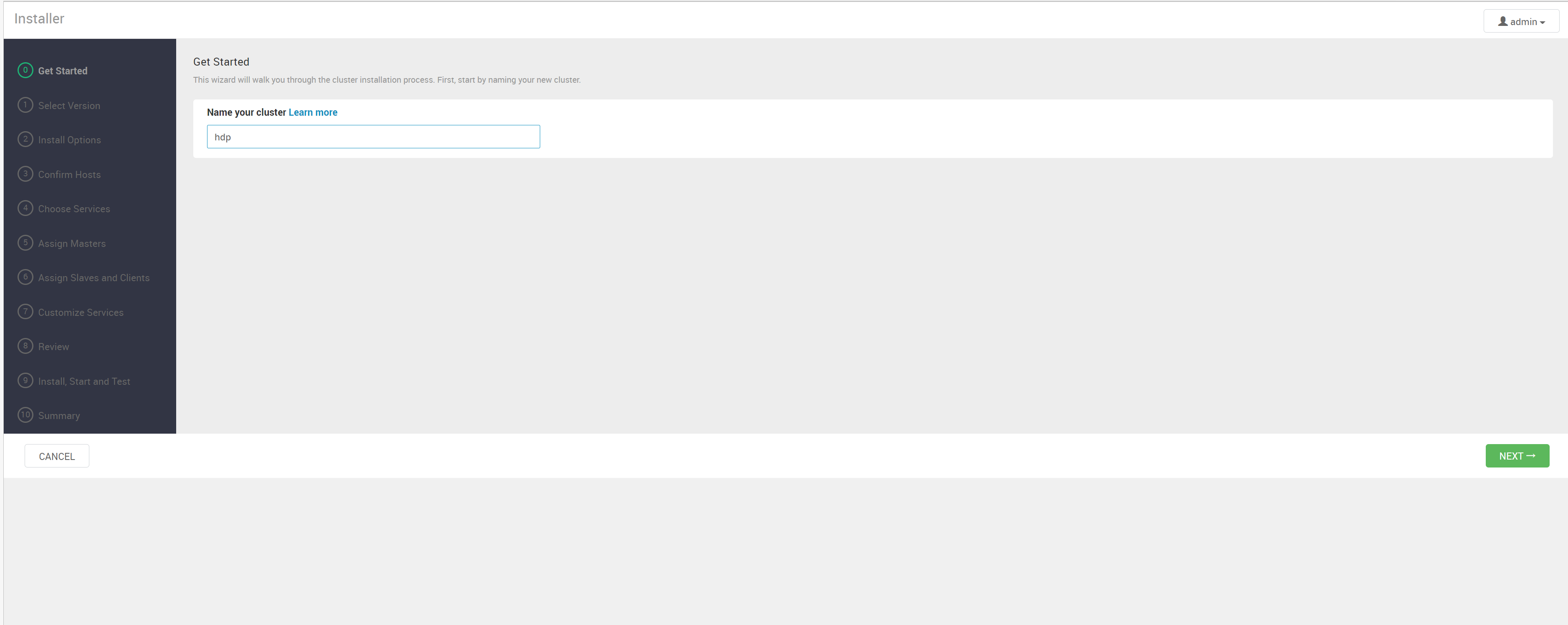
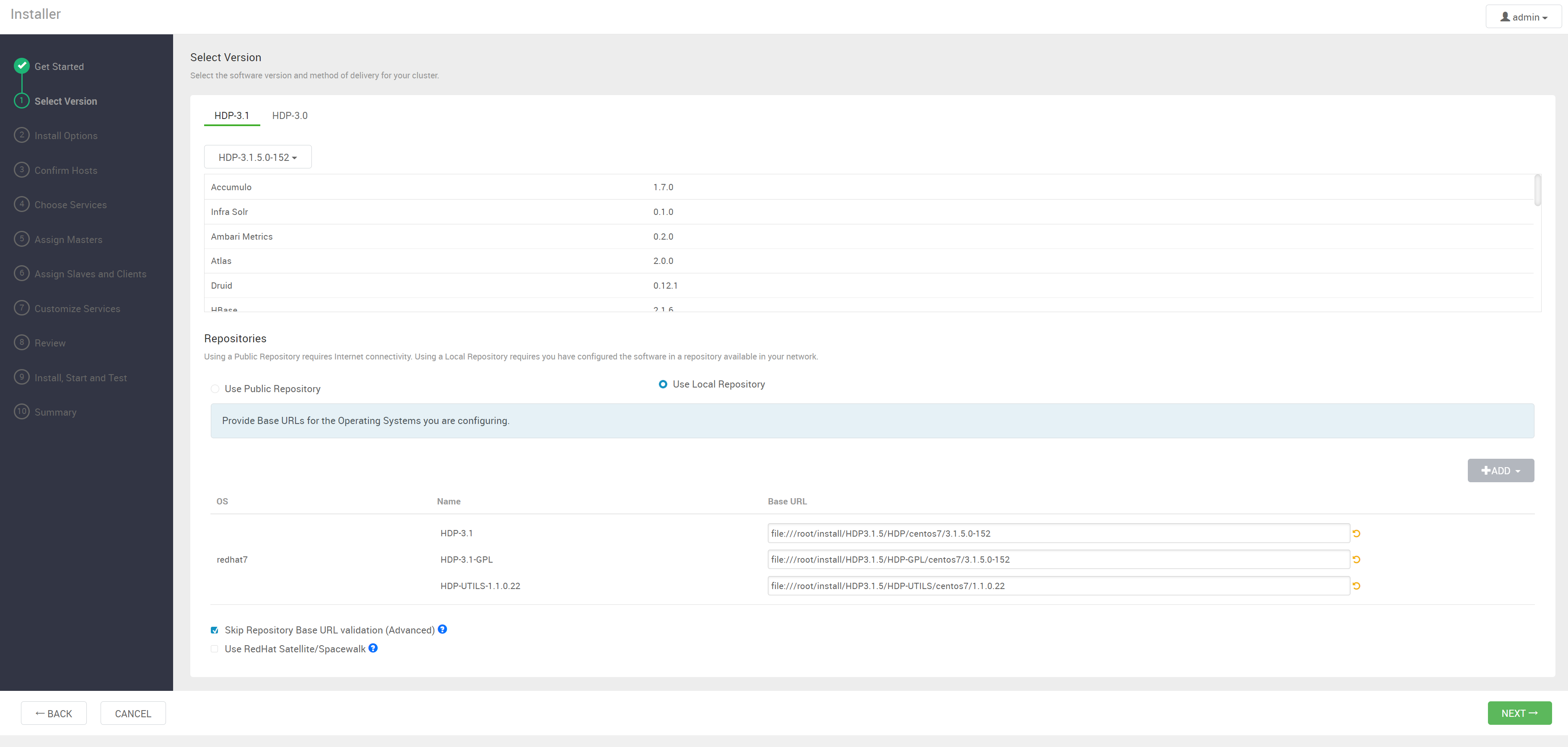
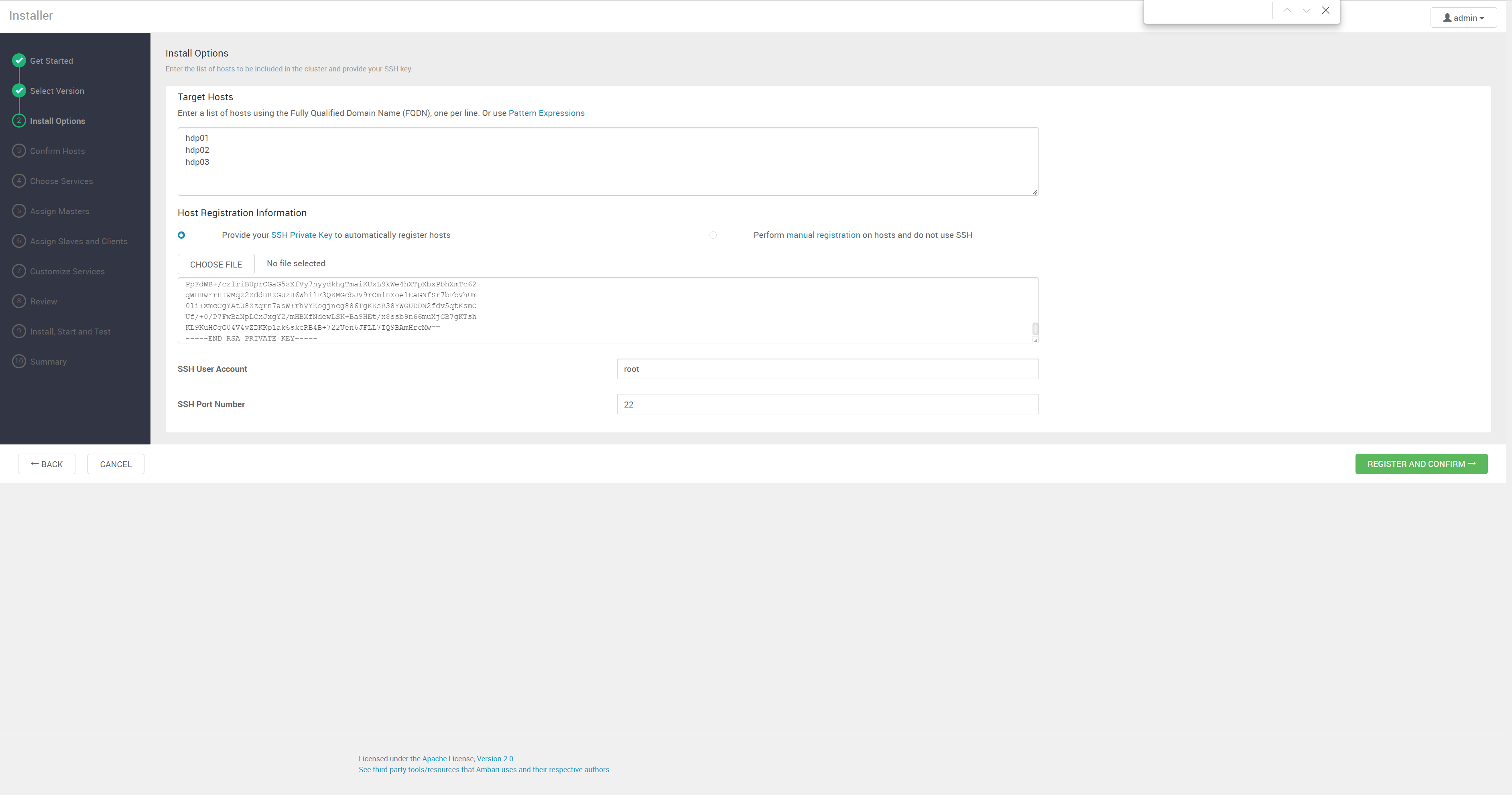
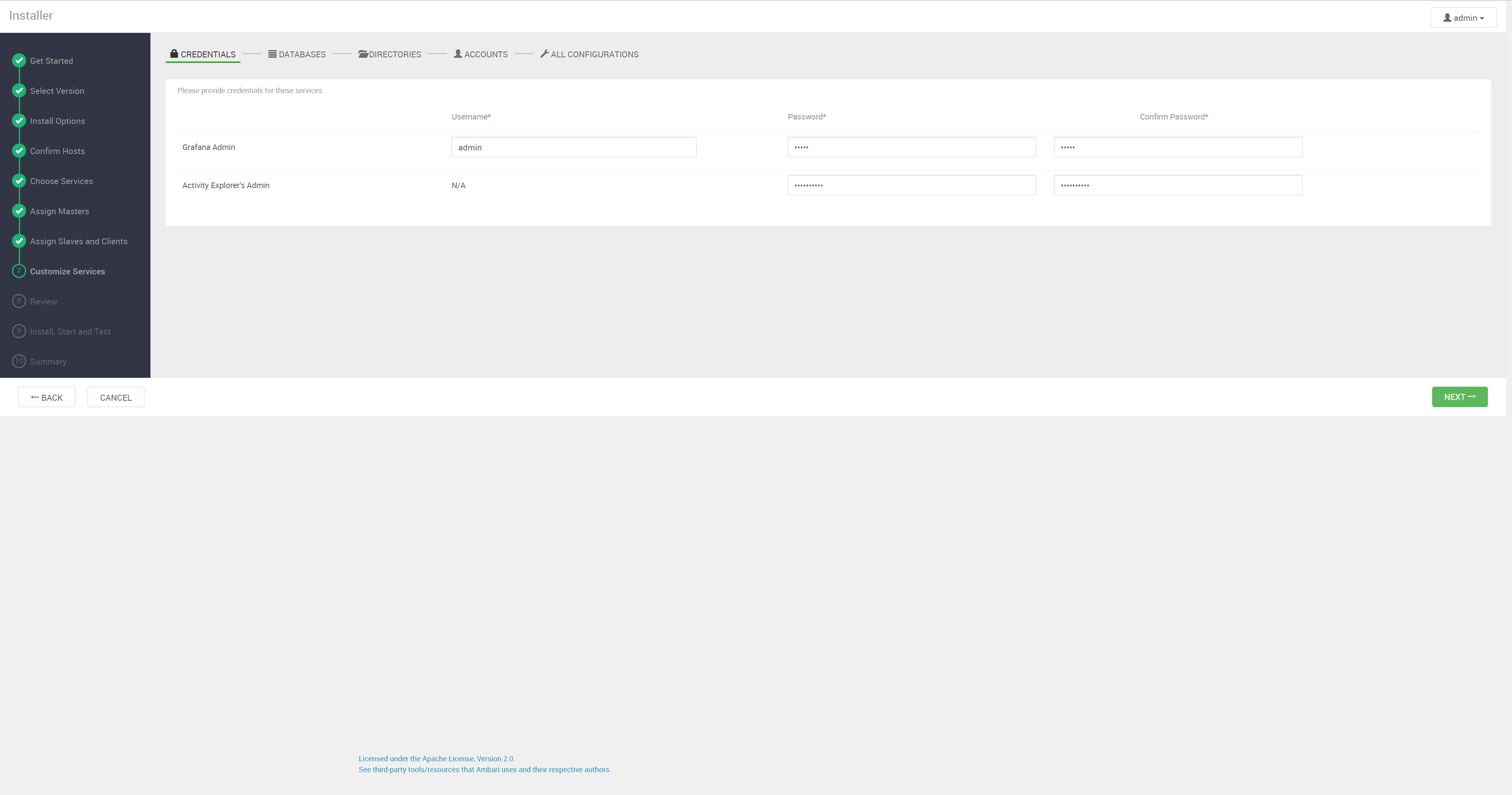
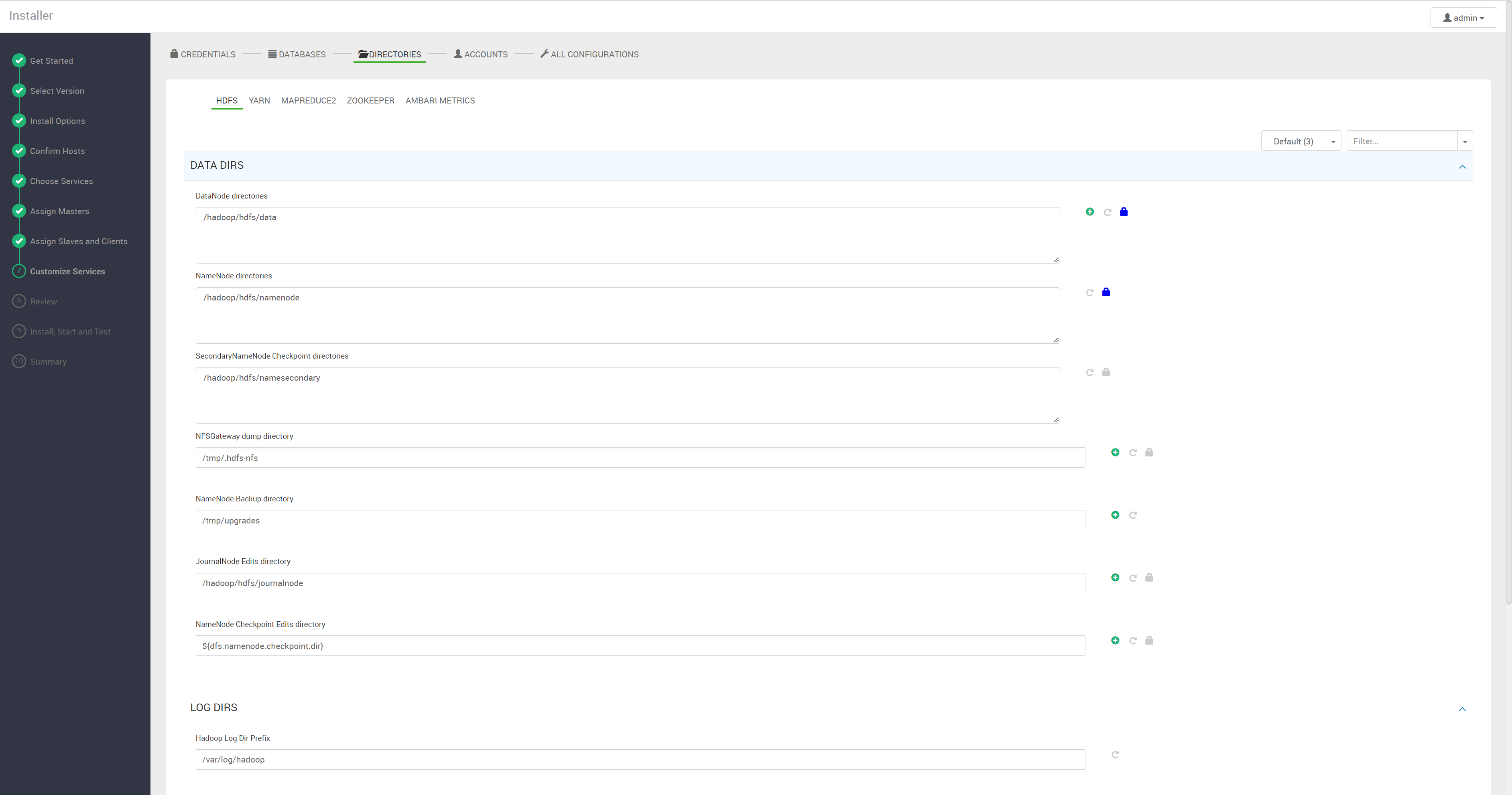
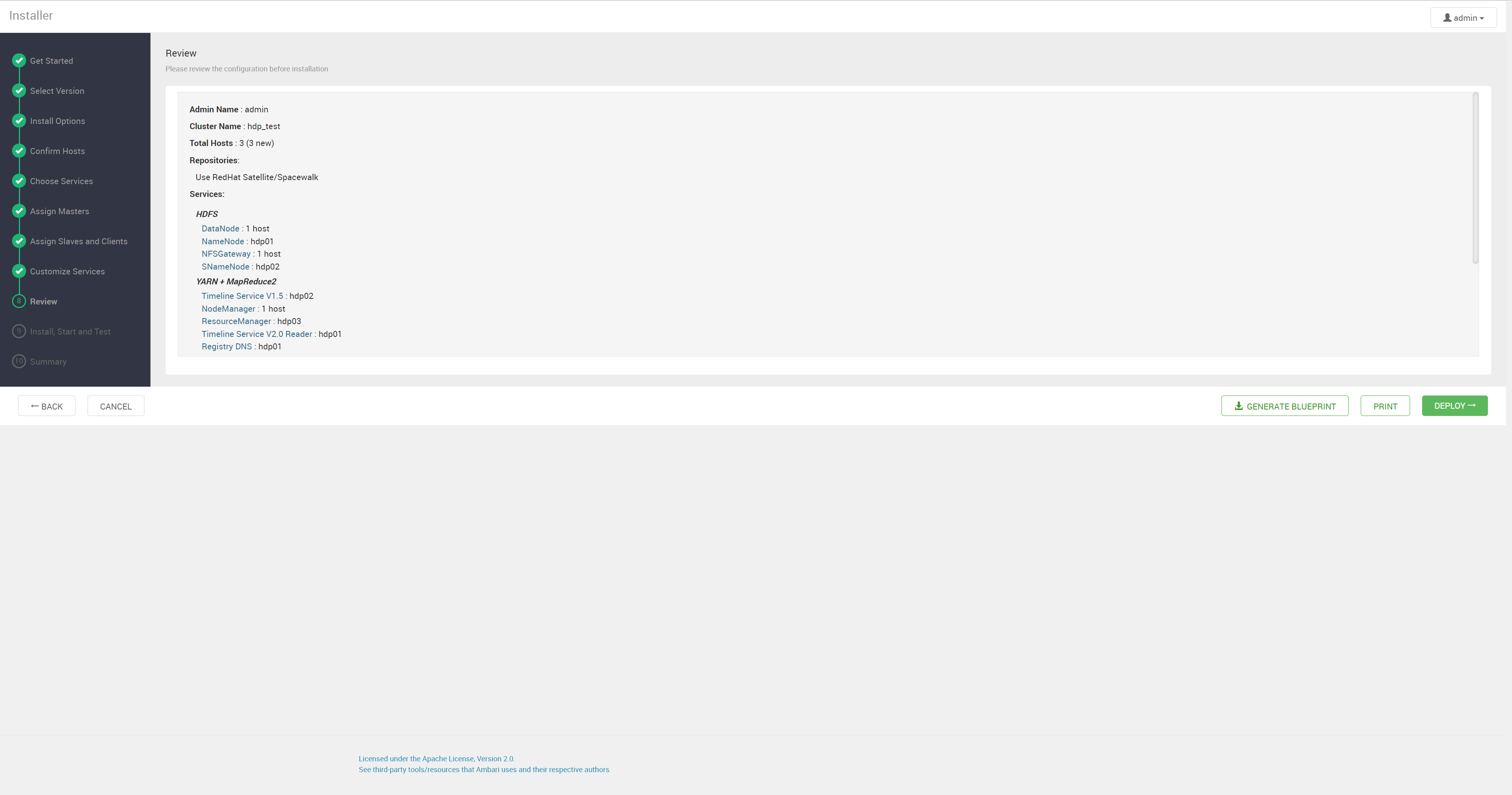
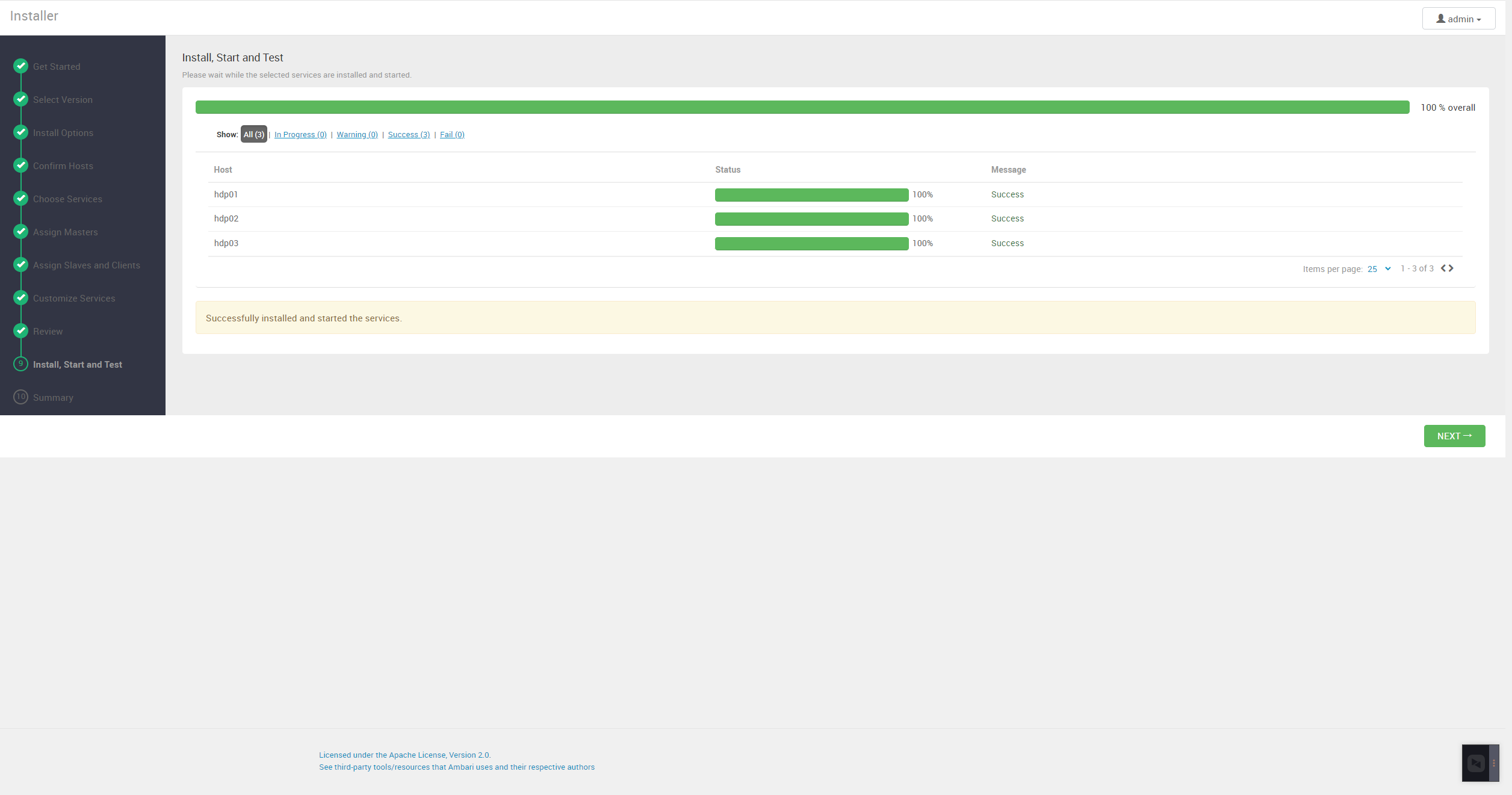
server 与 agent 都起来后,就可以在页面上完成剩下的工作。登录地址 http://hdp01:8080 ,默认管理员账号 admin,密码 admin(登录后立刻改掉)。向导过程中报错就看 /var/log/ambari-server/ 与 /var/log/ambari-agent/ 下的日志。

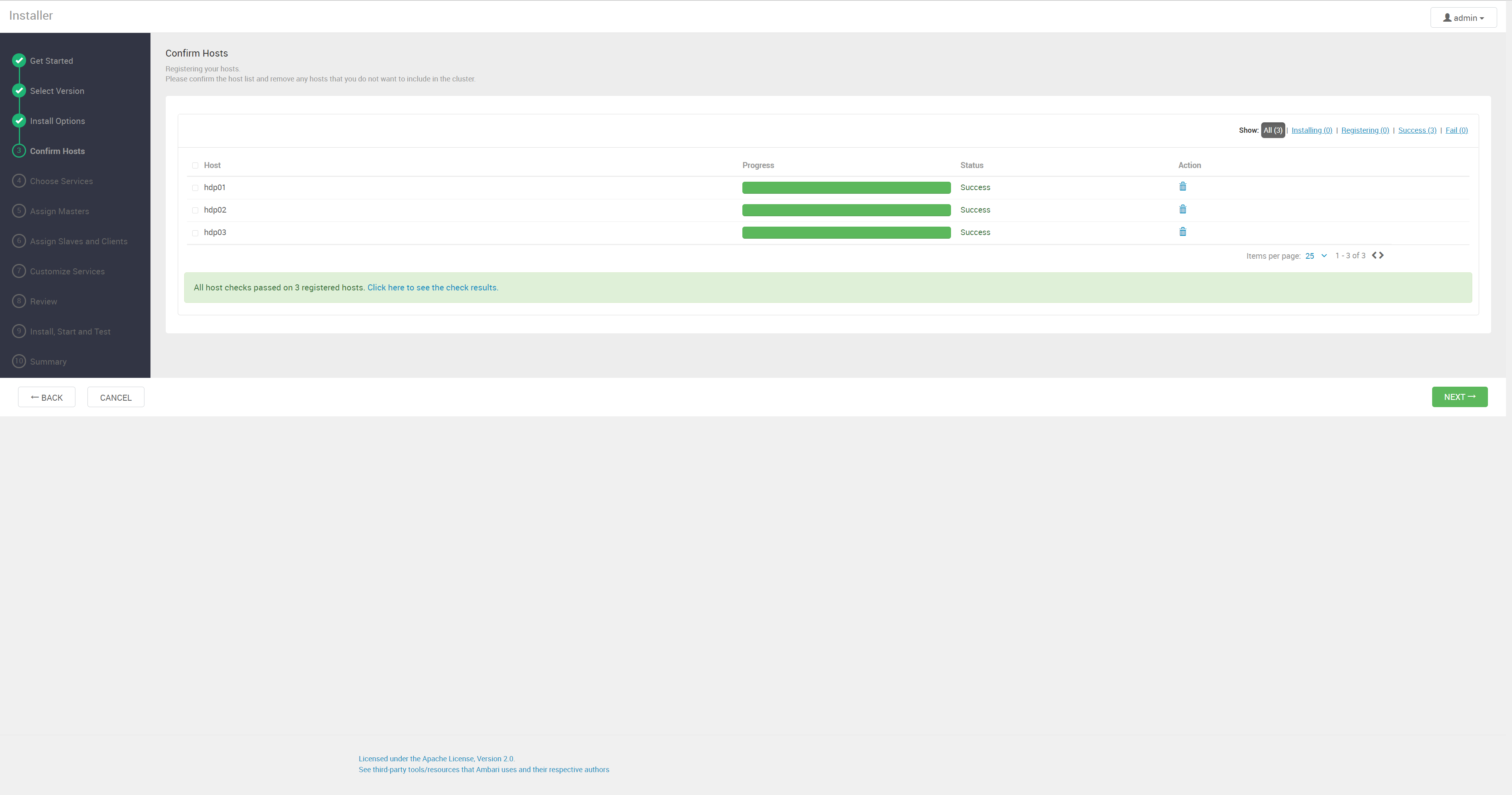
HDP1
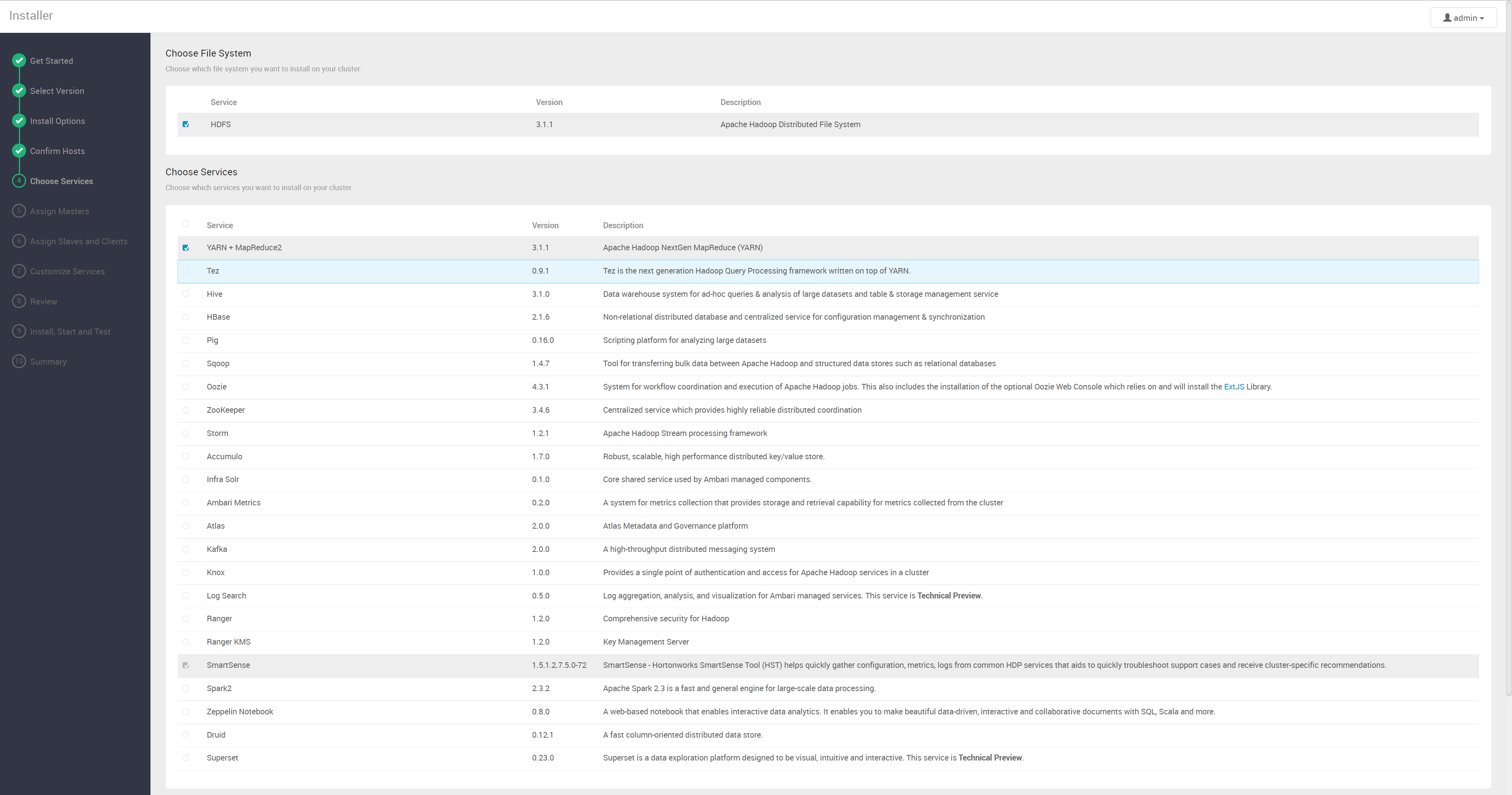
HDP2
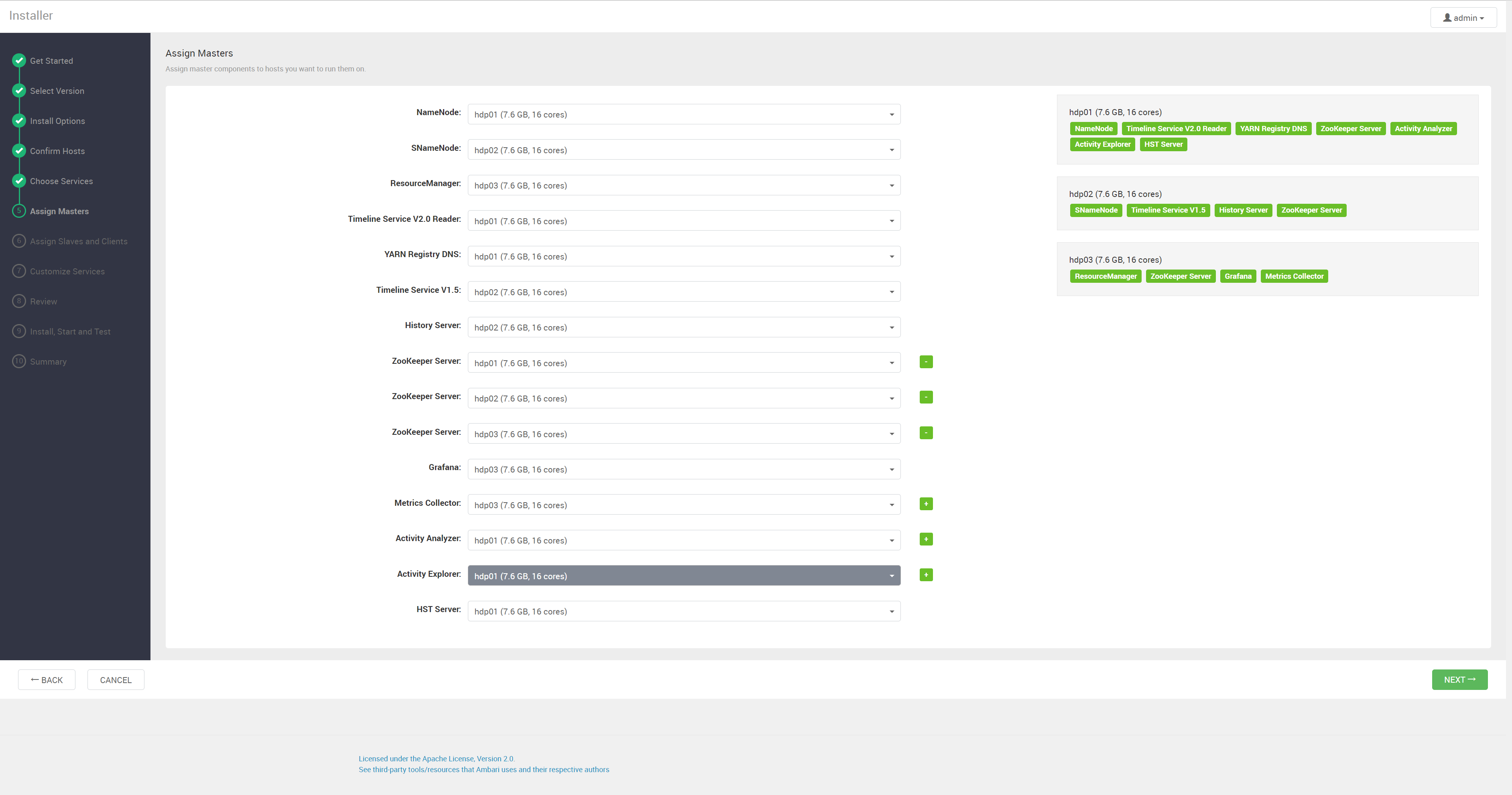
HDP3
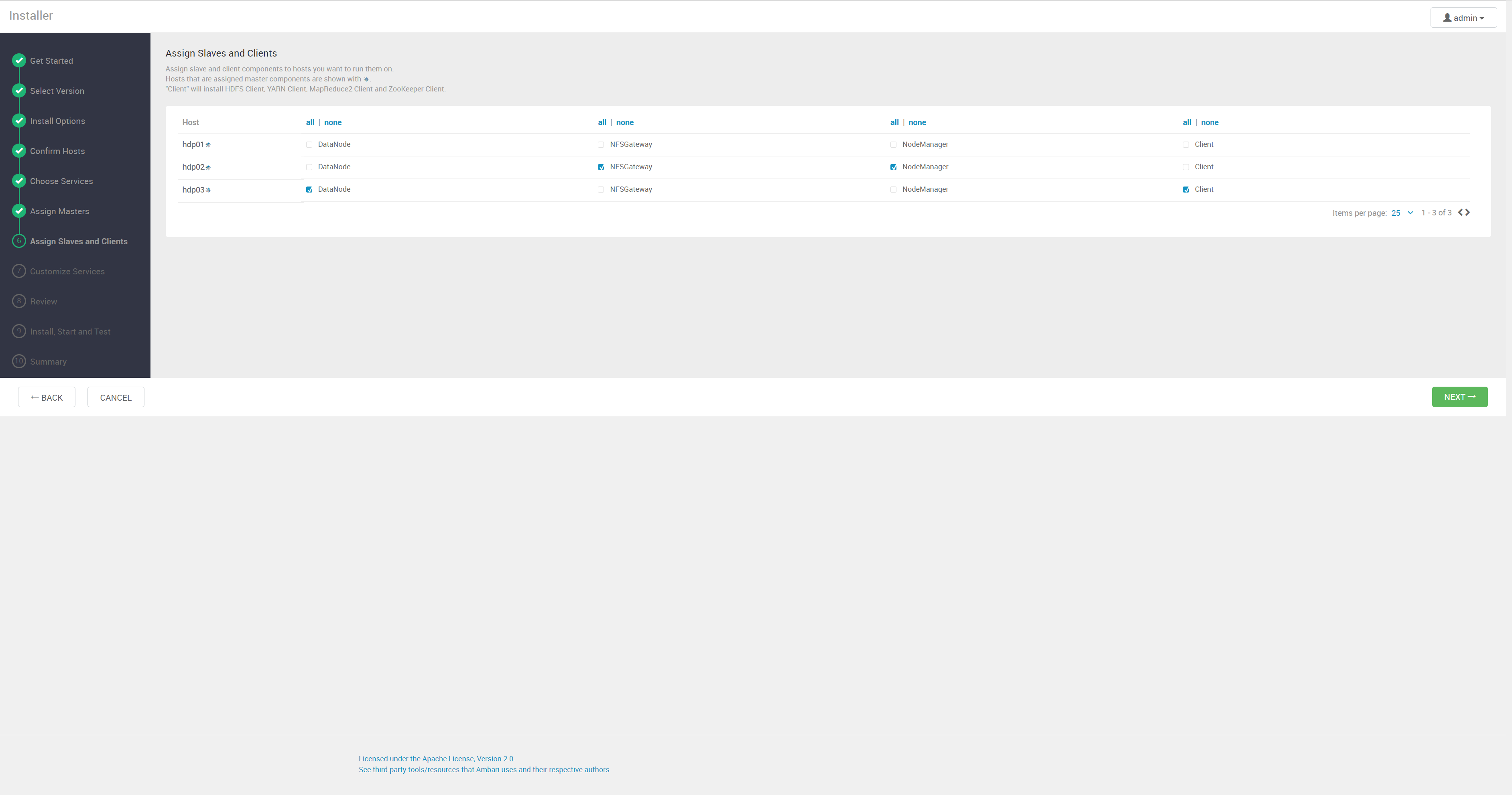
HDP4
HDP5
HDP6
HDP7
HDP8
HDP9
HDP10
HDP11
HDP12
HDP13

HDP 版本定义文件

向导里选择 stack 版本时会用到版本定义文件,离线安装可以把它保存成 HDP-3.1.5.0-152.xml 后手动指定,其中的 baseurl 换成自己的本地源地址:

1
2
3
4
5
6
7
8
9
10
11
12
13
14
15
16
17
18
19
20
21
22
23
24
25
26
27
28
29
30
31
32
33
34
35
36
37
38
39
40
41
42
43
44
45
46
47
48
49
50
51
52
53
54
55
56
57
58
59
60
61
<?xml version="1.0"?>
<repository-version xmlns:xsi="http://www.w3.org/2001/XMLSchema-instance" xsi:noNamespaceSchemaLocation="version_definition.xsd">
<release>
<type>STANDARD</type>
<stack-id>HDP-3.1</stack-id>
<version>3.1.5.0</version>
<build>152</build>
<compatible-with>3\.\d+\.\d+\.\d+</compatible-with>
<release-notes>http://example.com</release-notes>
<display>HDP-3.1.5.0</display>
</release>
<manifest>
<service id="ACCUMULO-170" name="ACCUMULO" version="1.7.0"/>
<service id="ATLAS-200" name="ATLAS" version="2.0.0"/>
<service id="DRUID-0121" name="DRUID" version="0.12.1"/>
<service id="HDFS-311" name="HDFS" version="3.1.1"/>
<service id="YARN-311" name="YARN" version="3.1.1"/>
<service id="MAPREDUCE2-311" name="MAPREDUCE2" version="3.1.1"/>
<service id="HBASE-216" name="HBASE" version="2.1.6"/>
<service id="HIVE-310" name="HIVE" version="3.1.0"/>
<service id="KAFKA-200" name="KAFKA" version="2.0.0"/>
<service id="KNOX-100" name="KNOX" version="1.0.0"/>
<service id="OOZIE-431" name="OOZIE" version="4.3.1"/>
<service id="PIG-0160" name="PIG" version="0.16.0"/>
<service id="RANGER-120" name="RANGER" version="1.2.0"/>
<service id="RANGER_KMS-120" name="RANGER_KMS" version="1.2.0"/>
<service id="SPARK2-232" name="SPARK2" version="2.3.2"/>
<service id="SQOOP-147" name="SQOOP" version="1.4.7"/>
<service id="STORM-121" name="STORM" version="1.2.1"/>
<service id="TEZ-091" name="TEZ" version="0.9.1"/>
<service id="ZEPPELIN-080" name="ZEPPELIN" version="0.8.0"/>
<service id="ZOOKEEPER-346" name="ZOOKEEPER" version="3.4.6"/>
</manifest>
<available-services/>
<repository-info>
<os family="redhat7">
<package-version>3_1_5_0_*</package-version>
<repo>
<baseurl>https://archive.cloudera.com/p/HDP/centos7/3.x/updates/3.1.5.0</baseurl>
<repoid>HDP-3.1</repoid>
<reponame>HDP</reponame>
<unique>true</unique>
</repo>
<repo>
<baseurl>https://archive.cloudera.com/p/HDP-GPL/centos7/3.x/updates/3.1.5.0</baseurl>
<repoid>HDP-3.1-GPL</repoid>
<reponame>HDP-GPL</reponame>
<unique>true</unique>
<tags>
<tag>GPL</tag>
</tags>
</repo>
<repo>
<baseurl>https://archive.cloudera.com/p/HDP-UTILS-1.1.0.22/repos/centos7</baseurl>
<repoid>HDP-UTILS-1.1.0.22</repoid>
<reponame>HDP-UTILS</reponame>
<unique>false</unique>
</repo>
</os>
</repository-info>
</repository-version>

方式二:官方 tar 包手动部署

这一节用原生 Apache Hadoop,按 本地运行模式 → 单节点伪分布式 → 完全分布式 HA 的顺序逐步加码:三种模式的软件安装完全一样,区别只在配置文件和启动哪些进程。实验机是 hadoop01-hadoop03(192.168.2.241-243),/etc/hosts 相应写成:

1
2
3
4
5
6
7
8
cat >/etc/hosts<<eof
127.0.0.1 localhost localhost.localdomain localhost4 localhost4.localdomain4
::1 localhost localhost.localdomain localhost6 localhost6.localdomain6

192.168.2.241 hadoop01
192.168.2.242 hadoop02
192.168.2.243 hadoop03
eof

安装 Hadoop 与本地运行模式

下载地址 https://archive.apache.org/dist/hadoop/common/ 。解压后不改任何配置就是本地运行模式:没有任何守护进程,读写本地文件系统,用来验证包和环境变量是否正确。配置文件单独放到 /etc/hadoop/conf 并用 HADOOP_CONF_DIR 指过去,升级换包时配置不用搬:

1
2
3
4
5
6
7
8
9
10
11
12
13
14
15
16
17
18
19
20
21
22
23
24
25
26
27
28
useradd hadoop
mkdir -p /opt/bigdata/hadoop
wget --no-check-certificate https://archive.apache.org/dist/hadoop/common/hadoop-3.3.1/hadoop-3.3.1.tar.gz

tar -zxvf hadoop-*.tar.gz -C /opt/bigdata/hadoop
cd /opt/bigdata/hadoop
ln -s hadoop-* current
chown -R hadoop:hadoop /opt/bigdata/hadoop

mkdir /etc/hadoop # 配置文件路径
cp -r /opt/bigdata/hadoop/current/etc/hadoop /etc/hadoop/conf
chown -R hadoop:hadoop /etc/hadoop

cat >/etc/profile.d/hadoop_env.sh<<-EOF
#HADOOP_HOME
export HADOOP_HOME=/opt/bigdata/hadoop/current
export HADOOP_MAPRED_HOME=\${HADOOP_HOME}
export HADOOP_COMMON_HOME=\${HADOOP_HOME}
export HADOOP_HDFS_HOME=\${HADOOP_HOME}
export HADOOP_YARN_HOME=\${HADOOP_HOME}
export CATALINA_BASE=\${HTTPFS_CATALINA_HOME}
export HADOOP_CONF_DIR=/etc/hadoop/conf
export HTTPFS_CONFIG=/etc/hadoop/conf
export PATH=\$PATH:\$HADOOP_HOME/bin:\$HADOOP_HOME/sbin
EOF

source /etc/profile
hadoop version
验证本地运行模式

用自带的 wordcount 例子跑一遍,输入输出都在本地目录:

1
2
3
4
5
6
7
8
9
10
11
12
13
su - hadoop
cd /opt/bigdata/hadoop/current
mkdir wcinput

cat > /opt/bigdata/hadoop/current/wcinput/demo.txt <<-EOF
Linux Unix windows
hadoop Linux spark
hive hadoop Unix
MapReduce hadoop Linux hive
windows hadoop spark
EOF

hadoop jar share/hadoop/mapreduce/hadoop-mapreduce-examples-*.jar wordcount wcinput wcoutput

结果:

1
2
3
4
5
6
7
8
9
10
11
# ls wcoutput/
part-r-00000 _SUCCESS

# cat wcoutput/part-r-00000
Linux 3
MapReduce 1
Unix 2
hadoop 4
hive 2
spark 2
windows 2

输出目录里两个文件的含义:_SUCCESS 是任务完成标识,表示执行成功;part-r-00000 才是结果文件,其中带 m 标识的是 mapper 输出、带 r 标识的是 reduce 输出,00000 是 reduce task(分区)编号——有 N 个 reducer 就有 part-r-00000 到 part-r-0000(N-1),job id 根本不出现在输出文件名里。

单节点伪分布式

伪分布式和完全分布式的步骤基本一致,差别只在配置文件,所以先在单节点上把各个进程的启动顺序走通。节点 192.168.2.231(hadoop231),前置操作和上面的安装已完成,配置基本用默认值,只把 fs.defaultFS 指到本机。

修改 core-site.xml

/etc/hadoop/conf/core-site.xml,RPC 默认端口 8020:

1
2
3
4
<property>
<name>fs.defaultFS</name>
<value>hdfs://hadoop231</value>
</property>

进程日志都在 /opt/bigdata/hadoop/current/logs/,起不来就先看日志。以下操作都用 hadoop 用户执行。

启动 HDFS 组件

格式化 NameNode 后启动它。格式化只在初次部署时做一次,重复格式化会导致 DataNode 认不出集群(见后文排错):

1
2
3
4
5
6
$ su - hadoop
$ cd /opt/bigdata/hadoop/current/bin
$ hdfs namenode -format
$ hdfs --daemon start namenode
$ jps|grep NameNode
27319 NameNode

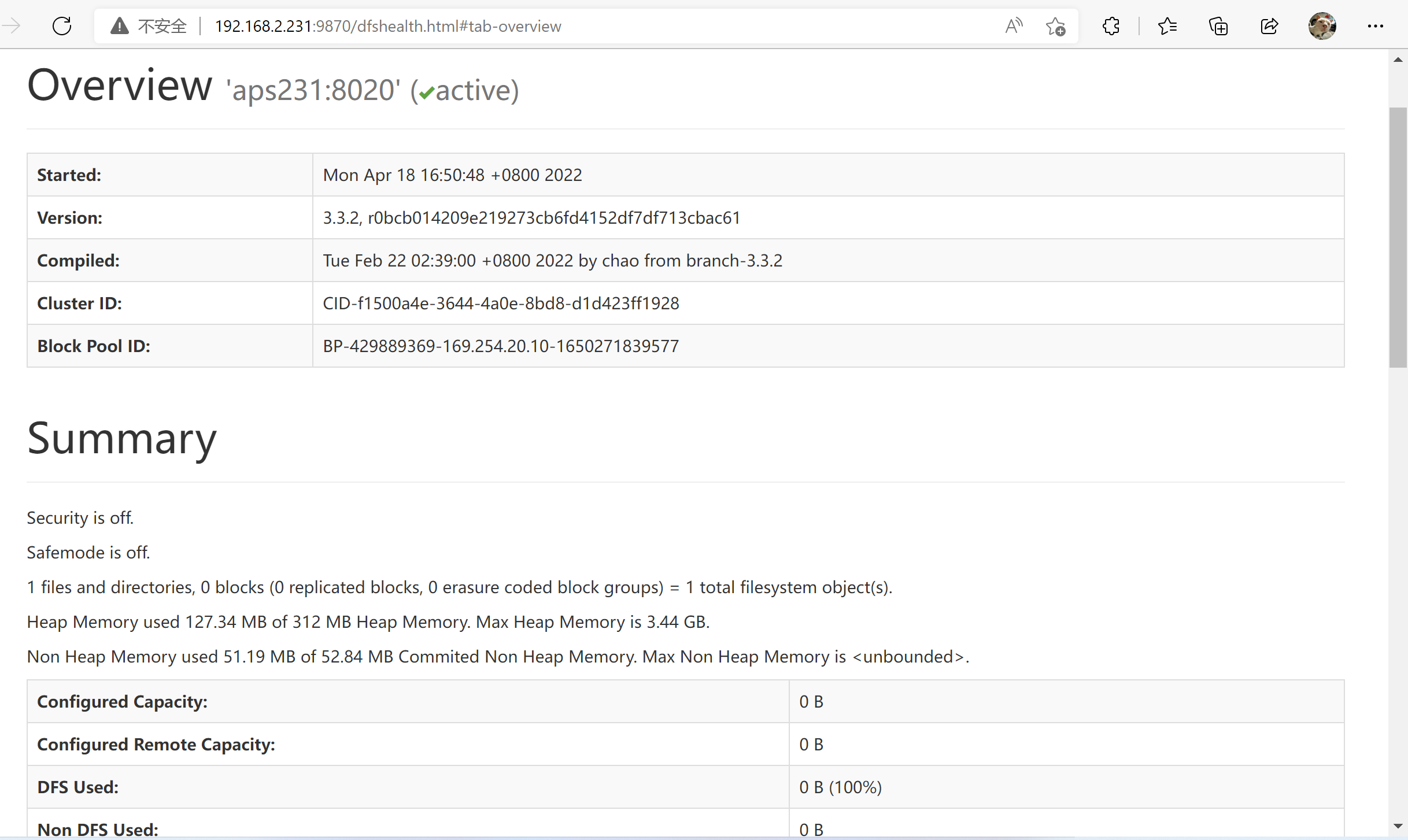
打开 192.168.2.231:9870 就是 NameNode 的状态页面,此时 DataNode 还没起,页面上没有数据:

hadoop01

再启动 SecondaryNameNode(后面做 HA 的完全分布式集群不需要这个服务)和 DataNode:

1
2
3
4
5
6
7
$ hdfs --daemon start secondarynamenode
$ jps|grep SecondaryNameNode
29705 SecondaryNameNode

$ hdfs --daemon start datanode
$ jps|grep DataNode
3876 DataNode

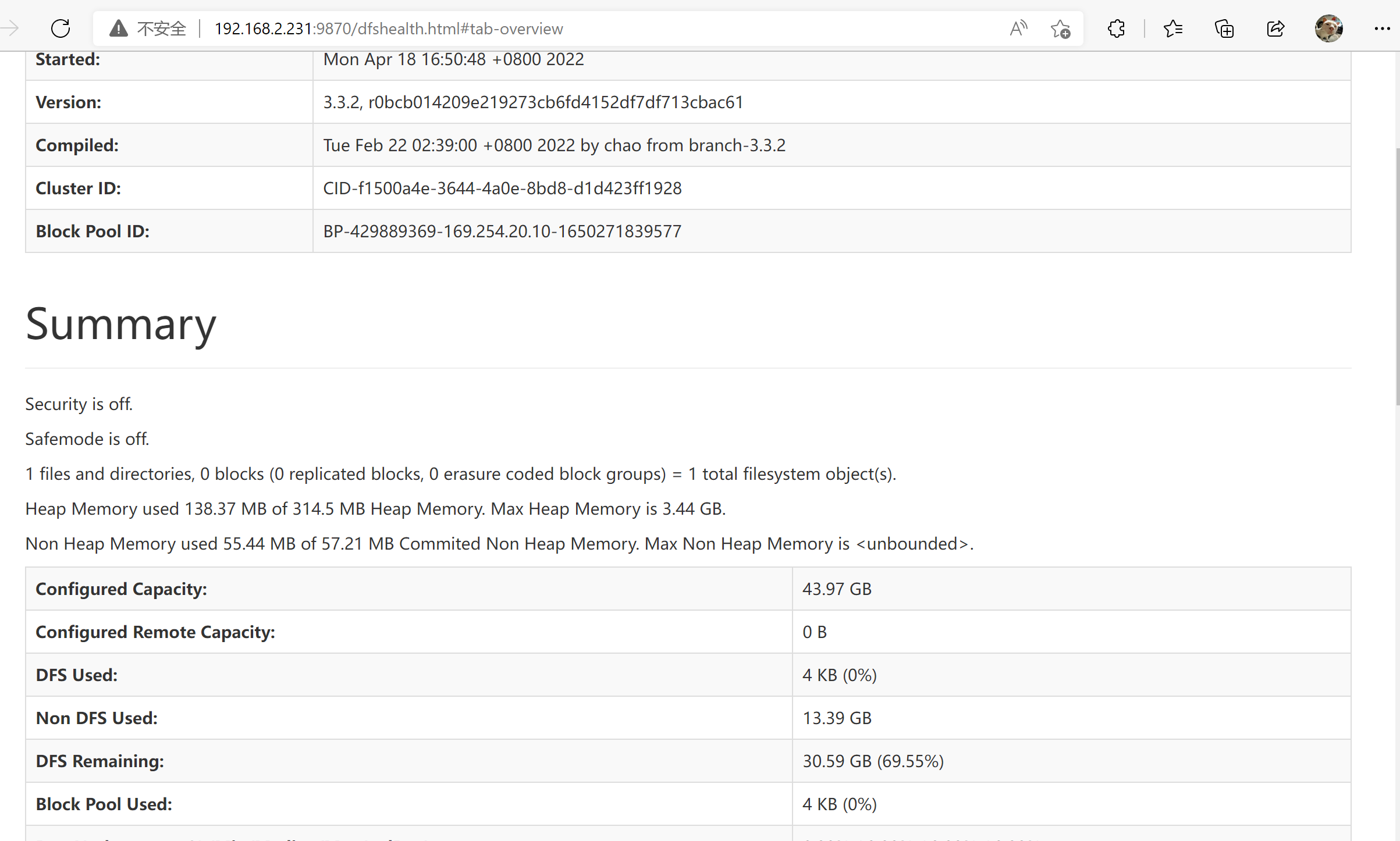
刷新 192.168.2.231:9870,可以看到已有活动的节点和容量信息:

hadoop02

启动 YARN 与 JobHistoryServer

先起 ResourceManager:

1
2
3
$ yarn --daemon start resourcemanager
$ jps|grep ResourceManager
4726 ResourceManager

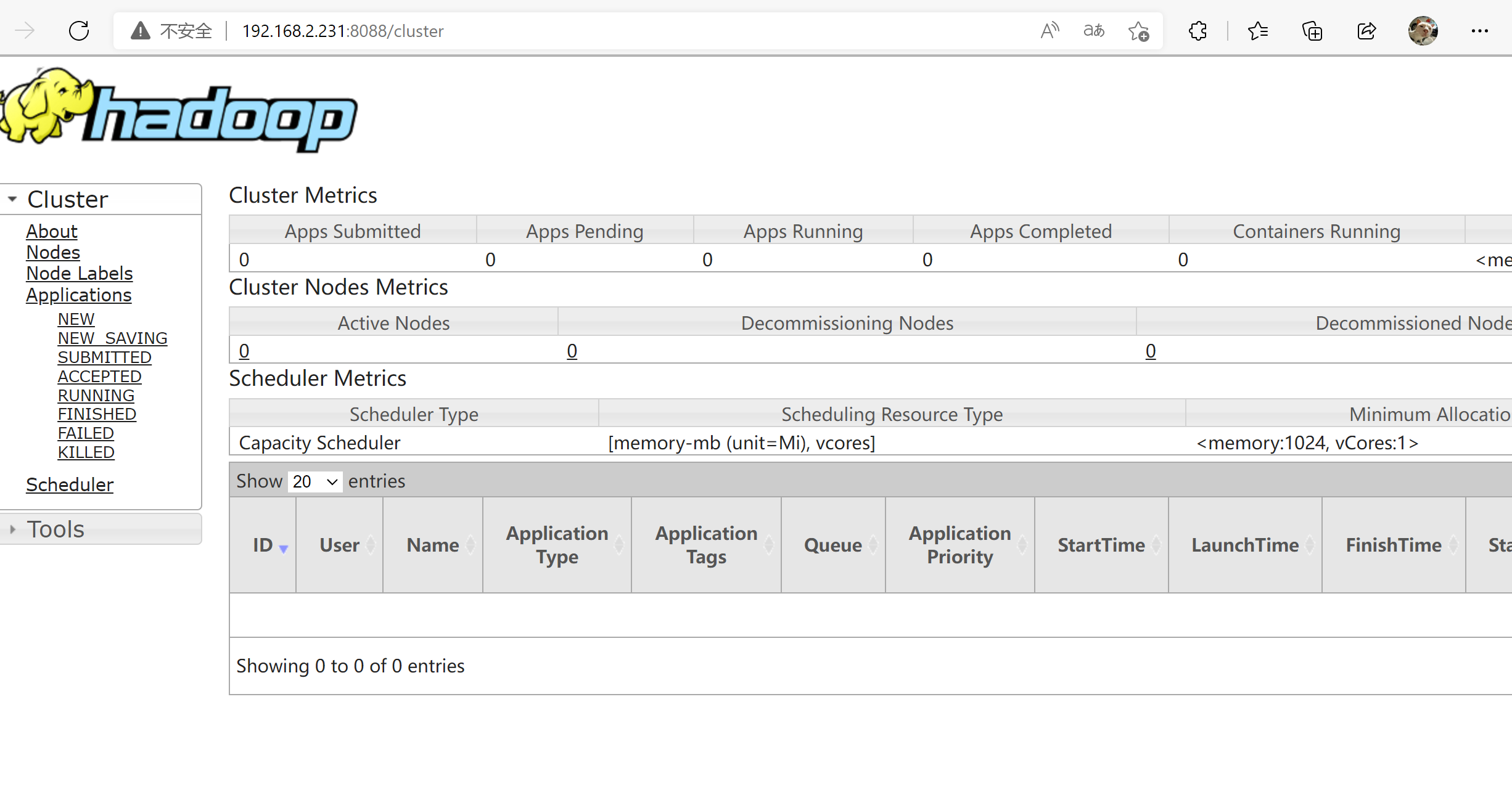
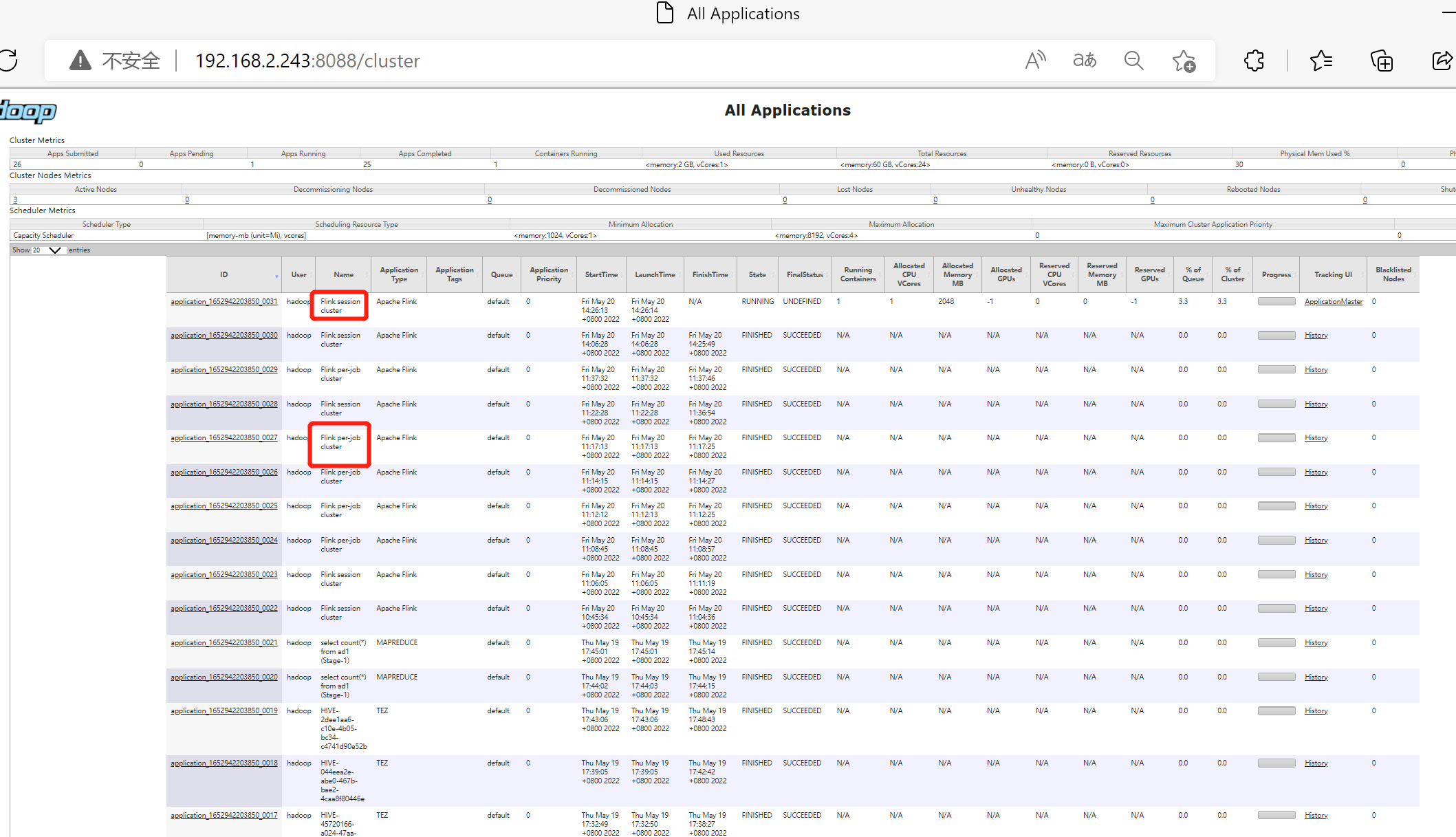
192.168.2.231:8088 是 ResourceManager 的状态页面。此时可用内存、CPU 资源数和活跃节点数都是 0,因为还没有 NodeManager:

yarn界面

补上 NodeManager:

1
2
3
$ yarn --daemon start nodemanager
$ jps|grep NodeManager
8853 NodeManager

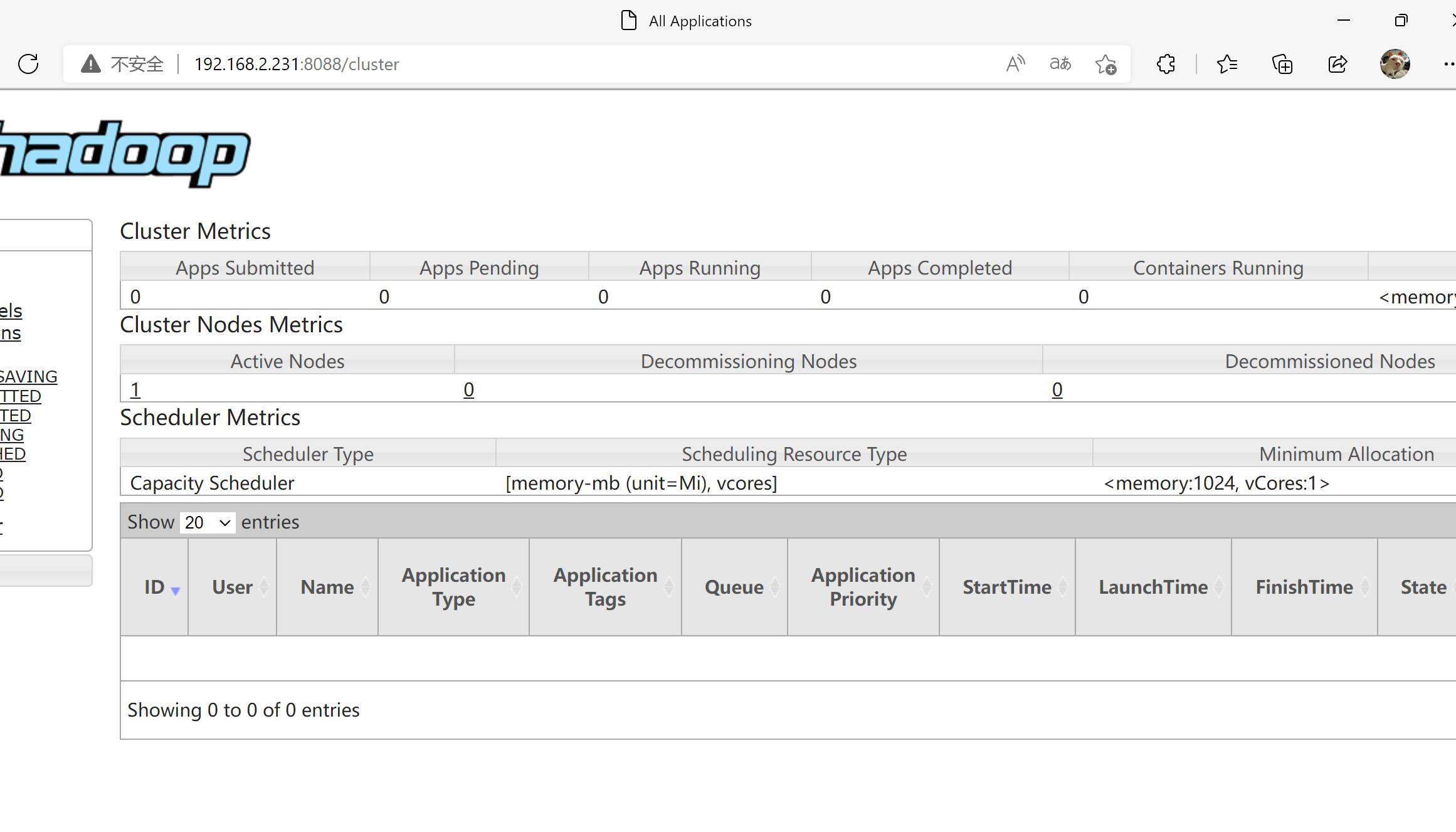
再看页面,资源数就有了:

yarn界面2

最后是 JobHistoryServer,页面在 192.168.2.231:19888:

1
2
3
$ mapred --daemon start historyserver
$ jps|grep JobHistoryServer
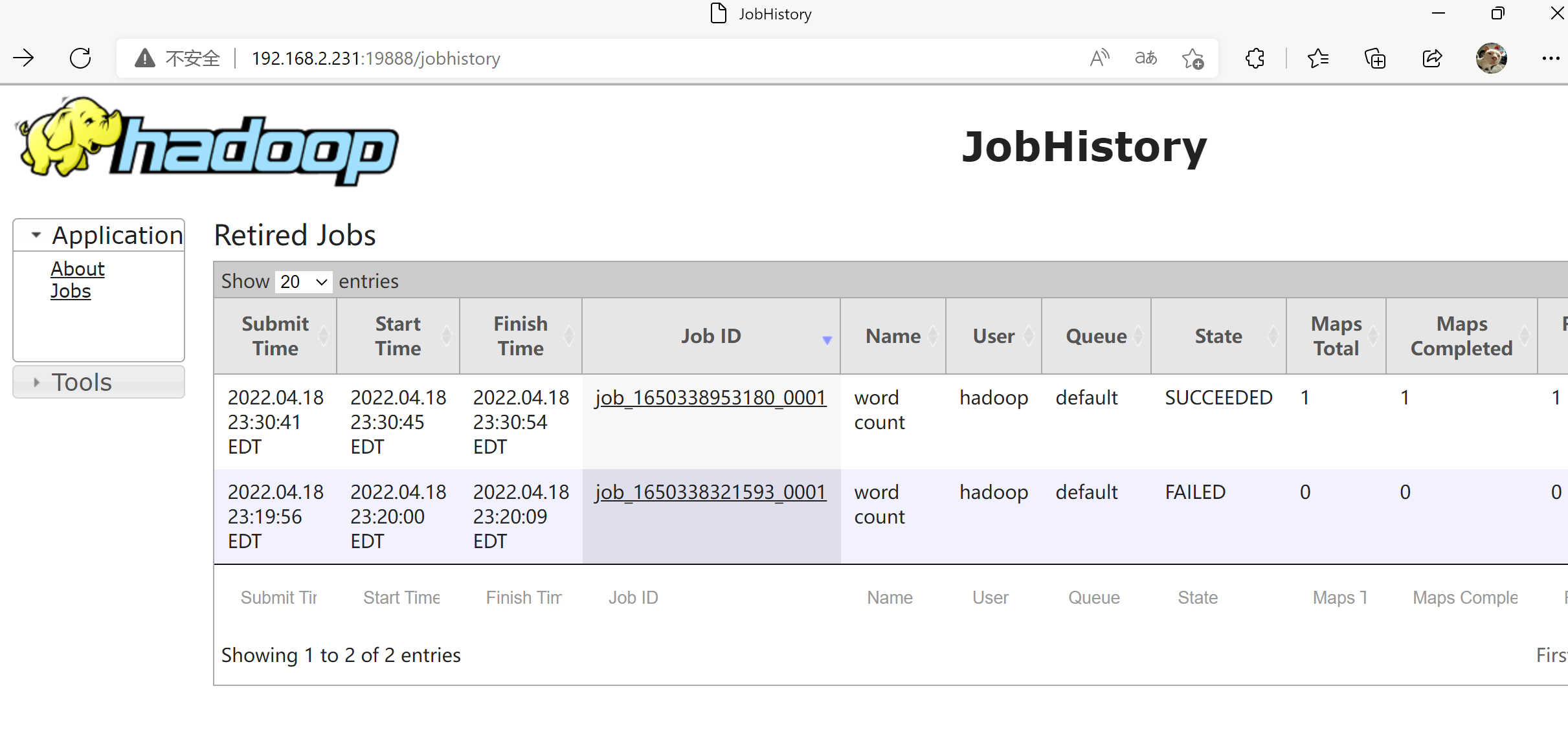
1027 JobHistoryServer

JobHistory

让 MapReduce 跑在 YARN 上

以上是最简配置,此时 mapreduce 的运行环境仍然是 local(本地),要让它提交到 yarn,需要改两个文件。

mapred-site.xml:

1
2
3
4
5
6
7
8
9
10
11
12
13
14
15
16
17
18
19
20
21
<configuration>
<property>
<name>mapreduce.framework.name</name>
<value>yarn</value>
</property>

<property>
<name>yarn.app.mapreduce.am.env</name>
<value>HADOOP_MAPRED_HOME=${HADOOP_HOME}</value>
</property>

<property>
<name>mapreduce.map.env</name>
<value>HADOOP_MAPRED_HOME=${HADOOP_HOME}</value>
</property>

<property>
<name>mapreduce.reduce.env</name>
<value>HADOOP_MAPRED_HOME=${HADOOP_HOME}</value>
</property>
</configuration>

yarn-site.xml:

1
2
3
4
<property>
<name>yarn.nodemanager.aux-services</name>
<value>mapreduce_shuffle</value>
</property>

两个文件都改完再重启 ResourceManager 与 NodeManager,漏改 yarn-site.xml 会导致任务失败(见后文排错):

1
2
3
4
5
yarn --daemon stop  resourcemanager
yarn --daemon stop nodemanager

yarn --daemon start resourcemanager
yarn --daemon start nodemanager
在 HDFS 上跑一次 wordcount

和本地模式的例子相同,只是输入数据先传到 HDFS,任务也会提交到 YARN:

1
2
3
4
5
6
7
8
9
10
11
12
13
cat > /tmp/demo.txt <<-EOF
Linux Unix windows
hadoop Linux spark
hive hadoop Unix
MapReduce hadoop Linux hive
windows hadoop spark
EOF

hadoop fs -mkdir /demo
hadoop fs -put /tmp/demo.txt /demo
hadoop jar /opt/bigdata/hadoop/current/share/hadoop/mapreduce/hadoop-mapreduce-examples-*.jar wordcount /demo /output

hadoop fs -ls /output

结果与本地模式一致:

1
2
3
4
5
6
7
8
$ hadoop fs -text /output/part-r-00000
Linux 3
MapReduce 1
Unix 2
hadoop 4
hive 2
spark 2
windows 2

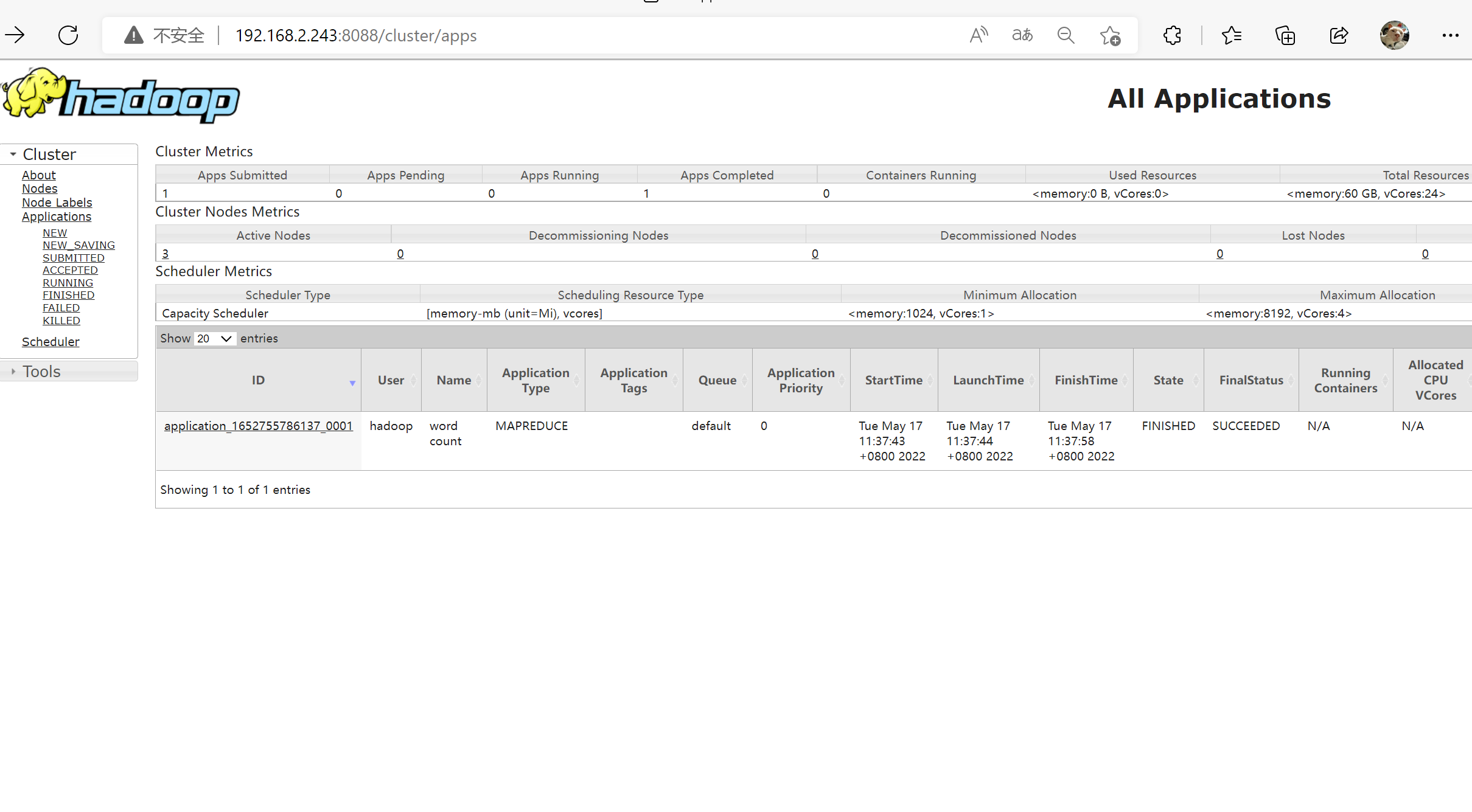
这次任务能在 JobHistoryServer 里看到记录:

有历史记录

完全分布式(HDFS HA)

所有节点先完成「环境准备」与上面「安装 Hadoop 与本地运行模式」的全部操作,然后按下面的规划改配置。

节点规划

一般情况下的规划原则:

  1. NameNode 服务要独立部署
  2. DataNode 和 NodeManager 建议部署在同一台服务器上
  3. ResourceManager 要独立部署
  4. JobHistoryServer 一般和 ResourceManager 放一起
  5. ZooKeeper(QuorumPeerMain)和 JournalNode 集群可以放一起
  6. zkfc(DFSZKFailoverController)负责对 NameNode 做资源仲裁,必须和 NameNode 运行在同一台机器上

当前只有三台机器,按下表安排:

节点 进程
hadoop01 QuorumPeerMain, JournalNode, NameNode, DFSZKFailoverController, DataNode, NodeManager
hadoop02 QuorumPeerMain, JournalNode, NameNode, DFSZKFailoverController, DataNode, NodeManager
hadoop03 QuorumPeerMain, JournalNode, DataNode, ResourceManager, NodeManager, JobHistoryServer
安装 ZooKeeper

官方下载页 https://zookeeper.apache.org/releases.html#download 。所有节点执行:

1
2
3
4
5
6
wget --no-check-certificate https://archive.apache.org/dist/zookeeper/zookeeper-3.8.0/apache-zookeeper-3.8.0-bin.tar.gz

mkdir -p /opt/bigdata/zookeeper
tar -zxvf apache-zookeeper-*-bin.tar.gz -C /opt/bigdata/zookeeper
cd /opt/bigdata/zookeeper
ln -s apache-zookeeper-*-bin current

所有节点写配置并建目录:

1
2
3
4
5
6
7
8
9
10
11
12
13
14
15
16
cat > /opt/bigdata/zookeeper/current/conf/zoo.cfg <<-EOF
tickTime=2000
initLimit=20
syncLimit=10
dataDir=/opt/bigdata/zookeeper/current/data
dataLogDir=/opt/bigdata/zookeeper/current/dataLogDir
clientPort=2181
quorumListenOnAllIPs=true
server.1=hadoop01:2888:3888
server.2=hadoop02:2888:3888
server.3=hadoop03:2888:3888
admin.serverPort=8081
EOF

mkdir -p /opt/bigdata/zookeeper/current/data
mkdir -p /opt/bigdata/zookeeper/current/dataLogDir

三个端口的用途:2181 对 client 端提供服务,2888 集群内机器通信,3888 选举 leader。

myid 每个节点不同,要和 zoo.cfg 里 server.N 的编号对应,最后统一授权:

1
2
3
4
5
echo 1 > /opt/bigdata/zookeeper/current/data/myid # hadoop01
echo 2 > /opt/bigdata/zookeeper/current/data/myid # hadoop02
echo 3 > /opt/bigdata/zookeeper/current/data/myid # hadoop03

chown -R hadoop:hadoop /opt/bigdata/zookeeper

启动并确认角色,日志在 /opt/bigdata/zookeeper/current/logs:

1
2
3
4
5
6
$ cd /opt/bigdata/zookeeper/current/bin
$ ./zkServer.sh start
$ jps
23097 QuorumPeerMain

$ ./zkServer.sh status
修改 Hadoop 配置文件

配置文件路径 /etc/hadoop/conf,所有节点都要改成一致。

core-site.xml,fs.defaultFS 指向 HA 的逻辑名 bigdata 而不是某台具体主机:

1
2
3
4
5
6
7
8
9
10
11
12
13
14
15
16
17
18
19
20
21
22
23
<configuration>

<property>
<name>fs.defaultFS</name>
<value>hdfs://bigdata</value>
</property>

<property>
<name>hadoop.tmp.dir</name>
<value>/var/tmp/hadoop-${user.name}</value>
</property>


<property>
<name>ha.zookeeper.quorum</name>
<value>hadoop01,hadoop02,hadoop03</value>
</property>

<property>
<name>fs.trash.interval</name>
<value>60</value>
</property>
</configuration>

hdfs-site.xml,两个 NameNode(nn1/nn2)、三个 JournalNode、自动故障转移,以及两块盘的数据目录:

1
2
3
4
5
6
7
8
9
10
11
12
13
14
15
16
17
18
19
20
21
22
23
24
25
26
27
28
29
30
31
32
33
34
35
36
37
38
39
40
41
42
43
44
45
46
47
48
49
50
51
52
53
54
55
56
57
58
59
60
61
62
63
64
65
66
67
68
69
70
71
72
73
74
75
76
77
78
79
80
81
82
83
84
85
86
87
88
89
90
91
92
93
94
95
96
97
98
99
100
101
102
103
104
105
106
107
108
109
110
111
112
113
114
<configuration>
<property>
<name>dfs.nameservices</name>
<value>bigdata</value>
</property>

<property>
<name>dfs.ha.namenodes.bigdata</name>
<value>nn1,nn2</value>
</property>


<property>
<name>dfs.namenode.rpc-address.bigdata.nn1</name>
<value>hadoop01:9000</value>
</property>


<property>
<name>dfs.namenode.rpc-address.bigdata.nn2</name>
<value>hadoop02:9000</value>
</property>


<property>
<name>dfs.namenode.http-address.bigdata.nn1</name>
<value>hadoop01:50070</value>
</property>

<property>
<name>dfs.namenode.http-address.bigdata.nn2</name>
<value>hadoop02:50070</value>
</property>


<property>
<name>dfs.namenode.shared.edits.dir</name>
<value>qjournal://hadoop01:8485;hadoop02:8485;hadoop03:8485/bigdata</value>
</property>


<property>
<name>dfs.ha.automatic-failover.enabled.bigdata</name>
<value>true</value>
</property>

<property>
<name>dfs.client.failover.proxy.provider.bigdata</name>
<value>org.apache.hadoop.hdfs.server.namenode.ha.ConfiguredFailoverProxyProvider</value>
</property>


<property>
<name>dfs.journalnode.edits.dir</name>
<value>/data1/hadoop/dfs/jn</value>
</property>


<property>
<name>dfs.replication</name>
<value>2</value>
</property>


<property>
<name>dfs.ha.fencing.methods</name>
<value>shell(/bin/true)</value>
</property>


<property>
<name>dfs.namenode.name.dir</name>
<value>file:///data1/hadoop/dfs/name,file:///data2/hadoop/dfs/name</value>
<final>true</final>
</property>


<property>
<name>dfs.datanode.data.dir</name>
<value>file:///data1/hadoop/dfs/data,file:///data2/hadoop/dfs/data</value>
<final>true</final>
</property>


<property>
<name>dfs.block.size</name>
<value>134217728</value>
</property>


<property>
<name>dfs.permissions</name>
<value>true</value>
</property>


<property>
<name>dfs.permissions.supergroup</name>
<value>supergroup</value>
</property>


<property>
<name>dfs.hosts</name>
<value>/etc/hadoop/conf/hosts</value>
</property>


<property>
<name>dfs.hosts.exclude</name>
<value>/etc/hadoop/conf/hosts-exclude</value>
</property>

</configuration>

mapred-site.xml,JobHistoryServer 放在 hadoop03:

1
2
3
4
5
6
7
8
9
10
11
12
13
14
15
16
17
18
<configuration>

<property>
<name>mapreduce.framework.name</name>
<value>yarn</value>
</property>

<property>
<name>mapreduce.jobhistory.address</name>
<value>hadoop03:10020</value>
</property>

<property>
<name>mapreduce.jobhistory.webapp.address</name>
<value>hadoop03:19888</value>
</property>

</configuration>

yarn-site.xml,ResourceManager 在 hadoop03,末尾两项按单节点可分配的内存与核数填:

1
2
3
4
5
6
7
8
9
10
11
12
13
14
15
16
17
18
19
20
21
22
23
24
25
26
27
28
29
30
31
32
33
34
35
36
37
38
39
40
41
42
43
44
45
46
47
48
49
50
51
52
53
54
55
56
57
58
59
60
61
62
63
64
65
66
67
68
69
70
71
72
73
74
75
76
77
78
79
80
81
82
83
84
85
86
87
88
89
<configuration>

<property>
<name>yarn.resourcemanager.hostname</name>
<value>hadoop03</value>
</property>

<property>
<name>yarn.resourcemanager.scheduler.address</name>
<value>hadoop03:8030</value>
</property>

<property>
<name>yarn.resourcemanager.resource-tracker.address</name>
<value>hadoop03:8031</value>
</property>

<property>
<name>yarn.resourcemanager.address</name>
<value>hadoop03:8032</value>
</property>

<property>
<name>yarn.resourcemanager.admin.address</name>
<value>hadoop03:8033</value>
</property>

<property>
<name>yarn.resourcemanager.webapp.address</name>
<value>hadoop03:8088</value>
</property>

<property>
<name>yarn.nodemanager.aux-services</name>
<!-- aux-services.<name>.class 只对已经列进这个清单的名字生效;
漏了 spark_shuffle,下面那条 class 就是死配置,external shuffle service 根本没开 -->
<value>mapreduce_shuffle,spark_shuffle</value>
</property>

<property>
<name>yarn.nodemanager.aux-services.mapreduce_shuffle.class</name>
<value>org.apache.hadoop.mapred.ShuffleHandler</value>
</property>

<property>
<name>yarn.nodemanager.aux-services.spark_shuffle.class</name>
<value>org.apache.spark.network.yarn.YarnShuffleService</value>
</property>
<!-- 另外还要把 spark-<version>-yarn-shuffle.jar 放进 NodeManager 的 classpath,否则 NM 起不来 -->

<property>
<name>yarn.nodemanager.local-dirs</name>
<value>file:///data1/hadoop/yarn/local,file:///data2/hadoop/yarn/local</value>
</property>

<property>
<name>yarn.nodemanager.log-dirs</name>
<value>file:///data1/hadoop/yarn/logs,file:///data2/hadoop/yarn/logs</value>
</property>


<property>
<description>Classpath for typical applications.</description>
<name>yarn.application.classpath</name>
<value>
$HADOOP_CONF_DIR,
$HADOOP_COMMON_HOME/*,$HADOOP_COMMON_HOME/lib/*,
$HADOOP_HDFS_HOME/*,$HADOOP_HDFS_HOME/lib/*,
$HADOOP_MAPRED_HOME/*,$HADOOP_MAPRED_HOME/lib/*,
$HADOOP_YARN_HOME/*,$HADOOP_YARN_HOME/lib/*,
$HADOOP_HOME/share/hadoop/common/*, $HADOOP_COMMON_HOME/share/hadoop/common/lib/*,
$HADOOP_HOME/share/hadoop/hdfs/*, $HADOOP_HOME/share/hadoop/hdfs/lib/*,
$HADOOP_HOME/share/hadoop/mapreduce/*, $HADOOP_HOME/share/hadoop/mapreduce/lib/*,
$HADOOP_HOME/share/hadoop/yarn/*, $HADOOP_YARN_HOME/share/hadoop/yarn/lib/*,
$HIVE_HOME/lib/*, $HIVE_HOME/lib_aux/*
</value>
</property>

<property>
<name>yarn.nodemanager.resource.memory-mb</name>
<value>20480</value>
</property>

<property>
<name>yarn.nodemanager.resource.cpu-vcores</name>
<value>8</value>
</property>

</configuration>

hdfs-site.xml 里 dfs.hosts 指向的白名单文件也要建出来:

1
2
3
4
5
cat >/etc/hadoop/conf/hosts<<-EOF
hadoop01
hadoop02
hadoop03
EOF
创建数据目录

配置里用到 /data1、/data2 两块盘,所有节点都建好并授权:

1
2
3
4
mkdir -p /data1/hadoop
mkdir -p /data2/hadoop
chown -R hadoop:hadoop /data1/hadoop
chown -R hadoop:hadoop /data2/hadoop
按顺序初始化并启动

首次启动的顺序不能随意调整,都用 hadoop 用户执行(su hadoop)。

  1. 启动 ZooKeeper 集群(所有节点)
1
2
3
4
$ cd /opt/bigdata/zookeeper/current/bin
$ ./zkServer.sh start
$ jps
2182 QuorumPeerMain
  1. 在 ZooKeeper 中格式化 HA 状态节点(仅 hadoop01)
1
hdfs zkfc -formatZK
  1. 启动 JournalNode 集群(所有节点),会生成 /data1/hadoop/dfs/jn
1
2
3
$ hdfs --daemon start journalnode
$ jps
15187 JournalNode
  1. 格式化并启动主 NameNode(hadoop01),clusterId 可自行指定
1
2
3
4
$ hdfs namenode -format -clusterId bigdataserver
$ hdfs --daemon start namenode
$ jps
11724 NameNode
  1. 备节点同步元数据后启动(hadoop02)
1
2
3
4
$ hdfs namenode -bootstrapStandby
$ hdfs --daemon start namenode
$ jps
1880 NameNode
  1. 启动 zkfc(先 hadoop01,再 hadoop02)
1
2
3
$ hdfs --daemon start zkfc
$ jps
1888 DFSZKFailoverController
  1. 启动 DataNode(所有节点)
1
2
3
$ hdfs --daemon start datanode
$ jps
2880 DataNode
  1. 启动 YARN 与 JobHistoryServer
1
2
3
4
5
6
7
$ yarn --daemon start resourcemanager  # hadoop03
$ yarn --daemon start nodemanager # 所有节点
$ mapred --daemon start historyserver # hadoop03
$ jps
7986 ResourceManager
8246 NodeManager
8405 JobHistoryServer
验证

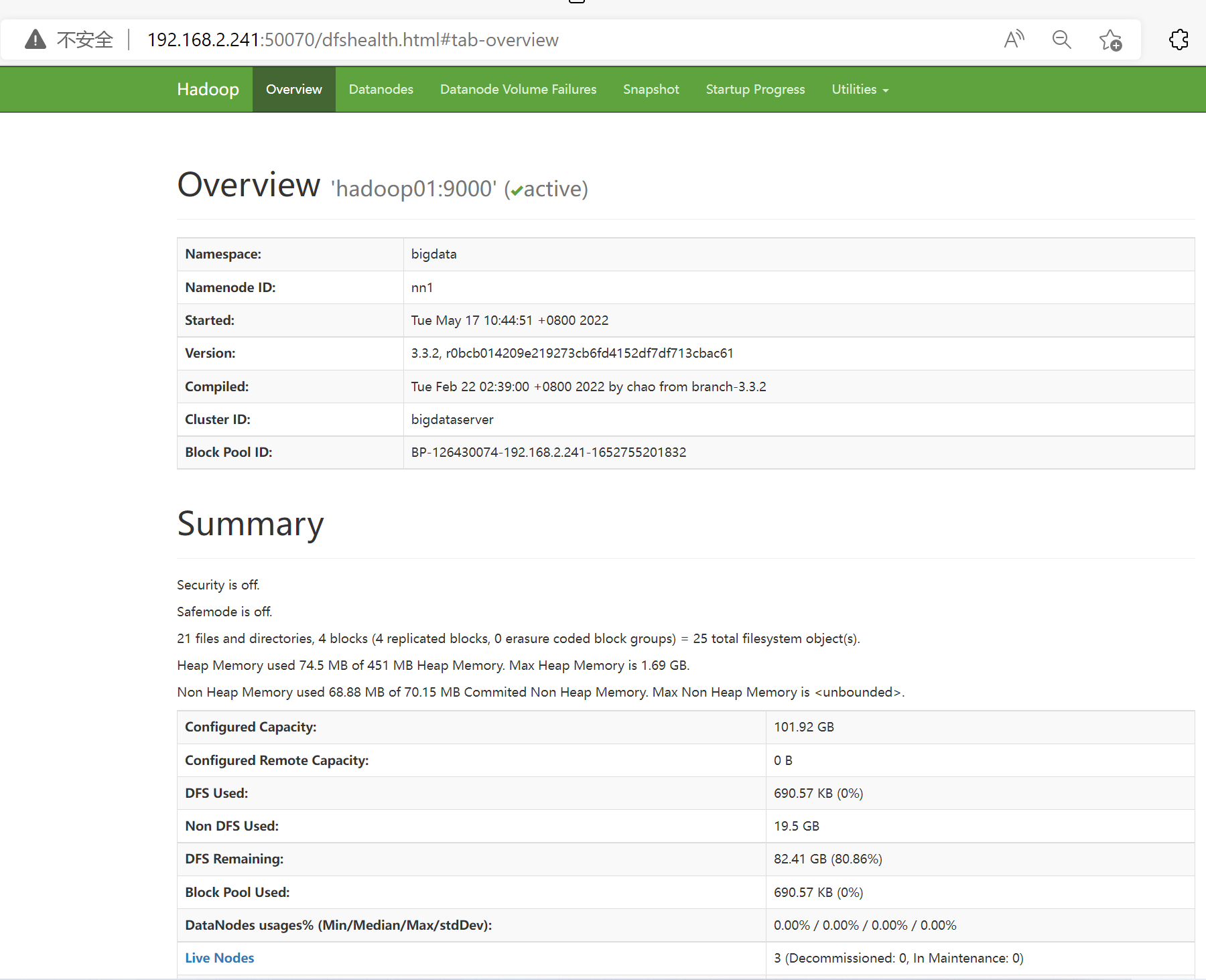
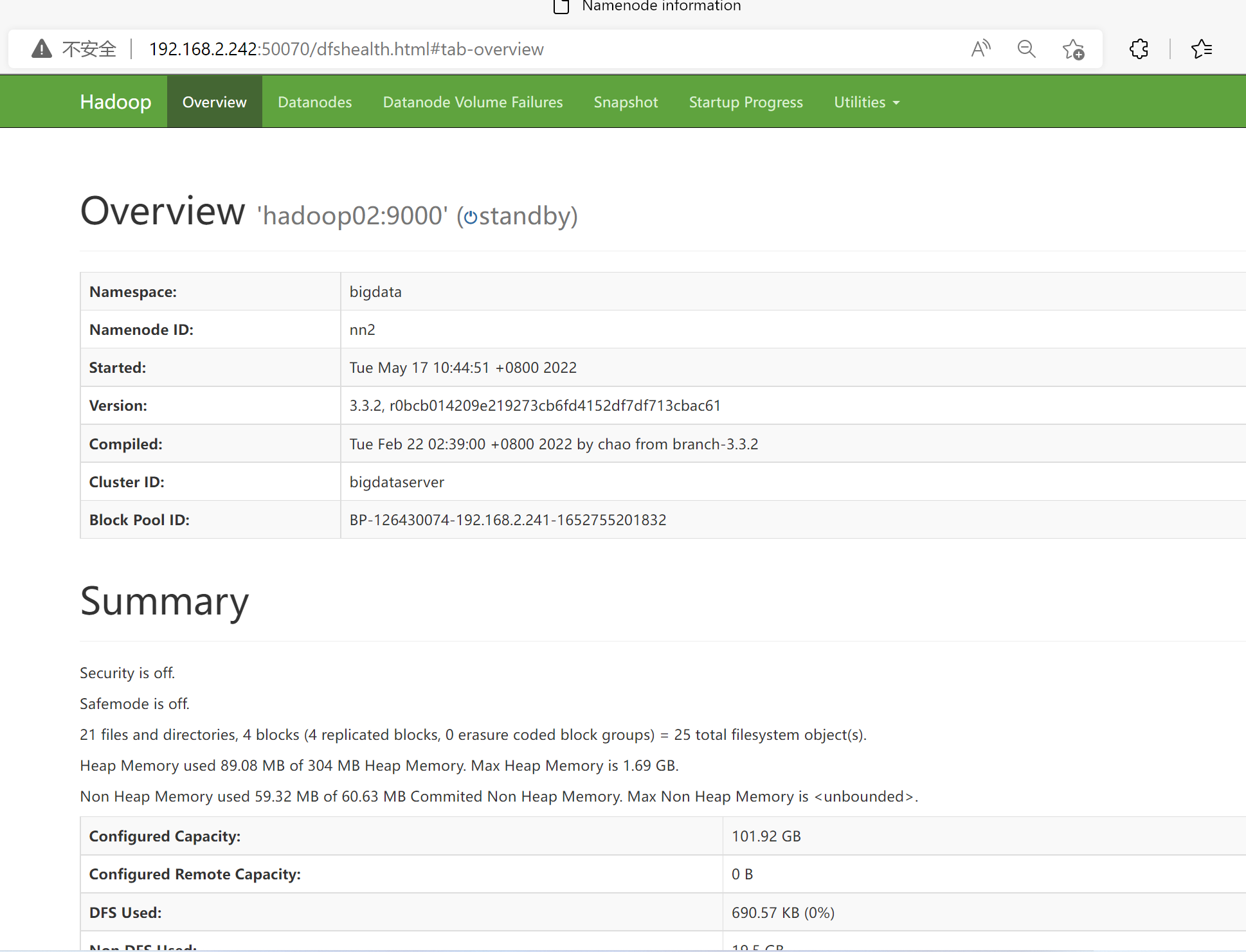
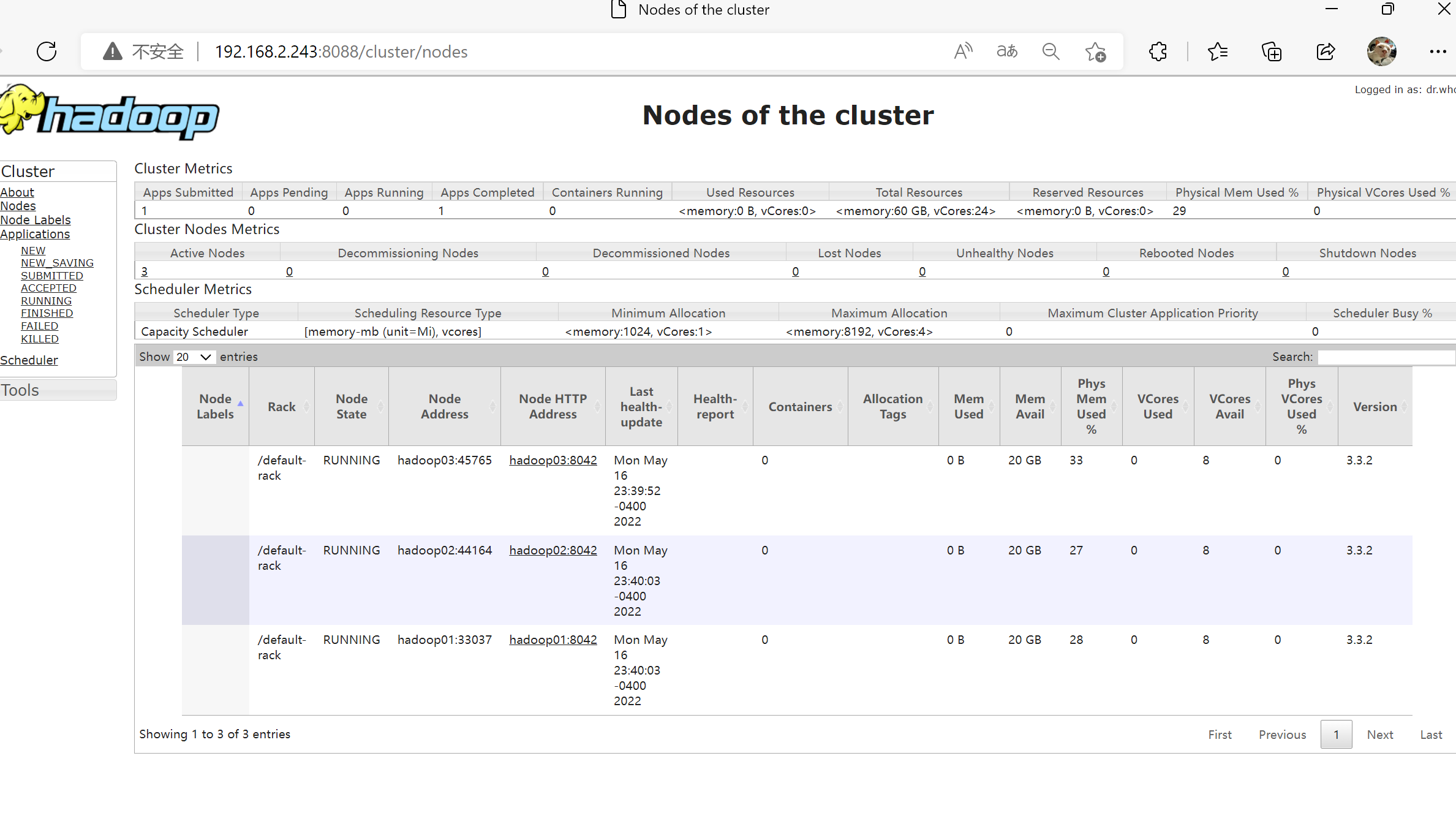
重复前面「在 HDFS 上跑一次 wordcount」的步骤即可,输出内容相同。页面上应该能看到一主一备的 NameNode、三个活跃的 DataNode 以及刚提交的任务:

主namenode

备namenode

cluster_node

提交的任务

升级到 JDK 11

版本信息:jdk11、hadoop-3.4.0-arm、hive 4.0。因为 JDK 是用软链接 /opt/bigdata/java/current 引入的,升级本身只是把软链接换到新版本,但会连带出下面两个问题。

1
2
3
4
5
6
7
[root@test-63 java]# pwd
/opt/bigdata/java
[root@test-63 java]# ls -l
total 8
lrwxrwxrwx 1 root root 30 Jun 5 10:41 current -> /opt/bigdata/java/jdk-11.0.23
drwxr-xr-x 8 10143 10143 4096 Dec 16 2021 jdk1.8.0_321
drwxr-xr-x 8 root root 4096 Jun 5 10:19 jdk-11.0.23

ByteBuffer.position 报错

报错:java.lang.NoSuchMethodError: java.nio.ByteBuffer.position(I)Ljava/nio/ByteBuffer。

这是 JDK 8 里没有该返回类型的方法导致的,升级到 JDK 11 即可解决,也正是这次升级的起因。

Hive 在 JDK 11 下无法启动

报错:Exception in thread "main" java.lang.ClassCastException: java.base/jdk.internal.loader.ClassLoaders$AppClassLoader cannot be cast to java.base/java.net.URLClassLoader。

两种处理方式:

  1. 直接升级到 hive 4.0 及以上版本,原生支持 JDK 11
  2. 还在用 hive 3.x 的话,只能让 Hive 单独使用 JDK 8。Hive 读的是 Hadoop 侧的 Java 信息,手动改环境变量没用,仍然走 JDK 11,所以要在 /opt/bigdata/hive/current/bin/hive 开头插一段:进入时把 current 软链接临时切到 JDK 8,退出时再切回 JDK 11,用 HIVE_JAVA_SWITCHED 防止递归调用,trap 保证异常退出也能恢复
1
2
3
4
5
6
7
8
9
10
11
12
13
14
15
16
17
18
19
20
21
22
23
24
25
26
27
28
29
30
31
32
33
34
35
36
37
38
39
40
41
42
43
44
45
46
if [ -z "$HIVE_JAVA_SWITCHED" ]; then
# 保存当前的软连接目标
CURRENT_JAVA=/opt/bigdata/java/jdk-11.0.23

# 创建指向 java2 的软连接
ln -sfn /opt/bigdata/java/jdk1.8.0_321 /opt/bigdata/java/current

# 检查软连接是否成功更新
if [ "$(readlink -f /opt/bigdata/java/current)" != "/opt/bigdata/java/jdk1.8.0_321" ]; then
echo "Failed to update the Java soft link to java2"
exit 1
fi

# 设置 JAVA_HOME 和 PATH
export JAVA_HOME=/opt/bigdata/java/current
export PATH=$JAVA_HOME/bin:$PATH
export HIVE_HOME=/opt/bigdata/hive/current
# 标记已切换 Java 版本,防止递归
export HIVE_JAVA_SWITCHED=true

# 定义恢复函数
function restore_java {
ln -sfn /opt/bigdata/java/jdk-11.0.23 /opt/bigdata/java/current

if [ "$(readlink -f /opt/bigdata/java/current)" != "/opt/bigdata/java/jdk-11.0.23" ]; then
echo "Failed to restore the Java soft link to the original version"
exit 1
fi
}

# 捕捉各种退出信号以便恢复 Java 软链接
trap restore_java EXIT HUP INT TERM

# 启动 Hive 并捕获其退出状态
$HIVE_HOME/bin/hive "$@"
HIVE_EXIT_STATUS=$?

# 明确调用恢复函数,恢复软链接
restore_java

# 退出脚本时返回 Hive 的退出状态
exit $HIVE_EXIT_STATUS
fi


# 下面是原有的 Hive 启动脚本内容...

⚠️ 注:这个软链接切换的做法是全局生效的,同一台机器上如果有其他作业正在用 current,会被短暂影响。多用户环境更建议给 Hive 单独设置 HADOOP_OPTS/JAVA_HOME,或者直接升级 Hive 版本。

HDFS Shell 操作

shell 操作

hadoop fs 等同于 hdfs dfs

HDFS 上的 Shell 操作命令跟 Linux 下的 Shell 命令基本类似,相关参数也基本相同

hdfs dfs -help : 查看命令的帮助信息

主要不同的点

1
2
3
4
5
6
7
8
9
10
11
12
13
14
15
## 从本地上传 /localdemo10.tar.gz 文件到 hdfs 的 /logs/demo
hadoop fs -copyFromLocal /localdemo10.tar.gz /logs/demo
hadoop fs -put /localdemo10.tar.gz /logs/demo # 与上面相同,一般用 put
hadoop fs -moveFromLocal /localdemo10.tar.gz /logs/demo # 移动,会删除本地文件

## 下载 HDFS 文件到本地系统磁盘 /data
hadoop fs -copyToLocal /logs/demo/localdemo10.tar.gz /data
hadoop fs -get /logs/demo/localdemo10.tar.gz /data # 与上面相同,一般用 get

## 删除
hadoop fs -rm -r -skipTrash /tmp/hive_test # -skipTrash 直接删除,不放入回收站
hadoop fs -expunge # 让 Trash 里超过 fs.trash.interval 的旧 checkpoint 永久删除,并新建一个 checkpoint;刚删的、没到期的文件不会被清掉。要立刻清空得 hadoop fs -rm -r -skipTrash /user/<user>/.Trash

## 追加 本地 aa1.log 内容 到 hdfs /logs/aa.log (hdfs 上内容不能修改,只能追加)
hadoop fs -appendToFile aa1.log /logs/aa.log

用户操作 将 root 加入 supergroup

1
2
3
4
5
6
7
8
9
10
11
12
13
14
15
16
17
18
groupadd supergroup

usermod -a -G supergroup root

## hdfs 用户是 supergroup
su - hdfs -s /bin/bash -c "hdfs dfsadmin -refreshUserToGroupsMappings"


## HA 下要对每个 NameNode 分别刷新(用户组映射由 NameNode 本地 OS 解析,和 NodeManager 无关;
## groupadd/usermod 也要在 NameNode 所在机器上做):
hdfs dfsadmin -fs hdfs://hadoop01:8020 -refreshUserToGroupsMappings
hdfs dfsadmin -fs hdfs://hadoop02:8020 -refreshUserToGroupsMappings

## 顺便确认一下哪台是 active(这条只查状态,不刷新任何缓存)
hdfs haadmin -getAllServiceState

## 验证 root 用户
hadoop fs -ls /user/hdfs
这两段示例背后的权限模型

这里有两个高频误区值得说清楚,否则照抄很容易得出”有时行有时不行”的结论。

一、进了 supergroup 就等于超级用户,后面的 chmod 是多余动作。 dfs.permissions.superusergroup 的默认值就是 supergroup,凡是属于这个组的用户,HDFS 的权限检查整体跳过——不看目录的 rwx 位,也不看属主。所以下面第二种写法里的 hadoop fs -chmod 770 /user/test 其实不起决定作用,真正让它能访问的是组身份。反过来说,如果你只想给某个用户开某个目录,就不该把他塞进 supergroup,那是给了全局权限,用 chown/chmod/ACL 才对。

二、用户和组的解析发生在 NameNode 端,不在客户端。 这是最容易白折腾半天的一点:NameNode 拿到请求里的用户名后,用自己本机的 id/getent group 去查这个用户属于哪些组(默认的 ShellBasedUnixGroupsMapping 就是 fork 一个 id -Gn)。所以

  • 在客户端机器上 groupadd supergroup && usermod -a -G supergroup root 是无效的,NameNode 根本不看客户端的 /etc/group;
  • 必须在每个 NameNode 所在的机器上建组、加用户,HA 下两台都要做;
  • 改完之后还要 -refreshUserToGroupsMappings 刷掉 NameNode 里的缓存(缓存时长由 hadoop.security.groups.cache.secs 控制,默认 300 秒,不刷就得等它过期)。

想确认 NameNode 到底认为某个用户属于哪些组,直接问它:

1
hdfs groups root          # 由 NameNode 回答,比在客户端 id root 可靠

生产环境更常见的做法是把组解析接到 LDAP(hadoop.security.group.mapping 换成 LdapGroupsMapping),这样就不用在每台 NameNode 上维护本地组了。

另外一种

1
2
3
4
5
6
7
8
groupadd  supergroup
usermod -a -G supergroup root

su - test -s /bin/bash -c "hdfs dfsadmin -refreshUserToGroupsMappings"

su - test -s /bin/bash -c "hadoop fs -chmod 770 /user/test"

su - root -s /bin/bash -c "hadoop fs -ls /user/test"

运维与排错

这一节汇总日常会用到的启停命令、日志位置与端口,以及部署过程中实际踩到的两个坑。

服务启停与日志位置

手动部署下没有一键脚本,单个进程用下面三条命令管理(stop 换掉 start 即可):

1
2
3
hdfs   --daemon start namenode|secondarynamenode|datanode|journalnode|zkfc
yarn --daemon start resourcemanager|nodemanager
mapred --daemon start historyserver

排查问题时常看的几个位置:

  • Hadoop 各进程日志:/opt/bigdata/hadoop/current/logs/
  • ZooKeeper 日志:/opt/bigdata/zookeeper/current/logs
  • Ambari 日志:/var/log/ambari-server/、/var/log/ambari-agent/
  • MySQL 初始临时密码:/var/log/mysqld.log

常用 Web 与服务端口

组件 端口 说明
NameNode 9870 3.x 默认的 HTTP 页面端口,本文 HA 配置改成了 50070
NameNode 8020 / 9000 RPC,默认 8020,本文 HA 配置写成 9000
JournalNode 8485 主备之间同步 edits
ResourceManager 8088 YARN 页面
JobHistoryServer 19888 历史任务页面
ZooKeeper 2181 / 2888 / 3888 客户端 / 集群通信 / 选举
Ambari Server 8080 管理页面

NameNode 与 DataNode 的 VERSION 冲突

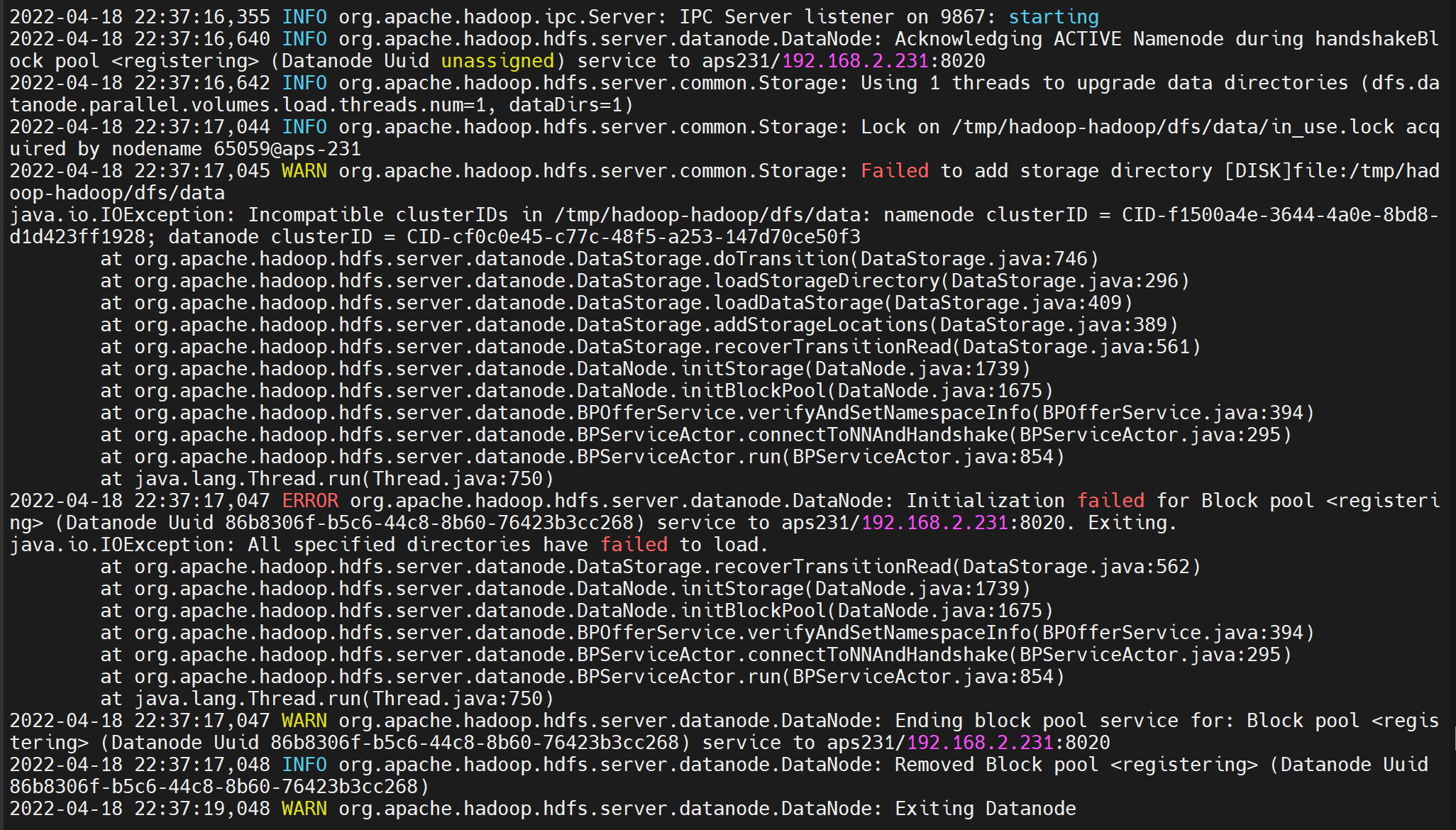
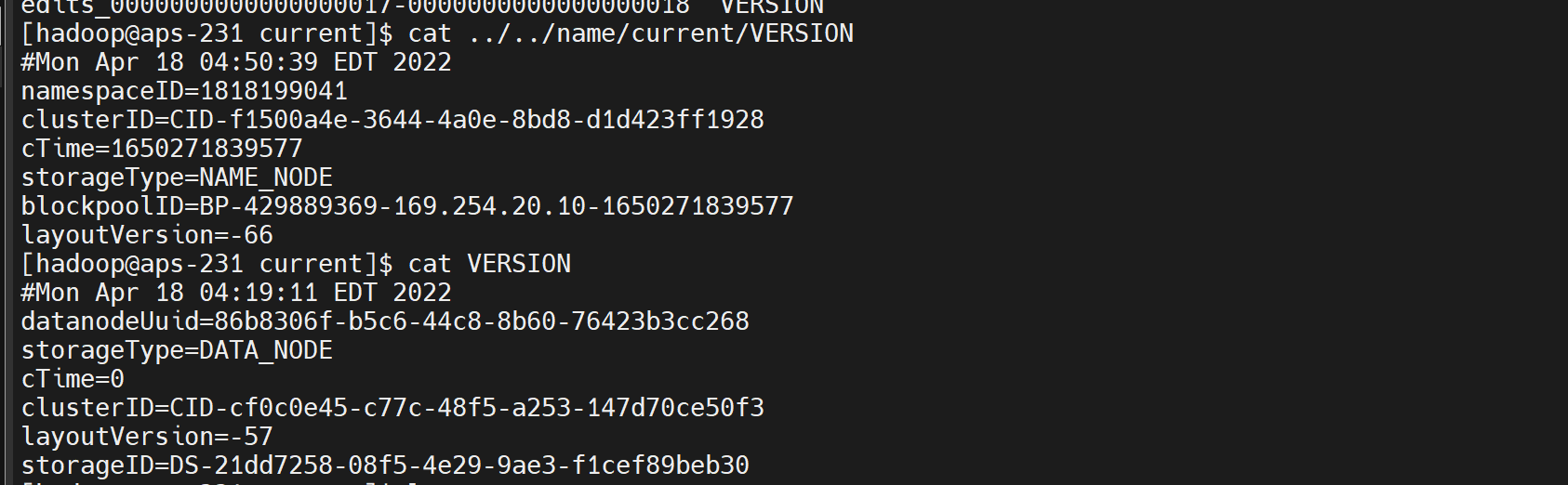
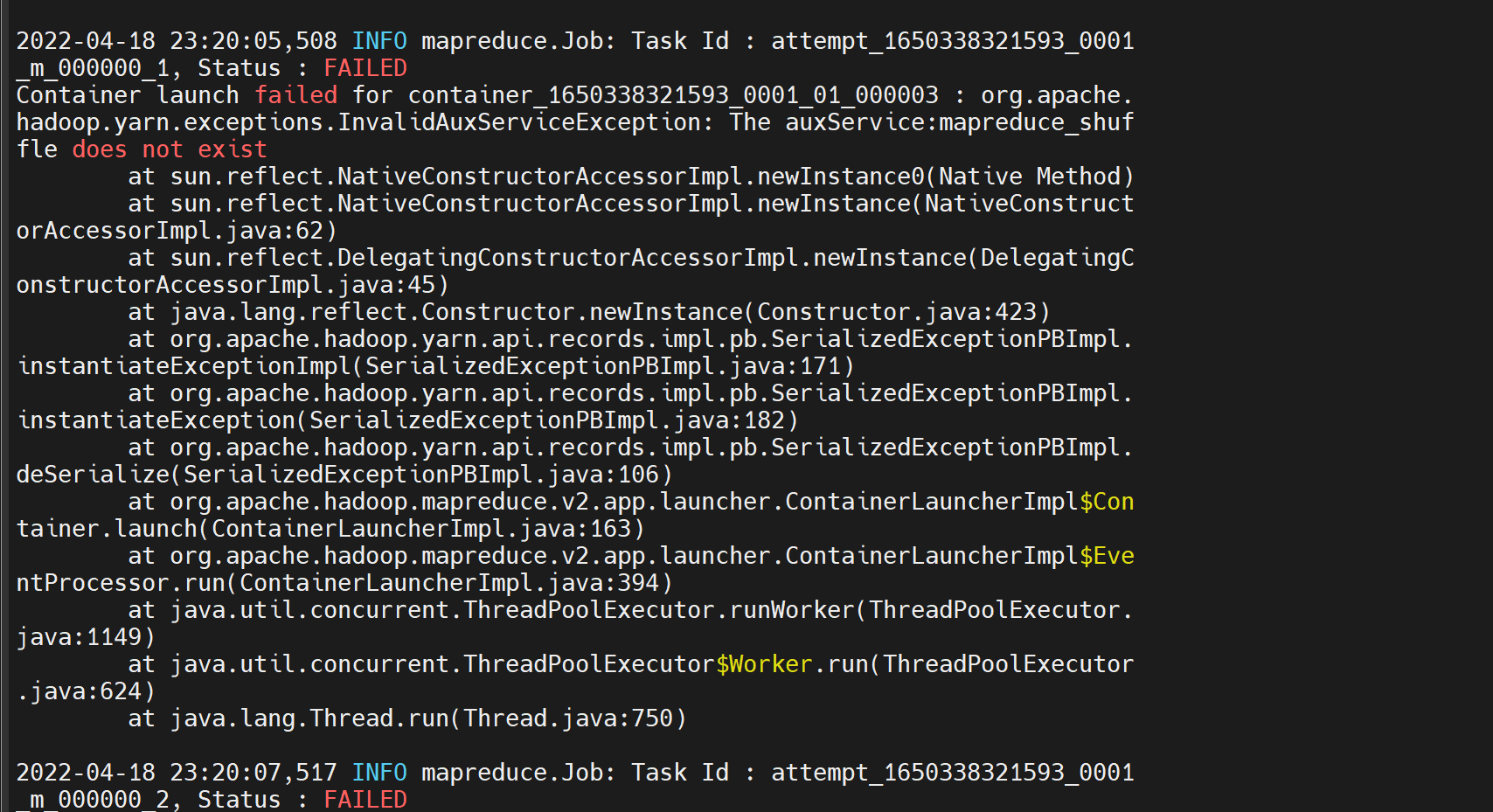
服务器重启后又执行了一次 hdfs namenode -format,NameNode 生成了新的 clusterID,而 DataNode 数据目录里的 VERSION 还是旧的,两边对不上,DataNode 起不来:

hadoop问题1

hadoop问题定位1

处理办法是备份后删除 DataNode 的 data、tmp 目录再启动。所以格式化命令只在初次部署时执行,之后重启集群直接 start 即可。

改用 YARN 后忘记同步 yarn-site.xml

mapred-site.xml 已经把 mapreduce.framework.name 改成 yarn,但 yarn-site.xml 里没有配 yarn.nodemanager.aux-services,任务提交后报错:

hadoop问题2

补上配置并重启 ResourceManager、NodeManager,重跑任务即恢复正常:

问题2

二、Spark 计算引擎部署与 YARN 集成

环境信息

使用的 hadoop 完全分布式集群,节点限制,全安装在一起 用户 hadoop

1
2
3
192.168.2.241 hadoop01
192.168.2.242 hadoop02
192.168.2.243 hadoop03

spark on yarn, 当前只在 hadoop03 上 安装 spark

spark 安装

官网 https://spark.apache.org/downloads.html

hadoop03

1
2
3
4
5
6
7
8
9
10
11
12
13
14
15
16
wget --no-check-certificate  https://archive.apache.org/dist/spark/spark-3.2.1/spark-3.2.1-bin-hadoop3.2.tgz

mkdir -p /opt/bigdata/spark
tar -zxf spark-3.2.1-bin-hadoop3.2.tgz -C /opt/bigdata/spark
cd /opt/bigdata/spark/
ln -s spark-3.2.1-bin-hadoop3.2 current

chown -R hadoop:hadoop /opt/bigdata/spark/

cat > /etc/profile.d/spark_env.sh<<-eof
export SPARK_HOME=/opt/bigdata/spark/current
export PATH=\$PATH:\$SPARK_HOME/bin
eof

## local 模式测试
spark-submit --master local[2] --class org.apache.spark.examples.SparkPi ./examples/jars/spark-examples_2.12-3.2.1.jar 100

没问题 则可以 开始使用 spark-cluster 模式,或者 使用 spark on yarn

spark on yarn

  1. 修改 /etc/hadoop/conf/yarn-site.xml

按需修改

1
2
3
4
5
6
7
8
9
10
11
12
<property>
<name>yarn.nodemanager.aux-services</name>
<value>mapreduce_shuffle,spark_shuffle</value>
</property>
<property>
<name>yarn.nodemanager.aux-services.mapreduce_shuffle.class</name>
<value>org.apache.hadoop.mapred.ShuffleHandler</value>
</property>
<property>
<name>yarn.nodemanager.aux-services.spark_shuffle.class</name>
<value>org.apache.spark.network.yarn.YarnShuffleService</value>
</property>

重启 yarn, ResourceManager, NodeManager 等服务

注意,可能需要

1
cp ${SPARK_HOME}/yarn/spark-*-yarn-shuffle.jar ${HADOOP_HOME}/share/hadoop/yarn/lib/

不然会报错

1
org.apache.spark.network.yarn.YarnShuffleService not found
  1. 开启 Spark 日志记录功能

/opt/bigdata/spark/current/conf/spark-env.sh

1
2
3
4
5
6
7
export JAVA_HOME=/opt/bigdata/java/current
export LD_LIBRARY_PATH=$LD_LIBRARY_PATH:/opt/bigdata/hadoop/current/lib/native
export SPARK_LIBRARY_PATH=$SPARK_LIBRARY_PATH
export SPARK_CLASSPATH=$SPARK_CLASSPATH
export HADOOP_HOME=/opt/bigdata/hadoop/current
export HADOOP_CONF_DIR=/opt/bigdata/hadoop/current/etc/hadoop
export SPARK_HISTORY_OPTS="-Dspark.history.ui.port=18080 -Dspark.history.retainedApplications=30 -Dspark.history.fs.logDirectory=hdfs://bigdata/spark-job-log"

/opt/bigdata/spark/current/conf/spark-defaults.conf (文件名一定是 defaults,带 s。写成 spark-default.conf 会被静默忽略,这里的 eventLog、historyServer、shuffle service 全都不生效,也不报错)

1
2
3
4
5
6
7
8
9
spark.shuffle.service.enabled true
spark.eventLog.enabled true
spark.yarn.historyServer.address=hadoop03:18080
spark.history.ui.port=18080
spark.eventLog.dir hdfs://bigdata/spark-job-log

# 选择一个就行
# spark.yarn.archive hdfs://bigdata/libs/sparkjars.zip
spark.yarn.jars hdfs://bigdata/libs/spark-yarn-jars/*.jar
  1. 按配置准备好文件
1
2
3
hdfs dfs -mkdir /spark-job-log
hdfs dfs -mkdir /libs/spark-yarn-jars
hdfs dfs -put /opt/bigdata/spark/current/jars/*.jar /libs/spark-yarn-jars
  1. 启动并验证
1
2
3
4
5
6
7
8
9
10
cd /opt/bigdata/spark/current/sbin
./start-history-server.sh

# yarn client 模式,结果输出到屏幕

spark-submit --class org.apache.spark.examples.SparkPi --master yarn /opt/bigdata/spark/current/examples/jars/spark-examples_2.12-3.2.1.jar

# yarn cluster 模式,结果不会输出到屏幕

spark-submit --class org.apache.spark.examples.SparkPi --master yarn --deploy-mode cluster /opt/bigdata/spark/current/examples/jars/spark-examples_2.12-3.2.1.jar
  1. 网页查看

spark网页

yarn-网页结果

spark-结果

自定义 python 环境

测试代码 /opt/test.py. 都是 在 /opt 目录下执行

1
2
3
4
5
6
7
8
9
10
11
12
13
14
15
16
17
18
19
20
import numpy as np
import jieba

print(np.version.version)
from pyspark.sql import SparkSession

# 创建 SparkSession 并启用 Hive 支持
spark = SparkSession.builder \
.appName("ShowDatabasesExample") \
.enableHiveSupport() \
.getOrCreate()

# 执行 Hive 查询
databases_df = spark.sql("SHOW DATABASES")

# 显示查询结果
databases_df.show()

# 停止 SparkSession
spark.stop()

环境创建

1
2
3
4
5
6
7
8
9
10
11
12
13
# 创建 Python 3.7.9 环境
conda create -n myenv python=3.7.9

# 激活环境
conda activate myenv

# 安装包
conda install numpy jieba


# 可以在非 myenv 环境执行
conda install -c conda-forge conda-pack
conda-pack -n myenv -o pyspark_env.tar.gz
本地模式

解压

1
2
3
4
# tar -zxvf pyspark_env.tar.gz -c /opt/

bin/
bin/python

修改 spark-env.sh

1
2
3
4
5
6
export SPARK_SCALA_VERSION=2.12
export SPARK_PRINT_LAUNCH_COMMAND=1
# 写成 := 的形式,否则下面在 shell 里 export 的自定义解释器会被这里覆盖掉:
# spark-submit → spark-class → load-spark-env.sh 会在同一个 shell 里 source 本文件,
# 无条件 export 就等于每次都把外面设的值冲掉(这也是后面要用 --conf 兜底的原因)。
export PYSPARK_PYTHON=${PYSPARK_PYTHON:-/usr/bin/python3}

导入环境变量

1
2
export PYSPARK_PYTHON=/opt/bin/python3
export PYSPARK_DRIVER_PYTHON=/opt/bin/python3

然后执行

1
spark-submit --master local test.py

或者 直接指定

1
2
3
4
5
spark-submit \
--master local \
--conf spark.pyspark.python=/opt/bin/python3 \
--conf spark.pyspark.driver.python=/opt/bin/python3 \
test.py
yarn 模式

上传到 hdfs

1
hdfs dfs -put pyspark_env.tar.gz /user/test/python_env/

客户端模式只是 driver 跑在本地,executor 仍然在 YARN 容器里。
spark.pyspark.python 对 driver 和 executor 都生效,而 ./bin/python 是相对容器工作目录的路径——
不分发 archive 的话容器里没有这个文件。下面这条之所以”能跑通”,只因为 test.py 里只有 spark.sql、
没有启动 Python worker;一旦用上 UDF 或 RDD 的 map,就会 Cannot run program "./bin/python"。
所以 driver 端要用绝对路径,executor 端仍然得靠 --archives 分发(或者全节点预装同版本 Python):

1
2
3
4
5
6
7
8
9
10
11
12
13
14
15
16
17
18
19
# 客户端模式:driver 用本地绝对路径,executor 靠分发
spark-submit \
--master yarn \
--deploy-mode client \
--archives hdfs:///user/test/python_env/pyspark_env.tar.gz#pyspark_env \
--conf spark.pyspark.driver.python=/opt/bin/python3 \
--conf spark.executorEnv.PYSPARK_PYTHON=./pyspark_env/bin/python \
test.py

# 服务端模式需要 conf
spark-submit \
--master yarn \
--deploy-mode cluster \
--conf spark.yarn.dist.archives=hdfs:///user/test/python_env/pyspark_env.tar.gz#pyspark_env \
--conf spark.executorEnv.PYSPARK_PYTHON=./pyspark_env/bin/python \
--conf spark.executorEnv.PYSPARK_DRIVER_PYTHON=./pyspark_env/bin/python \
--conf spark.pyspark.python=./pyspark_env/bin/python \
--conf spark.pyspark.driver.python=./pyspark_env/bin/python \
test.py

其中 #pyspark_env 不能省略,是解压路径

这五个参数到底谁管谁

上面出现了五个看起来都在指定 Python 解释器的配置,很容易配到一堆互相覆盖、最后不知道生效的是哪个。它们的分工其实很清楚:

配置 作用对象 路径相对于
spark.pyspark.driver.python 只管 driver driver 进程的工作目录
spark.pyspark.python driver 和 executor 都管 各自的工作目录
spark.executorEnv.PYSPARK_PYTHON 只管 executor 容器工作目录
PYSPARK_DRIVER_PYTHON(环境变量) 只管 driver 提交命令所在目录
PYSPARK_PYTHON(环境变量) driver 和 executor 都管 各自的工作目录

优先级是 spark.pyspark.driver.python > spark.pyspark.python > PYSPARK_DRIVER_PYTHON > PYSPARK_PYTHON,越专用的越优先;spark.executorEnv.* 只在 executor 侧生效,和 driver 那条线互不干扰。

真正的坑在最后一列——“相对路径”相对于谁:

  • driver 在 client 模式下跑在提交机上,工作目录就是你敲命令的那个目录,./bin/python 指的是本地路径;
  • executor 永远跑在 YARN 容器里,工作目录是 NodeManager 分配的那个临时目录,./pyspark_env/bin/python 指的是 --archives 解压出来的软链接位置。

同一个 ./bin/python 写给两边,含义完全不同。所以 driver 端建议一律写绝对路径,executor 端才用相对路径配合 --archives。

验证的时候一定要带一个 Python UDF

这一节最容易被自己骗过去的地方:用 spark.sql 做验证是测不出问题的。

1
2
# 这样跑通了,什么都证明不了——全程没启动过 Python worker
spark.sql("select count(1) from ad1").show()

原因是纯 SQL 的执行完全在 JVM 里,executor 端根本不需要 Python 解释器。只有用到 Python UDF、RDD 的 map/filter、或者 pandas UDF 时,executor 才会去 fork 一个 Python worker 进程——那时才会真的按 PYSPARK_PYTHON 找解释器,找不到就 Cannot run program。

所以验证要这么写:

1
2
3
4
5
6
7
8
9
from pyspark.sql.functions import udf
from pyspark.sql.types import StringType

@udf(returnType=StringType())
def tag(x):
import sys
return sys.version # 顺手把 executor 实际用的解释器版本带回来

spark.range(3).selectExpr("id").withColumn("v", tag("id")).show(truncate=False)

跑通并且 v 列显示的是你期望的那个 Python 版本,才算真的配对了。

shuffle service 配了但没生效

前面 spark on yarn 那两步配了 spark.shuffle.service.enabled=true 和 YARN 侧的 spark_shuffle aux-service,但这套东西单独开着收益是零——external shuffle service 的意义在于”executor 被回收之后,它产生的 shuffle 数据仍然能被其他 executor 读到”,而只有开了动态资源分配才会去回收 executor:

1
2
3
4
5
spark.shuffle.service.enabled    true
spark.dynamicAllocation.enabled true # 少了这一条,上面那条白配
spark.dynamicAllocation.minExecutors 1
spark.dynamicAllocation.maxExecutors 50
spark.dynamicAllocation.executorIdleTimeout 60s

另外有个多版本共存时的踩坑点:spark.shuffle.service.port(默认 7337)必须和 yarn-site.xml 里 spark.shuffle.service.port 一致。集群上同时跑两个 Spark 版本时,两个版本的 shuffle jar 抢同一个端口,后起的那个 NodeManager 会起不来;正确做法是给不同版本配不同的 aux-service 名字和端口(比如 spark_shuffle_3 / 7338)。

问题

适配 FI 遇到的问题

1
2
3
4
5
6
7
8
9
10
11
12
13
14
15
16
{
"ename": "AnalysisException",
"evaluate": "org.apache.hadoop.hive.ql.metadata.HiveException: java.lang.ClassCastException: org.apache.spark.sql.hive.HiveSessionResourceLoader cannot be cast to org.apache.spark.sql.hive.HiveACLSessionResourceLoader",
"execution_count": 0,
"status": "error",
"traceback": [
"Traceback (most recent call last):",
" File \"/opt/spark/python/lib/pyspark.zip/pyspark/sql/session.py\", line 723, in sql",
" return DataFrame(self._jsparkSession.sql(sqlQuery), self._wrapped",
" File \"/opt/spark/python/lib/py4j-0.10.9-src.zip/py4j/java_gateway.py\", line 1305, in __call__",
" answer, self.gateway_client, self.target_id, self.name",
" File \"/opt/spark/python/lib/pyspark.zip/pyspark/sql/utils.py\", line 117, in deco",
" raise converted from None",
"pyspark.sql.utils.AnalysisException: org.apache.hadoop.hive.ql.metadata.HiveException: java.lang.ClassCastException: org.apache.spark.sql.hive.HiveSessionResourceLoader cannot be cast to org.apache.spark.sql.hive.HiveACLSessionResourceLoader"
]
}

处理方式

1
hive-site.xml配置  需要注释hive.security.metastore.authenticator.manager这个配置
spark-hive-yarn-cluster 运行日志
1
2
3
4
5
6
7
8
9
10
11
12
13
14
15
16
17
18
19
20
21
22
23
24
25
26
27
28
29
30
31
32
33
34
35
36
37
38
39
40
41
42
43
44
45
46
47
48
49
50
51
52
53
54
55
56
57
58
59
60
61
62
63
64
65
66
67
68
69
70
71
72
73
74
75
76
77
78
79
80
81
82
83
84
85
86
87
88
89
90
91
92
93
94
95
96
97
98
99
100
101
102
103
104
105
106
107
108
109
110
111
112
113
114
115
116
117
118
119
120
121
122
123
124
125
126
127
128
129
130
131
132
133
134
135
136
137
138
139
140
141
142
143
144
145
146
147
148
149
150
151
152
153
154
155
156
157
158
159
160
161
162
163
164
165
166
167
168
169
170
171
172
173
174
175
176
177
178
179
180
181
182
183
184
185
186
187
188
189
190
191
192
193
194
195
196
197
198
199
200
201
202
203
204
205
206
207
208
209
210
211
212
213
214
215
216
217
218
219
220
221
222
223
224
225
226
227
228
229
230
231
232
233
234
235
236
237
238
239
240
241
242
243
244
245
246
247
248
249
250
251
252
253
254
255
256
257
258
259
260
261
262
263
264
265
266
267
268
269
270
271
272
273
274
275
276
277
278
279
280
281
282
283
284
285
286
287
288
289
290
291
292
293
294
295
296
297
298
299
300
301
302
303
304
305
306
307
308
309
310
311
312
313
314
315
316
317
318
319
320
321
322
323
324
325
326
327
328
329
330
331
332
333
334
335
336
337
338
339
340
341
342
343
344
345
346
347
348
349
350
351
352
353
354
355
356
357
358
359
360
361
362
363
364
365
366
367
368
369
370
371
372
373
374
375
376
377
378
379
380
381
382
383
384
385
386
387
388
389
390
391
392
393
394
395
396
397
398
399
400
401
402
403
404
405
406
407
408
409
410
411
412
413
[test@hadoop01 ~]$ spark-submit   --master yarn   --deploy-mode cluster   --conf spark.yarn.dist.archives=hdfs:///user/test/pyspark_env.tar.gz#pyspark_env   --conf spark.executorEnv.PYSPARK_PYTHON=./pyspark_env/bin/python   --conf spark.executorEnv.PYSPARK_DRIVER_PYTHON=./pyspark_env/bin/python   --cnf spark.pyspark.python=./pyspark_env/bin/python   --conf spark.pyspark.driver.python=./pyspark_env/bin/python   test.py

Spark Command: /opt/bigdata/java/current/bin/java -cp /opt/bigdata/spark/current/conf/:/opt/bigdata/spark/current/jars/*:/opt/bigdata/hadoop/current/tc/hadoop/ org.apache.spark.deploy.SparkSubmit --master yarn --deploy-mode cluster --conf spark.executorEnv.PYSPARK_PYTHON=./pyspark_env/bin/python -conf spark.yarn.dist.archives=hdfs:///user/test/pyspark_env.tar.gz#pyspark_env --conf spark.executorEnv.PYSPARK_DRIVER_PYTHON=./pyspark_env/bin/python--conf spark.pyspark.driver.python=./pyspark_env/bin/python --conf spark.pyspark.python=./pyspark_env/bin/python test.py
========================================
2024-11-15 17:38:40,071 INFO client.ConfiguredRMFailoverProxyProvider: Failing over to rm2
2024-11-15 17:38:40,131 INFO yarn.Client: Requesting a new application from cluster with 3 NodeManagers
2024-11-15 17:38:40,983 INFO conf.Configuration: resource-types.xml not found
2024-11-15 17:38:40,984 INFO resource.ResourceUtils: Unable to find 'resource-types.xml'.
2024-11-15 17:38:41,004 INFO yarn.Client: Verifying our application has not requested more than the maximum memory capability of the cluster (8192 MBper container)
2024-11-15 17:38:41,005 INFO yarn.Client: Will allocate AM container, with 1408 MB memory including 384 MB overhead
2024-11-15 17:38:41,005 INFO yarn.Client: Setting up container launch context for our AM
2024-11-15 17:38:41,028 INFO yarn.Client: Setting up the launch environment for our AM container
2024-11-15 17:38:41,054 INFO yarn.Client: Preparing resources for our AM container
2024-11-15 17:38:41,302 INFO yarn.Client: Source and destination file systems are the same. Not copying hdfs://example-hdfs/user/test/spark/libs/spark-arn-jars/HikariCP-2.5.1.jar
2024-11-15 17:38:41,435 INFO yarn.Client: Source and destination file systems are the same. Not copying hdfs://example-hdfs/user/test/spark/libs/spark-arn-jars/JLargeArrays-1.5.jar
2024-11-15 17:38:41,440 INFO yarn.Client: Source and destination file systems are the same. Not copying hdfs://example-hdfs/user/test/spark/libs/spark-arn-jars/JTransforms-3.1.jar
2024-11-15 17:38:41,445 INFO yarn.Client: Source and destination file systems are the same. Not copying hdfs://example-hdfs/user/test/spark/libs/spark-arn-jars/RoaringBitmap-0.9.0.jar
2024-11-15 17:38:41,452 INFO yarn.Client: Source and destination file systems are the same. Not copying hdfs://example-hdfs/user/test/spark/libs/spark-arn-jars/ST4-4.0.4.jar
2024-11-15 17:38:41,457 INFO yarn.Client: Source and destination file systems are the same. Not copying hdfs://example-hdfs/user/test/spark/libs/spark-arn-jars/accessors-smart-1.2.jar
2024-11-15 17:38:41,461 INFO yarn.Client: Source and destination file systems are the same. Not copying hdfs://example-hdfs/user/test/spark/libs/spark-arn-jars/activation-1.1.1.jar
2024-11-15 17:38:41,465 INFO yarn.Client: Source and destination file systems are the same. Not copying hdfs://example-hdfs/user/test/spark/libs/spark-arn-jars/aircompressor-0.10.jar
2024-11-15 17:38:41,471 INFO yarn.Client: Source and destination file systems are the same. Not copying hdfs://example-hdfs/user/test/spark/libs/spark-arn-jars/algebra_2.12-2.0.0-M2.jar
2024-11-15 17:38:41,476 INFO yarn.Client: Source and destination file systems are the same. Not copying hdfs://example-hdfs/user/test/spark/libs/spark-arn-jars/animal-sniffer-annotations-1.17.jar
2024-11-15 17:38:41,482 INFO yarn.Client: Source and destination file systems are the same. Not copying hdfs://example-hdfs/user/test/spark/libs/spark-arn-jars/antlr-runtime-3.5.2.jar
2024-11-15 17:38:41,487 INFO yarn.Client: Source and destination file systems are the same. Not copying hdfs://example-hdfs/user/test/spark/libs/spark-arn-jars/antlr4-runtime-4.8-1.jar
2024-11-15 17:38:41,491 INFO yarn.Client: Source and destination file systems are the same. Not copying hdfs://example-hdfs/user/test/spark/libs/spark-arn-jars/aopalliance-1.0.jar
2024-11-15 17:38:41,495 INFO yarn.Client: Source and destination file systems are the same. Not copying hdfs://example-hdfs/user/test/spark/libs/spark-arn-jars/aopalliance-repackaged-2.6.1.jar
2024-11-15 17:38:41,501 INFO yarn.Client: Source and destination file systems are the same. Not copying hdfs://example-hdfs/user/test/spark/libs/spark-arn-jars/arpack_combined_all-0.1.jar
2024-11-15 17:38:41,507 INFO yarn.Client: Source and destination file systems are the same. Not copying hdfs://example-hdfs/user/test/spark/libs/spark-arn-jars/arrow-format-2.0.0.jar
2024-11-15 17:38:41,513 INFO yarn.Client: Source and destination file systems are the same. Not copying hdfs://example-hdfs/user/test/spark/libs/spark-arn-jars/arrow-memory-core-2.0.0.jar
2024-11-15 17:38:41,517 INFO yarn.Client: Source and destination file systems are the same. Not copying hdfs://example-hdfs/user/test/spark/libs/spark-arn-jars/arrow-memory-netty-2.0.0.jar
2024-11-15 17:38:41,521 INFO yarn.Client: Source and destination file systems are the same. Not copying hdfs://example-hdfs/user/test/spark/libs/spark-arn-jars/arrow-vector-2.0.0.jar
2024-11-15 17:38:41,526 INFO yarn.Client: Source and destination file systems are the same. Not copying hdfs://example-hdfs/user/test/spark/libs/spark-arn-jars/audience-annotations-0.5.0.jar
2024-11-15 17:38:41,531 INFO yarn.Client: Source and destination file systems are the same. Not copying hdfs://example-hdfs/user/test/spark/libs/spark-arn-jars/automaton-1.11-8.jar
2024-11-15 17:38:41,536 INFO yarn.Client: Source and destination file systems are the same. Not copying hdfs://example-hdfs/user/test/spark/libs/spark-arn-jars/avro-1.8.2.jar
2024-11-15 17:38:41,539 INFO yarn.Client: Source and destination file systems are the same. Not copying hdfs://example-hdfs/user/test/spark/libs/spark-arn-jars/avro-ipc-1.8.2.jar
2024-11-15 17:38:41,544 INFO yarn.Client: Source and destination file systems are the same. Not copying hdfs://example-hdfs/user/test/spark/libs/spark-arn-jars/avro-mapred-1.8.2-hadoop2.jar
2024-11-15 17:38:41,548 INFO yarn.Client: Source and destination file systems are the same. Not copying hdfs://example-hdfs/user/test/spark/libs/spark-arn-jars/aws-java-sdk-bundle-1.11.563.jar
2024-11-15 17:38:41,554 INFO yarn.Client: Source and destination file systems are the same. Not copying hdfs://example-hdfs/user/test/spark/libs/spark-arn-jars/azure-keyvault-core-1.0.0.jar
2024-11-15 17:38:41,558 INFO yarn.Client: Source and destination file systems are the same. Not copying hdfs://example-hdfs/user/test/spark/libs/spark-arn-jars/azure-storage-7.0.0.jar
2024-11-15 17:38:41,562 INFO yarn.Client: Source and destination file systems are the same. Not copying hdfs://example-hdfs/user/test/spark/libs/spark-arn-jars/bcpkix-jdk15on-1.60.jar
2024-11-15 17:38:41,566 INFO yarn.Client: Source and destination file systems are the same. Not copying hdfs://example-hdfs/user/test/spark/libs/spark-arn-jars/bcprov-jdk15on-1.60.jar
2024-11-15 17:38:41,569 INFO yarn.Client: Source and destination file systems are the same. Not copying hdfs://example-hdfs/user/test/spark/libs/spark-arn-jars/bonecp-0.8.0.RELEASE.jar
2024-11-15 17:38:41,573 INFO yarn.Client: Source and destination file systems are the same. Not copying hdfs://example-hdfs/user/test/spark/libs/spark-arn-jars/breeze-macros_2.12-1.0.jar
2024-11-15 17:38:41,576 INFO yarn.Client: Source and destination file systems are the same. Not copying hdfs://example-hdfs/user/test/spark/libs/spark-arn-jars/breeze_2.12-1.0.jar
2024-11-15 17:38:41,579 INFO yarn.Client: Source and destination file systems are the same. Not copying hdfs://example-hdfs/user/test/spark/libs/spark-arn-jars/cats-kernel_2.12-2.0.0-M4.jar
2024-11-15 17:38:41,582 INFO yarn.Client: Source and destination file systems are the same. Not copying hdfs://example-hdfs/user/test/spark/libs/spark-arn-jars/checker-qual-2.5.2.jar
2024-11-15 17:38:41,585 INFO yarn.Client: Source and destination file systems are the same. Not copying hdfs://example-hdfs/user/test/spark/libs/spark-arn-jars/chill-java-0.9.5.jar
2024-11-15 17:38:41,588 INFO yarn.Client: Source and destination file systems are the same. Not copying hdfs://example-hdfs/user/test/spark/libs/spark-arn-jars/chill_2.12-0.9.5.jar
2024-11-15 17:38:41,592 INFO yarn.Client: Source and destination file systems are the same. Not copying hdfs://example-hdfs/user/test/spark/libs/spark-arn-jars/commons-beanutils-1.9.4.jar
2024-11-15 17:38:41,595 INFO yarn.Client: Source and destination file systems are the same. Not copying hdfs://example-hdfs/user/test/spark/libs/spark-arn-jars/commons-cli-1.2.jar
2024-11-15 17:38:41,598 INFO yarn.Client: Source and destination file systems are the same. Not copying hdfs://example-hdfs/user/test/spark/libs/spark-arn-jars/commons-codec-1.10.jar
2024-11-15 17:38:41,601 INFO yarn.Client: Source and destination file systems are the same. Not copying hdfs://example-hdfs/user/test/spark/libs/spark-arn-jars/commons-collections-3.2.2.jar
2024-11-15 17:38:41,604 INFO yarn.Client: Source and destination file systems are the same. Not copying hdfs://example-hdfs/user/test/spark/libs/spark-arn-jars/commons-compiler-3.0.16.jar
2024-11-15 17:38:41,607 INFO yarn.Client: Source and destination file systems are the same. Not copying hdfs://example-hdfs/user/test/spark/libs/spark-arn-jars/commons-compress-1.20.jar
2024-11-15 17:38:41,610 INFO yarn.Client: Source and destination file systems are the same. Not copying hdfs://example-hdfs/user/test/spark/libs/spark-arn-jars/commons-configuration2-2.1.1.jar
2024-11-15 17:38:41,613 INFO yarn.Client: Source and destination file systems are the same. Not copying hdfs://example-hdfs/user/test/spark/libs/spark-arn-jars/commons-crypto-1.1.0.jar
2024-11-15 17:38:41,616 INFO yarn.Client: Source and destination file systems are the same. Not copying hdfs://example-hdfs/user/test/spark/libs/spark-arn-jars/commons-daemon-1.0.13.jar
2024-11-15 17:38:41,619 INFO yarn.Client: Source and destination file systems are the same. Not copying hdfs://example-hdfs/user/test/spark/libs/spark-arn-jars/commons-dbcp-1.4.jar
2024-11-15 17:38:41,623 INFO yarn.Client: Source and destination file systems are the same. Not copying hdfs://example-hdfs/user/test/spark/libs/spark-arn-jars/commons-httpclient-3.1.jar
2024-11-15 17:38:41,626 INFO yarn.Client: Source and destination file systems are the same. Not copying hdfs://example-hdfs/user/test/spark/libs/spark-arn-jars/commons-io-2.5.jar
2024-11-15 17:38:41,629 INFO yarn.Client: Source and destination file systems are the same. Not copying hdfs://example-hdfs/user/test/spark/libs/spark-arn-jars/commons-lang-2.6.jar
2024-11-15 17:38:41,632 INFO yarn.Client: Source and destination file systems are the same. Not copying hdfs://example-hdfs/user/test/spark/libs/spark-arn-jars/commons-lang3-3.10.jar
2024-11-15 17:38:41,636 INFO yarn.Client: Source and destination file systems are the same. Not copying hdfs://example-hdfs/user/test/spark/libs/spark-arn-jars/commons-logging-1.1.3.jar
2024-11-15 17:38:41,639 INFO yarn.Client: Source and destination file systems are the same. Not copying hdfs://example-hdfs/user/test/spark/libs/spark-arn-jars/commons-math3-3.4.1.jar
2024-11-15 17:38:41,642 INFO yarn.Client: Source and destination file systems are the same. Not copying hdfs://example-hdfs/user/test/spark/libs/spark-arn-jars/commons-net-3.1.jar
2024-11-15 17:38:41,645 INFO yarn.Client: Source and destination file systems are the same. Not copying hdfs://example-hdfs/user/test/spark/libs/spark-arn-jars/commons-pool-1.5.4.jar
2024-11-15 17:38:41,648 INFO yarn.Client: Source and destination file systems are the same. Not copying hdfs://example-hdfs/user/test/spark/libs/spark-arn-jars/commons-text-1.6.jar
2024-11-15 17:38:41,651 INFO yarn.Client: Source and destination file systems are the same. Not copying hdfs://example-hdfs/user/test/spark/libs/spark-arn-jars/compress-lzf-1.0.3.jar
2024-11-15 17:38:41,654 INFO yarn.Client: Source and destination file systems are the same. Not copying hdfs://example-hdfs/user/test/spark/libs/spark-arn-jars/core-1.1.2.jar
2024-11-15 17:38:41,658 INFO yarn.Client: Source and destination file systems are the same. Not copying hdfs://example-hdfs/user/test/spark/libs/spark-arn-jars/curator-client-2.13.0.jar
2024-11-15 17:38:41,661 INFO yarn.Client: Source and destination file systems are the same. Not copying hdfs://example-hdfs/user/test/spark/libs/spark-arn-jars/curator-framework-2.13.0.jar
2024-11-15 17:38:41,664 INFO yarn.Client: Source and destination file systems are the same. Not copying hdfs://example-hdfs/user/test/spark/libs/spark-arn-jars/curator-recipes-2.13.0.jar
2024-11-15 17:38:41,667 INFO yarn.Client: Source and destination file systems are the same. Not copying hdfs://example-hdfs/user/test/spark/libs/spark-arn-jars/datanucleus-api-jdo-4.2.4.jar
2024-11-15 17:38:41,670 INFO yarn.Client: Source and destination file systems are the same. Not copying hdfs://example-hdfs/user/test/spark/libs/spark-arn-jars/datanucleus-core-4.1.17.jar
2024-11-15 17:38:41,673 INFO yarn.Client: Source and destination file systems are the same. Not copying hdfs://example-hdfs/user/test/spark/libs/spark-arn-jars/datanucleus-rdbms-4.1.19.jar
2024-11-15 17:38:41,676 INFO yarn.Client: Source and destination file systems are the same. Not copying hdfs://example-hdfs/user/test/spark/libs/spark-arn-jars/derby-10.12.1.1.jar
2024-11-15 17:38:41,679 INFO yarn.Client: Source and destination file systems are the same. Not copying hdfs://example-hdfs/user/test/spark/libs/spark-arn-jars/dnsjava-2.1.7.jar
2024-11-15 17:38:41,682 INFO yarn.Client: Source and destination file systems are the same. Not copying hdfs://example-hdfs/user/test/spark/libs/spark-arn-jars/dropwizard-metrics-hadoop-metrics2-reporter-0.1.2.jar
2024-11-15 17:38:41,685 INFO yarn.Client: Source and destination file systems are the same. Not copying hdfs://example-hdfs/user/test/spark/libs/spark-arn-jars/ehcache-3.3.1.jar
2024-11-15 17:38:41,688 INFO yarn.Client: Source and destination file systems are the same. Not copying hdfs://example-hdfs/user/test/spark/libs/spark-arn-jars/eigenbase-properties-1.1.5.jar
2024-11-15 17:38:41,691 INFO yarn.Client: Source and destination file systems are the same. Not copying hdfs://example-hdfs/user/test/spark/libs/spark-arn-jars/error_prone_annotations-2.2.0.jar
2024-11-15 17:38:41,696 INFO yarn.Client: Source and destination file systems are the same. Not copying hdfs://example-hdfs/user/test/spark/libs/spark-arn-jars/failureaccess-1.0.jar
2024-11-15 17:38:41,699 INFO yarn.Client: Source and destination file systems are the same. Not copying hdfs://example-hdfs/user/test/spark/libs/spark-arn-jars/flatbuffers-java-1.9.0.jar
2024-11-15 17:38:41,702 INFO yarn.Client: Source and destination file systems are the same. Not copying hdfs://example-hdfs/user/test/spark/libs/spark-arn-jars/generex-1.0.2.jar
2024-11-15 17:38:41,704 INFO yarn.Client: Source and destination file systems are the same. Not copying hdfs://example-hdfs/user/test/spark/libs/spark-arn-jars/geronimo-jcache_1.0_spec-1.0-alpha-1.jar
2024-11-15 17:38:41,707 INFO yarn.Client: Source and destination file systems are the same. Not copying hdfs://example-hdfs/user/test/spark/libs/spark-arn-jars/gmetric4j-1.0.10.jar
2024-11-15 17:38:41,709 INFO yarn.Client: Source and destination file systems are the same. Not copying hdfs://example-hdfs/user/test/spark/libs/spark-arn-jars/gson-2.2.4.jar
2024-11-15 17:38:41,712 INFO yarn.Client: Source and destination file systems are the same. Not copying hdfs://example-hdfs/user/test/spark/libs/spark-arn-jars/guava-27.0-jre.jar
2024-11-15 17:38:41,715 INFO yarn.Client: Source and destination file systems are the same. Not copying hdfs://example-hdfs/user/test/spark/libs/spark-arn-jars/guice-4.0.jar
2024-11-15 17:38:41,717 INFO yarn.Client: Source and destination file systems are the same. Not copying hdfs://example-hdfs/user/test/spark/libs/spark-arn-jars/guice-servlet-4.0.jar
2024-11-15 17:38:41,720 INFO yarn.Client: Source and destination file systems are the same. Not copying hdfs://example-hdfs/user/test/spark/libs/spark-arn-jars/hadoop-annotations-3.2.2.jar
2024-11-15 17:38:41,723 INFO yarn.Client: Source and destination file systems are the same. Not copying hdfs://example-hdfs/user/test/spark/libs/spark-arn-jars/hadoop-auth-3.2.2.jar
2024-11-15 17:38:41,725 INFO yarn.Client: Source and destination file systems are the same. Not copying hdfs://example-hdfs/user/test/spark/libs/spark-arn-jars/hadoop-aws-3.2.2.jar
2024-11-15 17:38:41,729 INFO yarn.Client: Source and destination file systems are the same. Not copying hdfs://example-hdfs/user/test/spark/libs/spark-arn-jars/hadoop-azure-3.2.2.jar
2024-11-15 17:38:41,732 INFO yarn.Client: Source and destination file systems are the same. Not copying hdfs://example-hdfs/user/test/spark/libs/spark-arn-jars/hadoop-client-3.2.2.jar
2024-11-15 17:38:41,735 INFO yarn.Client: Source and destination file systems are the same. Not copying hdfs://example-hdfs/user/test/spark/libs/spark-arn-jars/hadoop-common-3.2.2.jar
2024-11-15 17:38:41,739 INFO yarn.Client: Source and destination file systems are the same. Not copying hdfs://example-hdfs/user/test/spark/libs/spark-arn-jars/hadoop-hdfs-client-3.2.2.jar
2024-11-15 17:38:41,742 INFO yarn.Client: Source and destination file systems are the same. Not copying hdfs://example-hdfs/user/test/spark/libs/spark-arn-jars/hadoop-mapreduce-client-common-3.2.2.jar
2024-11-15 17:38:41,744 INFO yarn.Client: Source and destination file systems are the same. Not copying hdfs://example-hdfs/user/test/spark/libs/spark-arn-jars/hadoop-mapreduce-client-core-3.2.2.jar
2024-11-15 17:38:41,747 INFO yarn.Client: Source and destination file systems are the same. Not copying hdfs://example-hdfs/user/test/spark/libs/spark-arn-jars/hadoop-mapreduce-client-jobclient-3.2.2.jar
2024-11-15 17:38:41,750 INFO yarn.Client: Source and destination file systems are the same. Not copying hdfs://example-hdfs/user/test/spark/libs/spark-arn-jars/hadoop-openstack-3.2.2.jar
2024-11-15 17:38:41,753 INFO yarn.Client: Source and destination file systems are the same. Not copying hdfs://example-hdfs/user/test/spark/libs/spark-arn-jars/hadoop-yarn-api-3.2.2.jar
2024-11-15 17:38:41,756 INFO yarn.Client: Source and destination file systems are the same. Not copying hdfs://example-hdfs/user/test/spark/libs/spark-arn-jars/hadoop-yarn-client-3.2.2.jar
2024-11-15 17:38:41,759 INFO yarn.Client: Source and destination file systems are the same. Not copying hdfs://example-hdfs/user/test/spark/libs/spark-arn-jars/hadoop-yarn-common-3.2.2.jar
2024-11-15 17:38:41,762 INFO yarn.Client: Source and destination file systems are the same. Not copying hdfs://example-hdfs/user/test/spark/libs/spark-arn-jars/hadoop-yarn-registry-3.2.2.jar
2024-11-15 17:38:41,765 INFO yarn.Client: Source and destination file systems are the same. Not copying hdfs://example-hdfs/user/test/spark/libs/spark-arn-jars/hadoop-yarn-server-common-3.2.2.jar
2024-11-15 17:38:41,768 INFO yarn.Client: Source and destination file systems are the same. Not copying hdfs://example-hdfs/user/test/spark/libs/spark-arn-jars/hadoop-yarn-server-web-proxy-3.2.2.jar
2024-11-15 17:38:41,770 INFO yarn.Client: Source and destination file systems are the same. Not copying hdfs://example-hdfs/user/test/spark/libs/spark-arn-jars/hive-beeline-2.3.8.jar
2024-11-15 17:38:41,773 INFO yarn.Client: Source and destination file systems are the same. Not copying hdfs://example-hdfs/user/test/spark/libs/spark-arn-jars/hive-cli-2.3.8.jar
2024-11-15 17:38:41,775 INFO yarn.Client: Source and destination file systems are the same. Not copying hdfs://example-hdfs/user/test/spark/libs/spark-arn-jars/hive-common-2.3.8.jar
2024-11-15 17:38:41,778 INFO yarn.Client: Source and destination file systems are the same. Not copying hdfs://example-hdfs/user/test/spark/libs/spark-arn-jars/hive-exec-2.3.8-core.jar
2024-11-15 17:38:41,780 INFO yarn.Client: Source and destination file systems are the same. Not copying hdfs://example-hdfs/user/test/spark/libs/spark-arn-jars/hive-jdbc-2.3.8.jar
2024-11-15 17:38:41,783 INFO yarn.Client: Source and destination file systems are the same. Not copying hdfs://example-hdfs/user/test/spark/libs/spark-arn-jars/hive-llap-common-2.3.8.jar
2024-11-15 17:38:41,785 INFO yarn.Client: Source and destination file systems are the same. Not copying hdfs://example-hdfs/user/test/spark/libs/spark-arn-jars/hive-metastore-2.3.8.jar
2024-11-15 17:38:41,788 INFO yarn.Client: Source and destination file systems are the same. Not copying hdfs://example-hdfs/user/test/spark/libs/spark-arn-jars/hive-serde-2.3.8.jar
2024-11-15 17:38:41,791 INFO yarn.Client: Source and destination file systems are the same. Not copying hdfs://example-hdfs/user/test/spark/libs/spark-arn-jars/hive-service-rpc-3.1.2.jar
2024-11-15 17:38:41,793 INFO yarn.Client: Source and destination file systems are the same. Not copying hdfs://example-hdfs/user/test/spark/libs/spark-arn-jars/hive-shims-0.23-2.3.8.jar
2024-11-15 17:38:41,796 INFO yarn.Client: Source and destination file systems are the same. Not copying hdfs://example-hdfs/user/test/spark/libs/spark-arn-jars/hive-shims-2.3.8.jar
2024-11-15 17:38:41,798 INFO yarn.Client: Source and destination file systems are the same. Not copying hdfs://example-hdfs/user/test/spark/libs/spark-arn-jars/hive-shims-common-2.3.8.jar
2024-11-15 17:38:41,801 INFO yarn.Client: Source and destination file systems are the same. Not copying hdfs://example-hdfs/user/test/spark/libs/spark-arn-jars/hive-shims-scheduler-2.3.8.jar
2024-11-15 17:38:41,803 INFO yarn.Client: Source and destination file systems are the same. Not copying hdfs://example-hdfs/user/test/spark/libs/spark-arn-jars/hive-storage-api-2.7.2.jar
2024-11-15 17:38:41,806 INFO yarn.Client: Source and destination file systems are the same. Not copying hdfs://example-hdfs/user/test/spark/libs/spark-arn-jars/hive-vector-code-gen-2.3.8.jar
2024-11-15 17:38:41,808 INFO yarn.Client: Source and destination file systems are the same. Not copying hdfs://example-hdfs/user/test/spark/libs/spark-arn-jars/hk2-api-2.6.1.jar
2024-11-15 17:38:41,811 INFO yarn.Client: Source and destination file systems are the same. Not copying hdfs://example-hdfs/user/test/spark/libs/spark-arn-jars/hk2-locator-2.6.1.jar
2024-11-15 17:38:41,813 INFO yarn.Client: Source and destination file systems are the same. Not copying hdfs://example-hdfs/user/test/spark/libs/spark-arn-jars/hk2-utils-2.6.1.jar
2024-11-15 17:38:41,816 INFO yarn.Client: Source and destination file systems are the same. Not copying hdfs://example-hdfs/user/test/spark/libs/spark-arn-jars/htrace-core4-4.1.0-incubating.jar
2024-11-15 17:38:41,819 INFO yarn.Client: Source and destination file systems are the same. Not copying hdfs://example-hdfs/user/test/spark/libs/spark-arn-jars/httpclient-4.5.6.jar
2024-11-15 17:38:41,822 INFO yarn.Client: Source and destination file systems are the same. Not copying hdfs://example-hdfs/user/test/spark/libs/spark-arn-jars/httpcore-4.4.12.jar
2024-11-15 17:38:41,825 INFO yarn.Client: Source and destination file systems are the same. Not copying hdfs://example-hdfs/user/test/spark/libs/spark-arn-jars/istack-commons-runtime-3.0.8.jar
2024-11-15 17:38:41,828 INFO yarn.Client: Source and destination file systems are the same. Not copying hdfs://example-hdfs/user/test/spark/libs/spark-arn-jars/ivy-2.4.0.jar
2024-11-15 17:38:41,830 INFO yarn.Client: Source and destination file systems are the same. Not copying hdfs://example-hdfs/user/test/spark/libs/spark-arn-jars/j2objc-annotations-1.1.jar
2024-11-15 17:38:41,833 INFO yarn.Client: Source and destination file systems are the same. Not copying hdfs://example-hdfs/user/test/spark/libs/spark-arn-jars/jackson-annotations-2.10.0.jar
2024-11-15 17:38:41,835 INFO yarn.Client: Source and destination file systems are the same. Not copying hdfs://example-hdfs/user/test/spark/libs/spark-arn-jars/jackson-core-2.10.0.jar
2024-11-15 17:38:41,839 INFO yarn.Client: Source and destination file systems are the same. Not copying hdfs://example-hdfs/user/test/spark/libs/spark-arn-jars/jackson-core-asl-1.9.13.jar
2024-11-15 17:38:41,842 INFO yarn.Client: Source and destination file systems are the same. Not copying hdfs://example-hdfs/user/test/spark/libs/spark-arn-jars/jackson-databind-2.10.0.jar
2024-11-15 17:38:41,844 INFO yarn.Client: Source and destination file systems are the same. Not copying hdfs://example-hdfs/user/test/spark/libs/spark-arn-jars/jackson-dataformat-cbor-2.10.0.jar
2024-11-15 17:38:41,847 INFO yarn.Client: Source and destination file systems are the same. Not copying hdfs://example-hdfs/user/test/spark/libs/spark-arn-jars/jackson-dataformat-yaml-2.10.0.jar
2024-11-15 17:38:41,849 INFO yarn.Client: Source and destination file systems are the same. Not copying hdfs://example-hdfs/user/test/spark/libs/spark-arn-jars/jackson-datatype-jsr310-2.11.2.jar
2024-11-15 17:38:41,852 INFO yarn.Client: Source and destination file systems are the same. Not copying hdfs://example-hdfs/user/test/spark/libs/spark-arn-jars/jackson-jaxrs-base-2.9.10.jar
2024-11-15 17:38:41,854 INFO yarn.Client: Source and destination file systems are the same. Not copying hdfs://example-hdfs/user/test/spark/libs/spark-arn-jars/jackson-jaxrs-json-provider-2.9.10.jar
2024-11-15 17:38:41,857 INFO yarn.Client: Source and destination file systems are the same. Not copying hdfs://example-hdfs/user/test/spark/libs/spark-arn-jars/jackson-mapper-asl-1.9.13.jar
2024-11-15 17:38:41,859 INFO yarn.Client: Source and destination file systems are the same. Not copying hdfs://example-hdfs/user/test/spark/libs/spark-arn-jars/jackson-module-jaxb-annotations-2.10.0.jar
2024-11-15 17:38:41,862 INFO yarn.Client: Source and destination file systems are the same. Not copying hdfs://example-hdfs/user/test/spark/libs/spark-arn-jars/jackson-module-paranamer-2.10.0.jar
2024-11-15 17:38:41,864 INFO yarn.Client: Source and destination file systems are the same. Not copying hdfs://example-hdfs/user/test/spark/libs/spark-arn-jars/jackson-module-scala_2.12-2.10.0.jar
2024-11-15 17:38:41,866 INFO yarn.Client: Source and destination file systems are the same. Not copying hdfs://example-hdfs/user/test/spark/libs/spark-arn-jars/jakarta.activation-api-1.2.1.jar
2024-11-15 17:38:41,869 INFO yarn.Client: Source and destination file systems are the same. Not copying hdfs://example-hdfs/user/test/spark/libs/spark-arn-jars/jakarta.annotation-api-1.3.5.jar
2024-11-15 17:38:41,871 INFO yarn.Client: Source and destination file systems are the same. Not copying hdfs://example-hdfs/user/test/spark/libs/spark-arn-jars/jakarta.inject-2.6.1.jar
2024-11-15 17:38:41,873 INFO yarn.Client: Source and destination file systems are the same. Not copying hdfs://example-hdfs/user/test/spark/libs/spark-arn-jars/jakarta.servlet-api-4.0.3.jar
2024-11-15 17:38:41,876 INFO yarn.Client: Source and destination file systems are the same. Not copying hdfs://example-hdfs/user/test/spark/libs/spark-arn-jars/jakarta.validation-api-2.0.2.jar
2024-11-15 17:38:41,878 INFO yarn.Client: Source and destination file systems are the same. Not copying hdfs://example-hdfs/user/test/spark/libs/spark-arn-jars/jakarta.ws.rs-api-2.1.6.jar
2024-11-15 17:38:41,881 INFO yarn.Client: Source and destination file systems are the same. Not copying hdfs://example-hdfs/user/test/spark/libs/spark-arn-jars/jakarta.xml.bind-api-2.3.2.jar
2024-11-15 17:38:41,883 INFO yarn.Client: Source and destination file systems are the same. Not copying hdfs://example-hdfs/user/test/spark/libs/spark-arn-jars/janino-3.0.16.jar
2024-11-15 17:38:41,885 INFO yarn.Client: Source and destination file systems are the same. Not copying hdfs://example-hdfs/user/test/spark/libs/spark-arn-jars/javassist-3.25.0-GA.jar
2024-11-15 17:38:41,888 INFO yarn.Client: Source and destination file systems are the same. Not copying hdfs://example-hdfs/user/test/spark/libs/spark-arn-jars/javax.activation-api-1.2.0.jar
2024-11-15 17:38:41,890 INFO yarn.Client: Source and destination file systems are the same. Not copying hdfs://example-hdfs/user/test/spark/libs/spark-arn-jars/javax.inject-1.jar
2024-11-15 17:38:41,892 INFO yarn.Client: Source and destination file systems are the same. Not copying hdfs://example-hdfs/user/test/spark/libs/spark-arn-jars/javax.jdo-3.2.0-m3.jar
2024-11-15 17:38:41,895 INFO yarn.Client: Source and destination file systems are the same. Not copying hdfs://example-hdfs/user/test/spark/libs/spark-arn-jars/javolution-5.5.1.jar
2024-11-15 17:38:41,897 INFO yarn.Client: Source and destination file systems are the same. Not copying hdfs://example-hdfs/user/test/spark/libs/spark-arn-jars/jaxb-api-2.2.11.jar
2024-11-15 17:38:41,899 INFO yarn.Client: Source and destination file systems are the same. Not copying hdfs://example-hdfs/user/test/spark/libs/spark-arn-jars/jaxb-runtime-2.3.2.jar
2024-11-15 17:38:41,902 INFO yarn.Client: Source and destination file systems are the same. Not copying hdfs://example-hdfs/user/test/spark/libs/spark-arn-jars/jcip-annotations-1.0-1.jar
2024-11-15 17:38:41,904 INFO yarn.Client: Source and destination file systems are the same. Not copying hdfs://example-hdfs/user/test/spark/libs/spark-arn-jars/jcl-over-slf4j-1.7.30.jar
2024-11-15 17:38:41,906 INFO yarn.Client: Source and destination file systems are the same. Not copying hdfs://example-hdfs/user/test/spark/libs/spark-arn-jars/jdo-api-3.0.1.jar
2024-11-15 17:38:41,909 INFO yarn.Client: Source and destination file systems are the same. Not copying hdfs://example-hdfs/user/test/spark/libs/spark-arn-jars/jersey-client-2.30.jar
2024-11-15 17:38:41,911 INFO yarn.Client: Source and destination file systems are the same. Not copying hdfs://example-hdfs/user/test/spark/libs/spark-arn-jars/jersey-common-2.30.jar
2024-11-15 17:38:41,914 INFO yarn.Client: Source and destination file systems are the same. Not copying hdfs://example-hdfs/user/test/spark/libs/spark-arn-jars/jersey-container-servlet-2.30.jar
2024-11-15 17:38:41,916 INFO yarn.Client: Source and destination file systems are the same. Not copying hdfs://example-hdfs/user/test/spark/libs/spark-arn-jars/jersey-container-servlet-core-2.30.jar
2024-11-15 17:38:41,919 INFO yarn.Client: Source and destination file systems are the same. Not copying hdfs://example-hdfs/user/test/spark/libs/spark-arn-jars/jersey-hk2-2.30.jar
2024-11-15 17:38:41,921 INFO yarn.Client: Source and destination file systems are the same. Not copying hdfs://example-hdfs/user/test/spark/libs/spark-arn-jars/jersey-media-jaxb-2.30.jar
2024-11-15 17:38:41,924 INFO yarn.Client: Source and destination file systems are the same. Not copying hdfs://example-hdfs/user/test/spark/libs/spark-arn-jars/jersey-server-2.30.jar
2024-11-15 17:38:41,926 INFO yarn.Client: Source and destination file systems are the same. Not copying hdfs://example-hdfs/user/test/spark/libs/spark-arn-jars/jetty-util-9.4.40.v20210413.jar
2024-11-15 17:38:41,928 INFO yarn.Client: Source and destination file systems are the same. Not copying hdfs://example-hdfs/user/test/spark/libs/spark-arn-jars/jetty-util-ajax-9.4.40.v20210413.jar
2024-11-15 17:38:41,931 INFO yarn.Client: Source and destination file systems are the same. Not copying hdfs://example-hdfs/user/test/spark/libs/spark-arn-jars/jline-2.14.6.jar
2024-11-15 17:38:41,933 INFO yarn.Client: Source and destination file systems are the same. Not copying hdfs://example-hdfs/user/test/spark/libs/spark-arn-jars/jniloader-1.1.jar
2024-11-15 17:38:41,935 INFO yarn.Client: Source and destination file systems are the same. Not copying hdfs://example-hdfs/user/test/spark/libs/spark-arn-jars/joda-time-2.10.5.jar
2024-11-15 17:38:41,938 INFO yarn.Client: Source and destination file systems are the same. Not copying hdfs://example-hdfs/user/test/spark/libs/spark-arn-jars/jodd-core-3.5.2.jar
2024-11-15 17:38:41,940 INFO yarn.Client: Source and destination file systems are the same. Not copying hdfs://example-hdfs/user/test/spark/libs/spark-arn-jars/jpam-1.1.jar
2024-11-15 17:38:41,943 INFO yarn.Client: Source and destination file systems are the same. Not copying hdfs://example-hdfs/user/test/spark/libs/spark-arn-jars/json-1.8.jar
2024-11-15 17:38:41,945 INFO yarn.Client: Source and destination file systems are the same. Not copying hdfs://example-hdfs/user/test/spark/libs/spark-arn-jars/json-smart-2.3.jar
2024-11-15 17:38:41,947 INFO yarn.Client: Source and destination file systems are the same. Not copying hdfs://example-hdfs/user/test/spark/libs/spark-arn-jars/json4s-ast_2.12-3.7.0-M5.jar
2024-11-15 17:38:41,950 INFO yarn.Client: Source and destination file systems are the same. Not copying hdfs://example-hdfs/user/test/spark/libs/spark-arn-jars/json4s-core_2.12-3.7.0-M5.jar
2024-11-15 17:38:41,952 INFO yarn.Client: Source and destination file systems are the same. Not copying hdfs://example-hdfs/user/test/spark/libs/spark-arn-jars/json4s-jackson_2.12-3.7.0-M5.jar
2024-11-15 17:38:41,954 INFO yarn.Client: Source and destination file systems are the same. Not copying hdfs://example-hdfs/user/test/spark/libs/spark-arn-jars/json4s-scalap_2.12-3.7.0-M5.jar
2024-11-15 17:38:41,957 INFO yarn.Client: Source and destination file systems are the same. Not copying hdfs://example-hdfs/user/test/spark/libs/spark-arn-jars/jsp-api-2.1.jar
2024-11-15 17:38:41,959 INFO yarn.Client: Source and destination file systems are the same. Not copying hdfs://example-hdfs/user/test/spark/libs/spark-arn-jars/jsr305-3.0.0.jar
2024-11-15 17:38:41,962 INFO yarn.Client: Source and destination file systems are the same. Not copying hdfs://example-hdfs/user/test/spark/libs/spark-arn-jars/jta-1.1.jar
2024-11-15 17:38:41,964 INFO yarn.Client: Source and destination file systems are the same. Not copying hdfs://example-hdfs/user/test/spark/libs/spark-arn-jars/jul-to-slf4j-1.7.30.jar
2024-11-15 17:38:41,967 INFO yarn.Client: Source and destination file systems are the same. Not copying hdfs://example-hdfs/user/test/spark/libs/spark-arn-jars/kerb-admin-1.0.1.jar
2024-11-15 17:38:41,969 INFO yarn.Client: Source and destination file systems are the same. Not copying hdfs://example-hdfs/user/test/spark/libs/spark-arn-jars/kerb-client-1.0.1.jar
2024-11-15 17:38:41,972 INFO yarn.Client: Source and destination file systems are the same. Not copying hdfs://example-hdfs/user/test/spark/libs/spark-arn-jars/kerb-common-1.0.1.jar
2024-11-15 17:38:41,974 INFO yarn.Client: Source and destination file systems are the same. Not copying hdfs://example-hdfs/user/test/spark/libs/spark-arn-jars/kerb-core-1.0.1.jar
2024-11-15 17:38:41,977 INFO yarn.Client: Source and destination file systems are the same. Not copying hdfs://example-hdfs/user/test/spark/libs/spark-arn-jars/kerb-crypto-1.0.1.jar
2024-11-15 17:38:41,980 INFO yarn.Client: Source and destination file systems are the same. Not copying hdfs://example-hdfs/user/test/spark/libs/spark-arn-jars/kerb-identity-1.0.1.jar
2024-11-15 17:38:41,983 INFO yarn.Client: Source and destination file systems are the same. Not copying hdfs://example-hdfs/user/test/spark/libs/spark-arn-jars/kerb-server-1.0.1.jar
2024-11-15 17:38:41,985 INFO yarn.Client: Source and destination file systems are the same. Not copying hdfs://example-hdfs/user/test/spark/libs/spark-arn-jars/kerb-simplekdc-1.0.1.jar
2024-11-15 17:38:41,988 INFO yarn.Client: Source and destination file systems are the same. Not copying hdfs://example-hdfs/user/test/spark/libs/spark-arn-jars/kerb-util-1.0.1.jar
2024-11-15 17:38:41,990 INFO yarn.Client: Source and destination file systems are the same. Not copying hdfs://example-hdfs/user/test/spark/libs/spark-arn-jars/kerby-asn1-1.0.1.jar
2024-11-15 17:38:41,992 INFO yarn.Client: Source and destination file systems are the same. Not copying hdfs://example-hdfs/user/test/spark/libs/spark-arn-jars/kerby-config-1.0.1.jar
2024-11-15 17:38:41,995 INFO yarn.Client: Source and destination file systems are the same. Not copying hdfs://example-hdfs/user/test/spark/libs/spark-arn-jars/kerby-pkix-1.0.1.jar
2024-11-15 17:38:41,997 INFO yarn.Client: Source and destination file systems are the same. Not copying hdfs://example-hdfs/user/test/spark/libs/spark-arn-jars/kerby-util-1.0.1.jar
2024-11-15 17:38:42,000 INFO yarn.Client: Source and destination file systems are the same. Not copying hdfs://example-hdfs/user/test/spark/libs/spark-arn-jars/kerby-xdr-1.0.1.jar
2024-11-15 17:38:42,003 INFO yarn.Client: Source and destination file systems are the same. Not copying hdfs://example-hdfs/user/test/spark/libs/spark-arn-jars/kryo-shaded-4.0.2.jar
2024-11-15 17:38:42,006 INFO yarn.Client: Source and destination file systems are the same. Not copying hdfs://example-hdfs/user/test/spark/libs/spark-arn-jars/kubernetes-client-4.12.0.jar
2024-11-15 17:38:42,008 INFO yarn.Client: Source and destination file systems are the same. Not copying hdfs://example-hdfs/user/test/spark/libs/spark-arn-jars/kubernetes-model-admissionregistration-4.12.0.jar
2024-11-15 17:38:42,011 INFO yarn.Client: Source and destination file systems are the same. Not copying hdfs://example-hdfs/user/test/spark/libs/spark-arn-jars/kubernetes-model-apiextensions-4.12.0.jar
2024-11-15 17:38:42,013 INFO yarn.Client: Source and destination file systems are the same. Not copying hdfs://example-hdfs/user/test/spark/libs/spark-arn-jars/kubernetes-model-apps-4.12.0.jar
2024-11-15 17:38:42,016 INFO yarn.Client: Source and destination file systems are the same. Not copying hdfs://example-hdfs/user/test/spark/libs/spark-arn-jars/kubernetes-model-autoscaling-4.12.0.jar
2024-11-15 17:38:42,018 INFO yarn.Client: Source and destination file systems are the same. Not copying hdfs://example-hdfs/user/test/spark/libs/spark-arn-jars/kubernetes-model-batch-4.12.0.jar
2024-11-15 17:38:42,020 INFO yarn.Client: Source and destination file systems are the same. Not copying hdfs://example-hdfs/user/test/spark/libs/spark-arn-jars/kubernetes-model-certificates-4.12.0.jar
2024-11-15 17:38:42,023 INFO yarn.Client: Source and destination file systems are the same. Not copying hdfs://example-hdfs/user/test/spark/libs/spark-arn-jars/kubernetes-model-common-4.12.0.jar
2024-11-15 17:38:42,025 INFO yarn.Client: Source and destination file systems are the same. Not copying hdfs://example-hdfs/user/test/spark/libs/spark-arn-jars/kubernetes-model-coordination-4.12.0.jar
2024-11-15 17:38:42,028 INFO yarn.Client: Source and destination file systems are the same. Not copying hdfs://example-hdfs/user/test/spark/libs/spark-arn-jars/kubernetes-model-core-4.12.0.jar
2024-11-15 17:38:42,030 INFO yarn.Client: Source and destination file systems are the same. Not copying hdfs://example-hdfs/user/test/spark/libs/spark-arn-jars/kubernetes-model-discovery-4.12.0.jar
2024-11-15 17:38:42,032 INFO yarn.Client: Source and destination file systems are the same. Not copying hdfs://example-hdfs/user/test/spark/libs/spark-arn-jars/kubernetes-model-events-4.12.0.jar
2024-11-15 17:38:42,035 INFO yarn.Client: Source and destination file systems are the same. Not copying hdfs://example-hdfs/user/test/spark/libs/spark-arn-jars/kubernetes-model-extensions-4.12.0.jar
2024-11-15 17:38:42,037 INFO yarn.Client: Source and destination file systems are the same. Not copying hdfs://example-hdfs/user/test/spark/libs/spark-arn-jars/kubernetes-model-metrics-4.12.0.jar
2024-11-15 17:38:42,040 INFO yarn.Client: Source and destination file systems are the same. Not copying hdfs://example-hdfs/user/test/spark/libs/spark-arn-jars/kubernetes-model-networking-4.12.0.jar
2024-11-15 17:38:42,042 INFO yarn.Client: Source and destination file systems are the same. Not copying hdfs://example-hdfs/user/test/spark/libs/spark-arn-jars/kubernetes-model-policy-4.12.0.jar
2024-11-15 17:38:42,044 INFO yarn.Client: Source and destination file systems are the same. Not copying hdfs://example-hdfs/user/test/spark/libs/spark-arn-jars/kubernetes-model-rbac-4.12.0.jar
2024-11-15 17:38:42,046 INFO yarn.Client: Source and destination file systems are the same. Not copying hdfs://example-hdfs/user/test/spark/libs/spark-arn-jars/kubernetes-model-scheduling-4.12.0.jar
2024-11-15 17:38:42,048 INFO yarn.Client: Source and destination file systems are the same. Not copying hdfs://example-hdfs/user/test/spark/libs/spark-arn-jars/kubernetes-model-settings-4.12.0.jar
2024-11-15 17:38:42,051 INFO yarn.Client: Source and destination file systems are the same. Not copying hdfs://example-hdfs/user/test/spark/libs/spark-arn-jars/kubernetes-model-storageclass-4.12.0.jar
2024-11-15 17:38:42,053 INFO yarn.Client: Source and destination file systems are the same. Not copying hdfs://example-hdfs/user/test/spark/libs/spark-arn-jars/leveldbjni-all-1.8.jar
2024-11-15 17:38:42,056 INFO yarn.Client: Source and destination file systems are the same. Not copying hdfs://example-hdfs/user/test/spark/libs/spark-arn-jars/libfb303-0.9.3.jar
2024-11-15 17:38:42,058 INFO yarn.Client: Source and destination file systems are the same. Not copying hdfs://example-hdfs/user/test/spark/libs/spark-arn-jars/libthrift-0.12.0.jar
2024-11-15 17:38:42,060 INFO yarn.Client: Source and destination file systems are the same. Not copying hdfs://example-hdfs/user/test/spark/libs/spark-arn-jars/listenablefuture-9999.0-empty-to-avoid-conflict-with-guava.jar
2024-11-15 17:38:42,063 INFO yarn.Client: Source and destination file systems are the same. Not copying hdfs://example-hdfs/user/test/spark/libs/spark-arn-jars/log4j-1.2.17.jar
2024-11-15 17:38:42,065 INFO yarn.Client: Source and destination file systems are the same. Not copying hdfs://example-hdfs/user/test/spark/libs/spark-arn-jars/logging-interceptor-3.12.12.jar
2024-11-15 17:38:42,067 INFO yarn.Client: Source and destination file systems are the same. Not copying hdfs://example-hdfs/user/test/spark/libs/spark-arn-jars/lz4-java-1.7.1.jar
2024-11-15 17:38:42,070 INFO yarn.Client: Source and destination file systems are the same. Not copying hdfs://example-hdfs/user/test/spark/libs/spark-arn-jars/machinist_2.12-0.6.8.jar
2024-11-15 17:38:42,072 INFO yarn.Client: Source and destination file systems are the same. Not copying hdfs://example-hdfs/user/test/spark/libs/spark-arn-jars/macro-compat_2.12-1.1.1.jar
2024-11-15 17:38:42,074 INFO yarn.Client: Source and destination file systems are the same. Not copying hdfs://example-hdfs/user/test/spark/libs/spark-arn-jars/mesos-1.4.0-shaded-protobuf.jar
2024-11-15 17:38:42,077 INFO yarn.Client: Source and destination file systems are the same. Not copying hdfs://example-hdfs/user/test/spark/libs/spark-arn-jars/metrics-core-4.1.1.jar
2024-11-15 17:38:42,079 INFO yarn.Client: Source and destination file systems are the same. Not copying hdfs://example-hdfs/user/test/spark/libs/spark-arn-jars/metrics-graphite-4.1.1.jar
2024-11-15 17:38:42,081 INFO yarn.Client: Source and destination file systems are the same. Not copying hdfs://example-hdfs/user/test/spark/libs/spark-arn-jars/metrics-jmx-4.1.1.jar
2024-11-15 17:38:42,084 INFO yarn.Client: Source and destination file systems are the same. Not copying hdfs://example-hdfs/user/test/spark/libs/spark-arn-jars/metrics-json-4.1.1.jar
2024-11-15 17:38:42,086 INFO yarn.Client: Source and destination file systems are the same. Not copying hdfs://example-hdfs/user/test/spark/libs/spark-arn-jars/metrics-jvm-4.1.1.jar
2024-11-15 17:38:42,089 INFO yarn.Client: Source and destination file systems are the same. Not copying hdfs://example-hdfs/user/test/spark/libs/spark-arn-jars/minlog-1.3.0.jar
2024-11-15 17:38:42,091 INFO yarn.Client: Source and destination file systems are the same. Not copying hdfs://example-hdfs/user/test/spark/libs/spark-arn-jars/native_ref-java-1.1.jar
2024-11-15 17:38:42,094 INFO yarn.Client: Source and destination file systems are the same. Not copying hdfs://example-hdfs/user/test/spark/libs/spark-arn-jars/native_system-java-1.1.jar
2024-11-15 17:38:42,096 INFO yarn.Client: Source and destination file systems are the same. Not copying hdfs://example-hdfs/user/test/spark/libs/spark-arn-jars/netlib-native_ref-linux-armhf-1.1-natives.jar
2024-11-15 17:38:42,098 INFO yarn.Client: Source and destination file systems are the same. Not copying hdfs://example-hdfs/user/test/spark/libs/spark-arn-jars/netlib-native_ref-linux-i686-1.1-natives.jar
2024-11-15 17:38:42,101 INFO yarn.Client: Source and destination file systems are the same. Not copying hdfs://example-hdfs/user/test/spark/libs/spark-arn-jars/netlib-native_ref-linux-x86_64-1.1-natives.jar
2024-11-15 17:38:42,104 INFO yarn.Client: Source and destination file systems are the same. Not copying hdfs://example-hdfs/user/test/spark/libs/spark-arn-jars/netlib-native_ref-osx-x86_64-1.1-natives.jar
2024-11-15 17:38:42,106 INFO yarn.Client: Source and destination file systems are the same. Not copying hdfs://example-hdfs/user/test/spark/libs/spark-arn-jars/netlib-native_ref-win-i686-1.1-natives.jar
2024-11-15 17:38:42,109 INFO yarn.Client: Source and destination file systems are the same. Not copying hdfs://example-hdfs/user/test/spark/libs/spark-arn-jars/netlib-native_ref-win-x86_64-1.1-natives.jar
2024-11-15 17:38:42,111 INFO yarn.Client: Source and destination file systems are the same. Not copying hdfs://example-hdfs/user/test/spark/libs/spark-arn-jars/netlib-native_system-linux-armhf-1.1-natives.jar
2024-11-15 17:38:42,113 INFO yarn.Client: Source and destination file systems are the same. Not copying hdfs://example-hdfs/user/test/spark/libs/spark-arn-jars/netlib-native_system-linux-i686-1.1-natives.jar
2024-11-15 17:38:42,116 INFO yarn.Client: Source and destination file systems are the same. Not copying hdfs://example-hdfs/user/test/spark/libs/spark-arn-jars/netlib-native_system-linux-x86_64-1.1-natives.jar
2024-11-15 17:38:42,118 INFO yarn.Client: Source and destination file systems are the same. Not copying hdfs://example-hdfs/user/test/spark/libs/spark-arn-jars/netlib-native_system-osx-x86_64-1.1-natives.jar
2024-11-15 17:38:42,121 INFO yarn.Client: Source and destination file systems are the same. Not copying hdfs://example-hdfs/user/test/spark/libs/spark-arn-jars/netlib-native_system-win-i686-1.1-natives.jar
2024-11-15 17:38:42,123 INFO yarn.Client: Source and destination file systems are the same. Not copying hdfs://example-hdfs/user/test/spark/libs/spark-arn-jars/netlib-native_system-win-x86_64-1.1-natives.jar
2024-11-15 17:38:42,126 INFO yarn.Client: Source and destination file systems are the same. Not copying hdfs://example-hdfs/user/test/spark/libs/spark-arn-jars/netty-all-4.1.51.Final.jar
2024-11-15 17:38:42,130 INFO yarn.Client: Source and destination file systems are the same. Not copying hdfs://example-hdfs/user/test/spark/libs/spark-arn-jars/nimbus-jose-jwt-7.9.jar
2024-11-15 17:38:42,134 INFO yarn.Client: Source and destination file systems are the same. Not copying hdfs://example-hdfs/user/test/spark/libs/spark-arn-jars/objenesis-2.6.jar
2024-11-15 17:38:42,136 INFO yarn.Client: Source and destination file systems are the same. Not copying hdfs://example-hdfs/user/test/spark/libs/spark-arn-jars/okhttp-2.7.5.jar
2024-11-15 17:38:42,140 INFO yarn.Client: Source and destination file systems are the same. Not copying hdfs://example-hdfs/user/test/spark/libs/spark-arn-jars/okhttp-3.12.12.jar
2024-11-15 17:38:42,143 INFO yarn.Client: Source and destination file systems are the same. Not copying hdfs://example-hdfs/user/test/spark/libs/spark-arn-jars/okio-1.14.0.jar
2024-11-15 17:38:42,146 INFO yarn.Client: Source and destination file systems are the same. Not copying hdfs://example-hdfs/user/test/spark/libs/spark-arn-jars/opencsv-2.3.jar
2024-11-15 17:38:42,149 INFO yarn.Client: Source and destination file systems are the same. Not copying hdfs://example-hdfs/user/test/spark/libs/spark-arn-jars/orc-core-1.5.12.jar
2024-11-15 17:38:42,152 INFO yarn.Client: Source and destination file systems are the same. Not copying hdfs://example-hdfs/user/test/spark/libs/spark-arn-jars/orc-mapreduce-1.5.12.jar
2024-11-15 17:38:42,155 INFO yarn.Client: Source and destination file systems are the same. Not copying hdfs://example-hdfs/user/test/spark/libs/spark-arn-jars/orc-shims-1.5.12.jar
2024-11-15 17:38:42,160 INFO yarn.Client: Source and destination file systems are the same. Not copying hdfs://example-hdfs/user/test/spark/libs/spark-arn-jars/oro-2.0.8.jar
2024-11-15 17:38:42,164 INFO yarn.Client: Source and destination file systems are the same. Not copying hdfs://example-hdfs/user/test/spark/libs/spark-arn-jars/osgi-resource-locator-1.0.3.jar
2024-11-15 17:38:42,166 INFO yarn.Client: Source and destination file systems are the same. Not copying hdfs://example-hdfs/user/test/spark/libs/spark-arn-jars/paranamer-2.8.jar
2024-11-15 17:38:42,169 INFO yarn.Client: Source and destination file systems are the same. Not copying hdfs://example-hdfs/user/test/spark/libs/spark-arn-jars/parquet-column-1.10.1.jar
2024-11-15 17:38:42,171 INFO yarn.Client: Source and destination file systems are the same. Not copying hdfs://example-hdfs/user/test/spark/libs/spark-arn-jars/parquet-common-1.10.1.jar
2024-11-15 17:38:42,173 INFO yarn.Client: Source and destination file systems are the same. Not copying hdfs://example-hdfs/user/test/spark/libs/spark-arn-jars/parquet-encoding-1.10.1.jar
2024-11-15 17:38:42,176 INFO yarn.Client: Source and destination file systems are the same. Not copying hdfs://example-hdfs/user/test/spark/libs/spark-arn-jars/parquet-format-2.4.0.jar
2024-11-15 17:38:42,178 INFO yarn.Client: Source and destination file systems are the same. Not copying hdfs://example-hdfs/user/test/spark/libs/spark-arn-jars/parquet-hadoop-1.10.1.jar
2024-11-15 17:38:42,180 INFO yarn.Client: Source and destination file systems are the same. Not copying hdfs://example-hdfs/user/test/spark/libs/spark-arn-jars/parquet-jackson-1.10.1.jar
2024-11-15 17:38:42,183 INFO yarn.Client: Source and destination file systems are the same. Not copying hdfs://example-hdfs/user/test/spark/libs/spark-arn-jars/protobuf-java-2.5.0.jar
2024-11-15 17:38:42,185 INFO yarn.Client: Source and destination file systems are the same. Not copying hdfs://example-hdfs/user/test/spark/libs/spark-arn-jars/py4j-0.10.9.jar
2024-11-15 17:38:42,187 INFO yarn.Client: Source and destination file systems are the same. Not copying hdfs://example-hdfs/user/test/spark/libs/spark-arn-jars/pyrolite-4.30.jar
2024-11-15 17:38:42,189 INFO yarn.Client: Source and destination file systems are the same. Not copying hdfs://example-hdfs/user/test/spark/libs/spark-arn-jars/re2j-1.1.jar
2024-11-15 17:38:42,191 INFO yarn.Client: Source and destination file systems are the same. Not copying hdfs://example-hdfs/user/test/spark/libs/spark-arn-jars/remotetea-oncrpc-1.1.2.jar
2024-11-15 17:38:42,194 INFO yarn.Client: Source and destination file systems are the same. Not copying hdfs://example-hdfs/user/test/spark/libs/spark-arn-jars/scala-collection-compat_2.12-2.1.1.jar
2024-11-15 17:38:42,196 INFO yarn.Client: Source and destination file systems are the same. Not copying hdfs://example-hdfs/user/test/spark/libs/spark-arn-jars/scala-compiler-2.12.10.jar
2024-11-15 17:38:42,198 INFO yarn.Client: Source and destination file systems are the same. Not copying hdfs://example-hdfs/user/test/spark/libs/spark-arn-jars/scala-library-2.12.10.jar
2024-11-15 17:38:42,200 INFO yarn.Client: Source and destination file systems are the same. Not copying hdfs://example-hdfs/user/test/spark/libs/spark-arn-jars/scala-parser-combinators_2.12-1.1.2.jar
2024-11-15 17:38:42,202 INFO yarn.Client: Source and destination file systems are the same. Not copying hdfs://example-hdfs/user/test/spark/libs/spark-arn-jars/scala-reflect-2.12.10.jar
2024-11-15 17:38:42,204 INFO yarn.Client: Source and destination file systems are the same. Not copying hdfs://example-hdfs/user/test/spark/libs/spark-arn-jars/scala-xml_2.12-1.2.0.jar
2024-11-15 17:38:42,207 INFO yarn.Client: Source and destination file systems are the same. Not copying hdfs://example-hdfs/user/test/spark/libs/spark-arn-jars/shapeless_2.12-2.3.3.jar
2024-11-15 17:38:42,209 INFO yarn.Client: Source and destination file systems are the same. Not copying hdfs://example-hdfs/user/test/spark/libs/spark-arn-jars/shims-0.9.0.jar
2024-11-15 17:38:42,211 INFO yarn.Client: Source and destination file systems are the same. Not copying hdfs://example-hdfs/user/test/spark/libs/spark-arn-jars/slf4j-api-1.7.30.jar
2024-11-15 17:38:42,213 INFO yarn.Client: Source and destination file systems are the same. Not copying hdfs://example-hdfs/user/test/spark/libs/spark-arn-jars/slf4j-log4j12-1.7.30.jar
2024-11-15 17:38:42,216 INFO yarn.Client: Source and destination file systems are the same. Not copying hdfs://example-hdfs/user/test/spark/libs/spark-arn-jars/snakeyaml-1.24.jar
2024-11-15 17:38:42,218 INFO yarn.Client: Source and destination file systems are the same. Not copying hdfs://example-hdfs/user/test/spark/libs/spark-arn-jars/snappy-java-1.1.8.2.jar
2024-11-15 17:38:42,220 INFO yarn.Client: Source and destination file systems are the same. Not copying hdfs://example-hdfs/user/test/spark/libs/spark-arn-jars/spark-catalyst_2.12-3.1.2.jar
2024-11-15 17:38:42,222 INFO yarn.Client: Source and destination file systems are the same. Not copying hdfs://example-hdfs/user/test/spark/libs/spark-arn-jars/spark-core_2.12-3.1.2.jar
2024-11-15 17:38:42,224 INFO yarn.Client: Source and destination file systems are the same. Not copying hdfs://example-hdfs/user/test/spark/libs/spark-arn-jars/spark-ganglia-lgpl_2.12-3.1.2.jar
2024-11-15 17:38:42,226 INFO yarn.Client: Source and destination file systems are the same. Not copying hdfs://example-hdfs/user/test/spark/libs/spark-arn-jars/spark-graphx_2.12-3.1.2.jar
2024-11-15 17:38:42,230 INFO yarn.Client: Source and destination file systems are the same. Not copying hdfs://example-hdfs/user/test/spark/libs/spark-arn-jars/spark-hadoop-cloud_2.12-3.1.2.jar
2024-11-15 17:38:42,232 INFO yarn.Client: Source and destination file systems are the same. Not copying hdfs://example-hdfs/user/test/spark/libs/spark-arn-jars/spark-hive-thriftserver_2.12-3.1.2.jar
2024-11-15 17:38:42,234 INFO yarn.Client: Source and destination file systems are the same. Not copying hdfs://example-hdfs/user/test/spark/libs/spark-arn-jars/spark-hive_2.12-3.1.2.jar
2024-11-15 17:38:42,236 INFO yarn.Client: Source and destination file systems are the same. Not copying hdfs://example-hdfs/user/test/spark/libs/spark-arn-jars/spark-kubernetes_2.12-3.1.2.jar
2024-11-15 17:38:42,238 INFO yarn.Client: Source and destination file systems are the same. Not copying hdfs://example-hdfs/user/test/spark/libs/spark-arn-jars/spark-kvstore_2.12-3.1.2.jar
2024-11-15 17:38:42,241 INFO yarn.Client: Source and destination file systems are the same. Not copying hdfs://example-hdfs/user/test/spark/libs/spark-arn-jars/spark-launcher_2.12-3.1.2.jar
2024-11-15 17:38:42,243 INFO yarn.Client: Source and destination file systems are the same. Not copying hdfs://example-hdfs/user/test/spark/libs/spark-arn-jars/spark-mesos_2.12-3.1.2.jar
2024-11-15 17:38:42,245 INFO yarn.Client: Source and destination file systems are the same. Not copying hdfs://example-hdfs/user/test/spark/libs/spark-arn-jars/spark-mllib-local_2.12-3.1.2.jar
2024-11-15 17:38:42,247 INFO yarn.Client: Source and destination file systems are the same. Not copying hdfs://example-hdfs/user/test/spark/libs/spark-arn-jars/spark-mllib_2.12-3.1.2.jar
2024-11-15 17:38:42,249 INFO yarn.Client: Source and destination file systems are the same. Not copying hdfs://example-hdfs/user/test/spark/libs/spark-arn-jars/spark-network-common_2.12-3.1.2.jar
2024-11-15 17:38:42,251 INFO yarn.Client: Source and destination file systems are the same. Not copying hdfs://example-hdfs/user/test/spark/libs/spark-arn-jars/spark-network-shuffle_2.12-3.1.2.jar
2024-11-15 17:38:42,253 INFO yarn.Client: Source and destination file systems are the same. Not copying hdfs://example-hdfs/user/test/spark/libs/spark-arn-jars/spark-repl_2.12-3.1.2.jar
2024-11-15 17:38:42,256 INFO yarn.Client: Source and destination file systems are the same. Not copying hdfs://example-hdfs/user/test/spark/libs/spark-arn-jars/spark-sketch_2.12-3.1.2.jar
2024-11-15 17:38:42,258 INFO yarn.Client: Source and destination file systems are the same. Not copying hdfs://example-hdfs/user/test/spark/libs/spark-arn-jars/spark-sql_2.12-3.1.2.jar
2024-11-15 17:38:42,260 INFO yarn.Client: Source and destination file systems are the same. Not copying hdfs://example-hdfs/user/test/spark/libs/spark-arn-jars/spark-streaming_2.12-3.1.2.jar
2024-11-15 17:38:42,262 INFO yarn.Client: Source and destination file systems are the same. Not copying hdfs://example-hdfs/user/test/spark/libs/spark-arn-jars/spark-tags_2.12-3.1.2-tests.jar
2024-11-15 17:38:42,264 INFO yarn.Client: Source and destination file systems are the same. Not copying hdfs://example-hdfs/user/test/spark/libs/spark-arn-jars/spark-tags_2.12-3.1.2.jar
2024-11-15 17:38:42,266 INFO yarn.Client: Source and destination file systems are the same. Not copying hdfs://example-hdfs/user/test/spark/libs/spark-arn-jars/spark-unsafe_2.12-3.1.2.jar
2024-11-15 17:38:42,268 INFO yarn.Client: Source and destination file systems are the same. Not copying hdfs://example-hdfs/user/test/spark/libs/spark-arn-jars/spark-yarn_2.12-3.1.2.jar
2024-11-15 17:38:42,270 INFO yarn.Client: Source and destination file systems are the same. Not copying hdfs://example-hdfs/user/test/spark/libs/spark-arn-jars/spire-macros_2.12-0.17.0-M1.jar
2024-11-15 17:38:42,272 INFO yarn.Client: Source and destination file systems are the same. Not copying hdfs://example-hdfs/user/test/spark/libs/spark-arn-jars/spire-platform_2.12-0.17.0-M1.jar
2024-11-15 17:38:42,274 INFO yarn.Client: Source and destination file systems are the same. Not copying hdfs://example-hdfs/user/test/spark/libs/spark-arn-jars/spire-util_2.12-0.17.0-M1.jar
2024-11-15 17:38:42,276 INFO yarn.Client: Source and destination file systems are the same. Not copying hdfs://example-hdfs/user/test/spark/libs/spark-arn-jars/spire_2.12-0.17.0-M1.jar
2024-11-15 17:38:42,278 INFO yarn.Client: Source and destination file systems are the same. Not copying hdfs://example-hdfs/user/test/spark/libs/spark-arn-jars/stax-api-1.0.1.jar
2024-11-15 17:38:42,281 INFO yarn.Client: Source and destination file systems are the same. Not copying hdfs://example-hdfs/user/test/spark/libs/spark-arn-jars/stax2-api-3.1.4.jar
2024-11-15 17:38:42,283 INFO yarn.Client: Source and destination file systems are the same. Not copying hdfs://example-hdfs/user/test/spark/libs/spark-arn-jars/stream-2.9.6.jar
2024-11-15 17:38:42,285 INFO yarn.Client: Source and destination file systems are the same. Not copying hdfs://example-hdfs/user/test/spark/libs/spark-arn-jars/super-csv-2.2.0.jar
2024-11-15 17:38:42,287 INFO yarn.Client: Source and destination file systems are the same. Not copying hdfs://example-hdfs/user/test/spark/libs/spark-arn-jars/threeten-extra-1.5.0.jar
2024-11-15 17:38:42,289 INFO yarn.Client: Source and destination file systems are the same. Not copying hdfs://example-hdfs/user/test/spark/libs/spark-arn-jars/token-provider-1.0.1.jar
2024-11-15 17:38:42,291 INFO yarn.Client: Source and destination file systems are the same. Not copying hdfs://example-hdfs/user/test/spark/libs/spark-arn-jars/transaction-api-1.1.jar
2024-11-15 17:38:42,294 INFO yarn.Client: Source and destination file systems are the same. Not copying hdfs://example-hdfs/user/test/spark/libs/spark-arn-jars/univocity-parsers-2.9.1.jar
2024-11-15 17:38:42,296 INFO yarn.Client: Source and destination file systems are the same. Not copying hdfs://example-hdfs/user/test/spark/libs/spark-arn-jars/velocity-1.5.jar
2024-11-15 17:38:42,298 INFO yarn.Client: Source and destination file systems are the same. Not copying hdfs://example-hdfs/user/test/spark/libs/spark-arn-jars/wildfly-openssl-1.0.7.Final.jar
2024-11-15 17:38:42,300 INFO yarn.Client: Source and destination file systems are the same. Not copying hdfs://example-hdfs/user/test/spark/libs/spark-arn-jars/woodstox-core-5.0.3.jar
2024-11-15 17:38:42,302 INFO yarn.Client: Source and destination file systems are the same. Not copying hdfs://example-hdfs/user/test/spark/libs/spark-arn-jars/xbean-asm7-shaded-4.15.jar
2024-11-15 17:38:42,304 INFO yarn.Client: Source and destination file systems are the same. Not copying hdfs://example-hdfs/user/test/spark/libs/spark-arn-jars/xz-1.5.jar
2024-11-15 17:38:42,306 INFO yarn.Client: Source and destination file systems are the same. Not copying hdfs://example-hdfs/user/test/spark/libs/spark-arn-jars/zjsonpatch-0.3.0.jar
2024-11-15 17:38:42,308 INFO yarn.Client: Source and destination file systems are the same. Not copying hdfs://example-hdfs/user/test/spark/libs/spark-arn-jars/zookeeper-3.4.14.jar
2024-11-15 17:38:42,310 INFO yarn.Client: Source and destination file systems are the same. Not copying hdfs://example-hdfs/user/test/spark/libs/spark-arn-jars/zstd-jni-1.4.8-1.jar
2024-11-15 17:38:42,327 INFO yarn.Client: Source and destination file systems are the same. Not copying hdfs:/user/test/pyspark_env.tar.gz#pyspark_env
2024-11-15 17:38:42,344 INFO yarn.Client: Uploading resource file:/home/test/test.py -> hdfs://example-hdfs/user/test/.sparkStaging/application_173088658438_0003/test.py
2024-11-15 17:38:42,861 INFO yarn.Client: Uploading resource file:/opt/bigdata/spark/current/python/lib/pyspark.zip -> hdfs://example-hdfs/user/test/.sarkStaging/application_1730886518438_0003/pyspark.zip
2024-11-15 17:38:42,950 INFO yarn.Client: Uploading resource file:/opt/bigdata/spark/current/python/lib/py4j-0.10.9-src.zip -> hdfs://example-hdfs/use/test/.sparkStaging/application_1730886518438_0003/py4j-0.10.9-src.zip
2024-11-15 17:38:43,419 INFO yarn.Client: Uploading resource file:/tmp/spark-0d4cb7de-c038-4966-a554-391cf5eb2814/__spark_conf__7713810412816413378.zp -> hdfs://example-hdfs/user/test/.sparkStaging/application_1730886518438_0003/__spark_conf__.zip
2024-11-15 17:38:43,563 INFO spark.SecurityManager: Changing view acls to: test
2024-11-15 17:38:43,564 INFO spark.SecurityManager: Changing modify acls to: test
2024-11-15 17:38:43,565 INFO spark.SecurityManager: Changing view acls groups to:
2024-11-15 17:38:43,567 INFO spark.SecurityManager: Changing modify acls groups to:
2024-11-15 17:38:43,568 INFO spark.SecurityManager: SecurityManager: authentication disabled; ui acls disabled; users with view permissions: Set(test; groups with view permissions: Set(); users with modify permissions: Set(test); groups with modify permissions: Set()
2024-11-15 17:38:43,690 INFO yarn.Client: Submitting application application_1730886518438_0003 to ResourceManager
2024-11-15 17:38:43,982 INFO impl.YarnClientImpl: Submitted application application_1730886518438_0003
2024-11-15 17:38:44,988 INFO yarn.Client: Application report for application_1730886518438_0003 (state: ACCEPTED)
2024-11-15 17:38:44,995 INFO yarn.Client:
client token: N/A
diagnostics: AM container is launched, waiting for AM container to Register with RM
ApplicationMaster host: N/A
ApplicationMaster RPC port: -1
queue: default
start time: 1731663523749
final status: UNDEFINED
tracking URL: http://hadoop03:8088/proxy/application_1730886518438_0003/
user: test
2024-11-15 17:38:45,998 INFO yarn.Client: Application report for application_1730886518438_0003 (state: ACCEPTED)
2024-11-15 17:38:47,001 INFO yarn.Client: Application report for application_1730886518438_0003 (state: ACCEPTED)
2024-11-15 17:38:48,004 INFO yarn.Client: Application report for application_1730886518438_0003 (state: ACCEPTED)
2024-11-15 17:38:49,008 INFO yarn.Client: Application report for application_1730886518438_0003 (state: ACCEPTED)
2024-11-15 17:38:50,010 INFO yarn.Client: Application report for application_1730886518438_0003 (state: ACCEPTED)
2024-11-15 17:38:51,013 INFO yarn.Client: Application report for application_1730886518438_0003 (state: ACCEPTED)
2024-11-15 17:38:52,016 INFO yarn.Client: Application report for application_1730886518438_0003 (state: ACCEPTED)
2024-11-15 17:38:53,019 INFO yarn.Client: Application report for application_1730886518438_0003 (state: ACCEPTED)
2024-11-15 17:38:54,022 INFO yarn.Client: Application report for application_1730886518438_0003 (state: ACCEPTED)
2024-11-15 17:38:55,025 INFO yarn.Client: Application report for application_1730886518438_0003 (state: ACCEPTED)
2024-11-15 17:38:56,028 INFO yarn.Client: Application report for application_1730886518438_0003 (state: ACCEPTED)
2024-11-15 17:38:57,031 INFO yarn.Client: Application report for application_1730886518438_0003 (state: ACCEPTED)
2024-11-15 17:38:58,035 INFO yarn.Client: Application report for application_1730886518438_0003 (state: ACCEPTED)
2024-11-15 17:38:59,039 INFO yarn.Client: Application report for application_1730886518438_0003 (state: ACCEPTED)
2024-11-15 17:39:00,042 INFO yarn.Client: Application report for application_1730886518438_0003 (state: ACCEPTED)
2024-11-15 17:39:01,045 INFO yarn.Client: Application report for application_1730886518438_0003 (state: ACCEPTED)
2024-11-15 17:39:02,047 INFO yarn.Client: Application report for application_1730886518438_0003 (state: ACCEPTED)
2024-11-15 17:39:03,051 INFO yarn.Client: Application report for application_1730886518438_0003 (state: ACCEPTED)
2024-11-15 17:39:04,054 INFO yarn.Client: Application report for application_1730886518438_0003 (state: ACCEPTED)
2024-11-15 17:39:05,057 INFO yarn.Client: Application report for application_1730886518438_0003 (state: RUNNING)
2024-11-15 17:39:05,058 INFO yarn.Client:
client token: N/A
diagnostics: N/A
ApplicationMaster host: hadoop02
ApplicationMaster RPC port: 43158
queue: default
start time: 1731663523749
final status: UNDEFINED
tracking URL: http://hadoop03:8088/proxy/application_1730886518438_0003/
user: test
2024-11-15 17:39:06,061 INFO yarn.Client: Application report for application_1730886518438_0003 (state: RUNNING)
2024-11-15 17:39:07,064 INFO yarn.Client: Application report for application_1730886518438_0003 (state: RUNNING)
2024-11-15 17:39:08,067 INFO yarn.Client: Application report for application_1730886518438_0003 (state: RUNNING)
2024-11-15 17:39:09,070 INFO yarn.Client: Application report for application_1730886518438_0003 (state: RUNNING)
2024-11-15 17:39:10,072 INFO yarn.Client: Application report for application_1730886518438_0003 (state: RUNNING)
2024-11-15 17:39:11,075 INFO yarn.Client: Application report for application_1730886518438_0003 (state: RUNNING)
2024-11-15 17:39:12,079 INFO yarn.Client: Application report for application_1730886518438_0003 (state: RUNNING)
2024-11-15 17:39:13,081 INFO yarn.Client: Application report for application_1730886518438_0003 (state: RUNNING)
2024-11-15 17:39:14,084 INFO yarn.Client: Application report for application_1730886518438_0003 (state: RUNNING)
2024-11-15 17:39:15,087 INFO yarn.Client: Application report for application_1730886518438_0003 (state: RUNNING)
2024-11-15 17:39:16,090 INFO yarn.Client: Application report for application_1730886518438_0003 (state: RUNNING)
2024-11-15 17:39:17,093 INFO yarn.Client: Application report for application_1730886518438_0003 (state: RUNNING)
2024-11-15 17:39:18,096 INFO yarn.Client: Application report for application_1730886518438_0003 (state: RUNNING)
2024-11-15 17:39:19,099 INFO yarn.Client: Application report for application_1730886518438_0003 (state: RUNNING)
2024-11-15 17:39:20,102 INFO yarn.Client: Application report for application_1730886518438_0003 (state: RUNNING)
2024-11-15 17:39:21,105 INFO yarn.Client: Application report for application_1730886518438_0003 (state: FINISHED)
2024-11-15 17:39:21,106 INFO yarn.Client:
client token: N/A
diagnostics: N/A
ApplicationMaster host: hadoop02
ApplicationMaster RPC port: 43158
queue: default
start time: 1731663523749
final status: SUCCEEDED
tracking URL: http://hadoop03:8088/proxy/application_1730886518438_0003/
user: test
2024-11-15 17:39:21,135 INFO util.ShutdownHookManager: Shutdown hook called
2024-11-15 17:39:21,138 INFO util.ShutdownHookManager: Deleting directory /tmp/spark-8bcc6fb4-6632-4593-8e86-445ccba65497
2024-11-15 17:39:21,149 INFO util.ShutdownHookManager: Deleting directory /tmp/spark-0d4cb7de-c038-4966-a554-391cf5eb2814

环境信息

使用的 hadoop 完全分布式集群

1
2
3
192.168.2.241 hadoop01
192.168.2.242 hadoop02
192.168.2.243 hadoop03

filebeat 安装

官网 https://flink.apache.org/downloads.html

https://flink.apache.org/downloads.html#flink-shaded

hadoop01

1
2
3
4
5
6
7
8
wget --no-check-certificate https://archive.apache.org/dist/flink/flink-1.15.0/flink-1.15.0-bin-scala_2.12.tgz

mkdir -p /opt/bigdata/flink
tar -zxf flink-1.15.0-bin-scala_2.12.tgz -C /opt/bigdata/flink
cd /opt/bigdata/flink/
ln -s flink-1.15.0 current

chown -R hadoop:hadoop /opt/bigdata/flink/

兼容需要重新编译,flink-shaded 包含了 Flink 的很多依赖,其中就有 flink-shaded-hadoop-2

最好在服务器外编译,完成后导入

1
2
3
wget https://archive.apache.org/dist/flink/flink-shaded-15.0/flink-shaded-15.0-src.tgz
tar -zxf flink-shaded-15.0-src.tgz
cd flink-shaded-15.0

这里要留个神:flink-shaded-hadoop-2-uber 这个 module 在 flink-shaded 10.0 之后就被移除了,
用上面下载的 15.0 源码是编不出这个 jar 的(原文写的 flink-shaded-9.0/.../3.3.2-9.0.jar 也和下载的 15.0 对不上)。
Flink 1.11 以后不再需要这个 uber jar,直接用 hadoop classpath 把依赖喂进去就行:

1
export HADOOP_CLASSPATH=$(hadoop classpath)

确实要那个 jar 的话,得去下 flink-shaded 9.0 或更早的源码来编。

在 Flink on Yarn 模式下,提交 Flink 任务到 Yarn,分为两种模式

  1. Session-Cluster
  2. Per-Job-Cluster 模式

flink-cluster

Session-Cluster 模式 : 需要提前在 Yarn 中初始化一个 Flink 集群,并申请指定的集群资源池,以后的 Flink 任务都会提交到这个资源池下运行。该 Flink 集群会常驻在 Yarn 集群中,除非手工停止

flink-pre-job

Per-Job-Cluster 模式 : 每次提交 Flink 任务,都会创建一个新的 Flink 集群,每个 Flink 任务之间相互独立、互不影响。任务执行完成之后创建的 Flink 集群资源也会随之释放,不会额外占用资源,这种按需使用模式,可以使集群资源利用率达到最大

Session-Cluster 模式
1
2
3
4
5
6
7
8
9
10
11
12
$ cd /opt/bigdata/flink/current/
$ ./bin/yarn-session.sh -d # 日志节选

.......

2022-05-19 22:45:37,278 INFO org.apache.flink.yarn.YarnClusterDescriptor [] - Found Web Interface hadoop01:33237 of application 'application_1652942203850_0022'.
JobManager Web Interface: http://hadoop01:33237
2022-05-19 22:45:37,404 INFO org.apache.flink.yarn.cli.FlinkYarnSessionCli [] - The Flink YARN session cluster has been started in detached mode. In order to stop Flink gracefully, use the following command:
$ echo "stop" | ./bin/yarn-session.sh -id application_1652942203850_0022
If this should not be possible, then you can also kill Flink via YARN's web interface or via:
$ yarn application -kill application_1652942203850_0022
Note that killing Flink might not clean up all job artifacts and temporary files.

可以看到 Web Interface http://hadoop01:33237, 以及关闭job方法

测试 (/demo/demo.txt 之前有多次上传,参考前文)

1
2
3
4
5
6
7
8
9
10
./bin/flink run /opt/bigdata/flink/current/examples/batch/WordCount.jar --input  hdfs://bigdata/demo/demo.txt  --output  hdfs://bigdata/logs/count

$ hdfs dfs -text /logs/count
hadoop 4
hive 2
linux 3
mapreduce 1
spark 2
unix 2
windows 2
Pre-Job-Cluster 模式

需要先关闭 Session-Cluster

1
echo "stop" | ./bin/yarn-session.sh -id application_1652942203850_0022

测试

1
2
3
4
5
6
7
8
9
10
11
12
$ hdfs dfs -rm /logs/count

$ ./bin/flink run -m yarn-cluster -ys 4 -yjm 2048 -ytm 3072 /opt/bigdata/flink/current/examples/batch/WordCount.jar --input hdfs://bigdata/demo/demo.txt --output hdfs://bigdata/logs/count

$ hdfs dfs -text /logs/count
hadoop 4
hive 2
linux 3
mapreduce 1
spark 2
unix 2
windows 2

能看到结果

网页查看

flink-yarn

flink网页

遇到的问题
  1. classloader
1
2
3
4
5
6
7
8
9
10
11
12
13
14
15
16
Exception in thread "Thread-5" java.lang.IllegalStateException: Trying to access closed classloader. Please check if you store classloaders directly or indirectly in static fields. If the stacktrace suggests that the leak occurs in a third party library and cannot be fixed immediately, you can disable this check with the configuration 'classloader.check-leaked-classloader'.
at org.apache.flink.runtime.execution.librarycache.FlinkUserCodeClassLoaders$SafetyNetWrapperClassLoader.ensureInner(FlinkUserCodeClassLoaders.java:164)
at org.apache.flink.runtime.execution.librarycache.FlinkUserCodeClassLoaders$SafetyNetWrapperClassLoader.getResource(FlinkUserCodeClassLoaders.java:183)
at org.apache.hadoop.conf.Configuration.getResource(Configuration.java:2830)
at org.apache.hadoop.conf.Configuration.getStreamReader(Configuration.java:3104)
at org.apache.hadoop.conf.Configuration.loadResource(Configuration.java:3063)
at org.apache.hadoop.conf.Configuration.loadResources(Configuration.java:3036)
at org.apache.hadoop.conf.Configuration.loadProps(Configuration.java:2914)
at org.apache.hadoop.conf.Configuration.getProps(Configuration.java:2896)
at org.apache.hadoop.conf.Configuration.get(Configuration.java:1246)
at org.apache.hadoop.conf.Configuration.getTimeDuration(Configuration.java:1863)
at org.apache.hadoop.conf.Configuration.getTimeDuration(Configuration.java:1840)
at org.apache.hadoop.util.ShutdownHookManager.getShutdownTimeout(ShutdownHookManager.java:183)
at org.apache.hadoop.util.ShutdownHookManager.shutdownExecutor(ShutdownHookManager.java:145)
at org.apache.hadoop.util.ShutdownHookManager.access$300(ShutdownHookManager.java:65)
at org.apache.hadoop.util.ShutdownHookManager$1.run(ShutdownHookManager.java:102)

修改 /opt/bigdata/flink/current/conf/flink-conf.yaml,

添加 classloader.check-leaked-classloader: false
大致位置

1
2
# classloader.resolve-order: child-first
classloader.check-leaked-classloader: false

测试可以正常运行

  1. 输出目录已存在
1
2
3
4
5
6
7
8
9
10
11
12
13
14
15
16
17
18
19
20
21
22
23
24
25
26
27
28
29
30
31
32
33
34
35
36
37
38
39
40
41
42
43
44
45
46
47
48
49
50
51
52
53
54
55
56
57
58
59
60
61
62
63
64
65
66
67
68
69
70
71
72
73
74
75
76
77
78
79
80
81

org.apache.flink.client.program.ProgramInvocationException: The main method caused an error: java.util.concurrent.ExecutionExce: java.lang.RuntimeException: org.apache.flink.runtime.client.JobInitializationException: Could not start the JobMaster.
at org.apache.flink.client.program.PackagedProgram.callMainMethod(PackagedProgram.java:372)
at org.apache.flink.client.program.PackagedProgram.invokeInteractiveModeForExecution(PackagedProgram.java:222)
at org.apache.flink.client.ClientUtils.executeProgram(ClientUtils.java:114)
at org.apache.flink.client.cli.CliFrontend.executeProgram(CliFrontend.java:836)
at org.apache.flink.client.cli.CliFrontend.run(CliFrontend.java:247)
at org.apache.flink.client.cli.CliFrontend.parseAndRun(CliFrontend.java:1078)
at org.apache.flink.client.cli.CliFrontend.lambda$main$10(CliFrontend.java:1156)
at java.security.AccessController.doPrivileged(Native Method)
at javax.security.auth.Subject.doAs(Subject.java:422)
at org.apache.hadoop.security.UserGroupInformation.doAs(UserGroupInformation.java:1878)
at org.apache.flink.runtime.security.contexts.HadoopSecurityContext.runSecured(HadoopSecurityContext.java:41)
at org.apache.flink.client.cli.CliFrontend.main(CliFrontend.java:1156)
Caused by: java.lang.RuntimeException: java.util.concurrent.ExecutionException: java.lang.RuntimeException: org.apache.flink.ru.client.JobInitializationException: Could not start the JobMaster.
at org.apache.flink.util.ExceptionUtils.rethrow(ExceptionUtils.java:319)
at org.apache.flink.api.java.ExecutionEnvironment.executeAsync(ExecutionEnvironment.java:1061)
at org.apache.flink.client.program.ContextEnvironment.executeAsync(ContextEnvironment.java:132)
at org.apache.flink.client.program.ContextEnvironment.execute(ContextEnvironment.java:70)
at org.apache.flink.examples.java.wordcount.WordCount.main(WordCount.java:93)
at sun.reflect.NativeMethodAccessorImpl.invoke0(Native Method)
at sun.reflect.NativeMethodAccessorImpl.invoke(NativeMethodAccessorImpl.java:62)
at sun.reflect.DelegatingMethodAccessorImpl.invoke(DelegatingMethodAccessorImpl.java:43)
at java.lang.reflect.Method.invoke(Method.java:498)
at org.apache.flink.client.program.PackagedProgram.callMainMethod(PackagedProgram.java:355)
... 11 more
Caused by: java.util.concurrent.ExecutionException: java.lang.RuntimeException: org.apache.flink.runtime.client.JobInitializatieption: Could not start the JobMaster.
at java.util.concurrent.CompletableFuture.reportGet(CompletableFuture.java:357)
at java.util.concurrent.CompletableFuture.get(CompletableFuture.java:1908)
at org.apache.flink.api.java.ExecutionEnvironment.executeAsync(ExecutionEnvironment.java:1056)
... 19 more
Caused by: java.lang.RuntimeException: org.apache.flink.runtime.client.JobInitializationException: Could not start the JobMaste
at org.apache.flink.util.ExceptionUtils.rethrow(ExceptionUtils.java:319)
at org.apache.flink.util.function.FunctionUtils.lambda$uncheckedFunction$2(FunctionUtils.java:75)
at java.util.concurrent.CompletableFuture.uniApply(CompletableFuture.java:616)
at java.util.concurrent.CompletableFuture$UniApply.tryFire(CompletableFuture.java:591)
at java.util.concurrent.CompletableFuture$Completion.exec(CompletableFuture.java:457)
at java.util.concurrent.ForkJoinTask.doExec(ForkJoinTask.java:289)
at java.util.concurrent.ForkJoinPool$WorkQueue.runTask(ForkJoinPool.java:1067)
at java.util.concurrent.ForkJoinPool.runWorker(ForkJoinPool.java:1703)
at java.util.concurrent.ForkJoinWorkerThread.run(ForkJoinWorkerThread.java:172)
Caused by: org.apache.flink.runtime.client.JobInitializationException: Could not start the JobMaster.
at org.apache.flink.runtime.jobmaster.DefaultJobMasterServiceProcess.lambda$new$0(DefaultJobMasterServiceProcess.java:9
at java.util.concurrent.CompletableFuture.uniWhenComplete(CompletableFuture.java:774)
at java.util.concurrent.CompletableFuture$UniWhenComplete.tryFire(CompletableFuture.java:750)
at java.util.concurrent.CompletableFuture.postComplete(CompletableFuture.java:488)
at java.util.concurrent.CompletableFuture$AsyncSupply.run(CompletableFuture.java:1609)
at java.util.concurrent.ThreadPoolExecutor.runWorker(ThreadPoolExecutor.java:1149)
at java.util.concurrent.ThreadPoolExecutor$Worker.run(ThreadPoolExecutor.java:624)
at java.lang.Thread.run(Thread.java:750)
Caused by: java.util.concurrent.CompletionException: java.lang.RuntimeException: org.apache.flink.runtime.client.JobExecutionExon: Cannot initialize task 'DataSink (CsvOutputFormat (path: hdfs://bigdata/logs/count, delimiter: ))': File or directory alrexists. Existing files and directories are not overwritten in NO_OVERWRITE mode. Use OVERWRITE mode to overwrite existing files irectories.
at java.util.concurrent.CompletableFuture.encodeThrowable(CompletableFuture.java:273)
at java.util.concurrent.CompletableFuture.completeThrowable(CompletableFuture.java:280)
at java.util.concurrent.CompletableFuture$AsyncSupply.run(CompletableFuture.java:1606)
... 3 more
Caused by: java.lang.RuntimeException: org.apache.flink.runtime.client.JobExecutionException: Cannot initialize task 'DataSink utputFormat (path: hdfs://bigdata/logs/count, delimiter: ))': File or directory already exists. Existing files and directoriesnot overwritten in NO_OVERWRITE mode. Use OVERWRITE mode to overwrite existing files and directories.
at org.apache.flink.util.ExceptionUtils.rethrow(ExceptionUtils.java:319)
at org.apache.flink.util.function.FunctionUtils.lambda$uncheckedSupplier$4(FunctionUtils.java:114)
at java.util.concurrent.CompletableFuture$AsyncSupply.run(CompletableFuture.java:1604)
... 3 more
Caused by: org.apache.flink.runtime.client.JobExecutionException: Cannot initialize task 'DataSink (CsvOutputFormat (path: hdfsgdata/logs/count, delimiter: ))': File or directory already exists. Existing files and directories are not overwritten in NO_OITE mode. Use OVERWRITE mode to overwrite existing files and directories.
at org.apache.flink.runtime.executiongraph.DefaultExecutionGraphBuilder.buildGraph(DefaultExecutionGraphBuilder.java:17
at org.apache.flink.runtime.scheduler.DefaultExecutionGraphFactory.createAndRestoreExecutionGraph(DefaultExecutionGraphry.java:149)
at org.apache.flink.runtime.scheduler.SchedulerBase.createAndRestoreExecutionGraph(SchedulerBase.java:363)
at org.apache.flink.runtime.scheduler.SchedulerBase.<init>(SchedulerBase.java:208)
at org.apache.flink.runtime.scheduler.DefaultScheduler.<init>(DefaultScheduler.java:191)
at org.apache.flink.runtime.scheduler.DefaultScheduler.<init>(DefaultScheduler.java:139)
at org.apache.flink.runtime.scheduler.DefaultSchedulerFactory.createInstance(DefaultSchedulerFactory.java:135)
at org.apache.flink.runtime.jobmaster.DefaultSlotPoolServiceSchedulerFactory.createScheduler(DefaultSlotPoolServiceScheFactory.java:115)
at org.apache.flink.runtime.jobmaster.JobMaster.createScheduler(JobMaster.java:345)
at org.apache.flink.runtime.jobmaster.JobMaster.<init>(JobMaster.java:322)
at org.apache.flink.runtime.jobmaster.factories.DefaultJobMasterServiceFactory.internalCreateJobMasterService(DefaultJoerServiceFactory.java:106)
at org.apache.flink.runtime.jobmaster.factories.DefaultJobMasterServiceFactory.lambda$createJobMasterService$0(DefaultJterServiceFactory.java:94)
at org.apache.flink.util.function.FunctionUtils.lambda$uncheckedSupplier$4(FunctionUtils.java:112)
... 4 more
Caused by: java.io.IOException: File or directory already exists. Existing files and directories are not overwritten in NO_OVER mode. Use OVERWRITE mode to overwrite existing files and directories.
at org.apache.flink.core.fs.FileSystem.initOutPathDistFS(FileSystem.java:995)
at org.apache.flink.api.common.io.FileOutputFormat.initializeGlobal(FileOutputFormat.java:299)
at org.apache.flink.runtime.jobgraph.InputOutputFormatVertex.initializeOnMaster(InputOutputFormatVertex.java:110)
at org.apache.flink.runtime.executiongraph.DefaultExecutionGraphBuilder.buildGraph(DefaultExecutionGraphBuilder.java:17
... 16 more

这一整段栈的根因就在最里层那句 java.io.IOException: File or directory already exists ... NO_OVERWRITE mode——
输出目录 hdfs://bigdata/logs/count 已经存在,和资源没有关系,按”资源限制”去调 -yjm/-ytm 解决不了。
处置就是前面用过的那一步:先 hdfs dfs -rm -r /logs/count 清掉输出目录再提交,
或者在代码里把 sink 的 WriteMode 改成 OVERWRITE

/opt/bigdata/flink/current/conf/flink-conf.yaml 部分配置

1
2
3
4
5
6
7
8
9
10
11
12
13
jobmanager.memory.process.size: 1600m

taskmanager.bind-host: localhost

taskmanager.host: localhost

taskmanager.memory.process.size: 1728m

taskmanager.numberOfTaskSlots: 1

parallelism.default: 1

classloader.check-leaked-classloader: false

四、Hive 数据仓库与 Tez 引擎优化

环境信息

使用的 hadoop 完全分布式集群 用户 hadoop

1
2
3
192.168.2.241 hadoop01 # hive db
192.168.2.242 hadoop02 # hive client
192.168.2.243 hadoop03 # mysql db

MySQL 安装以及授权参考 Hadoop 部署与运维

HIVE 安装

官网 https://www.apache.org/dyn/closer.cgi/hive/

hadoop01, hadoop02 执行

1
2
3
4
5
6
7
8
9
10
11
12
13
14
wget --no-check-certificate https://archive.apache.org/dist/hive/hive-3.1.3/apache-hive-3.1.3-bin.tar.gz
mkdir /opt/bigdata/hive
tar -zxvf apache-hive-*.tar.gz -C /opt/bigdata/hive
cd /opt/bigdata/hive
ln -s apache-hive-* current

chown -R hadoop:hadoop /opt/bigdata/hive

cat >/etc/profile.d/hive_env.sh<<-eof
export HIVE_HOME=/opt/bigdata/hive/current
export PATH=\$PATH:\$HIVE_HOME/bin
eof

source /etc/profile

HIVE 配置

/opt/bigdata/hive/current/conf/hive-site.xml

1
2
3
4
5
6
7
8
9
10
11
12
13
14
15
16
17
18
19
20
21
22
23
24
25
26
27
28
29
30
31
32
33
34
35
36
37
38
39
40
41
42
43
44
45
46
<configuration>
<property>
<name>javax.jdo.option.ConnectionURL</name>
<value>jdbc:mysql://192.168.2.243:3306/hive?createDatabaseIfNotExist=true&amp;useSSL=false</value>
</property>

<!-- mysql8 配置改为 com.mysql.cj.jdbc.Driver -->
<property>
<name>javax.jdo.option.ConnectionDriverName</name>
<value>com.mysql.jdbc.Driver</value>
</property>
<property>
<name>javax.jdo.option.ConnectionUserName</name>
<value>hive</value>
</property>
<property>
<name>javax.jdo.option.ConnectionPassword</name>
<value>hive</value>
</property>
<property>
<name>hive.cli.print.header</name>
<value>true</value>
</property>
<property>
<name>hive.cli.print.current.db</name>
<value>true</value>
</property>

<property>
<name>hive.metastore.uris</name>
<value>thrift://hadoop01:9083</value>
</property>

<!-- 指定 hiveserver2 连接的 host -->
<property>
<name>hive.server2.thrift.bind.host</name>
<value>hadoop01</value>
</property>


<!-- 指定 hiveserver2 连接的端口号 -->
<property>
<name>hive.server2.thrift.port</name>
<value>10000</value>
</property>
</configuration>

需要使用到 mysql-connector-java

下载链接 https://dev.mysql.com/downloads/connector/j/

复制 jar包到 /opt/bigdata/hive/current/lib (hadoop01,hadoop02) HiveDB 和 Hiveclient 两个机器

使用

hadoop01 (HiveDB)

1
2
schematool -dbType mysql  -initSchema # 初始化 Hive 元数据, 会在 mysql 中创建数据库和表等
nohup hive --service metastore 1> /opt/bigdata/hive/current/metastore.log 2>/opt/bigdata/hive/current/metastor_err.log & # 启动 Metastore 服务

hadoop02 (Hiveclient)

执行

1
2
3
4
5
6
7
8
9
10
11
12
13
14
15
16
17
18
19
20
21
22
23
$ hive
which: no hbase in (/opt/bigdata/java/current/bin:/opt/bigdata/java/current/bin:/opt/bigdata/java/default/bin:/opt/bigdata/java/current/bin:/opt/bigdata/java/current/bin:/opt/bigdata/java/default/bin:/usr/local/sbin:/usr/local/bin:/usr/sbin:/usr/bin:/opt/bigdata/hadoop/current/bin:/opt/bigdata/hadoop/current/sbin:/root/bin:/bin:/opt/bigdata/hive/current/bin)
SLF4J: Class path contains multiple SLF4J bindings.
SLF4J: Found binding in [jar:file:/opt/bigdata/hive/apache-hive-3.1.3-bin/lib/log4j-slf4j-impl-2.17.1.jar!/org/slf4j/impl/StaticLoggerBinder.class]
SLF4J: Found binding in [jar:file:/opt/bigdata/hadoop/hadoop-3.3.2/share/hadoop/common/lib/slf4j-log4j12-1.7.30.jar!/org/slf4j/impl/StaticLoggerBinder.class]
SLF4J: See http://www.slf4j.org/codes.html#multiple_bindings for an explanation.
SLF4J: Actual binding is of type [org.apache.logging.slf4j.Log4jLoggerFactory]
Hive Session ID = be148795-b9a0-4a33-abce-b13042eb5d35

Logging initialized using configuration in jar:file:/opt/bigdata/hive/apache-hive-3.1.3-bin/lib/hive-common-3.1.3.jar!/hive-log4j2.properties Async: true
Hive-on-MR is deprecated in Hive 2 and may not be available in the future versions. Consider using a different execution engine (i.e. spark, tez) or using Hive 1.X releases.
Hive Session ID = 0dc1e75e-3121-486e-ada9-81b7a693a979
hive> show databases;
OK
default
Time taken: 0.374 seconds, Fetched: 1 row(s)
hive> use default;
OK
Time taken: 0.03 seconds
hive> show tables;
OK
Time taken: 0.032 seconds
hive> exit;
使用JDBC方式访问Hive

需要修改 /etc/hadoop/conf/core-site.xml(Hadoop 没有 .yml 配置,内容是 XML;写进 .yml 不会被读取,hadoop.proxyuser.hadoop.* 不生效,beeline 会报 is not allowed to impersonate)

添加

1
2
3
4
5
6
7
8
<property>
<name>hadoop.proxyuser.hadoop.hosts</name>
<value>*</value>
</property>
<property>
<name>hadoop.proxyuser.hadoop.groups</name>
<value>*</value>
</property>

然后重启 dfs yarn 等服务, 即可连接

使用 beeline 访问,需要启动 hiveserver2

1
nohup  hive --service hiveserver2  1>/opt/bigdata/hive/current/hiveserver.log 2> /opt/bigdata/hive/current/hiveserver.err &

使用 beeline 连接

1
2
3
4
5
6
7
8
9
10
11
$ bin/beeline -u jdbc:hive2://hadoop01:10000 -n hadoop

.......
Connecting to jdbc:hive2://hadoop01:10000
Connected to: Apache Hive (version 3.1.3)
Driver: Hive JDBC (version 3.1.3)
Transaction isolation: TRANSACTION_REPEATABLE_READ
Beeline version 3.1.3 by Apache Hive
0: jdbc:hive2://hadoop01:10000> show databases;

.............

HIVE 改用 tez 引擎

编译

因为 当前 tez 当前版本 不兼容 3.3.2 需要手动编译。
maven 官网 https://maven.apache.org/download.cgi

tez 官网 https://tez.apache.org/

github https://github.com/apache/tez

先配置环境 (需要联网下载,最好在 另外的服务器上编译, 编译完成后的包传输过来)

1
2
3
4
5
6
7
8
9
10
11
12
13
mkdir /opt/bigdata/maven
wget https://archive.apache.org/dist/maven/maven-3/3.8.5/binaries/apache-maven-3.8.5-bin.tar.gz --no-check-certificate

tar -zxvf apache-maven-3.8.5-bin.tar.gz -C /opt/bigdata/maven
cd /opt/bigdata/maven
ln -s apache-maven-3.8.5 current

cat >/etc/profile.d/maven_env.sh<<-eof
MAVEN_HOME=/opt/bigdata/maven/current
export PATH=\$PATH:\$MAVEN_HOME/bin
eof
source /etc/profile
mvn -v

编译

需要使用到 protobuf-2.5.0

1
2
3
4
5
6
7
8
$ wget https://github.com/protocolbuffers/protobuf/releases/download/v2.5.0/protobuf-2.5.0.tar.gz
$ tar zxvf protobuf-2.5.0.tar.gz
$ cd rotobuf-2.5.0
$ ./configure
$ make
$ make install
$ protoc --version
libprotoc 2.5.0

需要修改源码

1
2
3
4
wget https://github.com/apache/tez/archive/refs/tags/rel/release-0.10.1.tar.gz

tar zxvf release-0.10.1.tar.gz
cd tez-rel-release-0.10.1

pom.xml 修改两个位置

1
2
3
<hadoop.version>3.3.2</hadoop.version>

<!-- <module>tez-ui</module> -->

tez-plugins/tez-aux-services/src/main/java/org/apache/tez/auxservices/ShuffleHandler.java

1
2
3
4
5
6
7
8
9
注释
//import com.google.protobuf.ByteString;

将
.setIdentifier(ByteString.copyFrom(jobToken.getIdentifier()))
.setPassword(ByteString.copyFrom(jobToken.getPassword()))
替换为
.setIdentifier(TokenProto.getDefaultInstance().getIdentifier().copyFrom(jobToken.getIdentifier()))
.setPassword(TokenProto.getDefaultInstance().getPassword().copyFrom(jobToken.getPassword()))

tez-plugins/tez-aux-services/findbugs-exclude.xml

1
2
3
4
5
6
7
<FindBugsFilter>
<Match>
<Class name="org.apache.tez.auxservices.ShuffleHandler"/>
<Method name="recordJobShuffleInfo"/>
<Bug pattern="RV_RETURN_VALUE_IGNORED_NO_SIDE_EFFECT"/>
</Match>
</FindBugsFilter>

修改完后编译

1
mvn clean package -DskipTests=true -Dmaven.javadoc.skip=true

然后将编译完成后的 文件 拷贝到几台 hadoop集群上

1
2
tez-dist/target/tez-0.10.1-minimal.tar.gz
tez-dist/target/tez-0.10.1.tar.gz
安装配置(所有节点执行)

安装

1
2
3
4
5
6
mkdir -p /opt/bigdata/tez/tez-0.10.1
tar zxvf tez-0.10.1-minimal.tar.gz -C /opt/bigdata/tez/tez-0.10.1
cd /opt/bigdata/tez
ln -s tez-0.10.1 current

chown -R hadoop:hadoop /opt/bigdata/tez

修改 /opt/bigdata/hive/current/conf/hive-env.sh

1
2
3
4
5
6
7
8
9
10
11
12
13
export HIVE_HOME=/opt/bigdata/hive/current
export TEZ_HOME=/opt/bigdata/tez/current
export TEZ_JARS=""
for jar in `ls $TEZ_HOME |grep jar`; do
export TEZ_JARS=$TEZ_JARS:$TEZ_HOME/$jar
done
for jar in `ls $TEZ_HOME/lib`; do
export TEZ_JARS=$TEZ_JARS:$TEZ_HOME/lib/$jar
done
# 上面两个循环已经把 TEZ_JARS 拼成了"冒号分隔的完整 jar 路径列表",
# 这里不能再当目录去追加 /*,否则最后一项会变成 .../xxx.jar/* 这种非法项,
# 而且原有的 $HADOOP_CLASSPATH 也被整体丢弃了。
export HADOOP_CLASSPATH=${TEZ_JARS}:${HADOOP_CLASSPATH}

修改 /opt/bigdata/hive/current/conf/hive-site.xml , 添加

1
2
3
4
<property>
<name>hive.execution.engine</name>
<value>tez</value>
</property>

新增 /opt/bigdata/hive/current/conf/tez-site.xml

1
2
3
4
5
6
7
8
9
10
11
12
13
14
15
16
17
18
19
20
21
22
23
24
<?xml version="1.0" encoding="UTF-8"?>
<?xml-stylesheet type="text/xsl" href="configuration.xsl"?>
<configuration>
<property>
<name>tez.lib.uris</name>
<value>${fs.defaultFS}/tez/tez-0.10.1,${fs.defaultFS}/tez/tez-0.10.1/lib</value>
</property>
<property>
<name>tez.lib.uris.classpath</name>
<value>${fs.defaultFS}/tez/tez-0.10.1,${fs.defaultFS}/tez/tez-0.10.1/lib</value>
</property>
<property>
<name>tez.use.cluster.hadoop-libs</name>
<value>true</value>
</property>
<property>
<name>tez.am.resource.memory.mb</name>
<value>2048</value>
</property>
<property>
<name>tez.am.resource.cpu.vcores</name>
<value>2</value>
</property>
</configuration>

上传文件(一个节点执行就行)

1
2
3
4
5
mkdir ~/tez-0.10.1
tar zxvf tez-0.10.1.tar.gz -C ~/tez-0.10.1
cd ~
hadoop fs -mkdir /tez
hadoop fs -put tez-0.10.1 /tez

验证

生成测试文件

1
2
3
4
5
6
7
cat > /tmp/demo.txt <<-EOF
Linux Unix windows
hadoop Linux spark
hive hadoop Unix
MapReduce hadoop Linux hive
windows hadoop spark
EOF

重启 metastore, hiveserver2

1
2
3
4
5
6
7
8
9
10
11
12
13
14
15
16
17
18
19
20
21
22
23
24
$ beeline -u jdbc:hive2://hadoop01:10000 -n hadoop
0: jdbc:hive2://hadoop01:10000> create table ad1 (id string, ip string,pt string) partitioned by (dt string) ROW FORMAT DELIMITED FIELDS TERMINATED BY '\t';
-- 注意分隔符:上面 demo.txt 是空格分隔的,这里声明的却是 \t,
-- 所以整行都会被当成第一列 id,ip 和 pt 两列全是 NULL。只数行数不受影响,
-- 真要按列取值得把分隔符改成 ' '。
0: jdbc:hive2://hadoop01:10000> LOAD DATA LOCAL INPATH '/tmp/demo.txt' OVERWRITE INTO TABLE ad1 PARTITION (dt='2022-04-22');
0: jdbc:hive2://hadoop01:10000> set hive.execution.engine=mr;
No rows affected (0.029 seconds)
0: jdbc:hive2://hadoop01:10000> select count(1) from ad1;
+------+
| _c0 |
+------+
| 5 |
+------+
1 row selected (15.729 seconds)
0: jdbc:hive2://hadoop01:10000> set hive.execution.engine=tez;
No rows affected (0.003 seconds)
0: jdbc:hive2://hadoop01:10000> select count(1) from ad1;
+------+
| _c0 |
+------+
| 5 |
+------+
1 row selected (3.494 seconds)

可以看到 mr 用了 15.7s, tez 用了 3.4s

遇到的问题

1
2
3
0: jdbc:hive2://hadoop01:10000> select count(1) from ad1;
Error: Error while processing statement: FAILED: Execution Error, return code 2 from org.apache.hadoop.hive.ql.exec.tez.TezTask. Vertex's TaskResource is beyond the cluster container capability,Vertex=vertex_1652942203850_0014_1_00 [Map 1], Requested TaskResource=<memory:10240, vCores:1>, Cluster MaxContainerCapability=<memory:8192, vCores:4> (state=08S01,code=2)
0: jdbc:hive2://hadoop01:10000> Error: Error while processing statement: FAILED: Execution Error, return code 2 from org.apache.hadoop.hive.ql.exec.tez.TezTask. Vertex's TaskResource is beyond the cluster container capability,Vertex=vertex_1652942203850_0014_1_00 [Map 1], Requested TaskResource=<memory:10240, vCores:1>, Cluster MaxContainerCapability=<memory:8192, vCores:4> (state=08S01,code=2

Hive on tez 执行作业时报错请求内存大于允许内存

报错里的 MaxContainerCapability=<memory:8192> 来自 yarn.scheduler.maximum-allocation-mb(8192 正是它的默认值),它管的是”单个容器最大能申请多少”。
yarn.nodemanager.resource.memory-mb 决定的是节点总可用量,不决定单容器上限,只改它这个报错不会消失。
所以要么抬高 yarn.scheduler.maximum-allocation-mb,要么把 hive.tez.container.size 降到 8192 以内

当前先 临时修改 hive.tez.container.size 测试

1
2
0: jdbc:hive2://hadoop01:10000> set hive.tez.container.size=1024;
No rows affected (0.025 seconds)
Tez 上的内存约束链

改到 1024 能把这个报错绕过去,但很容易走两步又撞墙——因为这里其实有五个参数串成一条链,只调一个是治不好的:

1
2
3
4
5
6
7
8
9
yarn.nodemanager.resource.memory-mb          节点总可用内存(决定能同时跑几个容器)
│
└─ yarn.scheduler.maximum-allocation-mb 单个容器上限 ← 报错里的 MaxContainerCapability
│
├─ tez.am.resource.memory.mb Tez AM 容器(每个查询一个)
│ └─ tez.am.launch.cmd-opts AM 的 -Xmx,取容器的 8 折
│
└─ hive.tez.container.size Map/Reduce 任务容器
└─ hive.tez.java.opts 任务的 -Xmx,取容器的 8 折

四条约束:

  1. tez.am.resource.memory.mb 和 hive.tez.container.size 都不能超过 maximum-allocation-mb。这次报错是后者超了;把它降到 1024 之后,如果 tez.am.resource.memory.mb 还留着 2048 甚至更大,下一次就换成 AM 撞墙,报的还是同一句话。
  2. -Xmx 类参数必须小于所属容器(经验值 0.8 倍),余下的留给线程栈、元空间和 native。超了会被 NodeManager 以 running beyond physical memory limits 直接杀掉——这个报错比上面那个更难认,因为它出现在任务已经跑起来之后。
  3. 两者都不能小于 yarn.scheduler.minimum-allocation-mb,否则会被向上取整,你以为配了 512 实际拿到 1024。
  4. resource.memory-mb / hive.tez.container.size 决定单节点并发度。容器配太大,并发就上不去;配太小,大查询会 OOM。这是这条链上唯一需要按业务权衡的地方,其余三条都是硬约束。

排查顺序建议反过来走:先用 set -v 打出实际生效值(hive-site.xml、tez-site.xml、会话级 set 三层会互相覆盖),再对着上面这张图逐层比对,而不是看到报错就调其中一个。

另外这一节前面”mr 15.7s vs tez 3.4s”那个对比要打个折扣看:测的是 5 行、105 字节的表,两个数字里量到的几乎全是引擎启动开销,而且 Tez 那次是同一会话复用了已有的 AM(省掉了 AM 启动)。这能说明”Tez 启动比 MR 快”,但不能当作引擎性能的一般结论——真要比得上规模数据、清掉缓存、各跑几轮。

日志文件

/tmp/root/hive.log

1
2
3
4
5
property.hive.log.level = INFO
property.hive.root.logger = DRFA
property.hive.log.dir = ${sys:java.io.tmpdir}/${sys:user.name}
property.hive.log.file = hive.log
property.hive.perflogger.log.level = INFO

五、HBase 分布式数据库部署

环境信息

使用的 hadoop 完全分布式集群,节点限制,全安装在一起 用户 hadoop

1
2
3
192.168.2.241 hadoop01 # HBase master, RegionServer
192.168.2.242 hadoop02 # HBase master, RegionServer
192.168.2.243 hadoop03 # HBase client, RegionServer

HMaster: 作为一个管理节点,主要实现对 RegionServer 的监控、处理 RegionServer 故障转移、处理元数据的变更、处理 region 的分配或转移、在空闲时间进行数据的负载均衡、通过 ZooKeeper 发布自己的位置给客户端等功能。

HRegionServer: 负责 table 数据的实际读写,管理 Region。

在 HBase 分布式集群中,HRegionServer 一般跟 DataNode 在同一个节点上,目的是实现数据的本地性,提高读写效率。

Hbase 安装

注意版本匹配 https://hbase.apache.org/book.html#basic.prerequisites

官网https://hbase.apache.org/downloads.html

所有节点执行, 安装以及配置文件

1
2
3
4
5
6
7
8
9
10
11
12
13
14
wget --no-check-certificate  https://archive.apache.org/dist/hbase/2.4.12/hbase-2.4.12-bin.tar.gz

mkdir -p /opt/bigdata/hbase
tar zxvf hbase-2.4.12-bin.tar.gz -C /opt/bigdata/hbase/
cd /opt/bigdata/hbase/
ln -s hbase-2.4.12 current

chown -R hadoop:hadoop /opt/bigdata/hbase/

cat > /etc/profile.d/hbase_env.sh<<-eof
export HBASE_HOME=/opt/bigdata/hbase/current
export HBASE_CONF_DIR=/etc/hbase/conf
export PATH=\$PATH:\$HBASE_HOME/bin
eof

修改配置文件
创建文件夹

1
mkdir /etc/hbase/conf

放入以下文件

  1. hbase-env.sh
  2. hbase-site.xml
  3. regionservers
  4. hdfs-site.xml
  5. backup-masters

hbase-env.sh : 用来设置 HBase 的一些 Java 环境变量信息,以及 JVM 内存信息

1
2
3
export HBASE_MASTER_OPTS="$HBASE_MASTER_OPTS -Xmx10g -XX:ReservedCodeCacheSize=256m"
export HBASE_REGIONSERVER_OPTS="$HBASE_REGIONSERVER_OPTS -Xmx20g -Xms20g -Xmn256m -XX:+UseParNewGC -XX:+UseConcMarkSweepGC -XX:ReservedCodeCacheSize=256m"
HBASE_MANAGES_ZK=false

hbase-site.xml

1
2
3
4
5
6
7
8
9
10
11
12
13
14
15
16
17
18
19
20
21
22
23
24
25
26
27
28
29
30
31
32
33
34
35
36
37
38
39
40
41
42
43
44
45
46
47
48
49
50
51
52
53
54
55
56
57
58
59
60
61
62
63
64
65
66
67
68
69
70
71
72
73
74
75
76
77
78
79
80
81
82
83
84
85
<configuration>
<property>
<name>hbase.rootdir</name>
<value>hdfs://bigdata/hbase</value>
<description>The directory shared by RegionServers.
</description>
</property>
<property>
<name>hbase.cluster.distributed</name>
<value>true</value>
</property>
<!-- 这个开关是给 rootdir 为 file:// 的 standalone 模式用的(本地文件系统不支持 hflush/hsync),
关掉的是"WAL 能否保证落盘"这项能力校验。rootdir 已经在 HDFS 上时不需要关,
关了等于让 HBase 对"WAL 无法保证落盘"这个丢数据风险失明。分布式 + HDFS 保持默认 true。 -->
<property>
<name>hbase.unsafe.stream.capability.enforce</name>
<value>true</value>
</property>
<property>
<name>hbase.zookeeper.quorum</name>
<value>hadoop01,hadoop02,hadoop03</value>
</property>
<property>
<name>hbase.client.scanner.caching</name>
<value>100</value>
</property>
<property>
<name>hbase.regionserver.global.memstore.upperLimit</name>
<value>0.3</value>
</property>
<property>
<name>hbase.regionserver.global.memstore.lowerLimit</name>
<value>0.25</value>
</property>
<property>
<name>hfile.block.cache.size</name>
<value>0.5</value>
</property>
<property>
<name>hbase.master.maxclockskew</name>
<value>180000</value>
<description>Time difference of regionserver from master</description>
</property>

<property>
<name>hbase.client.scanner.timeout.period</name>
<value>300000</value>
<description>default is 60s</description>
</property>

<!-- 别配成 1800000(30 分钟):一是这个值受 ZK 服务端 maxSessionTimeout 封顶
(默认 20 × tickTime,通常 40s),客户端单方面写大了协商不下来,除非同步改 zoo.cfg;
二是 30 分钟意味着 RegionServer 宕机后要 30 分钟才被发现、才触发 region 重分配,
这期间它上面的 region 全部不可用。 -->
<property>
<name>zookeeper.session.timeout</name>
<value>90000</value>
<description>default is 90s</description>
</property>
<property>
<name>hbase.rpc.timeout</name>
<value>300000</value>
<description>default is 60s</description>
</property>
<property>
<name>hbase.hregion.memstore.flush.size</name>
<value>268435456</value>
<description>default is 128M</description>
</property>
<property>
<name>hbase.hregion.max.filesize</name>
<value>6442450944</value>
</property>
<property>
<name>hbase.regionserver.handler.count</name>
<value>100</value>
<description>default is 30</description>
</property>

<!-- 测试需要添加此项,不然报错ServerNotRunningYetException: Server is not running -->
<property>
<name>hbase.wal.provider</name>
<value>filesystem</value>
</property>
</configuration>

regionservers

1
2
3
hadoop01
hadoop02
hadoop03

backup-masters

1
hadoop02

hdfs-site.xml : 做 软链接

1
ln -s /etc/hadoop/conf/hdfs-site.xml /etc/hbase/conf

这几组内存数字必须一起算

上面配置里散落着三组参数,它们不是各自独立的,改一个不看另外两个基本一定会出问题。

第一组:读缓存 + 写缓冲有硬上限。

1
2
hbase.regionserver.global.memstore.upperLimit   0.3    <!-- 写缓冲占堆比例 -->
hfile.block.cache.size 0.5 <!-- 读缓存占堆比例 -->

HBase 在启动时会校验这两者之和,超过 0.8 直接拒绝启动(报 Current heap configuration for MemStore and BlockCache exceeds the threshold required for successful cluster operation)。留出的 0.2 是给 RPC 队列、region 元数据、压缩缓冲这些用的。

这里 0.3 + 0.5 = 0.8,正好卡在边界上——能起来,但一点余量都没有了。想再加读缓存就必须同步减写缓冲。按负载定方向:读多写少往 block cache 倾斜(0.4 / 0.4 甚至 0.2 / 0.6),写多读少反过来。

(顺带一提,global.memstore.upperLimit / lowerLimit 这两个名字在较新版本里已经换成了 hbase.regionserver.global.memstore.size 和 ...size.lower.limit,语义不变。)

第二组:-Xmx20g 配 -Xmn256m 是有问题的。

1
-Xmx20g -Xms20g -Xmn256m -XX:+UseParNewGC -XX:+UseConcMarkSweepGC

20GB 的堆只给 256MB 新生代,比例是 1.25%。后果是新生代几秒钟就填满一次,Young GC 极其频繁;更糟的是对象来不及在新生代里死掉就被晋升到老年代,而写入路径产生的 memstore 数据本来大多是短命的。老年代被这样持续灌入,CMS 就会频繁触发并产生碎片,最终以一次几十秒的 Full GC(concurrent mode failure + 压缩)收场——而 RegionServer 停顿超过 zookeeper.session.timeout 就会被判死、region 全部重新分配。

大堆下的常规做法是新生代给 1~2GB 起步(HBase 官方文档给的经验是每 GB 堆约 128MB 新生代),或者干脆换 G1(-XX:+UseG1GC -XX:MaxGCPauseMillis=100)——G1 自己管分代比例、天然做压缩,20GB 这个量级它比 CMS 好带得多。另外堆超过 32GB 会失去压缩指针,20g 这个选择本身是合理的。

第三组:region 大小和 flush 大小决定 compaction 频率。

1
2
hbase.hregion.memstore.flush.size   268435456    <!-- 256M,默认 128M -->
hbase.hregion.max.filesize 6442450944 <!-- 6G,默认 10G -->

这两个数一起决定了后台有多忙:flush.size 越大,落盘的 HFile 越少越大、compaction 次数越少,但每个 region 占的堆越多——单机能承载的 region 数量随之下降(region 数 × 256MB 不能超过 memstore 那 0.3 的份额,这就把第一组和第三组绑在了一起)。max.filesize 越小,split 越频繁、单 region 越小越均匀,但 region 总数上涨又推高 master 和 meta 的压力。

所以顺序应该是:先按业务算出单机预期承载多少 region,用它反推 flush.size 和 memstore 比例配不配得上,最后才定 max.filesize。倒过来先挑数字,往往就是本节这种”每个值单独看都合理、合起来算不通”的状态。

Hbase 启动

  1. 启动 master (hadoop01,hadoop02)
1
2
3
$ /opt/bigdata/hbase/current/bin/hbase-daemon.sh  start master
$ jps
95824 HMaster
  1. 启动 HRegionServer 服务 (hadoop01,hadoop02,hadoop03)
1
2
$ /opt/bigdata/hbase/current/bin/hbase-daemon.sh  start regionserver
java HotSpot(TM) 64-Bit Server VM warning: INFO: os::commit_memory(0x00000002d0000000, 21206401024, 0) failed; error='Cannot allocate memory' (errno=12)

提示报错,将内存调小,只用来测试安装

修改 /etc/hbase/conf/hbase-env.sh

1
2
3
export HBASE_MASTER_OPTS="$HBASE_MASTER_OPTS -Xmx1g -XX:ReservedCodeCacheSize=256m"
export HBASE_REGIONSERVER_OPTS="$HBASE_REGIONSERVER_OPTS -Xmx2g -Xms2g -Xmn256m -XX:+UseParNewGC -XX:+UseConcMarkSweepGC -XX:ReservedCodeCacheSize=256m"
HBASE_MANAGES_ZK=false

重新启动

验证

hbase shell

1
2
3
4
5
6
7
8
9
10
11
12
13
14
15
16
17
18
[hadoop@hadoop02 bin]$ hbase shell
HBase Shell
Use "help" to get list of supported commands.
Use "exit" to quit this interactive shell.
For Reference, please visit: http://hbase.apache.org/2.0/book.html#shell
Version 2.4.12, r8382f55b15be6ae190f8d202a5e6a40af177ec76, Fri Apr 29 19:34:27 PDT 2022
Took 0.0010 seconds
hbase:001:0> create 'test','data'
Created table test
Took 0.8866 seconds
=> Hbase::Table - test
hbase:002:0> list
TABLE
test
1 row(s)
Took 0.0149 seconds
=> ["test"]
hbase:003:0>

网页验证

HBASE_master

HBASE_backup

六、Kafka 消息队列集群

环境信息

使用的 hadoop 完全分布式集群, 之前已经安装好 zookeeper

1
2
3
192.168.2.241 hadoop01
192.168.2.242 hadoop02
192.168.2.243 hadoop03

kafka 安装

官网 https://kafka.apache.org/downloads

所有机器操作

1
2
3
4
5
6
7
8
9
wget --no-check-certificate https://archive.apache.org/dist/kafka/3.2.0/kafka_2.13-3.2.0.tgz

useradd kafka
mkdir -p /opt/bigdata/kafka
tar -zxf kafka_2.13-3.2.0.tgz -C /opt/bigdata/kafka
cd /opt/bigdata/kafka/
ln -s kafka_2.13-3.2.0 current

chown -R kafka:kafka /opt/bigdata/kafka/

配置 kafka 集群 (with zookeeper)
/opt/bigdata/kafka/current/config/server.properties

1
2
3
4
5
6
7
8
9
10
11
12
13
14
15
# 每个节点不同 eg 1, 2, 3
broker.id=1
listeners=PLAINTEXT://hadoop01:9092 # hadoop02:9092 ,hadoop03:9092 每个节点不同
# 分区数据目录。别指到安装目录里面:
# 一是 kafka-run-class.sh 默认把 log4j 的 LOG_DIR 也设成 $base_dir/logs,
# 分区数据会和 server.log 混在一个目录;
# 二是这条路径穿过 current 软链落在版本目录内,按"换版本只改软链接"的做法升级会把数据留在旧目录。
# 生产建议指向独立数据盘,多盘用逗号分隔。
log.dirs=/data1/kafka,/data2/kafka
num.partitions=6
log.retention.hours=60
log.segment.bytes=1073741824
zookeeper.connect=hadoop01:2181,hadoop02:2181,hadoop03:2181
auto.create.topics.enable=true
delete.topic.enable=true

依次启动

1
2
3
4
$ cd /opt/bigdata/kafka/current
$ nohup bin/kafka-server-start.sh config/server.properties &
$ jps
21840 Kafka

配置 kafka 集群 (without zookeeper) (两选一)
/opt/bigdata/kafka/current/config/kraft/server.properties

1
2
3
4
5
6
7
8
9
10
11
12
13
14
15
16
17
18
19
20
21
22
23
process.roles=broker,controller
# 每个节点不同 eg 1, 2, 3
node.id=1
controller.quorum.voters=1@hadoop01:19091,2@hadoop02:19091,3@hadoop03:19091
listeners=PLAINTEXT://:9092,CONTROLLER://:19091
inter.broker.listener.name=PLAINTEXT
advertised.listeners=PLAINTEXT://:9092
controller.listener.names=CONTROLLER
listener.security.protocol.map=CONTROLLER:PLAINTEXT,PLAINTEXT:PLAINTEXT,SSL:SSL,SASL_PLAINTEXT:SASL_PLAINTEXT,SASL_SSL:SASL_SSL
num.network.threads=3
num.io.threads=8
socket.send.buffer.bytes=102400
socket.receive.buffer.bytes=102400
socket.request.max.bytes=104857600
log.dirs=/opt/bigdata/kafka/current/logs/kraft-combined-logs
num.recovery.threads.per.data.dir=1
offsets.topic.replication.factor=3
# 三节点集群这两项别留单机默认值:单副本时任一 broker 挂掉就丢事务状态、EOS 直接失效
transaction.state.log.replication.factor=3
transaction.state.log.min.isr=2
log.retention.hours=168
log.segment.bytes=1073741824
log.retention.check.interval.ms=3000

启动 kafka

1
2
3
4
5
6
7
8
$ cd /opt/bigdata/kafka/current
$ ./bin/kafka-storage.sh random-uuid # 生成集群 ID
xtzWWN4bTjitpL3kfd9s5g
$ ./bin/kafka-storage.sh format -t xtzWWN4bTjitpL3kfd9s5g -c ./config/kraft/server.properties # 格式化存储目录 所有节点执行

$ nohup ./bin/kafka-server-start.sh ./config/kraft/server.properties & # 启动 kafka 所有节点执行
$ jps
55535 Kafka

验证

创建拥有 3个副本,3 个分区的 topic testtopic

1
2
3
$ ./kafka-topics.sh --bootstrap-server hadoop01:9092,hadoop02:9092,hadoop03:9092 --create -replication-factor 3 --partitions 3 --topic testtopic

Created topic testtopic.

显示 topic

1
2
$ ./kafka-topics.sh --bootstrap-server hadoop01:9092,hadoop02:9092,hadoop03:9092 --list
testtopic

查看 topic testtopic 详细信息

1
2
3
4
5
6
$  ./kafka-topics.sh --bootstrap-server hadoop01:9092,hadoop02:9092,hadoop03:9092 --describe --topic testtopic

Topic: testtopic TopicId: 1o25WxrxTtiswG0nkNf6gw PartitionCount: 3 ReplicationFactor: 3 Configs: segment.bytes=1073741824
Topic: testtopic Partition: 0 Leader: 1 Replicas: 1,3,2 Isr: 1,3,2
Topic: testtopic Partition: 1 Leader: 2 Replicas: 2,1,3 Isr: 2,1,3
Topic: testtopic Partition: 2 Leader: 3 Replicas: 3,2,1 Isr: 3,2,1

生成消息

1
2
3
4
5
6
./kafka-console-producer.sh --broker-list hadoop01:9092,hadoop02:9092,hadoop03:9092 --topic testtopic

### 暂时不输入,等消费信息启动后输入
>hello world
>test kafka
>end kafka

消费信息

1
2
3
4
5
./kafka-console-consumer.sh  --bootstrap-server  hadoop01:9092,hadoop02:9092,hadoop03:9092 --topic testtopic

hello world
test kafka
end

删除信息

1
2
3
4
$ ./kafka-topics.sh --bootstrap-server hadoop01:9092,hadoop02:9092,hadoop03:9092 --delete --topic testtopic
$ ./kafka-topics.sh --bootstrap-server hadoop01:9092,hadoop02:9092,hadoop03:9092 --list

__consumer_offsets

acks 与 ISR:不丢数据的完整配方

上面 producer 配了 acks=all,后面 filebeat 那份配的是 required_acks: 1。同一条采集链路两端不一致,正好可以拿来说清这件事——因为光有 acks=all 并不保证不丢数据。

先看 acks 三个取值:

取值 语义 丢数据的条件
0 发出去就算成功,不等任何响应 网络抖一下就丢,吞吐最高
1 leader 写进自己的日志就返回 leader 落盘后、副本还没跟上就宕机 → 丢
all / -1 当前 ISR 里所有副本都确认才返回 见下

关键在 all 那一行的”当前 ISR”。ISR(In-Sync Replicas)是动态收缩的:副本落后超过 replica.lag.time.max.ms(默认 30s)就被踢出去。于是有这样一条路径:

  1. 三副本,正常时 ISR = {leader, f1, f2};
  2. 两个 follower 都因为 GC、磁盘慢或网络问题掉队,被踢出 ISR;
  3. 此时 ISR 只剩 leader 一个,acks=all 就等价于 acks=1——它”所有副本都确认了”,只不过所有副本就是它自己;
  4. leader 这时宕机,那批只写进 leader 的数据就没了。

所以真正的配方是四项一起配,缺一不可:

1
2
3
4
5
6
7
# broker 端
replication.factor=3 # 三副本
min.insync.replicas=2 # ISR 少于 2 个就拒绝写入(报 NotEnoughReplicas)
unclean.leader.election.enable=false # 不允许落后的副本当 leader

# producer 端
acks=all

min.insync.replicas=2 是补上第 3 步那个漏洞的那一块:ISR 缩到 1 时,写入直接失败而不是”看起来成功了”。这是一个明确的取舍——用可用性换持久性,宁可让 producer 报错重试,也不接受静默丢数据。

unclean.leader.election.enable 这一项被违反的后果更严重:允许一个不在 ISR 里的、数据落后的副本当选 leader,等于丢弃已经提交过的数据,而且消费者那边会看到 offset 回退。这个参数在较新版本里默认已经是 false,但升级上来的老集群里常有 true 的历史包袱,值得单独检查一遍。

三副本 + min.insync.replicas=2 的组合还有个好处:允许一台 broker 计划内下线(滚动重启、打补丁)而不影响写入,因为剩下两个仍满足最小同步副本数。

至于上面 filebeat 的 required_acks: 1——日志采集这种场景丢几条通常可以接受,用 1 换吞吐是合理选择。但要意识到这是个明确的降级决定,而不是默认值刚好如此;真正要求不丢的链路两端都得写 -1(filebeat 里 required_acks: -1 对应 acks=all)。

kafka 集群之间同步数据

环境信息

新建 kafka 集群,以及一个 客户端(最好独立运行,也可以放在新建的kafka集群中,当前独立一个节点运行)

所有节点

1
2
3
4
5
6
7
8
9
10
$ cat /etc/hosts
127.0.0.1 localhost localhost.localdomain localhost4 localhost4.localdomain4
::1 localhost localhost.localdomain localhost6 localhost6.localdomain6
192.168.2.171 kafka01
192.168.2.173 kafka03
192.168.2.174 kafka04
192.168.2.241 hadoop01
192.168.2.242 hadoop02
192.168.2.243 hadoop03
192.168.2.86 kafkaclient

其中 kafka01,03,04 这三台为备用集群,hadoop01,02,03 为主要集群, 均已启动

MirrorMaker 的配置
  1. /opt/bigdata/kafka/current/config/consumer.properties
1
2
3
4
5
6
7
8
9
bootstrap.servers=hadoop01:9092,hadoop02:9092,hadoop03:9092
group.id=hadoop
enable.auto.commit=false
request.timeout.ms=180000
heartbeat.interval.ms=1000
session.timeout.ms=120000
max.poll.interval.ms=600000
max.poll.records=120000
auto.offset.reset=earliest
  1. /opt/bigdata/kafka/current/config/producer.properties
1
2
3
4
5
6
7
bootstrap.servers=kafka01:9092,kafka03:9092,kafka04:9092
acks=all
batch.size=16348
linger.ms=1
max.block.ms=9223372036854775807
compression.type=gzip
request.timeout.ms=90000
测试
  1. 启动 MirrorMaker 服务

kafkaclient

1
2
cd /opt/bigdata/kafka/current
nohup bin/kafka-mirror-maker.sh --consumer.config ./config/consumer.properties --num.streams 16 --producer.config ./config/producer.properties --whitelist="mglogs.*" &

-whitelist:设置要同步的 Topic。收的是 Java 正则不是 glob——写 mglogs* 意思是”mglog 后面跟 0 个或多个 s“,会把 mglog 一起同步进来,而 mglogs-2024 反倒不匹配。要前缀匹配得写 mglogs.*,精确匹配就直接写 mglogs

  1. 验证
1
2
3
4
5
6
7
8
9
10
11
12
13
14
15
16
17
18
19
20
21
22
23
24
25
26
27
28
29
[kafka@host86 bin]$ ./kafka-consumer-groups.sh  --bootstrap-server hadoop01:9092,hadoop02:9092,hadoop03:9092 --describe --group hadoop

GROUP TOPIC PARTITION CURRENT-OFFSET LOG-END-OFFSET LAG CONSUMER-ID HOST CLIENT-ID
hadoop mglogs 5 - 0 - hadoop-13-8744d13f-d252-459a-b1fb-223f5007d41a /192.168.2.86 hadoop-13
hadoop mglogs 1 1 1 0 hadoop-1-b2ff1495-7c4c-4a49-b4a8-6a36b2873fa2 /192.168.2.86 hadoop-1
hadoop mglogs 3 - 0 - hadoop-11-76351435-b37f-4596-81ed-e8ce1a730715 /192.168.2.86 hadoop-11
hadoop mglogs 0 2 2 0 hadoop-0-c70aa0b9-a2f1-417c-a4c6-dfbd621752f0 /192.168.2.86 hadoop-0
hadoop mglogs 2 - 0 - hadoop-10-7128d38d-1d31-45d9-9845-acc4831d2384 /192.168.2.86 hadoop-10
hadoop mglogs 4 - 0 - hadoop-12-11bac4a8-be82-4c1b-be3a-8e0231008c9c /192.168.2.86 hadoop-12
[kafka@host86 bin]$ ./kafka-console-consumer.sh --bootstrap-server hadoop01:9092,hadoop02:9092,hadoop03:9092 --topic mglogs --from-beginning
May 22 21:51:49 Installed: 2:nmap-ncat-6.40-19.el7.x86_64
May 22 21:51:49 Installed: 14:libpcap-1.5.3-13.el7_9.x86_64
hello world
^CProcessed a total of 3 messages
[kafka@host86 bin]$ ./kafka-console-consumer.sh --bootstrap-server kafka01:9092,kafka03:9092,kafka04:9092 --topic mglogs --from-beginning
hello world
May 22 21:51:49 Installed: 14:libpcap-1.5.3-13.el7_9.x86_64
May 22 21:51:49 Installed: 2:nmap-ncat-6.40-19.el7.x86_64
^[c^CProcessed a total of 3 messages
[kafka@host86 bin]$ ./kafka-topics.sh --bootstrap-server hadoop01:9092,hadoop02:9092,hadoop03:9092 --list
__consumer_offsets
mglogs
my_test
test_topic

[kafka@host86 bin]$ ./kafka-topics.sh --bootstrap-server kafka01:9092,kafka03:9092,kafka04:9092 --list
__consumer_offsets
mglogs
[kafka@host86 bin]$ # 只同步了 mglogs

备注
数据收集采用的 filebeat 输出到 kafka, 具体可参考 ELK 组件部署 中的 filebeat 一节

1
2
3
4
5
6
7
8
9
10
11
12
13
14
15
16
17
18
19
20
21
22
23
24
25
26
27
filebeat.inputs:
- type: log
enabled: true
paths:
- /var/log/*.log
fields:
log_topic: mglogs
filebeat.config.modules:
path: ${path.config}/modules.d/*.yml
reload.enabled: false
name: "appserver1"
output.kafka:
enabled: true
hosts: ["hadoop01:9092", "hadoop02:9092", "hadoop03:9092"]
version: "0.10"
topic: '%{[fields][log_topic]}'
codec.format.string: '%{[message]}'
partition.round_robin:
reachable_only: true
worker: 2
required_acks: 1
compression: gzip
max_message_bytes: 10000000
processors:
- drop_fields:
fields: ["input", "host", "agent.type", "agent.ephemeral_id", "agent.id", "agent.version", "ecs"]
logging.level: info

七、Livy 交互式网关

环境信息

使用的 hadoop 完全分布式集群

1
2
3
192.168.2.241 hadoop01
192.168.2.242 hadoop02
192.168.2.243 hadoop03

简介

Livy 是一个基于 Spark 的开源 REST 服务,它能够通过 REST 的方式将代码片段或是序列化的二进制代码提交到 Spark 集群中去执行

Livy 安装

官网 https://livy.incubator.apache.org/get-started/

hadoop03 节点执行 (不兼容 spark-3.2.1,0.8.0版本可用)

1
2
3
4
5
6
7
8
9
wget https://dlcdn.apache.org/incubator/livy/0.7.1-incubating/apache-livy-0.7.1-incubating-bin.zip  --no-check-certificate

mkdir -p /opt/bigdata/livy
unzip apache-livy-0.7.1-incubating-bin.zip -d /opt/bigdata/livy
cd /opt/bigdata/livy/
ln -s apache-livy-0.7.1-incubating-bin current
cd /opt/bigdata/livy/current
cp conf/livy.conf.template conf/livy.conf
cp conf/livy-env.sh.template conf/livy-env.sh

源码编译 后,传文件到 hadoop03 上

1
2
3
4
5
6
7
mkdir -p /opt/bigdata/livy
unzip apache-livy-0.8.0-incubating-SNAPSHOT-bin.zip -d /opt/bigdata/livy
cd /opt/bigdata/livy/
ln -s apache-livy-0.8.0-incubating-SNAPSHOT-bin current
cd /opt/bigdata/livy/current
cp conf/livy.conf.template conf/livy.conf
cp conf/livy-env.sh.template conf/livy-env.sh

修改配置文件
/opt/bigdata/livy/current/conf/livy-env.sh

1
2
3
4
5
6
7
8
9
10
# export HADOOP_CONF_DIR=/etc/hadoop/conf
# export SPARK_HOME=/opt/bigdata/spark/current
# 变量名要用下划线,参数是 -Xmx(小写 x);而且下面那行如果再 export 一次会把这里整个覆盖掉,所以合成一条写:

export HADOOP_HOME=/opt/bigdata/hadoop/current
export HADOOP_CONF_DIR=/opt/bigdata/hadoop/current/etc/hadoop
export SPARK_HOME=/opt/bigdata/spark/current
export SPARK_CONF_DIR=/opt/bigdata/spark/current/conf
export PYSPARK_PYTHON=/usr/bin/python
export LIVY_SERVER_JAVA_OPTS="-Xmx2g -Djava.library.path=$HADOOP_HOME/lib/native"

修改配置文件
/opt/bigdata/livy/current/conf/livy.conf

1
2
3
4
5
6
7
8
9
10
11
12
13
14
15
16
livy.spark.master = yarn
# cluster 模式会报错,这里用 client
# 注意 livy.conf 是 Java properties 格式(Properties.load 读取),不支持行内注释:
# 写成 "client # cluster" 的话 # 后面的内容会成为值的一部分,
# 实际取到 "client # cluster 会报错,",传给 spark-submit 会 Unknown deploy mode 失败。
livy.spark.deployMode = client
livy.environment = production
livy.impersonation.enabled = true
livy.server.csrf_protection.enabled false
livy.server.port = 8998
livy.server.session.timeout = 3600000
livy.server.recovery.mode = recovery
livy.server.recovery.state-store=filesystem
livy.server.recovery.state-store.url=/tmp/livy
livy.repl.enable-hive-context = true
livy.rsc.rpc.server.address=192.168.2.243

注意事项, 需要给 spark 添加如下配置

${SPARK_HOME}/conf/spark-defaults.conf # 使用 IP地址

1
spark.driver.host 192.168.2.243

使用 IP地址原因

1
2
3
livy 会 用到 域名.cluster.local 并没有配置,可能默认使用到了

spark 用 域名 会被 yarn kill 掉暂未 定位 原因

启动

1
bash bin/livy-server stop && bash bin/livy-server start

验证

1
2
3
4
5
6
curl -X POST --data '{"kind": "spark", "numExecutors": 2, "executorMemory": "1G"}' -H "Content-Type: application/json" -H "X-Requested-By: user" hadoop03:8998/sessions


curl -X POST --data '{"code":"sc.textFile(\"/tmp/a.txt\").collect().foreach(println)"}' -H "Content-Type:application/json" hadoop03:8998/sessions/0/statements

curl -X GET hadoop03:8998/sessions/0/statements/0

测试 spark-hive

1
2
3
4
5
6
7
8
9
10
11
12
13
14
15
16
17

[root@imwl-02 ~]# curl -X POST --data '{"kind": "spark", "numExecutors": 2, "executorMemory": "1G"}' -H "Content-Type: application/json" -H "X-Requested-By: user" 192.168.2.132:8998/sessions
{"id":0,"name":null,"appId":null,"owner":null,"proxyUser":null,"state":"starting","kind":"spark","appInfo":{"driverLogUrl":null,"sparkUiUrl":null},"log":["stdout: ","\nstderr: "]}


[root@imwl-02 ~]# curl -X POST -H "Content-Type:application/json" -d '{"code":"spark.sql(\"show databases\").show()"}' http://192.168.2.132:8998/sessions/0/statements
{"id":0,"code":"spark.sql(\"show databases\").show()","state":"waiting","output":null,"progress":0.0,"started":0,"completed":0}

[root@imwl-02 ~]# curl -X POST -H "Content-Type:application/json" -d '{"code":"spark.sql(\"use dw_label\").show()"}' http://192.168.2.132:8998/sessions/0/statements
{"id":1,"code":"spark.sql(\"use dw_label\").show()","state":"waiting","output":null,"progress":0.0,"started":0,"completed":0}

[root@imwl-02 ~]# curl -X POST -H "Content-Type:application/json" -d '{"code":"spark.sql(\"show create table dwd_dls_cust_group\").show()"}' http://192.168.2.132:8998/sessions/0/statements
{"id":2,"code":"spark.sql(\"show create table dwd_dls_cust_group\").show()","state":"waiting","output":null,"progress":0.0,"started":0,"completed":0}


[root@imwl-02 ~]# curl -X GET 192.168.2.132:8998/sessions/0/statements/2
{"id":2,"code":"spark.sql(\"show create table dwd_dls_cust_group\").show()","state":"available","output":{"status":"ok","execution_count":3,"data":{"text/plain":"+--------------------+\n| createtab_stmt|\n+--------------------+\n|CREATE TABLE `dw_...|\n+--------------------+\n\n"}},"progress":1.0,"started":1680770029776,"completed":1680770030162}

遇到的问题

  1. java.lang.IllegalArgumentException: Code type should be specified if session kind is shared

使用共享会话时,需要明确指定代码的类型。ExecuteRequest 中只有 4 个已知字段:msg_type、kind、code、timeoutMs

code

1
2
3
4
Scala (kind: "spark"):"val df = spark.read.json(\"path_to_file.json\"); df.show()"
PySpark (kind: "pyspark"):"df = spark.read.json('path_to_file.json'); df.show()"
SparkR (kind: "sparkr"):"df <- read.df('path_to_file.json', source = 'json'); showDF(df)"
SQL (kind: "sql"):"SHOW DATABASES"

修改如下

1
curl -X POST -H "Content-Type:application/json" -d '{"code":"spark.sql(\"show databases\").show()", kind": "spark"}' http://http://192.168.2.132:8998/sessions/70/statements
  1. livyserver session 失败,shut_down,报错空指针

删除 rsc-jars 目录多余的文件和目录,只留使用到的jar 包

1
2
3
4
livy-*.jar
netty-all*.jar
gree-*.jar
*jdbc*jar

适配FI

livy适配华为FI大数据集群

1
2
3
4
5
6
7
8
9
10
11
12
13
14
15
16
17
18
19
20
21
22
23
24
25
26
27
28
29
30
31
32
33
34
35
36
37
38
39
40
41
42
43
44
45
46
47
48
49
50
51
52
53
54
55
56
57
58
59
60
61
62
63
64
65
66
67
68
69
70
71
前提:已安装华为FI客户端

一、准备Spark客户端

拷贝华为FIspark客户端
执行:cp -R 华为FI大数据客户端路径/Spark2x/spark /opt/bigdata/spark_hw
将conf目录下非必要的配置如:java-opts,hdfs-site.xml,jdbc-log4j.properties,jets3t.properties等删除


二、准备Spark镜像

使用如下Dockerfile:


FROM spark-py:3.1.2
ENV TIME_ZONE Asia/Shanghai
RUN mkdir /var/test && groupadd --gid 3000 test && useradd --uid 3000 --gid test --shell /bin/bash --home-dir /var/test test && chown 3000:3000 /var/test && usermod -a -G root test && ln -snf /usr/share/zoneinfo/$TIME_ZONE /etc/localtime && echo $TIME_ZONE > /etc/timezone && ln -s /usr/local/bin/python3 /usr/local/bin/python

RUN /bin/bash -c 'rm -rf /opt/spark/jars/*'
RUN /bin/bash -c 'rm -rf /opt/spark/bin/*'
RUN /bin/bash -c 'rm -rf /opt/spark/sbin/*'

##注意:Dockerfile文件的同级目录jars bin sbin是从华为FI spark客户端拷贝过来的
##jar包冲突处理:华为FI spark客户端jar包中是scala2.12.14,okhttp4.9.3;参照开源版本使用scala2.12.10,okio1.14.0对应使用低版本okhttp2.7.5或者okhttp3.12.12
## 华为spark的jars中gsjdbc4-V100R003C10SPC125.jar与开源pg驱动包postgresql-x.jar互相冲突
COPY jars/ /opt/spark/jars/
COPY bin/ /opt/spark/bin/
COPY sbin/ /opt/spark/sbin/
##官方开源镜像是jdk11为适配华为相关包需要降级为java8
ADD jdk-8u332-linux-x64.tar.gz /opt/jdk8

ENV JAVA_HOME /opt/jdk8/jdk1.8.0_332
ENV CLASSPATH $JAVA_HOME/lib/dt.jar:$JAVA_HOME/lib/tools.jar
ENV PATH $PATH:$JAVA_HOME/bin

USER test
到Dockerfile所在目录,执行:
docker build -t spark-py-java8:3.1.2 .
docker save -o /mnt/test/spark-py-java8-2-3.1.2.tar spark-py-java8:3.1.2

集群内其它机器导入镜像执行:
docker load -i /mnt/test/spark-py-java8-2-3.1.2.tar


三、修改spark客户端的配置

配置spark-defaults.conf到/opt/bigdata/spark_hw/conf
修改:spark.kubernetes.container.image spark-py-java8:3.1.2
配置内容为步骤2打出来的镜像文件


四、配置livy

配置:livy-env.sh

export HADOOP_HOME=华为FI大数据客户端路径/HDFS/hadoop
export HADOOP_CONF_DIR=华为FI大数据客户端路径/HDFS/hadoop/etc/hadoop
export SPARK_HOME=/opt/bigdata/spark_hw

注意:使用的kerberos相关的注意路径及指定krb5.conf
export LIVY_SERVER_JAVA_OPTS="-Djava.security.krb5.conf=/mnt/test/krb/krb5.conf"

spark-conf 下的 hive-site.xml 文件必须为Spark2X/spark/conf 目录下的hive-site.xml 文件,不能为 Hive/conf 目录下的hive-site.xml 文件,否则spark适配上的问题


注意:不要source过华为客户端的环境变量后去启动停止livy。

八、ELK 日志收集与检索体系

这篇把 ELK 四个组件的单机/集群独立部署过程整理在一起:怎么装、配置文件里哪几项必须改、起不来时先看什么,以及 Logstash 各类插件的用法。四个组件装完之后就能拼出各种日志链路。

如果要看的是 Kubernetes 场景下的日志方案(sidecar 采集、基于 Helm 的 EFK、以及 Filebeat + Kafka + Logstash + ES + Kibana 的 EFLK 链路),那部分内容在 Kubernetes 日志收集 里,本文不重复。

总览与数据流向

先交代环境和四个组件各自的位置,后面每一节的配置都基于这套主机名。

环境信息

复用已有的 hadoop 完全分布式集群,三个节点:

1
2
3
192.168.2.241 hadoop01
192.168.2.242 hadoop02
192.168.2.243 hadoop03

组件版本统一用 8.2.0,安装目录统一放在 /opt/bigdata/<组件名>/,并用软链接 current 指向具体版本目录,后续升级只需要换软链接。

各组件的分工

  • Elasticsearch:实时的分布式搜索和分析引擎,用于全文搜索、结构化搜索及分析,是整条链路的存储与检索层。三个节点都装,组成集群
  • Kibana:Elasticsearch 的可视化前端,负责检索、图表和索引管理,只需要装一台(这里放在 hadoop03)
  • Logstash:负责接收数据、解析过滤转换、再输出数据,是链路中的重量级处理环节
  • Filebeat:轻量级日志采集器,装在产生日志的机器上,只负责把日志读出来发走,资源占用远低于 Logstash

常见的组合方式有两种:日志量不大时 Filebeat → Logstash → Elasticsearch → Kibana;日志量大或者需要削峰时,中间加一层 Kafka,Filebeat → Kafka → Logstash → Elasticsearch → Kibana。本文按 Elasticsearch、Kibana、Logstash、Filebeat 的顺序逐个装,最后做一次最小链路的联调。

Elasticsearch

三个节点都要装。官网下载地址 https://www.elastic.co/downloads/elasticsearch 。

解压与用户准备

Elasticsearch 默认不允许用 root 启动,先建一个专用用户:

1
2
3
4
5
6
7
8
9
useradd elasticsearch
wget https://artifacts.elastic.co/downloads/elasticsearch/elasticsearch-8.2.0-linux-x86_64.tar.gz

mkdir -p /opt/bigdata/elasticsearch
tar -zxf elasticsearch-8.2.0-linux-x86_64.tar.gz -C /opt/bigdata/elasticsearch
cd /opt/bigdata/elasticsearch/
ln -s elasticsearch-8.2.0 current

chown -R elasticsearch:elasticsearch /opt/bigdata/elasticsearch

配置文件

/opt/bigdata/elasticsearch/current/config/elasticsearch.yml,其中 node.name 每个节点不同,discovery.seed_hosts 与 cluster.initial_master_nodes 三个节点写一样:

1
2
3
4
5
6
7
8
9
10
11
12
13
14
cluster.name: my-application
node.name: hadoop01 # 按需修改
path.data: /data1/elasticsearch,/data2/elasticsearch
path.logs: /opt/bigdata/elasticsearch/current/logs
bootstrap.memory_lock: true
network.host: 0.0.0.0
http.port: 9200
discovery.seed_hosts: ["hadoop01", "hadoop02", "hadoop03"]
cluster.initial_master_nodes: ["hadoop01", "hadoop02", "hadoop03"]
# 首次启动必须把全部 master-eligible 节点都列上:
# 只列 2 台时初始投票集就是 2,bootstrap 期 quorum = 2/2,任一台没起来就选不出 master,容错为 0。
# 这个参数只在集群第一次启动时生效,集群成型后应该删掉。
xpack.security.enabled: false
xpack.security.transport.ssl.enabled: false

⚠️ 注:8.x 默认开启 xpack 安全认证,这里为了实验方便直接关掉了,仅适用于隔离的内网环境。生产集群应保留认证与传输加密,Kibana、Logstash、Filebeat 侧相应配置账号密码或 API Key。

系统调优

这一步不做,Elasticsearch 很可能直接启动失败。

/etc/sysctl.conf:

1
2
fs.file-max=655360
vm.max_map_count = 262144

写完文件记得让它生效,否则内核参数还是默认值,bootstrap check 照样会拦下启动:

1
2
sysctl -p            # 或者临时生效:sysctl -w vm.max_map_count=262144
sysctl vm.max_map_count # 确认一下
  1. fs.file-max 是系统最大打开文件描述符数,建议 655360 或更高
  2. vm.max_map_count 限制单个进程能持有的内存映射区(VMA)数量,跟线程没有关系。Elasticsearch 要抬高它是因为用 mmapfs 映射 Lucene 段文件,要求至少 262144

/etc/security/limits.conf 添加如下内容。其中 memlock unlimited 对应配置文件里的 bootstrap.memory_lock: true,不放开这一项,内存锁定会失败并导致启动中断:

1
2
3
4
5
6
* soft nproc 20480
* hard nproc 20480
* soft nofile 65536
* hard nofile 65536
* soft memlock unlimited
* hard memlock unlimited

/etc/security/limits.d/20-nproc.conf 会覆盖上面的 nproc 设置,一并改掉,或者直接把这个文件删掉:

1
* soft nproc 20480
堆和 page cache 怎么分

ES 的内存分配有一条和其他 Java 服务不太一样的原则:不要把内存都给堆。它底层是 Lucene,段文件靠 mmap 映射后由操作系统的 page cache 承载,检索性能很大程度上取决于有多少段文件能常驻内存。堆开得太大,留给 page cache 的就少了,反而更慢。

所以常规做法是一半给堆、一半留给操作系统,并且堆有一个硬上限:

  • 堆必须小于 32GB 左右的压缩指针(compressed oops)阈值。堆一旦到达这个阈值,JVM 就关掉对象指针压缩,对象头变大,实际能装的对象反而比 31GB 还少。
  • 官方的保守建议是不超过 26GB;确认开启了 zero-based oops(启动日志里能看到 heap address: ..., zero based Compressed Oops)才可以到 30~31GB。
  • -Xms 和 -Xmx 必须设成相同值,避免运行期扩堆造成停顿,也避免和下面的内存锁定打架。

配套还有一项文中容易漏掉的:bootstrap.memory_lock: true 需要系统侧同时放开 memlock 限制,否则 ES 启动时锁定失败会直接中断。

1
2
3
4
5
6
7
8
9
10
11
# /etc/security/limits.conf
* soft memlock unlimited
* hard memlock unlimited

# 用 systemd 启动的话 limits.conf 不生效,要改 unit
# /etc/systemd/system/elasticsearch.service.d/override.conf
[Service]
LimitMEMLOCK=infinity

# 启动后确认
curl "localhost:9200/_nodes?filter_path=**.mlockall&pretty" # 应为 true

锁定内存的目的是防止堆被换出到 swap——堆页一旦进 swap,GC 扫描时要把它们逐页换回来,一次 Full GC 能卡到分钟级。这也是为什么前面要求关掉 swap。

堆内存在 /opt/bigdata/elasticsearch/current/config/jvm.options 里设置,一般取可用内存的一半,且必须小于 32G(堆一旦到 32G 附近就会关掉压缩指针,-Xmx32g 正好落在失效那一侧,此时对象头变大、实际能装的对象比 31G 还少)。官方保守值是不超过 26G,确认开启了 zero-based oops 才可以到 30~31G。剩下的内存会被 Lucene 用作文件系统缓存 —— Lucene 是一个开源全文检索工具包,Elasticsearch 底层就是基于它实现的:

1
2
3
-Xms4g

-Xmx4g

启动与集群验证

用 elasticsearch 用户启动,-d 表示后台运行,起不来就看 path.logs 下的日志:

1
2
cd /opt/bigdata/elasticsearch/current
bin/elasticsearch -d

访问任意节点的 9200 端口,能返回版本信息就算成功:

1
curl hadoop01:9200
1
2
3
4
5
6
7
8
9
10
11
12
13
14
15
16
17
{
"name" : "hadoop01",
"cluster_name" : "my-application",
"cluster_uuid" : "nbaivjfyTOmZD9uC02G7mw",
"version" : {
"number" : "8.2.0",
"build_flavor" : "default",
"build_type" : "tar",
"build_hash" : "b174af62e8dd9f4ac4d25875e9381ffe2b9282c5",
"build_date" : "2022-04-20T10:35:10.180408517Z",
"build_snapshot" : false,
"lucene_version" : "9.1.0",
"minimum_wire_compatibility_version" : "7.17.0",
"minimum_index_compatibility_version" : "7.0.0"
},
"tagline" : "You Know, for Search"
}

Kibana

Kibana 是 Elasticsearch 的检索与可视化界面,本身不存数据,只要能连上 ES 就行,所以只在 hadoop03 上装一台。官网下载地址 https://www.elastic.co/downloads/kibana 。

安装与配置

1
2
3
4
5
6
wget https://artifacts.elastic.co/downloads/kibana/kibana-8.2.0-linux-x86_64.tar.gz

mkdir -p /opt/bigdata/kibana
tar -zxf kibana-8.2.0-linux-x86_64.tar.gz -C /opt/bigdata/kibana
cd /opt/bigdata/kibana/
ln -s kibana-8.2.0 current

修改 /opt/bigdata/kibana/current/config/kibana.yml:

1
2
3
server.port: 5601
server.host: "hadoop03"
elasticsearch.url: "hadoop01:9200"

⚠️ 注:elasticsearch.url 是 6.x 的写法,7.x 起改成了列表形式并且必须带协议头,8.2 上应写作 elasticsearch.hosts: ["http://hadoop01:9200"],同时建议把三个节点都列上以便故障时自动切换。

浏览器直连 ES 的场景下(例如一些自建面板),需要在 hadoop01 的 /opt/bigdata/elasticsearch/current/config/elasticsearch.yml 里放开跨域:

1
2
http.cors.enabled: true
http.cors.allow-origin: "*"

启动

1
2
cd /opt/bigdata/kibana/current/
nohup bin/kibana --allow-root &

启动后访问 http://hadoop03:5601 ,页面里的 Discover 用来查日志,Stack Management 里管理索引。

Logstash

Logstash 实现的功能分为接收数据、解析过滤并转换数据、输出数据三部分,分别对应三类插件:

  1. input 插件,必选
  2. filter 插件,可选
  3. output 插件,必选

配置文件就是这三段的组合:

1
2
3
4
5
6
7
8
9
input {
输入插件
}
filter {
过滤匹配插件
}
output {
输出插件
}

更准确地说,Logstash 不只是一个 input → filter → output 的数据流,而是一个 input → decode → filter → encode → output 的数据流,中间的编解码由 codec 插件完成。

安装与最小示例

官网下载地址 https://www.elastic.co/downloads/logstash 。所有节点用 root 用户安装:

1
2
3
4
5
6
wget https://artifacts.elastic.co/downloads/logstash/logstash-8.2.0-linux-x86_64.tar.gz

mkdir -p /opt/bigdata/logstash
tar -zxf logstash-8.2.0-linux-x86_64.tar.gz -C /opt/bigdata/logstash
cd /opt/bigdata/logstash/
ln -s logstash-8.2.0 current

先用命令行参数跑一个读标准输入、打印到标准输出的最小例子:

1
2
cd /opt/bigdata/logstash/current
bin/logstash -e 'input{stdin{}} output{stdout{codec=>rubydebug}}'

输入 123 # 输入 后得到:

1
2
3
4
5
6
7
8
9
10
11
{
"message" => "123 # 输入",
"host" => {
"hostname" => "hadoop01"
},
"event" => {
"original" => "123 # 输入"
},
"@timestamp" => 2022-05-22T11:14:26.267984Z,
"@version" => "1"
}

三个要点:-e 表示直接执行后面的配置;input 选了 stdin;output 选了 stdout,其中 codec 是插件,用来指定输出格式,rubydebug 是专门用来做测试的格式,在终端输出的是 Ruby Hash 形式("key" => value)而不是 JSON——下面的示例本身就不是合法 JSON。真要输出 JSON 用 codec => json。

同样的内容写成配置文件 /opt/bigdata/logstash/current/logstash-simple.conf:

1
2
3
4
5
6
input {
stdin { }
}
output {
stdout { codec => rubydebug }
}

用 -f 指定配置文件启动,输出与上面一致:

1
bin/logstash -f logstash-simple.conf

input 插件

从文件读取数据,start_position => "beginning" 表示从文件开头读:

1
2
3
4
5
6
7
8
9
10
11
12
input {
file {
path => ["/var/log/secure"]
type => "system"
start_position => "beginning"
}
}
output {
stdout{
codec=>rubydebug
}
}

从标准输入读取,同时给事件加字段和标签:

1
2
3
4
5
6
7
8
9
10
11
12
input{
stdin{
add_field=>{"key"=>"ok"}
tags=>["add field"]
type=>"mytype"
}
}
output {
stdout{
codec=>rubydebug
}
}

输入 hello world,可以看到 type、tags、key 都进到事件里了:

1
2
3
4
5
6
7
8
9
10
11
12
13
{
"host" =>{
"hostname" => "hadoop02"
},
"message" => "hello world",
"type" => "mytype",
"tags" => [
[0] "add field"
],
"key" => "ok",
"@timestamp" => 2022-05-22T11:25:56.419Z,
"@version" => "1"
}

从网络读取 TCP 数据,顺便用 grok 解析 syslog 行,配置文件 /opt/bigdata/logstash/current/logstash-tcp.conf:

1
2
3
4
5
6
7
8
9
10
11
12
13
14
15
input {
tcp {
port => "5044"
}
}
filter {
grok {
match => { "message" => "%{SYSLOGLINE}" }
}
}
output {
stdout{
codec=>rubydebug
}
}

启动后在另一个终端用 nc 把日志灌进去:

1
2
3
4
bin/logstash -f logstash-tcp.conf

# 另一个终端
nc 192.168.2.241 5044 < /var/log/secure

结果节选,可以看到 timestamp、process 等字段已经被 SYSLOGLINE 拆出来了:

1
2
3
4
5
6
7
8
9
10
11
12
13
14
15
16
17
18
19
{
"event" => {
"original" => "May 22 07:49:28 hadoop01 sshd[3106]: Disconnected from 192.168.2.243 port 41710"
},
"timestamp" => "May 22 07:49:28",
"process" => {
"pid" => 3106,
"name" => "sshd"
},
"@version" => "1",
"host" => {
"hostname" => "hadoop01"
},
"message" => [
[0] "May 22 07:49:28 hadoop01 sshd[3106]: Disconnected from 192.168.2.243 port 41710",
[1] "Disconnected from 192.168.2.243 port 41710"
],
"@timestamp" => 2022-05-23T01:55:22.020103Z
}

编码插件(Codec)

编码插件用于在输入或输出时处理不同类型的数据,前面用到的 rubydebug 就是其中一个。常见的格式有 plain、json、json_lines 等。

plain 直接输出原始文本:

1
2
3
4
5
6
7
8
9
input{
stdin {
}
}
output{
stdout {
codec => "plain"
}
}
1
2
hello world # 输入
2022-05-23T02:03:30.140800Z {hostname=hadoop01} hello world # 输入

json 输出压缩成一行的 JSON:

1
2
3
4
5
6
7
8
9
input {
stdin {
}
}
output {
stdout {
codec => json
}
}
1
2
hello world # 输入
{"message":"hello world # 输入","@version":"1","host":{"hostname":"hadoop02"},"event":{"original":"hello world # 输入"},"@timestamp":"2022-05-23T02:04:49.242024Z"}

过滤器插件(Filter)

丰富的过滤器插件是 Logstash 功能强大的重要因素。名字叫过滤器,实际提供的不只是过滤能力,还可以对进入的原始数据做复杂的逻辑处理,甚至往后续流程里添加新的事件。

以这样一行访问日志为例:

1
192.168.2.241 [16/Jun/2021:16:24:19 +0800] "GET / HTTP/1.1" 403 5039

最常用的是三个插件配合:grok 做正则捕获拆字段、date 做时间处理、mutate 做字段改名与类型转换:

1
2
3
4
5
6
7
8
9
10
11
12
13
14
15
16
17
18
19
20
21
22
23
24
25
26
27
input {
stdin {}
}
filter {
grok {
match => { "message" => "%{IP:clientip}\ \[%{HTTPDATE:timestamp}\]\ %{QS:referrer}\ %{NUMBER:response}\ %{NUMBER:bytes}" } # %{语法: 语义},以以上格式收集数据
remove_field => [ "message", "event" ] # 删除掉 message 字段
}
date {
match => ["timestamp", "dd/MMM/yyyy:HH:mm:ss Z"] # 收集然后转存到 @timestamp 字段里
}
mutate {
rename => { "response" => "response_new" } # 重命名字段
# 同一个 mutate 内部的执行顺序是插件硬编码的(coerce → rename → update → replace → convert → gsub …),
# 不按书写顺序。rename 先跑完,再 convert "response" 时这个字段已经不存在了,转换是空操作,
# 输出里就会看到带引号的 "response_new" => "403" 而不是 403.0。所以要转的是新名字:
convert => { "response_new" => "float" } # 将字段类型修改为 float
gsub => ["referrer","\"",""] # 将 referrer 字段中所有 "\" 字符替换为 ""。
remove_field => ["timestamp"] # timestamp 是 grok 从日志行里抠出来的日志时间,已经被 date 过滤器解析进 @timestamp 了,删它只为去冗余(承载采集时间的是 @timestamp)
split => ["clientip", "."] # 将 ip 以 . 分为列表
}
}
output {
stdout {
codec => "rubydebug"
}
}

转换后的结果,注意 @timestamp 已经变成日志里的时间而不是采集时间:

1
2
3
4
5
6
7
8
9
10
11
12
13
14
15
16
{
"host" => {
"hostname" => "hadoop03"
},
"@timestamp" => 2021-06-16T08:24:19Z,
"referrer" => "GET / HTTP/1.1",
"response_new" => "403",
"clientip" => [
[0] "192",
[1] "168",
[2] "2",
[3] "241"
],
"@version" => "1",
"bytes" => "5039"
}

输出插件(Output)

常用的输出有这么几类:stdout 一般只用来调试;file 把日志写到磁盘文件;elasticsearch 把数据发给 ES,便于高效查询和长期保存;此外还支持 Nagios、HDFS、Email、Exec 等。

输出到标准输出,也就是前面一直在用的模式:

1
2
3
4
5
6
7
8
9
input{
stdin {
}
}
output {
stdout {
codec => rubydebug
}
}

输出到文件,路径里可以直接用时间和字段做变量:

1
2
3
4
5
6
7
8
9
input{
stdin {
}
}
output {
file {
path => "/data/log/%{+yyyy-MM-dd}/%{host}_%{+HH}.log"
}
}

启动后输入 hello world,落盘内容如下。这里 %{host} 取到的是一个对象,所以文件名有点难看,实际使用时建议写成具体的子字段(如 %{[host][hostname]}):

1
2
$ cat /data/log/2022-05-23/\{\"hostname\"\:\"hadoop03\"\}_02.log
{"host":{"hostname":"hadoop03"},"message":"hello world","@version":"1","@timestamp":"2022-05-23T02:20:57.849569Z","event":{"original":"hello world"}}

输出到 Elasticsearch 的写法见后面的「联调验证」。

Filebeat

Filebeat 装在需要采集日志的机器上,这里三个节点都用 root 用户安装。官网下载地址 https://www.elastic.co/cn/downloads/beats/filebeat 。

解压安装

1
2
3
4
5
6
wget https://artifacts.elastic.co/downloads/beats/filebeat/filebeat-8.2.0-linux-x86_64.tar.gz

mkdir -p /opt/bigdata/filebeat
tar -zxf filebeat-8.2.0-linux-x86_64.tar.gz -C /opt/bigdata/filebeat
cd /opt/bigdata/filebeat/
ln -s filebeat-8.2.0-linux-x86_64 current

输出到 Kafka

集群里已经装了 Kafka,所以让 Filebeat 直接把日志投到 Kafka。

先想清楚一件事:你希望投到 Kafka 的消息长什么样。 下面这份配置里有几组选项其实是互相抵消的,先决定形态能省很多来回:

  • codec.format.string: '%{[message]}' 的意思是”只发原始日志行”。一旦写了这个,前面所有 add_*_metadata processor 生成的字段、以及 drop_fields 删掉的字段,统统作废——因为输出根本不带它们。想保留结构化字段就别配 codec.format.string,让它默认发 JSON。
  • 反过来,如果确实只要原始行,那么 add_host_metadata、add_docker_metadata 这些就该一并去掉,它们白白消耗 CPU 和内存。
  • drop_fields 里删 host、ecs、input 之前想一下:Logstash 侧还需不需要靠 host.hostname 区分来源?删早了后面就补不回来。
  • setup.template.settings 和 setup.kibana 在 output 是 Kafka 时完全不生效。索引模板注册和 Kibana 加载走的是 ES output 那条路,Kafka 输出时这两段是空配置,留着只会让人误以为模板已经建好了。真要注册模板得临时切到 ES output 跑一次 filebeat setup,或者干脆在 Logstash/ES 侧手工建。

一句话:要原始行就砍掉所有 processor;要结构化就砍掉 codec.format.string。 两者都留着,实际生效的永远是后者,前面的配置全是自我安慰。修改 /opt/bigdata/filebeat/current/filebeat.yml,采集登录日志 /var/log/secure:

1
2
3
4
5
6
7
8
9
10
11
12
13
14
15
16
17
18
19
20
21
22
23
24
25
26
27
28
29
30
31
32
33
34
35
filebeat.inputs:
- type: log
enabled: true
paths:
- /var/log/secure # 收集登录日志
fields:
log_topic: omessages
filebeat.config.modules:
path: ${path.config}/modules.d/*.yml
reload.enabled: false
setup.template.settings:
index.number_of_shards: 1
name: "hadoop01" # 按需修改
setup.kibana:
output.kafka:
enabled: true
hosts: ["hadoop01:9092", "hadoop02:9092", "hadoop03:9092"]
version: "0.10"
topic: 'my_test'
codec.format.string: '%{[message]}' # 输出原始格式, 删除则输出 json 处理后
partition.round_robin:
reachable_only: true
worker: 2
required_acks: 1
compression: gzip
max_message_bytes: 10000000
logging.level: debug
processors:
- add_host_metadata:
when.not.contains.tags: forwarded
- add_cloud_metadata: ~
- add_docker_metadata: ~
- add_kubernetes_metadata: ~
- drop_fields: # 删除的字样
fields: ["input", "host", "agent.type", "agent.ephemeral_id", "agent.id", "agent.version", "ecs"]

几个容易踩的点:

  1. topic 写死成了 my_test,fields.log_topic 并没有生效。要按来源分 topic,就把它写成 topic: '%{[fields][log_topic]}'
  2. drop_fields 用来裁掉 Filebeat 自动附加的一大堆元数据字段,日志量大时能省不少带宽和存储
  3. codec.format.string 决定投出去的是原始行还是 JSON,二者对下游 Logstash 的解析方式影响很大
  4. logging.level: debug 只适合调试期,稳定后改回 info

启动与在 Kafka 侧验证

用 root 用户启动,-e 表示日志打到标准错误、-c 指定配置文件:

1
2
cd /opt/bigdata/filebeat/current
nohup ./filebeat -e -c filebeat.yml &

改完配置要重启 Filebeat,然后 ssh 连一次主机制造新日志。在 Kafka 侧消费对应 topic:

1
2
cd /opt/bigdata/kafka/current/bin
./kafka-console-consumer.sh --bootstrap-server hadoop01:9092,hadoop02:9092,hadoop03:9092 --topic my_test --from-beginning

默认配置下消息是完整的 JSON,字段非常多:

1
{"@timestamp":"2022-05-22T08:20:32.262Z","@metadata":{"beat":"filebeat","type":"_doc","version":"8.2.0"},"ecs":{"version":"8.0.0"},"log":{"offset":3204,"file":{"path":"/var/log/secure"}},"message":"May 22 04:20:30 hadoop02 sshd[18047]: pam_systemd(sshd:session): Failed to release session: Interrupted system call","input":{"type":"log"},"host":{"containerized":false,"ip":["192.168.2.242","fe80::ec97:d991:4336:2e98","fe80::f0df:f765:7f99:9634"],"mac":["00:0c:29:68:79:09"],"hostname":"hadoop02","name":"hadoop02","architecture":"x86_64","os":{"type":"linux","platform":"centos","version":"7 (Core)","family":"redhat","name":"CentOS Linux","kernel":"3.10.0-1160.el7.x86_64","codename":"Core"},"id":"0988a88e747e428dbcf4fdc212a6c1ac"},"agent":{"ephemeral_id":"4f44629c-d5e9-4ae4-a5fc-6f96df866dfe","id":"5d7e5f81-16e5-4863-b736-89f6873105ec","name":"hadoop02","type":"filebeat","version":"8.2.0"}}

加上 drop_fields 之后,只剩下关心的字段:

1
{"@timestamp":"2022-05-22T08:32:49.556Z","@metadata":{"beat":"filebeat","type":"_doc","version":"8.2.0"},"log":{"file":{"path":"/var/log/secure"},"offset":5550},"message":"May 22 04:32:49 hadoop02 sshd[23225]: Received disconnect from 192.168.2.242 port 55948:11: disconnected by user","agent":{"name":"hadoop02"}}

再加上 codec.format.string: '%{[message]}',投出去的就是原始日志行:

1
2
May 22 04:43:41 hadoop01 sshd[3106]: Accepted publickey for root from 192.168.2.243 port 41710 ssh2: RSA SHA256:F1RBzp64noGdTdwWX8w+PYfi0zs8ifzkv+etLAOaCJQ
May 22 04:43:41 hadoop01 sshd[3106]: pam_unix(sshd:session): session opened for user root by (uid=0)

联调验证

四个组件都起来之后,用最短的一条链路验证一遍:Logstash 读本机日志文件,处理后写入 Elasticsearch,再到 Kibana 里查。

新建 /opt/bigdata/logstash/current/secure_into_es.conf:

1
2
3
4
5
6
7
8
9
10
11
12
13
14
15
16
17
18
19
20
21
22
input {
file {
path => ["/var/log/secure"]
start_position => "beginning"
}
}
filter {
grok {
match => { "message" => "%{SYSLOGLINE}" }
overwrite => ["message"] # SYSLOGLINE 内部又捕获了一个 message,不加这句会变成数组
}
date {
match => ["timestamp", "MMM d HH:mm:ss", "MMM d HH:mm:ss"]
target => "@timestamp" # 把日志自己的时间写进 @timestamp
}
}
output {
elasticsearch {
hosts => ["hadoop01:9200","hadoop02:9200","hadoop03:9200"]
index => "secure-%{+yyyy.MM.dd}"
}
}

这份配置里有三个地方是踩过坑之后才补上的,单独说一下。

一、date 过滤器不能省。 前面第 4 节专门强调过要把日志时间解析进 @timestamp,但落地示例里如果只有 grok 没有 date,@timestamp 就会是 Logstash 读到这一行的时刻。配上 start_position => "beginning" 之后,一个存了半年的 /var/log/secure 会被整批打上”导入那一分钟”的时间戳——在 Discover 里按时间轴看全糊成一根竖线,正是前文想避免的结果。

二、索引名用 %{+YYYY.MM.dd} 会在跨年那几天出错。 Joda 时间格式里大写 YYYY 是 week-year(ISO 周所属的年),不是日历年。12 月最后几天如果属于下一年的第 1 周,YYYY 就会给出下一年:

日期 yyyy.MM.dd YYYY.MM.dd
2025-12-28 2025.12.28 2025.12.28
2025-12-29 2025.12.29 2026.12.29

于是每年年底会凭空多出一批索引名跳到明年的数据,按 secure-2025.* 查就漏掉了。小写 yyyy 才是日历年。同一篇里第 522 行 file output 用的正是小写,两处本来就不一致——统一成小写即可。

三、%{SYSLOGLINE} 会把 message 变成数组。 这个内置 pattern 内部自己又捕获了一个名叫 message 的字段,而 grok 对已存在的字段是追加而不是覆盖。结果 message 从字符串变成了两元素数组(原始整行 + 解析出的正文),写进 ES 后成了多值字段,影响检索和高亮,而且报错信息里看不出原因,很容易以为是自己 pattern 写错了。加 overwrite => ["message"] 让它覆盖即可。

启动 Logstash:

1
2
cd /opt/bigdata/logstash/current
nohup bin/logstash -f secure_into_es.conf &

先在 ES 侧确认索引已经建出来、文档数在涨:

1
2
curl "hadoop01:9200/_cat/indices?v"
curl "hadoop01:9200/secure-*/_search?size=1&pretty"

再到 Kibana(http://hadoop03:5601 )里为 secure-* 建一个 data view,就能在 Discover 中按时间和字段检索了。

需要中间加 Kafka 缓冲的完整链路(Filebeat → Kafka → Logstash → Elasticsearch → Kibana),包括 Logstash 侧的 kafka input 写法和 Kibana 建索引的界面步骤,见 Kubernetes 日志收集 一文的 EFLK 部分。

九、大数据组件监控(EFAK / JMX)

环境信息

使用的 hadoop 完全分布式集群

1
2
3
192.168.2.241 hadoop01
192.168.2.242 hadoop02
192.168.2.243 hadoop03

kafka 监控

主要有 Kafka Manager、Kafka Eagle。 当前使用 Kafka Eagle

官网 https://www.kafka-eagle.org/

hadoopclient 安装

1
2
3
4
5
6
7
8
9
10
11
12
13
14
15
16
17
18
19
wget https://github.com/smartloli/kafka-eagle-bin/archive/v2.1.0.tar.gz

mkdir -p /opt/bigdata/kafka-eagle
tar -zxf v2.1.0.tar.gz
cd kafka-eagle-bin-2.1.0
tar zxf efak-web-2.1.0-bin.tar.gz -C /opt/bigdata/kafka-eagle
cd /opt/bigdata/kafka-eagle
ln -s efak-web-2.1.0 current
chown -R kafka:kafka /opt/bigdata/kafka-eagle

# 定界符一定要加引号写成 <<'eof'。不加的话 $PATH 和 $KE_HOME 会在**写文件的那一刻**就被展开,
# 而 KE_HOME 此时还没定义,落进文件的就成了 export PATH=<写入时的PATH快照>:/bin ——
# $KE_HOME/bin 从来没进过 PATH,ke.sh 自然找不到,PATH 还被硬编码成了快照。
cat >/etc/profile.d/kafka_env.sh<<'eof'
export KE_HOME=/opt/bigdata/kafka-eagle/current/
export PATH=$PATH:$KE_HOME/bin
export JAVA_HOME=/opt/bigdata/java/current
eof
source /etc/profile

配置数据库

1
2
3
4
5
6
7
8
9
10
11
12
13
mysql>  create database ke character set utf8mb4;
Query OK, 1 row affected (0.00 sec)

mysql> create user 'root'@'192.168.2.86' identified by 'kafkapass';
Query OK, 0 rows affected (0.00 sec)

mysql> grant all privileges on ke.* to 'root'@'192.168.2.86';
Query OK, 0 rows affected (0.00 sec)

mysql> flush privileges;
Query OK, 0 rows affected (0.00 sec)

mysql>

修改配置文件
/opt/bigdata/kafka-eagle/current/conf/system-config.properties

1
2
3
4
5
6
7
8
9
10
11
12
13
14
15
16
efak.zk.cluster.alias=cluster1,cluster2
cluster1.zk.list=192.168.2.241:2181,192.168.2.242:2181,192.168.2.243:2181
cluster2.zk.list=192.168.2.171:2181,192.168.2.173:2181,192.168.2.174:2181
kafka.zk.limit.size=25
efak.webui.port=8048
cluster1.kafka.efak.offset.storage=kafka
cluster2.kafka.efak.offset.storage=kafka
efak.metrics.charts=true
efak.metrics.retain=15
efak.sql.topic.records.max=5000
efak.sql.fix.error=true
efak.topic.token=keadmin
efak.driver=com.mysql.jdbc.Driver
efak.url=jdbc:mysql://192.168.2.86:3306/ke?useUnicode=true&characterEncoding=UTF-8&zeroDateTimeBehavior=convertToNull
efak.username=root
efak.password=kafkapass

修改 kafka 的启动脚本 /opt/bigdata/kafka/current/bin/kafka-server-start.sh

1
2
3
4
5
6
7
if [ "x$KAFKA_HEAP_OPTS" = "x" ]; then
export KAFKA_HEAP_OPTS="-Xmx1G -Xms1G"
fi

# JMX_PORT 要放在 if...fi 外面。放在分支里的话,凡是预设过 KAFKA_HEAP_OPTS 的环境
# (生产上很常见)都进不了这个分支,JMX 静默不开,EFAK 的趋势图会一直是空的。
export JMX_PORT=${JMX_PORT:-9999} # 开启了监控趋势图 efak.metrics.charts=true 就需要它

这一步有两个容易漏的地方,都会表现成”趋势图一片空白”,而且 EFAK 界面上不给任何报错。

一、JMX 是集群级需求,每台 broker 都要开。 EFAK 采集的是 broker 级别的指标(BytesInPerSec、MessagesInPerSec 这些都在各自的 broker 上),只在一台机器上改 kafka-server-start.sh 的话,趋势图里就只有那一台的数据,聚合出来的数字长期偏低。三节点要逐台改、逐台滚动重启(等前一台 ISR 追平再动下一台,别一起重启)。

二、多网卡或跨网段时还要指定 RMI 主机名。 JMX 基于 RMI,服务端在握手时会把”自己的地址”回给客户端,而这个地址默认取自主机名解析结果——如果解析到内网地址、127.0.0.1 或者 docker 网桥地址,EFAK 拿到之后就连不上了,表现为端口明明通、采集却失败:

1
2
3
4
5
export JMX_PORT=${JMX_PORT:-9999}
export KAFKA_JMX_OPTS="-Dcom.sun.management.jmxremote \
-Dcom.sun.management.jmxremote.authenticate=false \
-Dcom.sun.management.jmxremote.ssl=false \
-Djava.rmi.server.hostname=192.168.2.86" # 换成本机对 EFAK 可达的那个 IP

排查手段:在 EFAK 所在机器上直接连一下,能列出 MBean 才算通。

1
2
3
4
# 端口通不通
telnet <broker-ip> 9999
# 真的能取到指标吗
jconsole <broker-ip>:9999 # 或用 jmxterm 之类的命令行工具

重启 kafka

1
2
3
4
cd /opt/bigdata/kafka/current/bin/
bash kafka-server-stop.sh # 确认关闭后,执行启动
# 已经在 bin/ 里了,别再写 bin/... 和 config/...,那两个相对路径都不存在
nohup ./kafka-server-start.sh ../config/server.properties &

启动 Kafka Eagle

1
2
cd /opt/bigdata/kafka-eagle/current
./bin/ke.sh start
验证

EFAK测试

十、集群运维、YARN 调度与性能调优

环境信息

使用的 hadoop 完全分布式集群

1
2
3
192.168.2.241 hadoop01
192.168.2.242 hadoop02
192.168.2.243 hadoop03

Yarn 资源调度

Yarn 中有三种资源调度器可供选择

  1. FIFO Scheduler : 按照时间先后顺序进行服务, 一般不用。 hadoop1.x 默认使用
  2. Capacity Scheduler : 容量调度器, 多用户,多队列。 hadoop2.x, hadoop3.x, 默认使用
  3. Fair Scheduler : 公平调度器, 支持多用户、多分组管理.

Capacity Scheduler

容量资源调度器,支持多队列,但默认情况下只有 root.default 这一个队列

让任务运行在指定的队列

  1. 直接指定队列名
  2. 通过用户名、用户组和队列名进行对应

Fair Scheduler

Fair Scheduler 将整个 Yarn 的可用资源划分成多个队列资源池,每个队列中可以配置最小和最大的可用资源(内存和 CPU)、最大可同时运行 Application 数量、权重,以及可以提交和管理 Application 的用户等。

启用 Fair Scheduler

/etc/hadoop/conf/yarn-site.xml 添加

1
2
3
4
5
6
7
8
9
10
11
12
13
14
15
16
17
18
19
20
21
22
23
24
25
26
<!-- 设置为公平调度  -->
<property>
<name>yarn.resourcemanager.scheduler.class</name>
<value>org.apache.hadoop.yarn.server.resourcemanager.scheduler.fair.FairScheduler</value>
</property>

<!-- 公平调度配置路径 -->
<property>
<name>yarn.scheduler.fair.allocation.file</name>
<value>/etc/hadoop/conf/fair-scheduler.xml</value>
</property>

<!-- 未指定队列名时,将以用户名作为队列名。
注意:下面 fair-scheduler.xml 里一旦写了 <queuePlacementPolicy>,这个属性就被忽略,
实际生效的是那组 rule。 -->
<property>
<name>yarn.scheduler.fair.user-as-default-queue</name>
<value>true</value>
<description>default is True</description>
</property>

<!-- 开启抢占模式 允许调度器杀掉占用超过其应占资源份额队列的 containers -->
<property>
<name>yarn.scheduler.fair.preemption</name>
<value>true</value>
</property>

/etc/hadoop/conf/fair-scheduler.xml

1
2
3
4
5
6
7
8
9
10
11
12
13
14
15
16
17
18
19
20
21
22
23
24
25
26
27
28
29
30
31
32
33
34
35
36
37
38
39
40
41
42
43
44
45
46
47
48
49
50
<?xml version="1.0"?>
<allocations>
<!-- users max running apps -->
<userMaxAppsDefault>10</userMaxAppsDefault>
<queue name="root">
<aclSubmitApps> </aclSubmitApps>
<aclAdministerApps> </aclAdministerApps>
<queue name="default">
<minResources>12000mb,5vcores</minResources>
<maxResources>100000mb,50vcores</maxResources>
<maxRunningApps>22</maxRunningApps>
<schedulingMode>fair</schedulingMode>
<weight>1</weight>
<aclSubmitApps>*</aclSubmitApps>
</queue>

<queue name="dev_group">
<minResources>115000mb,50vcores</minResources>
<maxResources>500000mb,150vcores</maxResources>
<maxRunningApps>181</maxRunningApps>
<schedulingMode>fair</schedulingMode>
<weight>5</weight>
<aclSubmitApps> dev_group</aclSubmitApps>
<aclAdministerApps>hadoop dev_group</aclAdministerApps>
</queue>


<queue name="test_group">
<minResources>23000mb,10vcores</minResources>
<maxResources>300000mb,100vcores</maxResources>
<maxRunningApps>22</maxRunningApps>
<schedulingMode>fair</schedulingMode>
<weight>4</weight>
<aclSubmitApps> test_group</aclSubmitApps>
<aclAdministerApps>hadoop test_group</aclAdministerApps>
</queue>

</queue>
<!-- 注意 create="false" 的含义是"仅当同名队列已经存在时才用用户名队列",
而不是"按用户名建队列"。要自动建队列得写 create="true"。 -->
<queuePlacementPolicy>
<rule name="user" create="false" />
<rule name="primaryGroup" create="false" />
<rule name="secondaryGroupExistingQueue" create="false" />
<rule name="default" queue="default" />
</queuePlacementPolicy>

<fairSharePreemptionTimeout>60</fairSharePreemptionTimeout>
<defaultFairSharePreemptionTimeout>60</defaultFairSharePreemptionTimeout>
</allocations>

容量调度器与公平调度器的区别

容量调度器的调度策略是,先选择资源利用率低的队列,然后在队列中同时考虑 FIFO 和内存因素;而公平调度器仅考虑公平,而公平是通过任务缺额体现的,调度器每次选择缺额最大的任务(队列的资源量,任务的优先级等仅用于计算任务缺额)

HDFS 存储权限

刚开始

1
2
3
4
5
6
7
8
9
10
[hadoop@hadoop01 sbin]$ hadoop fs -ls /demo
Found 1 items
-rw-r--r-- 2 hadoop supergroup 105 2022-05-16 23:36 /demo/demo.txt
[hadoop@hadoop01 sbin]$ hadoop fs -getfacl /demo/demo.txt
# file: /demo/demo.txt
# owner: hadoop
# group: supergroup
user::rw-
group::r--
other::r--

修改 /etc/hadoop/conf/hdfs-site.xml

1
2
3
4
5
6
7
8
9
10
11
12
13
14
15
16
<property>
<name>fs.permissions.umask-mode</name>
<value>026</value>
</property>


<!-- 开启 HDFS 的权限控制机制 -->
<property>
<name>dfs.permissions.enabled</name>
<value>true</value>
</property>
<!-- 开启 ACL 精细化控制 -->
<property>
<name>dfs.namenode.acls.enabled</name>
<value>true</value>
</property>

修改完后 重启 dfs

默认情况下新文件的权限默认是 666 与 umask 的交集,新目录的权限是 777 与 umask 的交集,如果 umask 为 026,那么新文件的权限就是 640,新目录的权限就是 751

测试

1
2
3
4
5
6
7
8
9
[hadoop@hadoop01 sbin]$ hadoop fs -put /tmp/demo_acl_test.txt /demo
[hadoop@hadoop01 sbin]$ hadoop fs -ls /demo
Found 2 items
-rw-r--r-- 2 hadoop supergroup 105 2022-05-16 23:36 /demo/demo.txt
-rw-r----- 2 hadoop supergroup 105 2022-05-25 04:20 /demo/demo_acl_test.txt
[hadoop@hadoop01 sbin]$ hadoop fs -mkdir /acl_test
[hadoop@hadoop01 sbin]$ hadoop fs -ls /
Found 10 items
drwxr-x--x - hadoop supergroup 0 2022-05-25 04:22 /acl_test

通过 ACL 机制,可以实现 HDFS 文件系统更精细化的权限控制

1
2
3
4
5
6
7
8
9
10
11
12
13
14
15
16
17
18
[hadoop@hadoop01 sbin]$ hdfs dfs -setfacl -m user:hive:rw- /demo/demo.txt
[hadoop@hadoop01 sbin]$ hadoop fs -getfacl /demo/demo_acl_test.txt
# file: /demo/demo_acl_test.txt
# owner: hadoop
# group: supergroup
user::rw-
group::r--
other::---

[hadoop@hadoop01 sbin]$ hadoop fs -getfacl /demo/demo.txt
# file: /demo/demo.txt
# owner: hadoop
# group: supergroup
user::rw-
user:hive:rw-
group::r--
mask::rw-
other::r--

权限相关的两个参数性质完全不同

顺带说清一个容易误配的地方:fs.permissions.umask-mode 和 dfs.permissions.enabled 虽然都带”权限”,但一个是客户端行为、一个是服务端强制,作用完全不同。

fs.permissions.umask-mode(默认 022)决定的是新建文件/目录时由客户端算出的初始权限。它写在客户端的配置里、由客户端计算后随请求发给 NameNode——所以:

  • 重启 NameNode 并不是它生效的前提,改客户端配置即时生效;
  • 一个自带配置文件的远端客户端(比如别人机器上的 hadoop fs、或者程序里 conf.set())可以直接绕过你在集群侧设的 umask;
  • 想统一,只能靠分发一致的客户端配置,或者干脆不依赖它,改用目录上的 default ACL 来兜底。

dfs.permissions.enabled 才是服务端的开关:关掉之后 NameNode 完全不做权限检查(属主、rwx 位、ACL 全部无效),任何人都能删任何目录。它常在测试环境被顺手关掉,然后忘了打开——这属于严重的安全配置错误,因为 HDFS 的用户身份本来就只是一个字符串(不开 Kerberos 时随便就能伪装),权限检查是唯一那道门。

ACL 那边有两个显示细节值得知道:

1
2
3
4
5
6
7
8
9
$ hdfs dfs -setfacl -m user:alice:rwx /data
$ hdfs dfs -ls /data
drwxrwx---+ - hadoop supergroup ... # 注意末尾多出来的 + 号,表示这个路径有扩展 ACL
$ hdfs dfs -getfacl /data
user::rwx
user:alice:rwx # effective:rwx
group::r-x
mask::rwx # ← 这一行是关键
other::---

mask 是所有命名用户和组条目的权限上限:某个条目的实际生效权限等于它自己的权限与 mask 求交集。所以 chmod 一个带 ACL 的目录时,改动的其实是 mask 而不是 group::——这就解释了一个常见现象:明明给 alice 授了 rwx,getfacl 里却显示 effective:r-x,原因是有人 chmod 750 把 mask 压下去了。

内存与 CPU 调优

Yarn 的内存和 CPU 调优

在 Yarn 集群中,平衡内存、CPU、磁盘这三者的资源分配是很重要的,最基本的经验就是: 每两个 Container 使用一块磁盘、一个 CPU 核,这种配置,可以使集群的资源得到一个比较好的平衡利用

Yarn 的内存优化主要涉及 ResourceManager、NodeManager 相关进程以及 Yarn 的一些配置参数

  1. ResourceManager: 通常建议将 ResourceManager 独立运行在一台服务器上,所以只考虑操作系统对内存的占用即可
    比如 8G 内存的服务器,单独部署 ResourceManager

/etc/hadoop/conf/yarn-env.sh

1
2
3
4
# 8GB 内存的机器不要把堆开成 8192:那是物理内存的 100%,
# 元空间、线程栈、堆外和操作系统全都没有余量,实际会 swap 或者直接起不来。留 4~5GB 给堆。
export YARN_RESOURCEMANAGER_HEAPSIZE=4096
export YARN_RESOURCEMANAGER_OPTS="-server -Xms${YARN_RESOURCEMANAGER_HEAPSIZE}m -Xmx${YARN_RESOURCEMANAGER_HEAPSIZE}m"
  1. NodeManager 充当 shuffle 任务的 server 端时,内存应该调大
    /etc/hadoop/conf/yarn-env.sh
1
2
export YARN_NODEMANAGER_HEAPSIZE=4096
export YARN_NODEMANAGER_OPTS="-Xms${YARN_NODEMANAGER_HEAPSIZE}m -Xmx${YARN_NODEMANAGER_HEAPSIZE}m"
  1. 参数优化
    /etc/hadoop/conf/yarn-site.xml
    /etc/hadoop/conf/mapred-site.xml

需要根据任务内存,cpu 等进行综合考虑

RM 的内存资源配置
NM 的内存资源配置
AM 内存配置相关参数

1
2
3
4
5
6
7
8
9
10
11
12
13
14
15
16
17
18
19
20
21
22
23
24
25
26
27
28
29
30
31
32
33
34
35
36
37
38
39
RM1:yarn.scheduler.minimum-allocation-mb,表示单个容器可以申请的最小内存,默认 1024MB。

RM2:yarn.scheduler.maximum-allocation-mb,表示单个容器可以申请的最大内存,默认 8192MB。

APP1:yarn.app.mapreduce.am.resource.mb,MR 运行于 Yarn 上时,为 AM 分配多少内存。

APP2:yarn.app.mapreduce.am.command-opts,运行 MRAppMaster 时的 jvm 参数,可设置 -Xmx、-Xms 等选项。

NM 的内存资源配置

NM1:yarn.nodemanager.resource.memory-mb,表示节点可用的最大内存。

NM2:yarn.nodemanager.vmem-pmem-ratio,表示虚拟内存率,默认 2.1。

map / reduce 任务容器的内存配置相关参数
(真正的 ApplicationMaster 内存是上面的 APP1 / APP2,别和这一组搞混)

AM1:mapreduce.map.memory.mb,分配给 map Container 的内存大小。

AM2:mapreduce.map.java.opts,运行 map 任务的 jvm 参数,可设置 -Xmx、-Xms 等选项。

AM3:mapreduce.reduce.memory.mb,分配给 reduce Container 的内存大小。

AM4:mapreduce.reduce.java.opts,运行 reduce 任务的 jvm 参数,可设置 -Xmx、-Xms 等选项。

需要注意

RM1、RM2 的值均不能大于 NM1 的值

AM1 和 AM3 的值应该在 RM1 和 RM2 这两个值之间

AM3 的值最好为 AM1 的两倍

AM2 要配合 AM1、AM4 要配合 AM3,各自成对,java.opts 和另一边的容器大小之间没有任何约束关系:
-Xmx 取所属容器的 8 折左右(AM2 ≈ AM1 × 0.8,AM4 ≈ AM3 × 0.8),余下的留给线程栈、元空间和 native 内存。

千万别按"AM2 落在 AM1 和 AM3 之间"来配:假如 map 容器 1024、reduce 容器 2048,
照那个说法把 map 的 -Xmx 设成 1800m,堆就超过了 map 容器的上限,
NodeManager 会以 running beyond physical memory limits 把它杀掉。
  1. cpu 优化
1
2
3
4
5
yarn.nodemanager.resource.cpu-vcores 表示该节点服务器上 Yarn 可使用的虚拟 CPU 个数,默认为 8。由于需要给操作系统、datanode、nodemanager 进程预留一定量的 CPU,所以一般将系统 CPU 的 90% 留给此参数即可,例如集群节点有 32 个 core,那么分配 28 个 core 给 yarn。

yarn.scheduler.minimum-allocation-vcores 表示单个任务可申请的最小虚拟核数,默认为 1。

yarn.scheduler.maximum-allocation-vcores 表示单个任务可申请的最大虚拟核数,默认为 4。

HDFS 的内存和 CPU 调优

HDFS 性能参数配置

1
2
3
4
5
dfs.replication  副本数,一般设置为 3
dfs.block.size 数据块大小,一般为 128 或 128 的整数,据块设置太小,会增加 NameNode 的压力;数据块设置过大,会增加定位数据的时间
dfs.datanode.data.dir HDFS 数据块的存储路径,最好为独立磁盘的路径

dfs.datanode.max.transfer.threads datanode 可 同时处理的最大文件数量 ,建议将这个值尽量调大,最大值可以配置为 65535

HDFS 内存资源调优

主要是配置 Namenode 的堆内存。Namenode 堆内存配置过小,会导致频繁产生 Full GC,进而导致 namenode 宕机;而 namenode 只处理元数据——客户端从它那里拿到块位置之后,数据流是直连 DataNode 的,不经过 namenode。所以它的堆需求由命名空间对象的数量决定(文件数加块数,经验值大约每百万个块 1GB),跟读写的数据量没有关系。一般将 Namenode 放在单独的服务器上

NameNode 的堆按命名空间规模估,专用机上给到物理内存的一半左右是常见做法。
注意 HADOOP_HEAPSIZE_MAX 是所有 Hadoop 守护进程和客户端命令的默认堆,不是 NameNode 专属,
要单独配 NameNode 应该用 HDFS_NAMENODE_OPTS:
/etc/hadoop/conf/hadoop-env.sh

1
export HDFS_NAMENODE_OPTS="-Xms30g -Xmx30g -XX:+UseG1GC"

DataNode 是另一回事:它不持有命名空间,堆常态 4~8GB 就够,
剩下的物理内存要留给 page cache(读性能靠它),不要照 NameNode 那样往上堆。
/etc/hadoop/conf/hadoop-env.sh

1
2
export HDFS_DATANODE_HEAPSIZE=4096
export HDFS_DATANODE_OPTS="-Xms${HDFS_DATANODE_HEAPSIZE}m -Xmx${HDFS_DATANODE_HEAPSIZE}m"

Kafka 性能调优

Kafka 是一个高吞吐量分布式消息系统,并且提供了持久化存储功能,其高性能有两个重要特征:

  1. 磁盘连续读写性能远远高于随机读写的特点
  2. 通过将一个 topic 拆分多个 partition,可提供并发和吞吐量

内存调优,修改 系统文件

1
2
vm.dirty_background_ratio /proc/sys/vm/dirty_background_ratio  5%
vm.dirty_ratio /proc/sys/vm/dirty_ratio 10%

/opt/bigdata/kafka/current/config/server.properties

topic 的拆分

将不同的 partition 分布在不同在磁盘上,可以将磁盘的多个目录配置到 broker 的 log.dirs

1
log.dirs=/disk1/logs,/disk2/logs,/disk3/logs

配置参数优化

1
2
3
4
5
6
7
8
9
log.retention.hours=72
log.segment.bytes=1073741824

# 这两项默认是不启用的,一般也别开:
# interval.messages 是单个 partition 累积的消息数(不是 producer 写入的总条数);
# 而主动 fsync(尤其 1 秒一次)正好抵消掉上面说的 page cache 批量顺序写的收益。
# Kafka 官方的建议是交给操作系统刷盘,持久性靠副本(replication.factor + min.insync.replicas)来保证。
#log.flush.interval.messages=10000
#log.flush.interval.ms=1000

日志保留3 天,段文件 1G,每当 producer 写入 10000 条消息或 1s 刷数据到磁盘

常见问题排查

下线一个 datanode 节点

/etc/hadoop/conf/hdfs-site.xml 添加

1
2
3
4
5

<property>
<name>dfs.hosts.exclude</name>
<value>/etc/hadoop/conf/hosts-exclude</value>
</property>

/etc/hadoop/conf/hosts-exclude 添加待下线的节点

1
hadoop03

刷新hadoop 配置

1
hdfs dfsadmin -refreshNodes

查看退役进度

1
2
3
4
5
6
7
8
9
10
11
12
13
14
15
16
17
18
19
20
21
22
23
24
25
26
27
28
29
30
31
32
33
34
35
36
37
38
39
40
41
42
43
44
45
46
47
48
49
50
51
52
53
54
55
56
57
58
59
60
61
[hadoop@hadoop01 ~]$ hdfs dfsadmin -report
Configured Capacity: 72955723776 (67.95 GB)
Present Capacity: 33702436598 (31.39 GB)
DFS Remaining: 32456507392 (30.23 GB)
DFS Used: 1245929206 (1.16 GB)
DFS Used%: 3.70%
Replicated Blocks:
Under replicated blocks: 412
Blocks with corrupt replicas: 0
Missing blocks: 0
Missing blocks (with replication factor 1): 0
Low redundancy blocks with highest priority to recover: 412
Pending deletion blocks: 0
Erasure Coded Block Groups:
Low redundancy block groups: 0
Block groups with corrupt internal blocks: 0
Missing block groups: 0
Low redundancy blocks with highest priority to recover: 0
Pending deletion blocks: 0

-------------------------------------------------
Live datanodes (2):

Name: 192.168.2.241:9866 (hadoop01)
Hostname: hadoop01
Decommission Status : Normal
Configured Capacity: 36477861888 (33.97 GB)
DFS Used: 657819584 (627.35 MB)
Non DFS Used: 22519461952 (20.97 GB)
DFS Remaining: 13300580352 (12.39 GB)
DFS Used%: 1.80%
DFS Remaining%: 36.46%
Configured Cache Capacity: 0 (0 B)
Cache Used: 0 (0 B)
Cache Remaining: 0 (0 B)
Cache Used%: 100.00%
Cache Remaining%: 0.00%
Xceivers: 0
Last contact: Wed May 25 05:03:23 EDT 2022
Last Block Report: Wed May 25 04:20:17 EDT 2022
Num of Blocks: 871


Name: 192.168.2.242:9866 (hadoop02)
Hostname: hadoop02
Decommission Status : Normal
Configured Capacity: 36477861888 (33.97 GB)
DFS Used: 588109622 (560.87 MB)
Non DFS Used: 16733825226 (15.58 GB)
DFS Remaining: 19155927040 (17.84 GB)
DFS Used%: 1.61%
DFS Remaining%: 52.51%
Configured Cache Capacity: 0 (0 B)
Cache Used: 0 (0 B)
Cache Remaining: 0 (0 B)
Cache Used%: 100.00%
Cache Remaining%: 0.00%
Xceivers: 0
Last contact: Wed May 25 05:03:23 EDT 2022
Last Block Report: Wed May 25 04:20:17 EDT 2022
Num of Blocks: 599

这份输出说明退役其实还没完成:判据是待下线节点的 Decommission Status : Decommissioned 并且 under-replicated 归零,
而这里 Under replicated blocks: 412、Live datanodes (2) 里两台的状态都还是 Normal。

更要紧的是,3 个 DataNode、副本因子 3 的集群,排掉一台之后只剩 2 台,永远凑不出 3 份副本,
这个 decommission 不会结束。三节点想退役一台,得先把相关文件的副本数降到 ≤2(hdfs dfs -setrep 2 -R /path),
或者先加一个节点进来。

退役要满足的前置条件

上面那个”永远跑不完”的现场,正好可以把退役这件事的几个前置条件说全。

判据:什么叫退役完成。 两个条件同时满足——hdfs dfsadmin -report 里该节点显示 Decommission Status : Decommissioned(不是 Decommission in progress),并且 Under replicated blocks 归零。只看节点从列表里消失是不够的。

硬约束:副本数不能大于剩余节点数。 退役的本质是”把这个节点上的块在别处补够副本数,然后才允许它下线”。所以剩余可用节点数必须 ≥ 副本因子,否则永远补不齐、永远卡在 in progress。三节点集群退一台,就必须先把相关文件降到 2 副本:

1
hdfs dfs -setrep -w 2 -R /path       # -w 会等到实际达标才返回

速度:补副本有限流。 退役慢通常不是网络或磁盘的问题,而是被参数卡着。相关的两个是 NameNode 侧的:

1
2
3
4
<!-- 每个 DataNode 同时参与的复制流数量上限,默认 2,退役时可临时调大 -->
<property><name>dfs.namenode.replication.max-streams</name><value>20</value></property>
<!-- 硬上限,含最高优先级的恢复任务,默认 4 -->
<property><name>dfs.namenode.replication.max-streams-hard-limit</name><value>40</value></property>

改完 hdfs dfsadmin -refreshNodes 不会重读这两项(它们不在可动态刷新的列表里),需要重启 NameNode;急用的话可以先用 dfs.namenode.replication.work.multiplier.per.iteration 配合调度频率来提速。退役完记得调回去,否则日常的副本恢复会抢走过多带宽。

include 与 exclude 的判定优先级。 这一点是上面”上线”流程容易出错的根源:HDFS 先看 exclude,在 exclude 名单里就排除,跟它有没有出现在 include 里无关。两个文件都写着某节点时,它仍然按 decommission 处理。所以复役必须从 exclude 里删掉,只往 include 里加是没用的。

dfs.hosts(include) dfs.hosts.exclude 结果
有 无 正常服务
有 有 退役中/已退役
无 有 退役中/已退役
无 无 启用了 include 名单时被拒绝注册;未启用时正常服务

上线, 修改配置

1
2
3
4
<property>
<name>dfs.hosts</name>
<value>/etc/hadoop/conf/hosts</value>
</property>

写入 /etc/hadoop/conf/hosts

1
2
3
hadoop01
hadoop02
hadoop03

还要把 hadoop03 从 /etc/hadoop/conf/hosts-exclude 里删掉。HDFS 的判定是”在 exclude 名单里就排除”,
跟它有没有出现在 include 名单里无关;两个文件都写着的话仍然按 decommission 处理,节点不会真正复役。

另外注意:一旦启用了 dfs.hosts 白名单,任何不在这份文件里的 DataNode 都会被拒绝注册,加节点时别忘了同步它。

刷新hadoop 配置

1
hdfs dfsadmin -refreshNodes

hadoop03 手动启动 datanode

1
hdfs --daemon start datanode

某个 datanode 节点磁盘坏掉

  1. 在故障节点上查看 /etc/hadoop/conf/hdfs-site.xml 文件中对应的 dfs.datanode.data.dir 参数设置,去掉故障磁盘对应的目录挂载点;

  2. 在故障节点上查看 /etc/hadoop/conf/yarn-site.xml 文件中对应的 yarn.nodemanager.local-dirs 参数设置,去掉故障磁盘对应的目录挂载点;

  3. 重启该节点的 DataNode 服务和 NodeManager 服务即可。

Hadoop 进入安全模式

  1. Hadoop 的启动和验证都正常,那么只需等待一会儿,Hadoop 便将自动结束安全模式——前提是已上报的块达到了 dfs.namenode.safemode.threshold-pct(默认 0.999)并且过完 extension 时间。

先看差多少,再决定要不要动手:

1
2
hdfs dfsadmin -safemode get     # 当前状态
hdfs fsck / # 到底是缺块,还是 DataNode 没起全

确认只是在等上报,才用下面这条。它是强制跳过阈值检查,不是”等待的快捷方式”——
如果卡住的真实原因是 DataNode 没起全或者真有缺块,强制退出会让集群带着缺失块对外提供服务:

1
hdfs dfsadmin -safemode leave

krb 调试

KRB5_TRACE=/dev/stdout

正常返回

1
2
3
4
5
6
7
8
9
10
11
12
13
14
15
16
17
18
19
20
21
22
23
24
25
26
27
28
29
30
31
32
33
34
35
36
[root@test-152 keytabs]#  KRB5_TRACE=/dev/stdout kinit -kt test.keytab test
[3737241] 1731657026.743873: Getting initial credentials for [email protected]
[3737241] 1731657026.743874: Looked up etypes in keytab: aes256-cts, aes128-cts
[3737241] 1731657026.743876: Sending unauthenticated request
[3737241] 1731657026.743877: Sending request (175 bytes) to example.COM
[3737241] 1731657026.743878: Resolving hostname test-152
[3737241] 1731657026.743879: Sending initial UDP request to dgram 172.20.1.152:88
[3737241] 1731657026.743880: Received answer (692 bytes) from dgram 172.20.1.152:88
[3737241] 1731657026.743881: Sending DNS URI query for _kerberos.example.COM.
[3737241] 1731657026.743882: No URI records found
[3737241] 1731657026.743883: Sending DNS SRV query for _kerberos-master._udp.example.COM.
[3737241] 1731657026.743884: Sending DNS SRV query for _kerberos-master._tcp.example.COM.
[3737241] 1731657026.743885: No SRV records found
[3737241] 1731657026.743886: Response was not from master KDC
[3737241] 1731657026.743887: Processing preauth types: PA-ETYPE-INFO2 (19)
[3737241] 1731657026.743888: Selected etype info: etype aes256-cts, salt "example.COMtest", params ""
[3737241] 1731657026.743889: Produced preauth for next request: (empty)
[3737241] 1731657026.743890: Getting AS key, salt "example.COMtest", params ""
[3737241] 1731657026.743891: Retrieving [email protected] from FILE:test.keytab (vno 0, enctype aes256-cts) with result: 0/Success
[3737241] 1731657026.743892: AS key obtained from gak_fct: aes256-cts/C03C
[3737241] 1731657026.743893: Decrypted AS reply; session key is: aes256-cts/0610
[3737241] 1731657026.743894: FAST negotiation: available
[3737241] 1731657026.743895: Initializing FILE:/tmp/krb5cc_0 with default princ [email protected]
[3737241] 1731657026.743896: Storing [email protected] -> krbtgt/[email protected] in FILE:/tmp/krb5cc_0
[3737241] 1731657026.743897: Storing config in FILE:/tmp/krb5cc_0 for krbtgt/[email protected]: fast_avail: yes
[3737241] 1731657026.743898: Storing [email protected] -> krb5_ccache_conf_data/fast_avail/krbtgt\/example.COM\@example.COM@X-CACHECONF: in FILE:/tmp/krb5cc_0
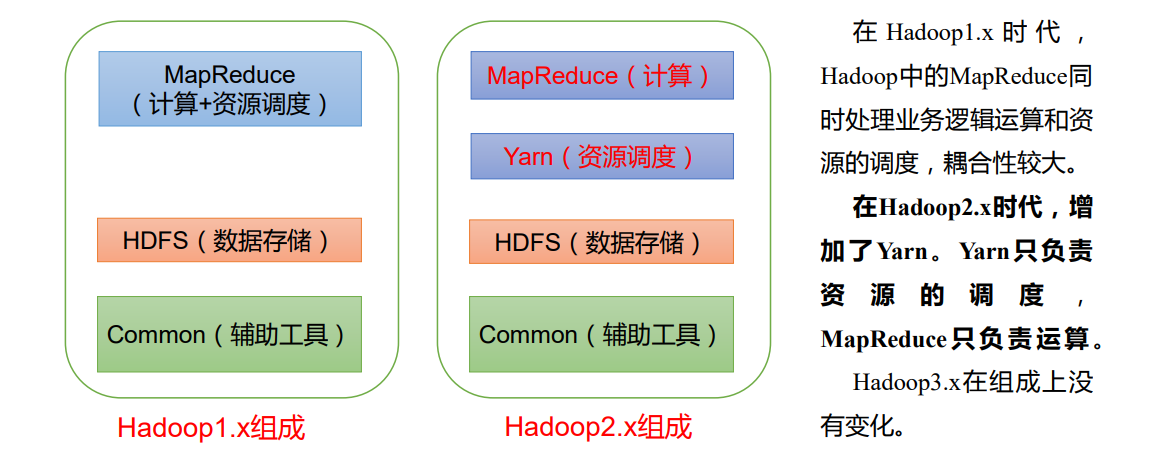
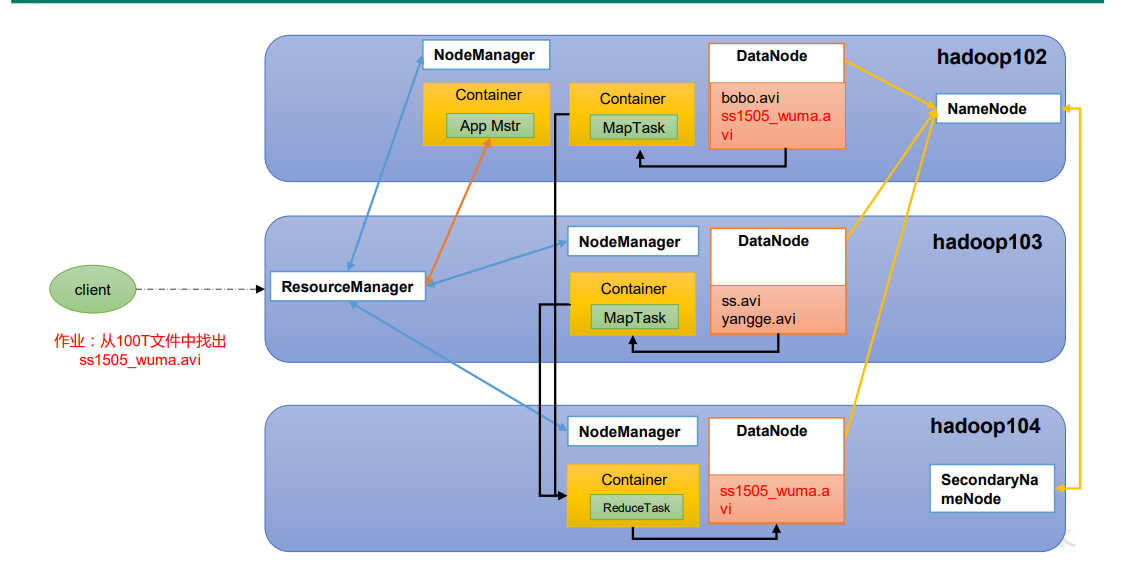
[root@test-152 keytabs]# KRB5_TRACE=/dev/stdout klist
Ticket cache: FILE:/tmp/krb5cc_0
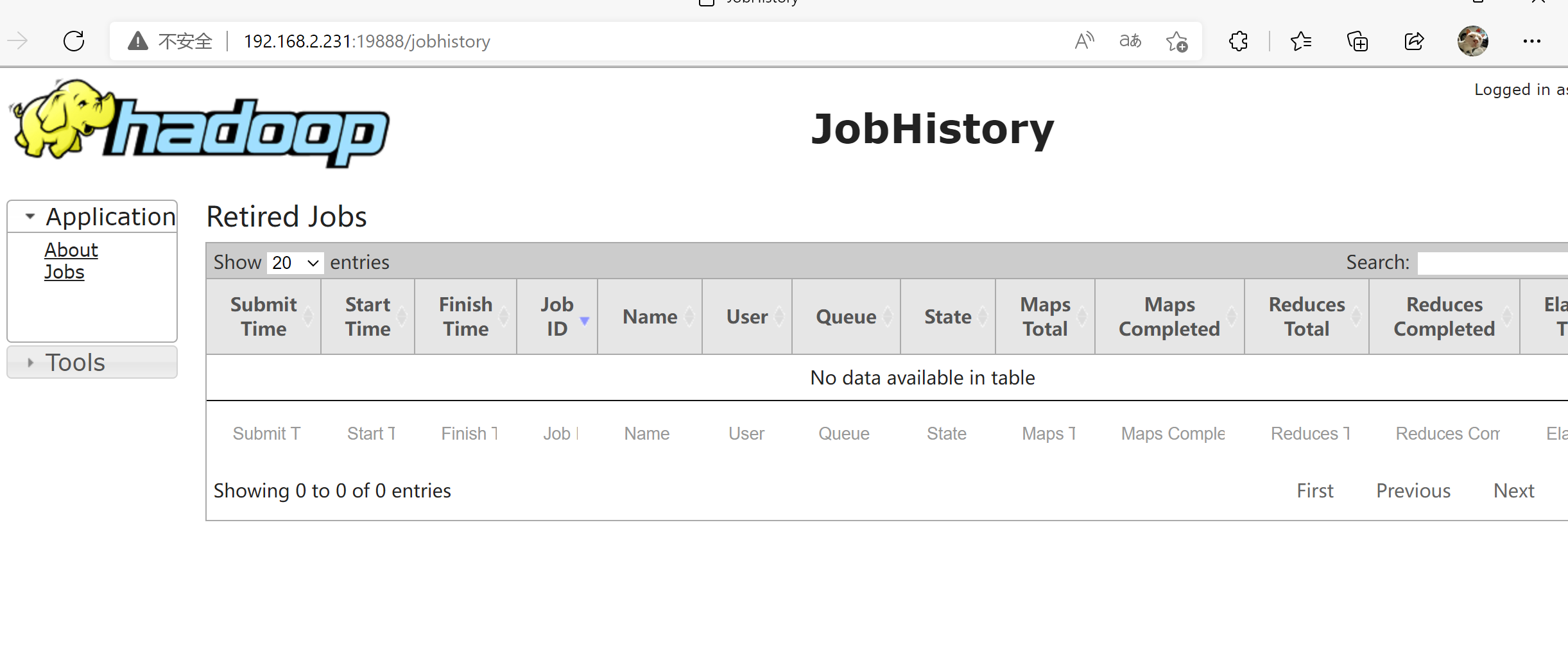
Default principal: [email protected]

Valid starting Expires Service principal
11/15/2024 15:50:26 11/16/2024 15:50:26 krbtgt/[email protected]
[root@test-152 keytabs]# KRB5_TRACE=/dev/stdout kdestroy
[3737246] 1731657059.396333: Destroying ccache FILE:/tmp/krb5cc_0
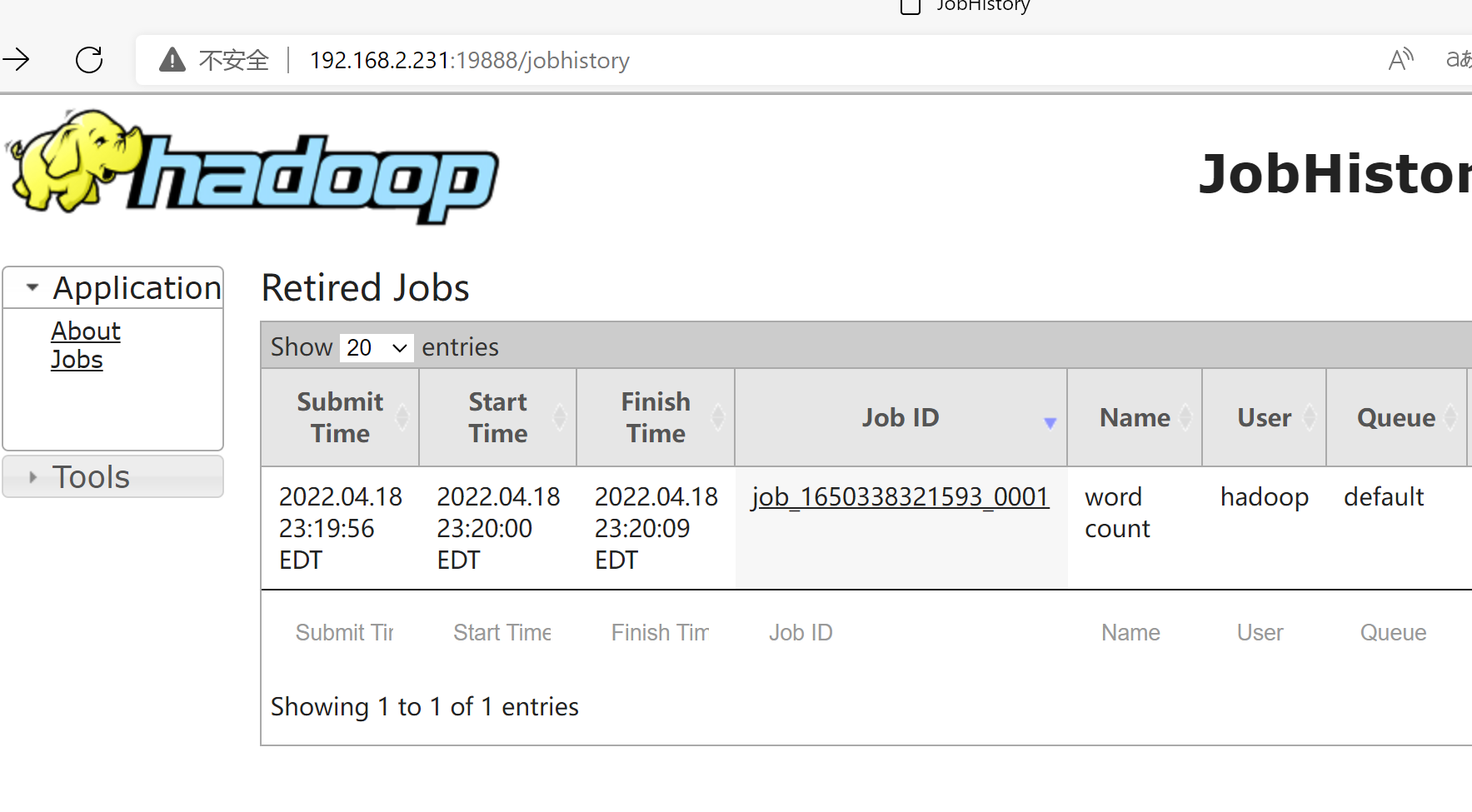
[root@test-152 keytabs]#

yarn 日志查看

1
2
3
4
5
6
7
8
yarn application -list # yarn app -list
yarn app -list -appStates ALL # yarn application -list -appStates FINISHED,FAILED,KILLED
yarn application -status <application_id>
yarn logs -applicationId <application_id>
yarn logs -applicationId <application_id> -containerId <container_id> > container_logs.txt


yarn queue -status default

CDH 客户端接入

CDH 安装在另外的服务器,可以从 CDH 管理界面下载配置文件

导入到本地服务器

下载 CDH-5.9.1-1.cdh5.9.1.p0.4-el7.parcel

1
2
3
4
5
6
7
8
mkdir -p /opt/cloudera/parcels
cd /opt/cloudera/parcels
# 上传刚才的的parcel包至/opt/cloudera/parcels目录

tar -zxvf CDH-5.9.1-1.cdh5.9.1.p0.4-el7.parcel
# 解包出来的目录名不带 -el7.parcel 后缀,软链要指向那个目录,
# 指向 parcel 包文件本身的话后面 CDH/lib/hive、CDH/bin 全都会 ENOTDIR
ln -s CDH-5.9.1-1.cdh5.9.1.p0.4 CDH

下载 hive-clientconfig.zip 和 hbase-clientconfig.zip 、hdfs-clientconfig.zip并解压到 /opt/cloudera/etc/

1
2
3
4
5
[root@k8s01 parcels]# mkdir -p /opt/cloudera/etc/
[root@k8s01 parcels]# ll /opt/cloudera/etc/
drwxr-xr-x 2 root root 154 6 25 10:31 hadoop-conf
drwxr-xr-x 2 root root 153 6 25 10:31 hbase-conf
drwxr-xr-x 2 root root 266 6 25 10:31 hive-conf

配置环境变量

1
2
3
4
5
6
7
8
9
10
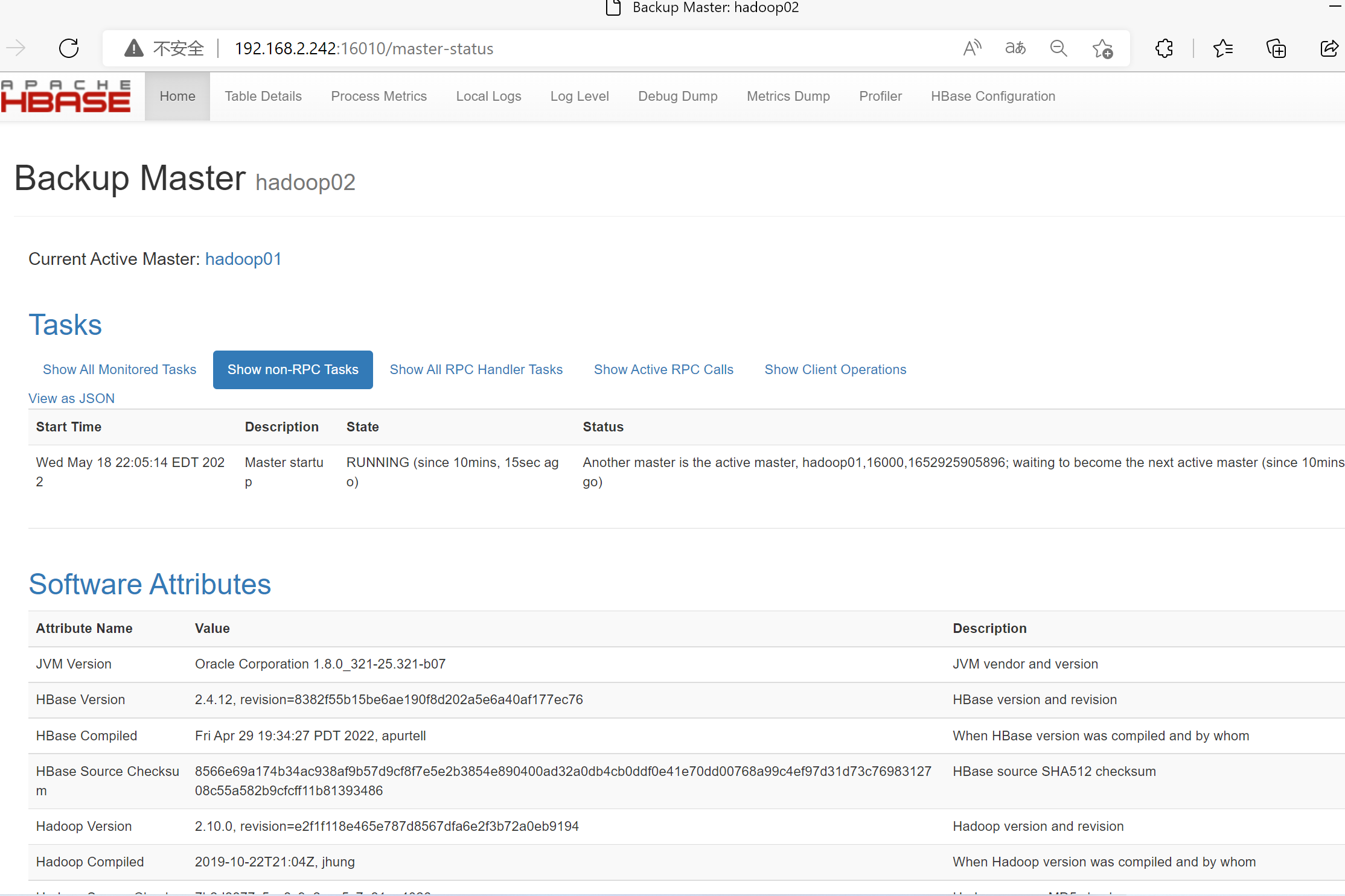
11
12
13
14
15
16
cat > /etc/profile.d/cdh.sh <<-EOF
export JAVA_HOME=/usr/lib/jvm/java-1.7.0-openjdk-1.7.0.45.x86_64
export HADOOP_HOME=/opt/cloudera/parcels/CDH
export HIVE_HOME=/opt/cloudera/parcels/CDH/lib/hive
export HBASE_HOME=/opt/cloudera/parcels/CDH/lib/hbase
export HCAT_HOME=/opt/cloudera/parcels/CDH
export HADOOP_CONF_DIR=/opt/cloudera/etc/hadoop-conf
export HIVE_CONF=/opt/cloudera/etc/hive-conf/
export YARN_CONF_DIR=/opt/cloudera/etc/hadoop-conf
export CDH_MR2_HOME=\$HADOOP_HOME/lib/hadoop-mapreduce
export PATH=\${HADOOP_HOME}/bin:\${HADOOP_HOME}/sbin:\${HBASE_HOME}/bin:\${HIVE_HOME}/bin:\${HCAT_HOME}/bin:\${PATH}
EOF
# 两点说明:HDFS/YARN 客户端要读 hadoop-conf 那份,别指到 hive-conf(原来这么写的话解出来的 hadoop-conf 全程没被用上);
# PATH 里也不要放配置目录,PATH 只用于查找可执行文件,放 \$HADOOP_CONF_DIR 不起任何作用。

source /etc/profile

将服务器 ip 及 域名 加入 客户端 /etc/hosts

验证

1
2
3
hdfs dfs -ls /

hive