爬虫整理(二)BeautifulSoup

BeautifulSoup 解析:基础

本段完整代码

安装命令行
具体安装过程可自行搜索。
beautifulSoup使用过程

  1. 选择要爬的网址 (url)
  2. 使用 python 打开这个网址 (urlopen等)
  3. 读取网页信息 (read() 出来)
  4. 将读取的信息放入 BeautifulSoup
  5. 使用 BeautifulSoup 选取 tag 信息等 (代替正则表达式)
    1
    2
    3
    4
    5
    6
    from urllib.request import urlopen

    # if has Chinese, apply decode()
    html = urlopen(
    "https://morvanzhou.github.io/static/scraping/basic-structure.html").read(
    ).decode('utf-8')
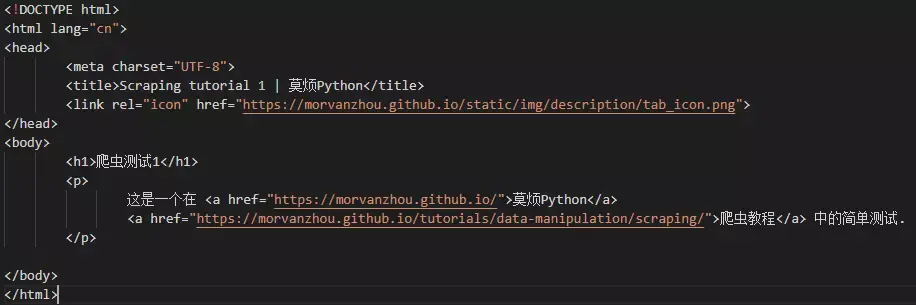
与上章同一个网页

使用BeautifulSoup筛选数据

1
2
3
4
from bs4 import BeautifulSoup

soup = BeautifulSoup(html, features='lxml') #以 lxml 的这种形式加载
print(soup)
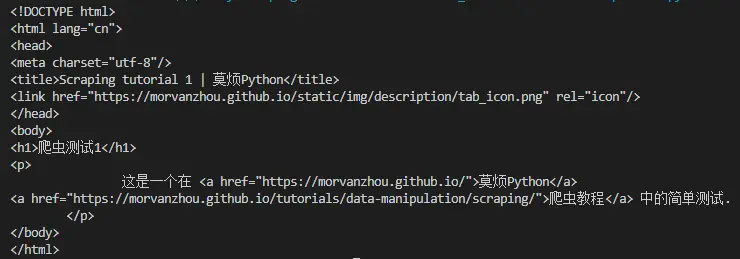
可以看到原格式转为如上形式

1
2
3
4
5
6
7
8
print(soup.h1)   # 输出<h1> 标题
print(soup.p) # 输出<p> 标题

all_href = soup.find_all('a')
print('\n',all_href)
all_href = [l['href'] for l in all_href]
#像 Python 字典的形式, 用 key 来读取 l["href"]
print('\n', all_href)

print结果

BeautifulSoup 解析网页:CSS

本节代码
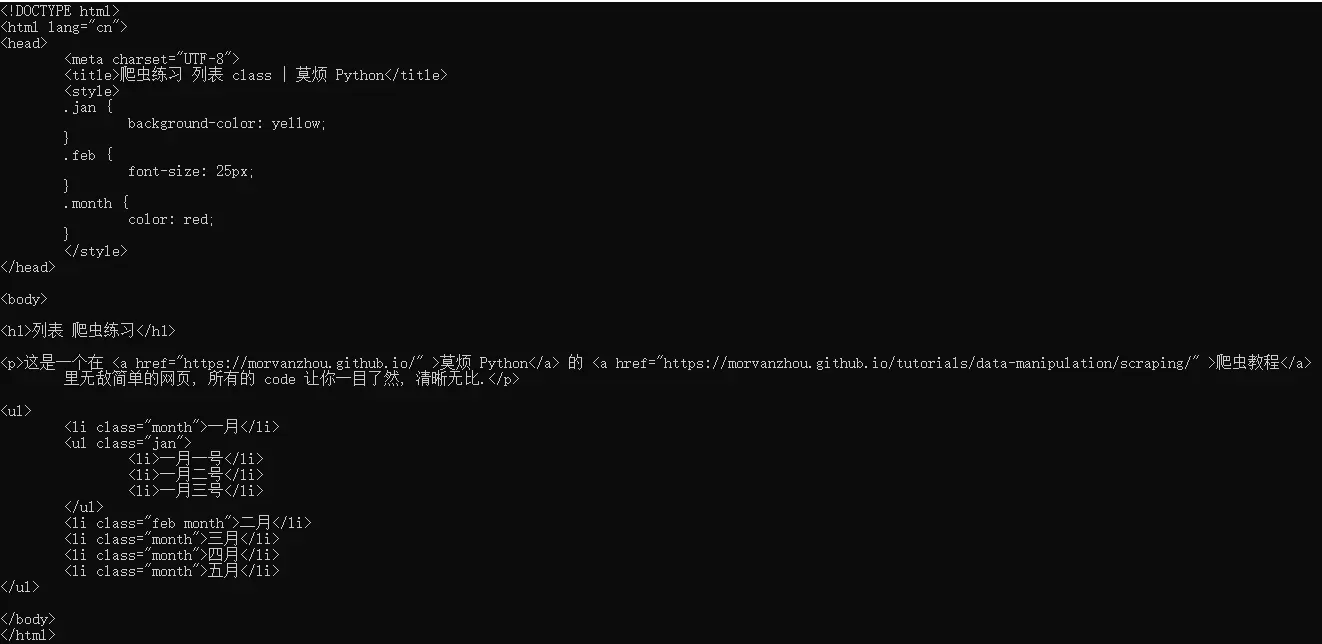
网页源码

1
2
3
4
5
6
7
8
9
10
11
12
13
14
15
16
17
18
19
20
21
22
23
24
25
from bs4 import BeautifulSoup
from urllib.request import urlopen

# if has Chinese, apply decode()
html = urlopen(
"https://morvanzhou.github.io/static/scraping/list.html").read(
).decode('utf-8')

soup = BeautifulSoup(html, features='lxml')

# use class to narrow search
month = soup.find_all('li', {"class": "month"})
print(month)

#要找所有 class=month 的信息. 并打印出它们的 tag 内文字
for m in month:
print(m.get_text()) # 打印tag中的文字


jan = soup.find('ul', {"class": 'jan'})
print('\n',jan)
d_jan = jan.find_all('li') # use jan as a parent
print('\n',d_jan)
for d in d_jan:
print('\n',d.get_text())

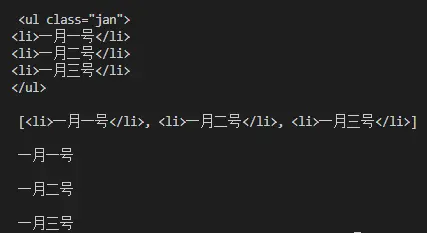
get_txt()
详细情况

BeautifulSoup 解析网页正则表达式

本节代码

1
2
3
4
5
6
7
8
9
10
11
12
13
14
15
16
html = urlopen(
"https://morvanzhou.github.io/static/scraping/table.html").read(
).decode('utf-8')
print(html)

soup = BeautifulSoup(html, features='lxml')

img_links = soup.find_all("img", {"src": re.compile('.*?\.jpg')})
for link in img_links:
print(link['src'])

print('\n')

course_links = soup.find_all('a', {'href': re.compile('https://morvan.*')})
for link in course_links:
print(link['href'])

我们发现, 如果是图片, 它们都藏在这样一个 tag 中:

1
2
3
<td>
<img src="https://morvanzhou.github.io/static/img/course_cover/tf.jpg">
</td>

用 soup 将这些 tag 全部找出来, 但是每一个 img 的链接(src)都可能不同,可能是 jpg 有的是 png, 只挑选 jpg 形式的图片, 用这样一个正则 r’.*?.jpg’ 来选取. 把正则的 compile 形式放到 BeautifulSoup 的功能中, 就能选到符合要求的图片链接了.
想要的链接都有统一的形式, 就是开头都会有 https://morvan., 定一个正则, 让 BeautifulSoup 找到符合规则的链接.
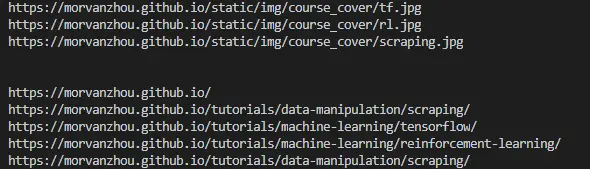
print结果

一个小练习来熟悉

1
2
3
4
5
6
7
8
9
10
11
12
13
14
15
16
17
18
19
20
21
22
23
24
25
26
from bs4 import BeautifulSoup
from urllib.request import urlopen
import re
import random


base_url = "https://baike.baidu.com"
his = ["/item/%E7%BD%91%E7%BB%9C%E7%88%AC%E8%99%AB/5162711"]

for i in range(20):
# dealing with Chinese symbols
url = base_url + his[-1]

html = urlopen(url).read().decode('utf-8')
soup = BeautifulSoup(html, features='lxml')
print(i, soup.find('h1').get_text(), ' url: ', url)

# find valid urls
sub_urls = soup.find_all(
"a", {"target": "_blank", "href": re.compile("/item/(%.{2})+$")})

if len(sub_urls) != 0:
his.append(random.sample(sub_urls, 1)[0]['href'])
else:
# no valid sub link found
his.pop()