apisix-ingress-controller 基础使用

更多信息参考

github 地址 https://github.com/apache/apisix

文档 https://apisix.apache.org/docs/

安装

apisix-ingress-controller 与面板安装

1
2
3
4
5
6
7
8
9
10
11
12
13
14
15
16
17
18
19
20
# 注释的是 gateway 方式
# kubectl apply -f https://github.com/kubernetes-sigs/gateway-api/releases/download/v0.5.0/standard-install.yaml
# --set ingress-controller.config.kubernetes.enableGatewayAPI=true \
helm repo add apisix https://charts.apiseven.com
helm repo add bitnami https://charts.bitnami.com/bitnami
helm repo update

# ectd 需要修改 pvc 设置
# kubectl create ns ingress-apisix
ADMIN_API_VERSION=v3
helm install apisix apisix/apisix \
--namespace ingress-apisix --create-namespace \
--set service.type=NodePort \
--set ingress-controller.enabled=true \
--set apisix.ssl.enabled=true \
--set ingress-controller.config.apisix.serviceNamespace=ingress-apisix \
--set ingress-controller.config.kubernetes.enableGatewayAPI=true \
--set ingress-controller.config.apisix.adminAPIVersion=$ADMIN_API_VERSION

helm install apisix-dashboard apisix/apisix-dashboard --create-namespace --namespace ingress-apisix

使用

简单使用 ingressClassName: apisix, 与 ingress 使用是差不多的

更多使用方法参考官网

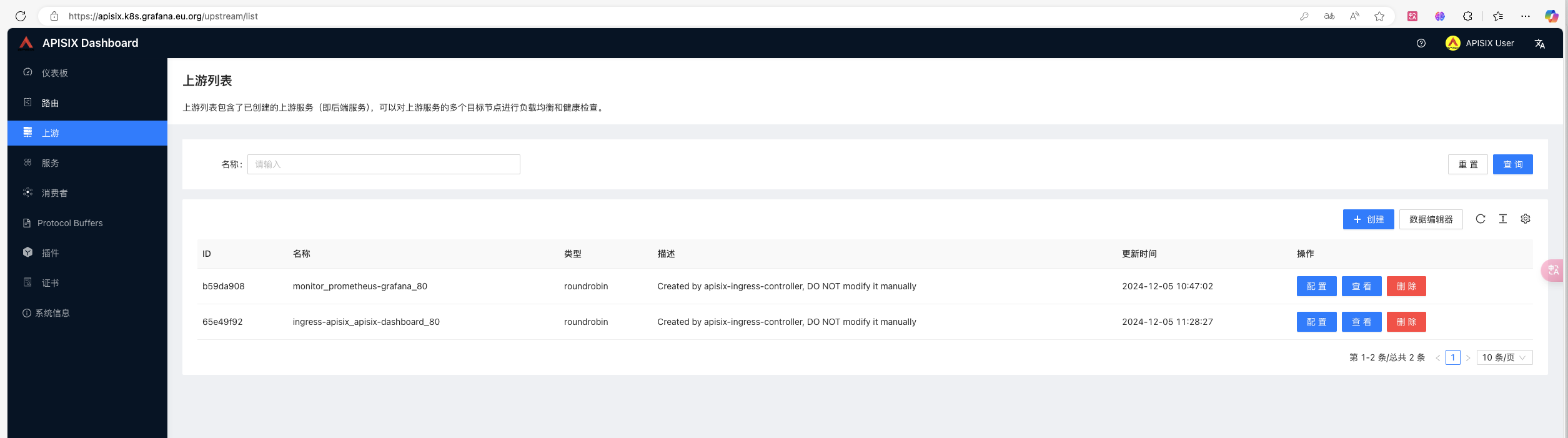
以apisix面板为例基础使用

使用 apisix.k8s.grafana.eu.org 为地址,http 访问可以不需要证书

1
2
3
4
5
6
7
8
9
10
11
12
13
14
15
16
17
18
19
20
21
22
23
24
25
26
27
28
29
30
31
32
33
34
35
36
37
38
39
40
41
42
43
44
45
46
47

---
# 路由
apiVersion: apisix.apache.org/v2
kind: ApisixRoute
metadata:
name: apisix
namespace: ingress-apisix
spec:
http:
- name: rule1
match:
hosts:
- apisix.k8s.grafana.eu.org
paths:
- /*
backends:
- serviceName: apisix-dashboard
servicePort: 80
---
# 申请证书
apiVersion: cert-manager.io/v1
kind: Certificate
metadata:
name: apisix.k8s.grafana.eu.org.tls
namespace: ingress-apisix
spec:
secretName: apisix.k8s.grafana.eu.org.tls.secret
issuerRef:
name: cloudflare-acme-cluster-issuer # 使用 cert-manager 创建的 ClusterIssuer
kind: ClusterIssuer
commonName: apisix.k8s.grafana.eu.org
dnsNames:
- apisix.k8s.grafana.eu.org
---
# 使用证书
apiVersion: apisix.apache.org/v2
kind: ApisixTls
metadata:
name: apisix.k8s.grafana.eu.org.tls
namespace: ingress-apisix
spec:
hosts:
- apisix.k8s.grafana.eu.org
secret:
name: apisix.k8s.grafana.eu.org.tls.secret # the secret created by cert-manager
namespace: ingress-apisix

apisix-dashboard

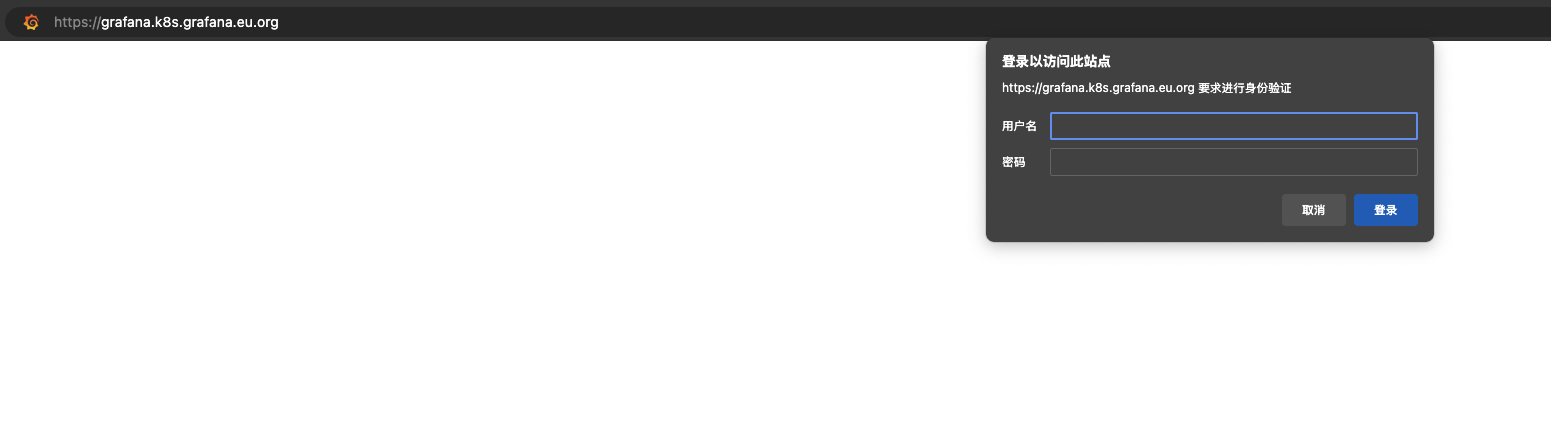
简单认证

1
2
3
4
5
6
7
8
9
10
11
12
13
14
15
16
17
18
19
20
21
22
23
24
25
26
27
28
29
30
31
32
33
34
35
36
37
38
39
40
41
42
43
44
45
46
47
48
49
50
51
52
53
54
55
56
57
58
59
60
61
62
63
64
65
66
67
68
69
70
71
---
# 定义消费者,简单使用 basicauth
apiVersion: apisix.apache.org/v2
kind: ApisixConsumer
metadata:
name: testbasicauth
namespace: monitor
spec:
authParameter:
basicAuth:
value:
username: testuser #required
password: testpass #required
---

# 路由使用
# https://apisix.apache.org/zh/docs/ingress-controller/tutorials/enable-authentication-and-restriction/
apiVersion: apisix.apache.org/v2
kind: ApisixRoute
metadata:
name: test-basicauth-route
namespace: monitor
spec:
http:
- name: rule1
match:
hosts:
- grafana.k8s.grafana.eu.org
paths:
- /*
backends:
- serviceName: prometheus-grafana
servicePort: 80
authentication:
enable: true
type: basicAuth
plugins:
- name: consumer-restriction
enable: true
config:
whitelist:
- "monitor_testbasicauth" # ${consumer_name} = ${namespace}_${ApisixConsumer_name} # kube-system 为 kube_system

---
# 申请证书
apiVersion: cert-manager.io/v1
kind: Certificate
metadata:
name: grafana.k8s.grafana.eu.org.tls
namespace: monitor
spec:
secretName: grafana.k8s.grafana.eu.org.tls.secret
issuerRef:
name: cloudflare-acme-cluster-issuer # 使用 cert-manager 创建的 ClusterIssuer
kind: ClusterIssuer
commonName: grafana.k8s.grafana.eu.org
dnsNames:
- grafana.k8s.grafana.eu.org
---
# 使用证书
apiVersion: apisix.apache.org/v2
kind: ApisixTls
metadata:
name: grafana.k8s.grafana.eu.org.tls
namespace: monitor
spec:
hosts:
- grafana.k8s.grafana.eu.org
secret:
name: grafana.k8s.grafana.eu.org.tls.secret # the secret created by cert-manager
namespace: monitor

apisix-baseauth

k8s-dashboard

需要定义 ApisixUpstream, 指定后端的 scheme 为 https

1
2
3
4
5
6
7
8
9
10
11
12
13
14
15
16
17
18
19
20
21
22
23
24
25
26
27
28
29
30
31
32
33
34
35
36
37
38
39
40
41
42
43
44
45
46
47
48
49
50
51
52
53
54
55
56
---
apiVersion: apisix.apache.org/v2
kind: ApisixUpstream
metadata:
name: kubernetes-dashboard # service 的名称
namespace: kube-system
spec:
scheme: https # 通过 HTTPS 协议访问后端服务

---
apiVersion: apisix.apache.org/v2
kind: ApisixRoute
metadata:
name: apisix-dashboard-route
namespace: kube-system
spec:
http:
- name: dashboard-route
match:
hosts:
- dashboard.k8s.grafana.eu.org
paths:
- /*
backends:
- serviceName: kubernetes-dashboard # service 的名称
servicePort: 443

---
# 申请证书
apiVersion: cert-manager.io/v1
kind: Certificate
metadata:
name: dashboard.k8s.grafana.eu.org.tls
namespace: kube-system
spec:
secretName: dashboard.k8s.grafana.eu.org.tls.secret
issuerRef:
name: cloudflare-acme-cluster-issuer # 使用 cert-manager 创建的 ClusterIssuer
kind: ClusterIssuer
commonName: dashboard.k8s.grafana.eu.org
dnsNames:
- dashboard.k8s.grafana.eu.org

---
# 使用证书
apiVersion: apisix.apache.org/v2
kind: ApisixTls
metadata:
name: dashboard.k8s.grafana.eu.org.tls
namespace: kube-system
spec:
hosts:
- dashboard.k8s.grafana.eu.org
secret:
name: dashboard.k8s.grafana.eu.org.tls.secret # the secret created by cert-manager
namespace: kube-system

1. apisix cert-manager

使用 http01 的配置也是 nginx

letsencrypt-http01.yaml

1
2
3
4
5
6
7
8
9
10
11
12
13
14
15
apiVersion: cert-manager.io/v1
kind: ClusterIssuer
metadata:
name: letsencrypt-http01
namespace: cert-manager # 这里配置为安装cert-manager资源的命名空间
spec:
acme:
server: https://acme-v02.api.letsencrypt.org/directory
email: [email protected]
privateKeySecretRef:
name: letsencrypt-http01
solvers:
- http01:
ingress:
class: nginx

使用 dns01 letsencrypt-dns01.yaml

1
2
3
4
5
6
7
8
9
10
11
12
13
14
15
16
17
18
19
20
21
22
23
24
25
26
27
28
apiVersion: v1
kind: Secret
metadata:
name: cloudflare-api-token-secret
namespace: cert-manager # 这里配置为安装cert-manager资源的命名空间
type: Opaque
stringData:
api-token: 'xxxxxxxx'

---
apiVersion: cert-manager.io/v1
kind: ClusterIssuer
metadata:
name: cloudflare-acme-cluster-issuer
spec:
acme:
email: '[email protected]'
# 配置证书目录,演练环境使用Staging环境,注意区分
server: https://acme-v02.api.letsencrypt.org/directory
# server: https://acme-staging-v02.api.letsencrypt.org/directory
privateKeySecretRef:
name: acme-issuer-account-key
solvers:
- dns01:
cloudflare:
apiTokenSecretRef:
name: cloudflare-api-token-secret # 引用当前文档中创建的Secret名称
key: api-token

2. 使用通配符

创建通配符证书

1
2
3
4
5
6
7
8
9
10
11
12
13
14
15
---
apiVersion: cert-manager.io/v1
kind: Certificate
metadata:
name: wildcard-cert-k8s-grafana-eu-org
namespace: cert-manager
spec:
secretName: wildcard-cert-k8s-grafana-eu-org-tls # 生成的证书将保存在此 Secret 中
issuerRef:
name: cloudflare-acme-cluster-issuer
kind: ClusterIssuer # 如果使用 Issuer 则改为 Issuer
commonName: "*.k8s.grafana.eu.org" # 通配符域名
dnsNames:
- "*.k8s.grafana.eu.org"
- k8s.grafana.eu.org # 如果需要顶级域名

跨 ns 使用, ingress-nginx 不支持

1
2
3
4
5
6
7
8
9
10
11
12
13
14
15
16
17
18
19
20
21
22
23
24
25
26
27
28
29
30
31
32
---
# 路由
apiVersion: apisix.apache.org/v2
kind: ApisixRoute
metadata:
name: kibana
namespace: elasticsearch
spec:
http:
- name: rule1
match:
hosts:
- kibana.k8s.grafana.eu.org
paths:
- /*
backends:
- serviceName: kibana
servicePort: 8080

---
# 使用证书
apiVersion: apisix.apache.org/v2
kind: ApisixTls
metadata:
name: kibana.k8s.grafana.eu.org.tls
namespace: elasticsearch
spec:
hosts:
- *.k8s.grafana.eu.org
secret: # the secret created by cert-manager
name: wildcard-cert-k8s-grafana-eu-org-tls
namespace: cert-manager

prometheus使用

1
2
3
4
5
6
7
8
9
10
11
12
13
14
15
16
17
18
19
20
21
22
23
24
25
26
27
28
29
30
31
32
33
34
35
36
37
38
39
40
41
42
43
44
45
46
47
48
49
50
51
52
53
54
---
# 定义消费者,简单使用 basicauth
apiVersion: apisix.apache.org/v2
kind: ApisixConsumer
metadata:
name: testbasicauth
namespace: monitor
spec:
authParameter:
basicAuth:
value:
username: testuser #required
password: testpass #required

---
# 路由
apiVersion: apisix.apache.org/v2
kind: ApisixRoute
metadata:
name: prometheus
namespace: monitor
spec:
http:
- name: rule1
match:
hosts:
- prometheus.k8s.grafana.eu.org
paths:
- /*
backends:
- serviceName: prometheus-kube-prometheus-prometheus
servicePort: 9090
authentication:
enable: true
type: basicAuth
plugins:
- name: consumer-restriction
enable: true
config:
whitelist:
- "monitor_testbasicauth" # ${consumer_name} = ${namespace}_${ApisixConsumer_name} # kube-system 为 kube_system
---
# 使用证书
apiVersion: apisix.apache.org/v2
kind: ApisixTls
metadata:
name: prometheus.k8s.grafana.eu.org.tls
namespace: monitor
spec:
hosts:
- *.k8s.grafana.eu.org # prometheus.k8s.grafana.eu.org
secret:
name: wildcard-cert-k8s-grafana-eu-org-tls # the secret created by cert-manager
namespace: cert-manager